















Miro's new features, updates and enhancements.
Recently active
May was a future-looking month of innovation for Miro, with a slate of newly released product updates, making diagrams more robust and stylish and workflows more secure and streamlined.At Miro Next, our virtual conference, we unveiled a new platform and variety of new features and integrations designed to help organizations unlock new ways of collaborating and innovating, pushing beyond the boundaries of a typical digital whiteboard. With the launch of our new platform, we’re moving towards a vision of Miro everywhere. “At Miro, we think we need a different model of working altogether, one that responds to the needs for greater connectedness in a complex, hybrid world,” Varun Parmar, Miro’s Chief Product Officer, said at the conference. “Ultimately, we are creating more meaningful interaction, co-creativity, and inclusivity through a better way of working.” 🔗 To see how Miro’s latest improvements can help your team work better together, check out our roundup of releases from May.
Hello community,Our all-in-one diagram maker is one of the most commonly used solutions to align teams, create diagrams, and manage tasks, all in one tool. Now, we want to make it even easier for Consultant and Education plans to create advanced diagrams by offering you our Smart Diagramming solution. Starting December 16, all customers on our Consultant and Education plans will have full access to our Smart Diagramming solution, including several advanced shape packs (AWS, Azure, BPMN, Cisco and Data Flow). Customers on Business and Enterprise plans already have access to this solution. For more information about our plans, visit our plan page. Want to know more? Check out our mapping and diagramming help center for all kinds of tips, tricks, and resources to improve your diagramming process. Happy diagramming,Turner and the Miro team
Hello, Miro community!We’re happy to announce a new way of using Miro for meetings and workshops: Glowbl’s collaborative platform for hybrid work now integrates with Miro for a seamless visual collaboration experience. From any table in your Glowbl space, share any of your Miro boards or create a new one in just three clicks — all without leaving Glowbl. Use Miro to brainstorm and ideate during live sessions, manage and collaborate on projects, and run up to nine workshops or breakout sessions on Glowbl simultaneously. Learn more about Miro on Glowbl.Check out all Miro integrations on our marketplace.
Publishing new Miroverse templates is only the beginning—the exciting part is watching your ideas taking off!So wether you’re simply browsing for inspiration or gaining a bigger reach for your ideas, we hope this update helps you to understand how people engage with templates and get a lot more out of Miroverse — as a viewer and a creator. See how your template is performing with 👀 views and ➕ copies. Show others that you love what they made with ❤️ likes. Explore Miro community favorites with the new Popular category. Visit the Help Center article to learn more and as always, we’d love to hear from you in the thread below 👇
Hello community! 👋Miroverse is the destination for community members to publish their ideas as templates — and you keep sharing the most incredible things. When Miroverse creators share their work, they're not just sharing templates — they're making their wealth of knowledge and creativity accessible to all, guiding, inspiring, and influencing everyone, from passionate community members to our global product teams. Now, it’s even easier for you to publish, manage, and share your templates with the world, with our new Miroverse updates. ✨From Miroverse, you’ll now be able to:👩🚀 Build a Miroverse profile to start sharing templates right away 🚀 Craft your template submission with a more intuitive and flexible form Gain visibility into the process with submission previews, saved drafts, and status updates Keep your expertise up-to-date with easy profile and template editing Visit our help center for more information about Miroverse, profile pages, and how to get published.Anyone ca
世界中のコミュニティの皆様、こんにちは!👋Miro Japanでカスタマーエクスペリエンス部門のマネージャをしている安間(やすま) 太郎と申します!好きな言語でコラボレーションし、大きな仕事を協力してより短期間で達成しましょう。世界中のユーザーの皆様に Miro をより快適にお使いいただくため、主な機能を多言語で提供する取り組みをしていますが、この度、日本語版がリリースされました。🇯🇵 Miro の言語は以下の方法で変更できます。 Profile settings(プロフィールの設定)に移動します [Language](言語) セクションまでスクロール ダウンします ドロップダウン メニューから言語を選択します Miro は多言語対応を開始したばかりのため、まだ日本語でご利用になれない機能があります。今後、各種機能を徐々にアップデートしていきますので、もうしばらくお待ちください。詳細につきましては、ヘルプセンターをご覧ください( 英語 | 日本語)。また、ご意見は Miro コミュニティでお聞かせください。追記:日本語として不十分な表現がございましたら、検討させていただきますので、Miro のサポート チームまでお知らせください。
Every day at Miro, we’re cooking up new ways for teams to collaborate seamlessly, no matter where or how you work.This month, we released enhancements designed to streamline co-creation, improve security for your company’s internal processes, and increase accessibility for screen reader users. 🔗 To see how Miro’s latest improvements can help your team innovate and connect, check out our roundup of releases from April.
Hi Miro Community! We’ve got good news for you Oculus Quest users: Miro is now available in virtual reality as one of the first 2D panel apps for the Meta Quest 2. You can read more about our current app and try it out. With this first step into VR, we’re dreaming about all of the future possibilities of immersive collaboration and whiteboarding. ✨What excites you about the potential of Miro in virtual reality? Let us know where your imagination goes in the thread (or see the existing Miro in VR conversation happening in the community). And, if you give our 2D app a whirl with your Meta Quest 2 headset, comment with a 👋 if you’re open to chatting with us about your experience and feedback.
Behind the scenes, we’ve been continuously improving Miro’s features for seamless collaboration, no matter where or how you work.To make sure we meet the security and scalability needs of enterprises of all sizes, everything we launch — whether it’s a new feature or enhancement — is enterprise-ready, and we’re continuing to focus on advanced security and compliance. We’ve been working closely with thousands of our customers, all over the world, to figure out how Miro fits within their strategies for hybrid work. And we’re committed to expanding capabilities for all teams to visually collaborate in a hybrid work environment. We will continue to invest in our integrations and extensive platform approach to ensure that Miro seamlessly connects to your team’s favorite tools. So, no matter which platforms you select for video conferencing or content management, for example, Miro will be able to work with it out of the box, simplifying your workflows and collaboration.Earlier this year, we s
Hello, Miro Community! 👋A quick update for everyone. To help you discover the templates that interest you most we’ve added the ability to sort Miroverse templates. You’ll be able to sort templates by: recently added 🆕, most used 💫, views 👀, and Likes ❤️.Go to Miroverse to find your perfect template 🔭
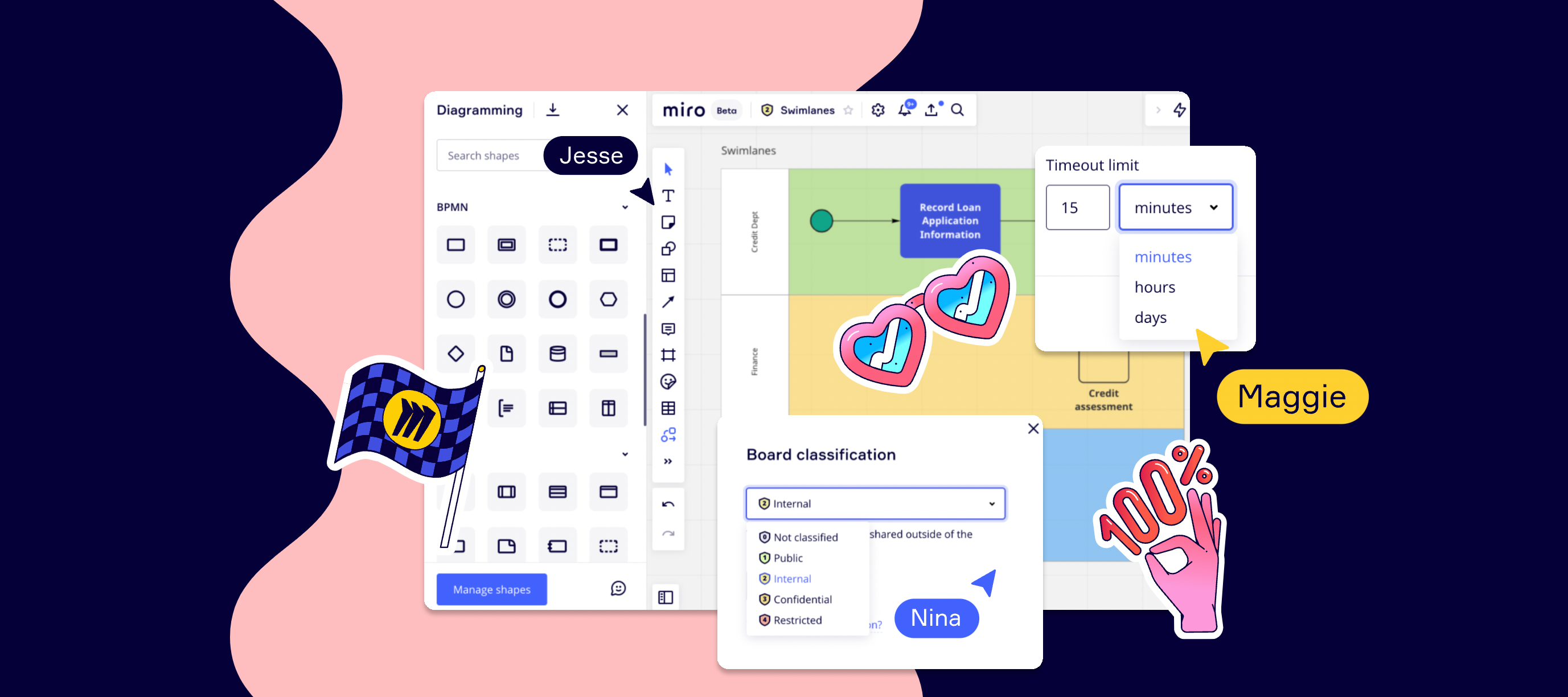
Hello community!SwimlanesDividing diagrams into logical areas helps to visualize complex information and improve your Flowcharts, BPMN and UML diagram processes. Vertical and horizontal Lanes and Pools Show interdependencies within diagrams, connections and handoffs Adding Swimlanes to your diagram can improve efficiency of your process and help identify waste and inefficiencies We would love to see some of your creations and get feedback. You can reach me at diagramming@miro.com or post them below in the comments.Visit our help center for more information, plus tips and tricks to improve your diagramming. Happy diagramming,Turner
Hello, Miro Community! 🎉Today we are thrilled to introduce Miro into Google Calendar. Now, users of Miro will be able to attach boards to Calendar events, while also sharing access to collaborators automatically. This makes it extremely easy to prep meetings and give your teammates context ahead of time. Connect Miro & Google Calendar today. Not only that, but we’re also bringing Miro to Google Meet later this year. Sign up to get the latest updates. 💡 Need some help? Learn how the integration works.
Starting today, everyone on our Consultant plan will have the ability to create company templates, and share them across their teams. Sharing custom templates helps build consistency, from set-up to execution, in separate secure client workspaces. Setting common practices can now be done without wasting time or duplicating efforts.Curious to learn more? Visit Help Center, and let us know what you think in the thread. As always, we can’t wait for your feedback!
Previously, the session idle timeout interval was set to 30 minutes. According to customer feedback, this duration may be too short and potentially disruptive for end users.We've increased the timeout interval to 90 minutes and are working towards allowing customizable intervals in the future. Read our Help Center to learn more.
Hi everyone! Some of you may know about this already since you were participating in the public beta, others will hear about this exciting update for the first time today… Long story short, the updated board UI is coming soon to all Miro users 🥳New and existing Miro users on the Free, Team, Business, Consultant, and Education Plan will be gradually receiving this update until mid-February.Enterprise Plan customers will get the updated board UI in March. Please, bear with us as we update key customer-facing touch-points including the Help Center, and try out the refreshed, scalable board interface with faster discoverability of key features during your next collaborative session.Please, visit the Help Center to learn more about the update.
Hello, Miro Community!We are thrilled to share a ✨ brand new feature ✨ with Asana, that allows you to bring the power of Miro boards right to Asana tasks. Asana users will now be able to attach existing or new Miro boards to any Asana task, making it easier to work together and leave feedback. This feature will help teams to stay aligned, visualize journeys from concept to launch, and create space for innovation to take place within projects.Hear from our Miro’s Platform Partnerships Lead, Amanda Botha, as she shares what this integration means for the Miro Community. ❤️ To learn more about this integration, please visit our app directory page and share what you love most about Miro and Asana on LinkedIn and here in the comments!
Hi everyone, Melissa here from the Product Marketing team at Miro. We have another update for you this week. Accidentally delete your board? No need to worry — you can now access and restore boards that have been deleted in the last 30 days. Restoring boards from Trash is available for Team, Business, Consultant, Education, and Enterprise plans only. If you’re on the free plan, there are a few options for you. When you delete a board, you’ll see a confirmation notification where you can click “Undo.” You can also restore the board if you have the board URL. The easiest way to find the link is to search for the name of the board in your browser history or your email inbox. For more information, visit our Help Center to learn more.
We just released Grids to Miro users and are actively looking for feedback. If you have this feature, tried it and feel like sharing your thoughts with us, don’t hesitate to let us know!
Whether it’s freelancers, contractors, agencies, or anyone outside your team, it takes a village to move projects from kickoff to completion. We’re making it easier and more secure to support external collaboration with a new role in beta: guests. It’s totally free and exclusively for our Business and Consultant Plan users. We’ve also simplified our existing roles to empower collaboration at every level: Anonymous guest editors are now visitors. Non-team members are now guests.Check out the image below to see when we recommend using which role and the differences between them: If you have any questions or feedback, feel free to leave a comment below and we’ll help you out. Happy collaborating, Dominique
Hello Community!We’re making some changes to our diagramming shape library. The AWS, Azure, and Cisco shape packs — previously available via apps — will be moved to our Smart Diagramming shape library, and their respective stand-alone apps will be removed.What's happening?This decision is part of our goal to offer customers an all-in-one diagram maker with a seamless experience. Providing all kinds of shapes in a single library is one of the steps in making it easier and faster to visualise information. We consider customer feedback throughout this journey.No action is required from you. Existing boards and their content will not be affected. The stand-alone apps (AWS, Azure, and Cisco) will be removed from all plans, starting December 1, 2021. Want to know more about Smart Diagramming?In October, we launched our Smart Diagramming solution, which allows teams to align with shared visual language and includes an extensive shape library. Shape packs from AWS, Azure, Cisco, and many other
Hello, Miro Community! 🎉 We are thrilled to share the launch of Miro for Webex Meetings at WebexOne today. Now, all Webex users will be able to bring Miro seamlessly into their entire Webex suite — from Meetings to Messaging — to go from conversation to real-time collaboration. This will help Webex teams create, ideate, and brainstorm together in one seamless collaborative experience. In celebration of launch, we have an exciting opportunity for Webex users to win Miro swag by participating in our #MiroForWebex launch day social media challenge. Find instructions for how to win on our WebexOne event board, and play between now and November 1st to claim your Miro prize See how Miro for Webex Meetings works to make your Webex meetings more engaging, productive, and inclusive on our Miro for Webex page. Ready to try it out? Open up Webex and add Miro right from your Messaging or Meeting Apps to get started! ❓Need help? Read more about getting the most out of the Miro app for Webex
Now you can create or update a Miro board directly within an Airtable base. Get the integration to combine the benefits of both tools and help your team manage shared projects from idea to implementation in a single place. If you want to build your custom integration or embed Miro into your software - check out Miro API. Also, come back here to the Developer Forum to discuss your projects with your peers
Hello Miro Community!We’re excited to announce the launch of our newest update to Miro for interactive displays. With our quick-sign in functionality, your hybrid meetings and collaboration sessions will be up and running in no time.With just the click of a button, you’ll be able to send Miro boards from your personal device to a display in a matter of seconds - making it easy to get started quickly. All you have to do is select a board from your phone, tablet or laptop (via browser or Miro’s apps) and type in the secure code in order to launch the board on the display, and make it available for everyone to see and contribute.Not only that, but with secure and automatic sign-out, your data will be protected, even on a shared device.Visit our Help Center to learn more about this feature. Want to learn More about Miro on displays? Read here. We’re excited to hear what you think!
In the spirit of collaboration, we listened to your feedback and learned that one of the biggest challenges teams face is how to build and maintain engagement throughout meetings and workshops. When meeting online, teams may not always want to express themselves verbally, which makes it challenging to keep everyone engaged and dialed in with the group.That’s why we’re launching reactions, a fun new feature that can increase engagement during meetings and workshops by giving everyone a chance to express themselves. Select from six emojis to express how you feel at any time during a meeting or workshop Participants can raise their hands and facilitators will get notified Facilitators can lower hands The reactions feature is available for all users, and board owners will be able to turn the option on and off. Visit the Help Center article to learn more and let us know what you think!
We've improved our mobile and tablet app to help you create, connect, and work better while on the go. Here are some of the changes we think you might like:Now you can upload multiple images from your camera roll and import them directly into your boards, saving time and multitasking like a pro Choose from 4 new comment color options, so you can highlight important feedback to your team Create and edit new frames on mobile to organize and present information Select and present ideas quickly with the improved Lasso tool on tablet Don't have the Miro app? Download for iOS or Android today.
Already have an account? Login
No account yet? Create an account
Enter your E-mail address. We'll send you an e-mail with instructions to reset your password.