🎃 Miro Community Halloween Contest — win a $400 gift card
Miro's new features, updates and enhancements.
Recently active
Hi everyone, just a heads up that we are sunsetting the Experimental Webhooks support effective December 5, 2025 (as noted in our Changelog). We are officially discontinuing the Experimental Webhooks functionality and the associated endpoints: /v2-experimental/webhooks/board_subscriptions.(This does not affect other WebSDK events, such as experimental:items:update). What is ChangingOn December 5th, we are shutting down the experimental infrastructure used for sending webhook events.The Events: Miro will stop pushing event payloads to your servers. The Endpoint: The subscription endpoints will cease functioning and return errors. The Resources: We have removed the "Webhooks" section from our documentation. We have removed the associated example apps to ensure no new integrations are built on this retired architecture. Why are we doing this?We introduced webhooks to explore sending real-time updates about changes on the canvas.Through this experiment, and thanks to the early adopters who
Whether you’re mapping out a system, leading a workshop, or collaborating on a project plan, this month’s Miro updates help you stay focused and move faster.Check out the highlights below, then head over to the Miro Blog to see all the updates. Map systems and processes with Miro DiagramsBring structure to complexity in seconds with Miro Diagrams, which is now available to all users. Use AI to go from text to diagram in a matter of minutes, or build with 3,000+ shapes. Easily switch between views with Formats & Focus ModesWith Formats & Focus Modes, you no longer need to bounce between multiple tools. You can open formats like Tables, Timelines, Diagrams, or Slides in a full-screen view, or on the canvas with other content visible, and then switch between them at any time. Stay on top of board activity with Catch-upCatch-up provides AI-powered visual summaries that highlight key changes and comment threads, helping you prioritize faster and reduce catch-up time. Keep meetings f
March is all about turning messy inputs into real momentum. We’ve made it faster to go from screenshots, links, and rough ideas to structured outputs your team can actually use. Check out the highlights below and explore the full Miro Blog post for all the details!Turn screenshots into working prototypesDrop a screenshot onto your board and turn it into an interactive prototype in one click. Generate variations and iterate instantly.Pull in content from any linkAdd links and let AI Flows or Sidekicks turn them into structured outputs like research reports or competitor analyses—in minutes.Keep structure while using AI in TablesRun Flows without breaking your setup. Lock columns and turn rough plans into organized trackers.Find and resume work faster with AIUse natural language search to find anything across boards, and pick up where you left off with Sidekicks that remember past conversations.From handwritten notes to presentationsBring in notes from reMarkable, present with a cleaner
🌟 Hold on to your hats because the wait is over! We’re thrilled to announce that Talktrack, previously in beta, is now available to ALL users! 🎉🤩 Talktrack introduces an exciting new way to enrich your Miro board experience by enabling audio/video walkthroughs.📹 The best part? The video is seamlessly embedded into the board, so your audience can follow your journey as if you were right there with them! 🎬✨ And guess what? They can interact with your board while watching! It’s a truly immersive experience that allows collaborators to explore around, leave sticky notes, open documents, and directly edit the board. Talktrack is your ticket to async collaboration mastery, take on its power for:📚 Meeting pre-reads and recaps💼 Weekly team updates🎙️ Stand-in recordings for those unmissable meetings🚀 Onboarding people like a pro🎓 Pre-workshop/class instructions💬 Gathering invaluable feedback🗺️ Sharing your brilliant project plans and roadmaps Don't just take our word for it – disc
Hi everyone, You can now import vsdx files into Miro, this allows you to transfer diagrams from Lucidchart, Microsoft Visio, and Draw.io/Diagramming.net into Miro, so you and your team can collaborate and diagram in one tool.Diagrams are fully editable in Miro Miro supports bulk import (import multiple diagrams in one go) Continue diagramming in an easy, intuitive tool that your entire team can useYou can find a detailed how-to import from Lucidchart, Microsoft Visio, or Draw.io/Diagramming.net on our Help Center.Happy diagramming!Turner
Hi Miro Community, We’re so excited to let you know that the Estimation app is now available to all users on paid plans! The estimation process is designed to help your team predict the amount of effort required to bring a project across the finish line ― often used in Agile product development practices. Our new Estimation app lets you add more to structure the process, increase the accuracy of your estimates, and gives everyone a voice with votes. Create Miro sticky notes and cards, or bring Jira development tasks onto a Miro board to make it easier to estimate, and add design files or diagrams for more visual context To make the estimation process more inclusive, give everyone an opportunity to cast a vote, empowering individuals and sidestepping the bias of group thinking Once voting is done, you can start an agreement session to go through results and focus on the tasks where team members disagree Remove the hassle of manually updating estimates in Jira and sync them with t
Hey everyone 👋 We just shipped a huge batch of new tools in the Miro MCP Server! Anyone on a non-enterprise team can use these today just install the Miro MCP Server on your AI Tool of choice. 🎁✨ Enterprise plans will get access to these new tools soon! 📖 See changelog for more details on each new tool. 🛠️ What’s New? 🆕 Create boards from scratch — kickoffs, retros, design reviews, you name it🎨 Bulk layout tools — Create frames, sticky notes, shapes, text & cards in a single call💬 Read & act on comments — let your AI close the feedback loop agentically🖼️ Create images — drop in from a URL or upload a local file💻 Create and manage code widgets — syntax-highlighted code snippets right on the board🔍 Search boards — find prior art across your team in seconds 🎬 See It In Action ⚡ Spin up a full retro board with Claude for a team workshop in under 60 secondsFrames, color-coded stickies, and an icebreaker all from one prompt. 🏃♂️💨 🤝 Retro → Jira in one shot (Atlassian
🧠 Big ideas need structure — and Miro Tables are here to help you bring clarity to the chaos! We’re beyond excited to share that Tables are live for all Miro users! 🎉Miro Tables bring the power of structured data right into your canvas. You can now organize, sort, and collaborate on your work with all the flexibility of a table, without ever leaving your board. It’s the perfect way to keep your plans, priorities, and project details crystal clear — and all in one place! 💡✨ Here’s what you can do with Tables:🔄 Instantly turn sticky notes, Miro Cards, and Jira Cards into table rows with drag and drop📝 Build rich, customizable tables with text, tags, colors, and custom fields📋 Plan features, track progress, and manage roadmaps — all in one place🔗 Keep everyone aligned with Synced Copies, so updates flow across boards automatically🤝 Share polished updates without the manual work — embed Tables in Docs or Slides, or switch to a focused view to highlight what matters⏰ Need a new pers
Hello Community, We’re excited to announce that you can now create diagrams using code with Mermaid and PlantUML apps right in Miro. With these apps you can automate the process of generating complex diagrams with a simple text language — so you don’t have to worry about design and layout. No need to align diagrams or manually update designs — design and layout are automatically applied Copy your diagram code from other sources like GitHub or Notion to automatically re-create your diagram in Miro Visit the Marketplace to install Mermaid and PlantUML Note, in this first version code will generate an image. We’re curious to hear your feedback and input for the next version Updates!Both apps support editing (only on newly created diagrams). To edit, select the image generated by one of the apps and then click the toolbar icon. The source of the original diagram will be loaded in the editor. Both apps are update to the latest version supporting new diagram types like C4 architectur
Our January updates are built for getting everyone on the same page and actually involved in the conversation. Whether you’re running a 20-person retro or a 2,000-person town hall, aligning your AI with your company’s real knowledge, or just keeping your project tracker in order, January is all about bringing people into the work.Check out the highlights below, then dive into the blog for even more details! Bring everyone into the conversation with Miro EngageMiro Engage (Beta) is a dedicated audience engagement tool built right into Miro, making it easy to turn passive attendees into active participants — whether you’re running a small workshop or a company-wide all-hands.Miro Engage is free to try while in beta, so there’s no better time to bring it to your next session. Explore the Miro Engage Playground to try it out for yourself, and find out more in this article. AI Workflows, now available for EnterpriseFlows and Sidekicks are now out of beta and part of AI Workflows, available
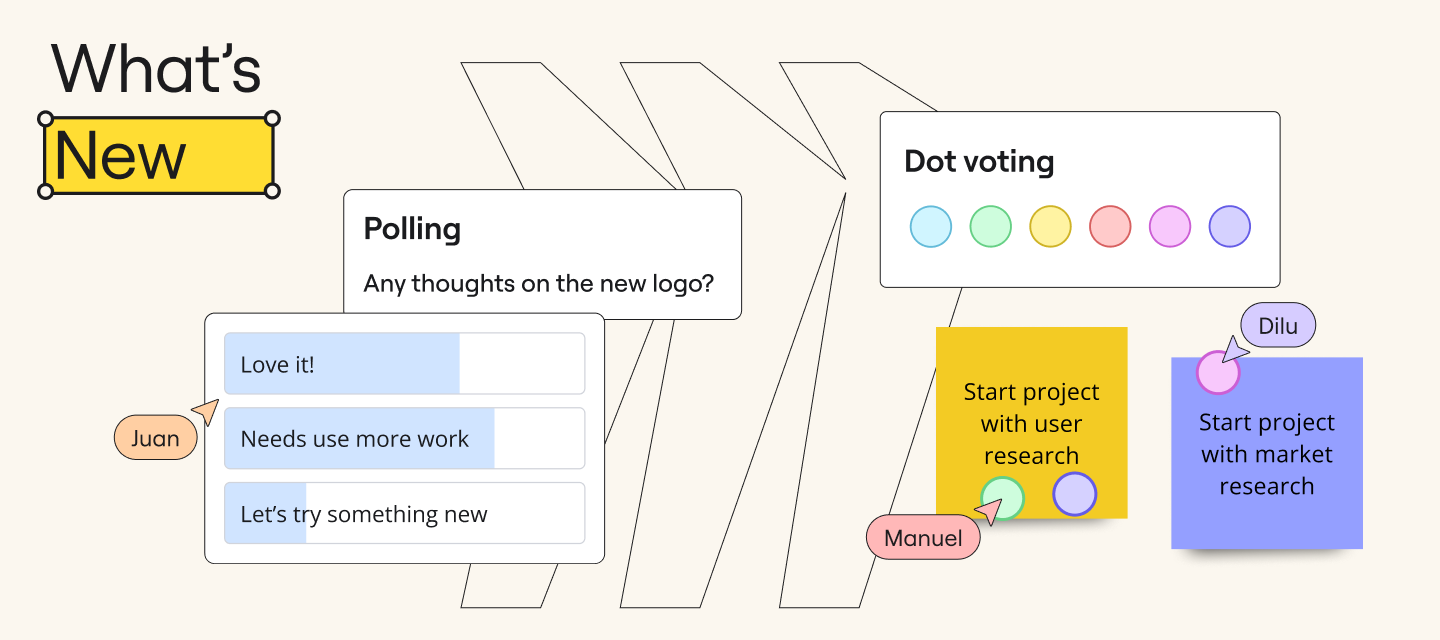
Miro Community, At Miro, innovation thrives when teams come together. Collaboration is not just a feature we provide; it’s the foundation of everything we build. Our new Innovation Workspace is designed to accelerate creative breakthroughs and help teams work more effectively, making collaboration not only efficient but also fun and engaging. Here’s a glimpse at into the key features that make this possible: 📹 Watch: Canvas '24 Keynote & Explore Miro’s Innovation Workspace A Fresh Canvas ExperienceWe’ve revamped Miro’s visual design to inspire creativity. With a more vibrant color palette, interactive stickers, and dynamic sticky notes, collaboration feels more engaging than ever. These enhancements are not just visually appealing; they’re designed to spark ideas and encourage participation from all team members. New Intelligent WidgetsIn July, we launched our first intelligent widgets to bring interactive tools like dot voting and polling to the canvas. Now, we’re taking it up a
February is all about turning your ideas into action faster. We’ve added AI tools for coding and presentations, reusable workflows, and better ways to structure your projects. Check out the highlights below, or read the full Miro Blog post for all the details!Connect Miro to AI coding tools with MCP (Beta) Connect your boards directly to tools like Cursor, Claude Code, and GitHub Copilot. Turn your specs and architecture diagrams straight into accurate code with way less prompting and cleanup. Reuse your best workflows with Custom Blueprints (Beta) Stop starting from scratch! Save any Space—including boards, docs, and tables—as a repeatable workflow package. Turn your team's best, proven processes into templates that anyone can share and reuse instantly. Turn rough ideas into polished Miro Slides with AI Generate highly customizable presentations in seconds. Just tell the AI what you need and select content already on your board (like brainstorming notes or project briefs) to use
Hi Community,Everything you need to create a great presentation or diagram is now right in Miro. Give your work a professional, polished look with alignment guides and dimensions. It’s now easier than ever to Dimensions show the exact size of an object, space objects evenly or make them the same size When turned on, guides appear as you drag an object on the board Fine-tune your presentation designs, and ensure all your diagrams have consistency Visit our help center to learn more. Let us know how you use dimensions.Happy diagramming,Turner
Hey Miro Fam 👋,We have a cool new update for all you who cluster your Sticky Notes. Introducing Cluster by Keyword, which identifies and groups Sticky Notes together based on similar content, supported by an AI-algorithm. And what’s more? You can easily move Sticky Notes between clusters or move entire clusters in one shot. How it works: The AI-model identifies similarities in the text of Sticky Notes and groups them together in containers, generating keyword titles for each cluster. To move a Sticky Note, simply drag-and-drop it under the cluster of your choice. Cluster by Keyword Go ahead and speed up your analysis process! Head to your Miro board and try it out, and don't forget to share your feedback with us here on Miro Communities. Enjoy clustering!Shubangi
This month we released powerful planning tools, support for synced content across boards, and new interactive features, along with a visual refresh of the Miro UI. Read the full MiroBlog post to learn about everything we launched in April, and check out the highlights below! Tables and Timeline bring structure to your daily workflowsWhether you’re roadmapping, goal setting, or managing a project, Tables helps you organize with your whole team right on the board. Within each Table you can toggle on the Timeline view to quickly track progress and keep everyone moving in the same direction. Synced copies keep board content up-to-dateCreate a live embed of key formats like Docs, Tables, Timelines, Diagrams, and Slides, and use them across multiple boards. Syncing the copies will automatically apply any changes you make to the original content to all synced copies on other boards. Supercharge the traditional slide deck with Slides Slides (beta) combines the structure of presentation sli
This month we’re bringing you updates to help you cut busywork, clear blockers, and turn rough ideas into review-ready work — faster than ever.Check out the highlights below, then head over to the MiroBlog to see all the updates. Miro Prototyping is here Miro Prototyping (beta) gives product teams a fast, flexible way to go from concept to testable prototype in record time. Using board content like a screenshot, stickies, Docs, or a prompt, you can generate editable mockups and multi-screen prototypes with just a few clicks. Get work done faster with Miro AIWith our latest update to Create with AI (beta), you can turn rough ideas into polished docs, tables, diagrams, or prototypes from a prompt enhanced by selected ideas on the canvas. Split a slide deck into multiple lanesYou can now organize Miro Slides into multiple lanes, giving you a clear visual layout of each section while still being able to present, edit, and manage everything in one place. Improvements to Synced copiesRedu
Hello, Miro Community! 👋 Great news: By popular demand, you can now show your appreciation and save templates for quick access with Likes. Get quick access to your Miroverse templates with Likes ❤️ Tap the heart icon on any template, to add it to your Likes, making it really easy to find your templates again. Learn more.Go to Miroverse to save templates, and share a link to your Likes in the comments below. I’ll start… https://miro.com/miroverse/profile/kristin-leitch/likes/
We’re kicking the year off strong with exciting new updates that will transform the way you work. From new tool integrations to major Miro Docs updates, check out the highlights below and head to the blog to dive into all the features. Catch up in seconds Catch-up helps you save time and prioritize quickly with AI-powered visual summaries of board changes and comment threads. Do even more with Miro Docs Make collaborating in Docs easier than ever with improved image controls, drag-and-drop functionality, a new PDF export feature, Custom AI Inline Prompts, and more. Synced copies keep everything up-to-date Seamlessly embed board content from one Miro board to another, and keep content up-to-date in both places by syncing the copy so that changes to the original are automatically reflected in the copy. New integrations to improve your workflowFigma, Looker, Power BI, Google, and Microsoft 365 can now be integrated directly into Miro. There’s even more to discover so head to the blog to
It’s been a week since our Behind the Canvas event, but the ideas, inspiration, and big product reveals are still making waves 🌊We shared the next chapter in our Innovation Workspace journey — a vision for how teams can move from ideas to execution faster, with fewer barriers, and more alignment across every step. From new product formats to advanced AI and improved cross-functional workflows, the future of work in Miro is here — and it’s designed for impact.🧠 We want to hear from you! Comment below with your biggest question, insight, or curiosity inspired by Behind the Canvas. The Miro team will be dropping into the thread to share answers and context you won’t want to miss.Here’s a refresh of what we covered:New structured formats including Diagram and Slide modes for deeper focus without losing the flexibility of the canvas Tables + Timeline upgrades for smarter data handling, two-way Jira sync, and dynamic views AI everywhere, from sticky-to-table shortcuts to fully branded AI p
Missed the event? Don’t worry! You can watch the replay now on the MiroBlog: Get into the flow of work faster with Blueprints Join us for our next product update event, Behind the Canvas: Powering Innovation in Miro. Over the last few months, we’ve been transforming Miro into the Innovation Workspace. You’ve been with us on the journey, and we hear you: it’s inspiring, but how do you actually get innovation done? We’re about to break it down — and we’re taking you behind the canvas with us. Here’s what’s in storeHear directly from the product leaders driving innovation projects at Miro Pick up practical strategies and workflows to start working smarter from the get-go See the latest Miro features in action, before anyone else Unlock new templates, resources, swag, and so much more Register now to save your spot. We can’t wait to see you!
Looking for What’s New in Miro? August is packed with updates you’ll love — AI-powered templates, surveys right on your board, and seamless dot voting, which are all part of our Intelligent Canvas. 🎉✍️✨Take a closer look in our latest blog post for the latest features to upgrade your Miro experience. You’ll read more about...AI-Powered Templates 🤖 Surveys Right on Your Board 📋 Seamless Dot Voting 🔘 And much more! Those templates you’ve wished for? They’re here, with Intelligent templates, designed to speed up workflows and keep the whole team engaged during sprint planning, retros, roadmapping, and more. Gather feedback in real-time to make informed decisions faster. Easily grab and place dots on preferred options to speed up voting exercises with our Dot Voting widget.But before you get into What’s New, be sure to sign up for Canvas ’24. Trust us, you won’t want to miss what’s in store! Save your spot here! 🚀 Until next month!
Hey fam 👋!Unlock the Power of Integrated Quarterly Planning, now available with Microsoft’s Azure DevOps! 🚀Create a collaborative planning experience using Miro's Planner and Dependencies App, seamlessly integrated with Azure DevOps, to run scaled planning sessions across your entire product organization. And what’s more? We have revamped the Azure integration, making the integration experience faster, and upgraded the Azure card experience to ensure seamless interactions between Miro and Azure.Want to learn more? Check out our help centre articles on these awesome features.
Join us on April 2 and 3 at our next event, Powering Innovation with Miro, to learn about all these new Miro updates, practical strategies to get the most out them, and ask your questions directly to the Miro team during a live Q&A. Save your spot today — you won’t want to miss it! This month’s updates give you even more creative power in Miro. From doc enhancements and new powerful integrations, to upgraded templates, it’s even easier to keep your team moving forward. Check out the highlights below! Tag your team in DocsYou can now mention other users within docs, similar to the board mentions, making collaboration easier than ever. Integrations for generating and designing imagesOur new integration with Amazon Bedrock enables you to generate custom images, while our Adobe Express integration (beta) will allow you to access powerful design tools directly in your board. More options for your Sticky Stacks Sticky Stacks just got an upgrade! You can now make your sticky notes wider
Hi Community, by popular request, you can now give your boards a makeover by changing background colors!If you crave comfort, dive into the depths of dark grey or black, where productivity thrives amidst a mysterious ambiance. Or, for those seeking a more vibrant personal touch, infuse your boards with a kaleidoscope of pastel hues of light blue, violet, purple, pink, yellow, or green.Let your imagination run wild and watch as your boards come alive! 💬 Have you tested out this update yet? As always, we would love to hear your feedback and comments in the thread below—your valuable input is greatly appreciated!
Hi Miro Community! Our Advanced Diagramming product team is excited to introduce a new integration with AWS that makes cloud visualization much faster. With AWS Cloud View, you can connect Miro to your AWS account and import large data sets in a matter of minutes. Then, you can use our AWS Cost Calculator to estimate spend and plan your architecture updates.We’re excited to continue partnering with AWS and to hear your feedback on this new feature.Also - if you happen to be joining AWS Re:Invent in December, we look forward to meeting you in person at our booth! https://miro.com/events/aws-reinvent2024/Miro’s AWS Cloud View integration
Already have an account? Login
Enter your E-mail address. We'll send you an e-mail with instructions to reset your password.