🎃 Miro Community Halloween Contest — win a $400 gift card
Miro's new features, updates and enhancements.
Recently active
Hello, Miro Community! In October we’re delighted to welcome new templates and creators to Miroverse. To get you started we’re highlighting three templates that will help you target your real problem right away, so your team don't spend time 'fixing' the wrong thing.Turn research into ideas and remove assumptions with: 🗺 @Angus McDonald’s Argument Mapping will help you clarify thinking, align around contentious issues, and identify experiments and work to be done. 👤 Joshua Waldman’s JTBD Personas provides a way to summarize information about customers, that creates empathy and is accessible to everyone on the team. 🎯 Shehab Beram’s Outcome-Driven Job Epics helps you write epics that consider the user needs and concerns as well as the business goals and the success metric. With over 1,000 community-made ideas there’s something for everyone so be sure to explore Miroverse to get inspired and find a template to power your next project. Feeling inspired? Discover all of the lates
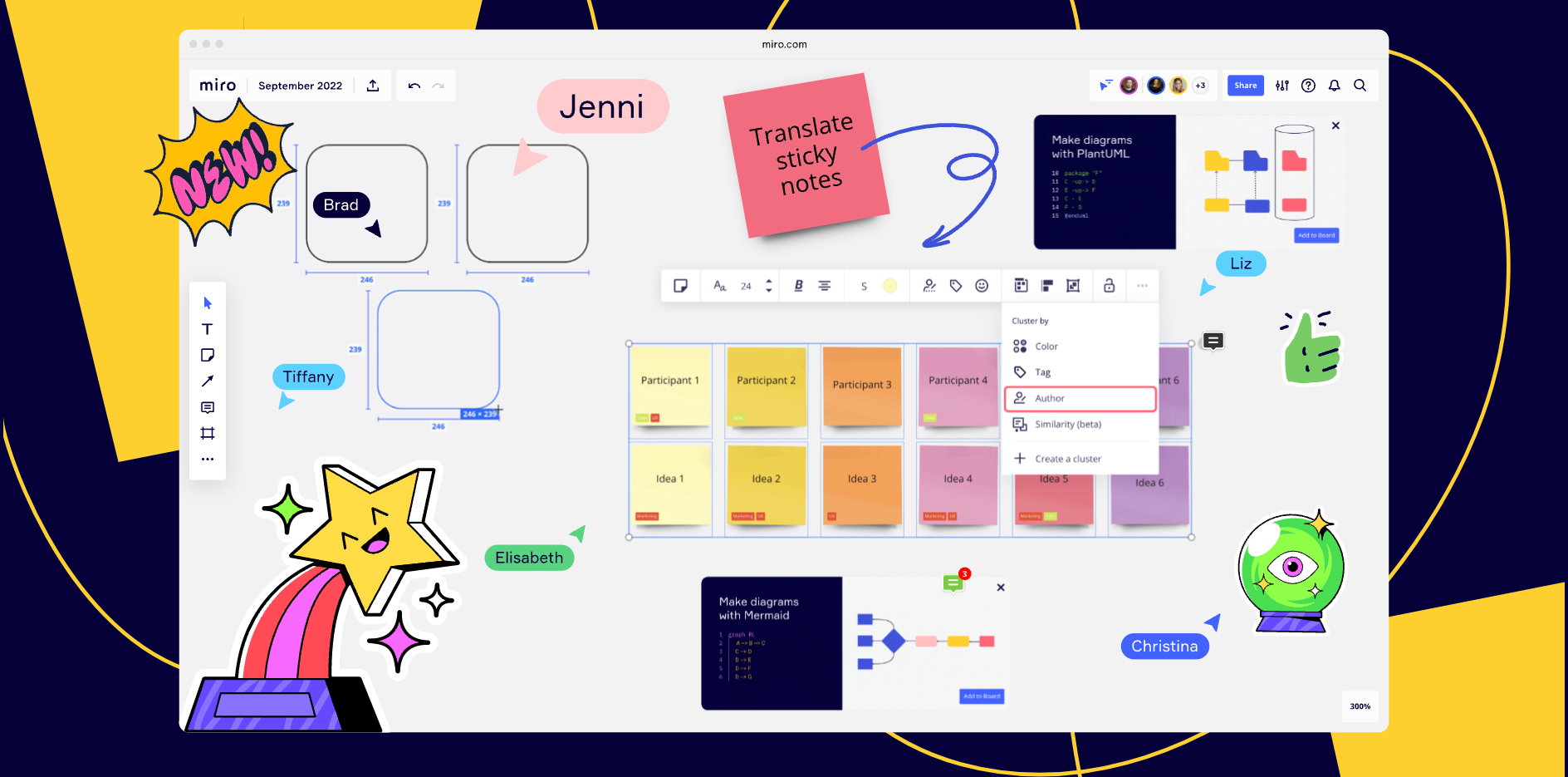
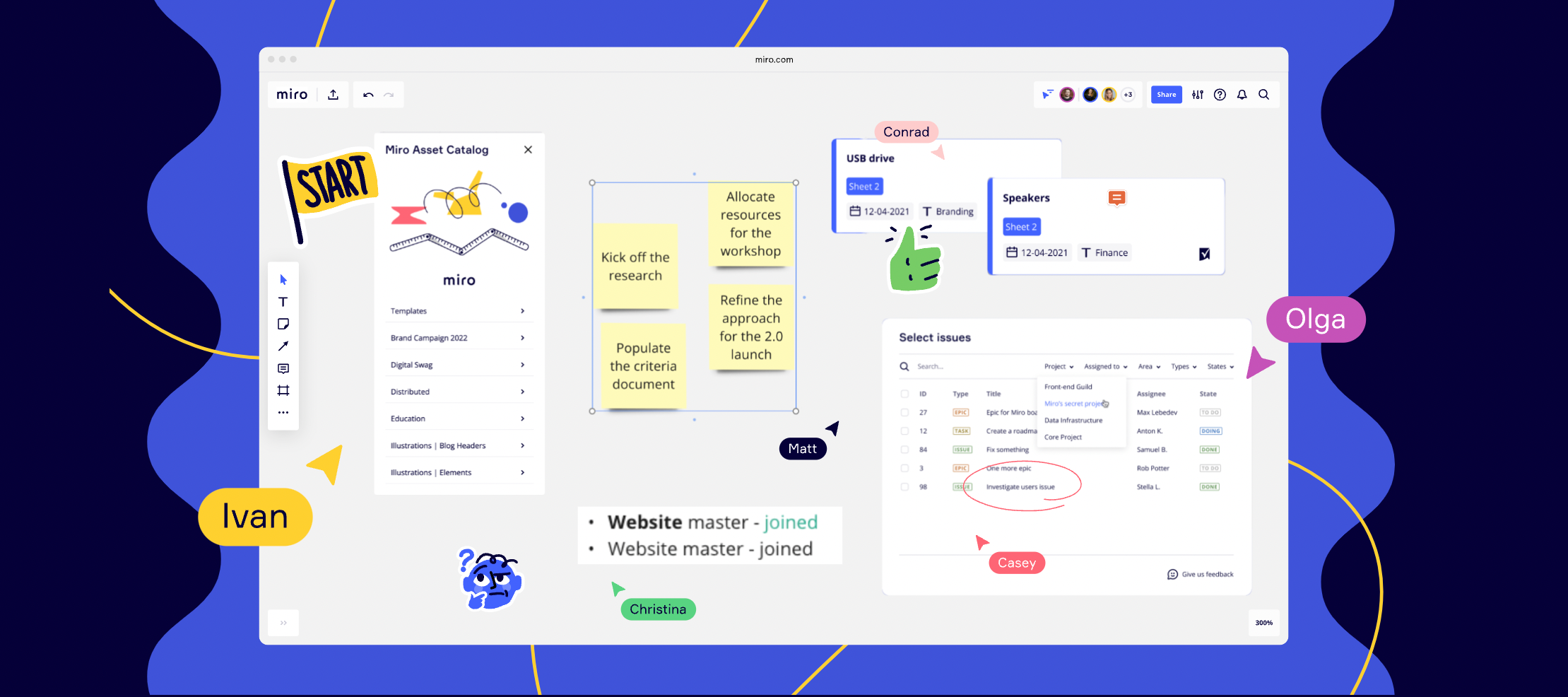
Thanks to everyone who was able to join us for another installment of our What’s New product webinar! Here are some of the most popular questions and answers asked during our What’s New webinar. If you have more question about this webinars content, or you were not able to attend and like to learn more from our Product experts please post your questions below and we’ll be happy to help! Questions and Answers Q:Does the spreadsheet work with Excel?A: yes, paste as a table works with both Google Spreadsheets and Microsoft Excel.Q: Is there an advantage of using Miroverse within Miro vs on the web?A: The only additional advantage you’ll get from the website version is that you can open many tabs at once, if you’re comparing a few at the same time. Otherwise they both work the same. Q: Are there any plans to have MS Azure integration like Miro already provides for Jira?A: I’ve shared that we now have a two-way sync with Azure DevOps, similarly like we have for Jira. You can find more here
Hey Community, ready to see what's new for you at Miro?You're invited to Miro’s What's New product showcase webinar on October 26th, featuring an in-depth view of our most recent releases. You’ll get to see our top product innovations of the past quarter, straight from our product marketing team. They’ll also present live demos and end the session with a Q&A.🔗 To see more of what’s new at Miro sign up here! Join us on October 26 at 10am PDT or 10am CET. I hope many of you will get to attend and discover even more ways to do more, together!
Hi Miro Fam 👋, We've got a very exciting update, something that is going to make your Jira bulk uploads a whole lot easier. You can now bulk convert sticky notes into Jira cards!Until now you could only do this only one at a time, but now you can convert up to 50 stickies in one go. And what’s more, any changes you make in Miro or Jira will be reflected on both platforms. Say what?! 🙃. Simply select the stickies you want to convert, click on the Jira icon, and indicate the prioritizations required. Once you hit ‘Convert,’ the stickies will automatically convert to Jira cards. Here's a 1-minute screen recording of how it works.Head to your Miro boards and try it out! And don't forget to share your feedback with us, here on Miro Communities. Happy bulk converting!Steven
Hey everyone! 🙂We’ve added some new tools to help you create presentations faster in Miro! Check them out ↓Frame management tools 🪄 In a single click, Magic Organize helps you rearrange the presentation order of your slides to reflect how they are placed on the board. (from top to bottom and left to right) ☑️ Bulk select frames lets you select multiple frames simultaneously to delete, reorder, or hide them. 🙌 Drag to resize your frames to fit the content you want to present. 👩🎨 Choose any background color for your frames. 👀 List view is added to the presentation frame sidebar for those who want a good text overview of the presentation slides. Content editing tools ✂️ Crop images with different shapes to make them pop. 📏 Alignment guides will pop up while you crop images to keep them aligned with everything else on the board. Learn more in our Help Center, and we’d really love to hear your feedback below!
Need a convenient way to keep up with what’s new from Miro? Be sure to check out our Miro Blog and discover how Miro’s newest features can help your team work better together!This month, the Miro team has been working on new updates for product development teams, from updates to our estimation app to mind mapping and diagramming enhancements to help you visualize complex systems and diagrams. 🔗 Discover more updates in our roundup of releases from September. Have you been able to use some of these new features? Let us know some of your favorites from this roundup in the comments 😊👇
Hello, Miro Community! Today we are thrilled to share the launch of our new Miro for Teams meeting experience. Now, users of Microsoft Teams will be able to launch Miro boards during live meetings and co-create in real time. This feature will help teams build together, create new ideas, and continue the collaboration before, during, and after any meeting. Hear from our Miro’s Strategic Partnerships Lead, Molly Fehr as she shares what this integration means for the Miro Community. Here’s how you can bring Miro into your Teams ecosystem:Miro for Teams Meetings integrationLaunch an existing or new Miro board during any Teams meeting to allow your team to create, brainstorm, and ideate together in real time.Miro for Teams Calendar integrationEmbed a Miro board into any Teams calendar invitation, set permissions, and give access to your collaborators before the meeting.Custom Miro tabEmbed any Miro board as a new tab in Teams, so you and your collaborators can interact, make updates and wo
I’ve noticed, that the lock is not available for guest editors anymore. They have no ability to lock and unlock items on my board. But I haven’t found info about this change in a “What’s New”. Does anyone know smth about it?
Visualize information in a clear, structured way with a professional look ― no design-school training needed. Get started with three powerfully simple new tools. Callouts help you annotate your diagrams to add important information, without clutter. Guide and inform collaborators, while highlighting elements that need extra attention. Swimlanes help you organize complex information and design for clarity as well as accountability. Often used when creating Flowcharts, Business Process Modeling Notation, and Unified Modeling Language diagrams, adding Swimlanes to your diagram can help you to improve the efficiency of your processes and identify waste and inefficiencies. Themes help you quickly create diagrams and save time on styling. Design professional-looking diagrams so team members can more easily understand information and flows. We would love to see examples of your newly created diagrams with Swimlanes, Callouts, and Themes. Share with the Miro Community and help others to
Now you can easily access community-made templates right from your dashboard. Discover over 1,000 proven workflows, projects, and frameworks from the Miro community. Explore Miroverse to get inspired and find a template to power your next project. Come back often — new templates are added daily. With Miroverse you can: ⭐️ Leverage best practices from our community of users and partners who have shared their tried-and-tested templates so you can create like a pro. ❤️ Bookmark a template for later and get quick access to all your favorite templates whenever you need them. 👩🚀 Build a profile and publish your own templates to showcase your ideas and expertise from your own dedicated Miroverse page. And that’s not all, we've also tidied up the main navigation on Miroverse to make sure you can find templates most relevant to you with new categories for collections and roles. Start exploring, discovering, and creating with Miroverse community templates — and even share your own.
Hi Miro Community 👋,We've got a very exciting update about something that a lot of you have been asking for: you can now format text in Miro cards with a new text formatting toolbar! You were already able to do this by using shortcuts, but we realized through your feedback that not a lot of users knew about this and it was hard for those who didn't know the shortcuts off the top of their head 🙃. So, we iterated and added the toolbar to make it easier for everyone to format text in cards however they want. We’ll also be adding even more formatting options soon, so stay tuned 😄!Here's a 1-minute screen recording I created to show how it works.Head to your Miro board and try it out! And don't forget to let us know your feedback. Happy formatting,Steven P.S. many more improvements to cards coming soon! 😉
Hey Miro Community!Did you know there are many different ways to work in Miro with apps? Check out the newest ones available today on the Miro Marketplace - all built with you in mind on our Developer Platform.Try the newest apps today:Super Search: Search and replace your board content with powerful filtersDrawify: Create engaging boards with 1000s of hand-drawn illustrationsBoard Translator: Translate your Miro boards into over 25 languages with one clickLet us know your thoughts in the comments below ⬇️Visit the Miro Marketplace to explore tons of other apps and integrations, to fit your documentation, task tracking, productivity needs.Want to build your own app? Get started on the Miro Developer portal.
This month, the team at Miro has been busy making improvements to the board experience.We’re really excited about building brand asset catalog capabilities for your digital asset management. We’re also delving further into connecting Miro with key tools like Smartsheet and Azure DevOps, to make working out of Miro even more intuitive. 🔗 To see how Miro’s newest features can help your team work better together, check out our roundup of releases from August. What’s you favourite feature from this roundup? 🙂
Hey Miro Community! 👋 Wanted to update you as we are simplifying our plans to help users choose the right Miro subscription. You may notice two changes:Consultant Plan will be rolled into Business Plan and fall under the Business Plan name. Team Plan will be renamed to Starter Plan. Our plans are now Free, Starter, Business, and Enterprise.In the future, we will transition all current Consultant Plan and Business Plan customers to the new combined plan (Business Plan). We will share more details on when this is happening by email.For Consultant Plan customers, please note that your subscription remains unaffected until we transition you to the Business Plan. However, you will not be able to repurchase the Consultant Plan if you cancel your subscription. If it expires, you can re-activate your subscription. When we transition you to the new Business Plan, you will keep the same price for one year and have Single Sign On (SSO) added to your plan. After one year, you can either switch t
Onboarding, OKRs, stakeholder mapping, retrospectives, presentations, and beyond! There are so many frameworks and methods for team collaboration. WIth our latest update, you can share your favorite templates effortlessly. Help your team find the perfect template and get started on next steps in no time! Sharing links creates a quick, easy, and secure way to direct users to specific templates within your team’s natural workflow. 👉 Direct team members to the right template within the product in no time with unique template links. 📚 Use templates with confidence with extra preview pages for custom templates. ❤️ Encourage the adoption of standardized processes by linking to specific templates within your existing workflows. 👀 Understand which templates team members can access, with additional visibility into inherited sharing permissions. Check the Help Center article to learn more. As always, we’d love to hear from you in the thread below
Hey Miro Community!Did you know there are many different ways to work in Miro with apps? Check out the newest ones available today on the Miro Marketplace - all built with you in mind on our Developer Platform.Try the newest apps today:PlantUML: Create and import diagrams with a plain text language, automating the process of generating complex diagrams. Mermaid: Create and import diagrams with Markdown-inspired syntax, automating the process of generating complex diagrams. Easy Translator: Translate your mockups, designs, and brainstorming sessions into over 100 languages. Supports sticky notes, text items, shapes, and cards. Interaction Room: Interaction Room annotations can be added to models and special aspects can be documented directly in the model.Let us know your thoughts in the comments below ⬇️Visit the Miro Marketplace to explore tons of other apps and integrations, to fit your documentation, task tracking, productivity needs.Want to build your own app? Get started on the Mir
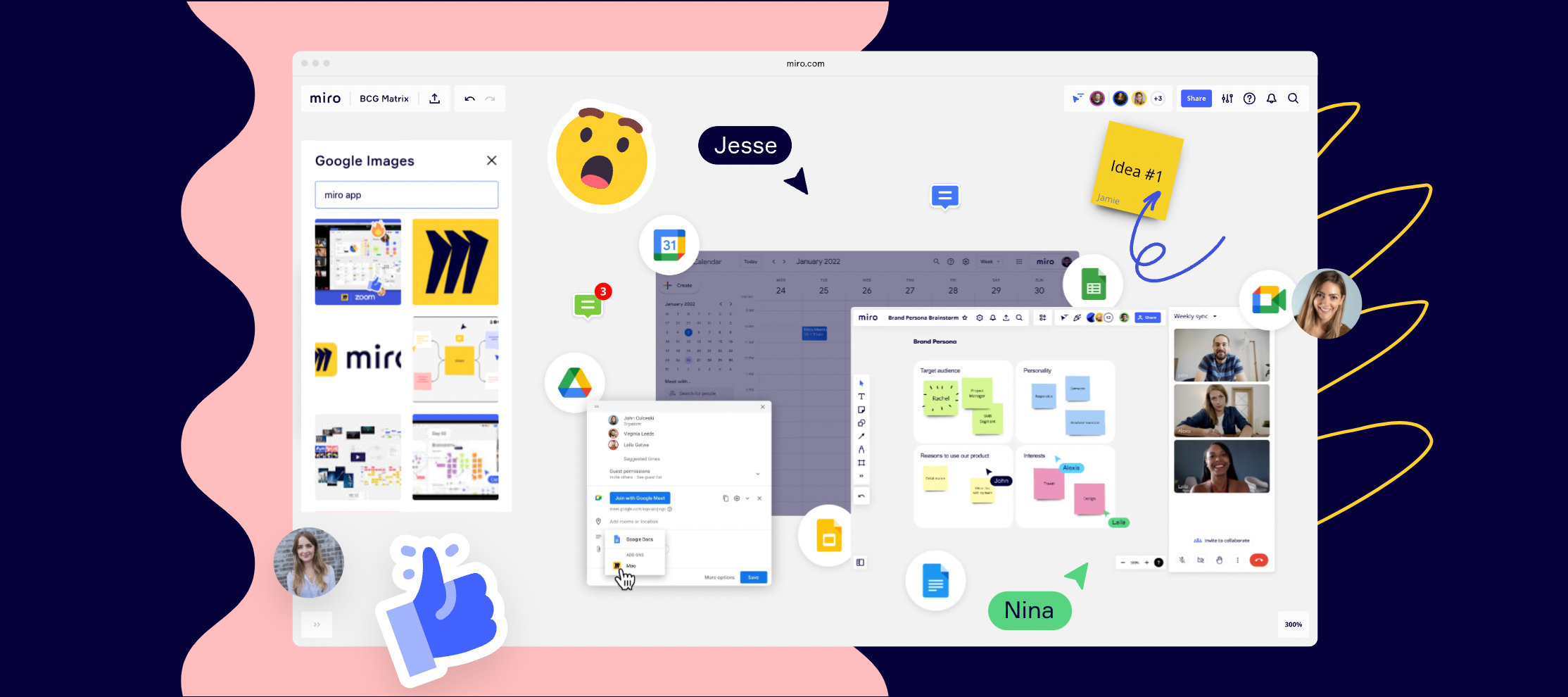
Hello, Miro Community! Today we are thrilled to bring Miro into Google Meet and help your team meetings and collaboration to be even more straightforward, effective, and smooth. We’re merging visual interaction with powerful video conferencing to take things to the next level - helping team members to make decisions, brainstorm ideas, and get on the same page faster. With Miro in Google Meet, you get access to: Use all of your existing projects and Miro boards in the meeting Create new boards from scratch, in one click Work with colleagues and clients without a Miro account Use your favorite Miro features, like sticky notes, templates, and reactions to bring energy to any conversation If you are a Google Meet user, you immediately get access to this experience, starting today. Try it out in your next meeting. ❓Need help? Visit our Help Center. Miro works across the Google Workspace to help teams navigate and simplify everyday workflows. Connect Miro to Google Drive and Calendar
This month at Miro we released many of the features that were talked about at Miro Next and a few more besides. 🔗 To see how Miro’s newest features can help your team work better together, check out our roundup of releases from July. What’s you favourite feature from this roundup? 🙂
Introducing the newest apps available today on the Miro Marketplace - Google Images, Betafi, Dice and ProBackup - making working in Miro more connected, effective, and fun.New apps & integrations in MiroTry the newest apps & integrations on Miro Marketplace: Google Images: Make presentations and design sessions a breeze with this app - search for Google Images and add them to a board without ever leaving Miro. Betafi: Import notes captured in Betafi into Miro with just a click and quickly synthesize your user research sessions and identify insights. Dice: The newly improved app allows you to roll the dice on the Miro board and make team meetings, brainstorms, and planning sessions more fun and interactive. ProBackup: Daily, automated backups of your Miro account so you can keep track of all of your work. Visit the Miro Marketplace to explore all apps and integrations. Not seeing an app or integration you want? Feel free to submit it to our app wishlist. Want to build your
Hi Miro Community, Thanks to everyone who was able to make it out to our first installment of Miro What’s New! Here are some of the most popular questions and answers asked during our What’s New webinar. If you have more question about this webinars content, or you were not able to attend and like to learn more from our Product experts please post your questions below and we’ll be happy to help! Webinar Question and Answer:Q:Is the Miro and Google Meet integration enabled by default or still dependent on the Enterprises to enable it for their users?A: It depends on your organization settings. Some organizations might require admin approval before you can use it. If you do not see the Miro app in Google Meet, you can reach out to your Google Workspace admin to enable it.Q: Can author labels be disabled if you want feedback to stay anonymous?A: Yes, it’s easy to turn author labels on and off using the context menu. Q: Do you have to publish a template to have a Miroverse profile?A: Anyon
Hi Community,Google Images is now available in Miro.With the Google Images app, you can search for images and add them to your board without leaving Miro. Say goodbye to a confusing maze of tabs with images. Access an endless amount of rich imagery while keeping your work centralized in Miro — say hello to your creative flow!Visit the Miro marketplace to access the Google Images app.Key features: Access Google images via your Miro board Drag & drop or click to add images For more information, visit our Help Center. Happy collaborating,Turner
Hi Miro Community, Wondering what’s new in the world of Miro?Join us for What’s New, our first quarterly release webinar, hosted by our very own product experts. You’ll find out about our recent releases and how to put them into practice to do your best work. Updates covered in this webinar include:Presentation improvements Diagramming releases New apps and integrations Updates from the Miro Community When? AMER: July 27, 10 am PDT EMEA: July 27, 10 am CET Save your spot now! Hope to see you there! 🙌
New apps & integrations in MiroIntroducing our new series highlighting new apps and integrations in the Miro Marketplace, where you can learn more about the Miro partners and developers building awesome things for the Miro community.Try the newest apps & integrations on Miro Marketplace: Glowbl: Share any of your Miro boards or create a new one in Glowbl. Smartsheet: Export stickies from Miro to rows in Smartsheet. GtmHub: Draft OKRs in Miro, then convert them to cards synced with GtmHub. Airtable: Export Miro data (e.g. stickies) and organize it in Airtable. ClickUp: Bring ClickUp tasks directly into Miro as cards, and convert back to ClickUp. Unito: Connect Miro cards with tasks in Asana, Trello, Jira or others in a 2 way sync. PowerPack: Power tool combinations in Miro. Visit the Miro Marketplace to explore all apps and integrations. Not seeing an app or integration you want? Feel free to submit it to our app wishlist. Want to build your own app? Get started on t
Hi Everyone!Wanted to let you know we’ve recently launched a simplifying update to Team and Business plans: You can now purchase any plan starting with one member. This change allows any individual or team to try out a paid Miro plan and applies to new and existing customers. Invoicing options are only available for ten members on Team Plan and five members on Business Plan. Please let me know if you have any questions or feedback to share. Happy collaborating! Dominique Rolink
Our mission to empower teams to unlock new ways of collaborating motivates us every day to invent powerful-yet-simple tools. This month, we released features and updates to help you keep your projects on track and your workflows united, with fresh frameworks, a new shape pack, improved integrations, and more. 🔗 To see how Miro’s newest innovations can help your team work better together, check out our roundup of releases from June.
Already have an account? Login
Enter your E-mail address. We'll send you an e-mail with instructions to reset your password.