🎃 Miro Community Halloween Contest — win a $400 gift card
All the latest news and announcements, and the best content from the Miro team.
Recently active
Hi Miro Community! We’ve got good news for you Oculus Quest users: Miro is now available in virtual reality as one of the first 2D panel apps for the Meta Quest 2. You can read more about our current app and try it out. With this first step into VR, we’re dreaming about all of the future possibilities of immersive collaboration and whiteboarding. ✨What excites you about the potential of Miro in virtual reality? Let us know where your imagination goes in the thread (or see the existing Miro in VR conversation happening in the community). And, if you give our 2D app a whirl with your Meta Quest 2 headset, comment with a 👋 if you’re open to chatting with us about your experience and feedback.
Behind the scenes, we’ve been continuously improving Miro’s features for seamless collaboration, no matter where or how you work.To make sure we meet the security and scalability needs of enterprises of all sizes, everything we launch — whether it’s a new feature or enhancement — is enterprise-ready, and we’re continuing to focus on advanced security and compliance. We’ve been working closely with thousands of our customers, all over the world, to figure out how Miro fits within their strategies for hybrid work. And we’re committed to expanding capabilities for all teams to visually collaborate in a hybrid work environment. We will continue to invest in our integrations and extensive platform approach to ensure that Miro seamlessly connects to your team’s favorite tools. So, no matter which platforms you select for video conferencing or content management, for example, Miro will be able to work with it out of the box, simplifying your workflows and collaboration.Earlier this year, we s
Hello, Miro Community! 👋A quick update for everyone. To help you discover the templates that interest you most we’ve added the ability to sort Miroverse templates. You’ll be able to sort templates by: recently added 🆕, most used 💫, views 👀, and Likes ❤️.Go to Miroverse to find your perfect template 🔭
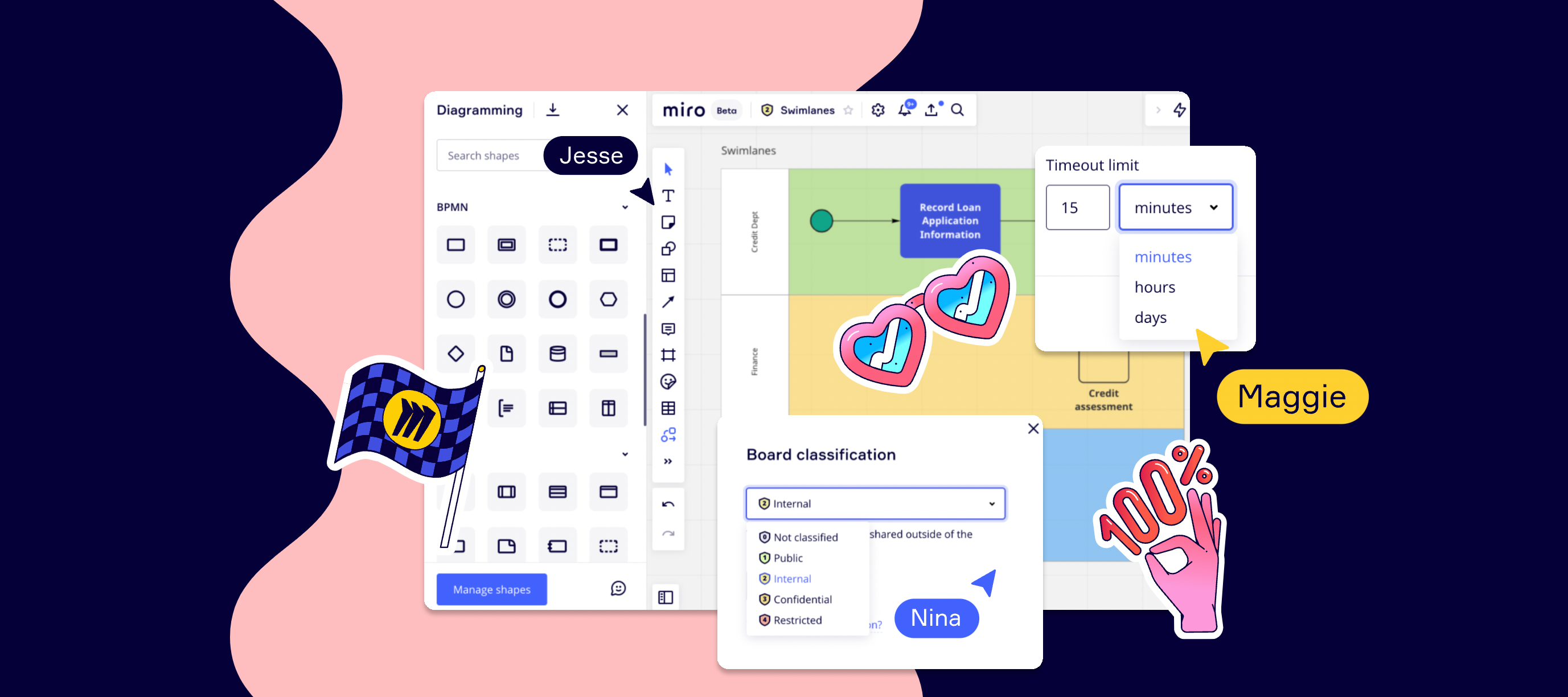
Hello community!SwimlanesDividing diagrams into logical areas helps to visualize complex information and improve your Flowcharts, BPMN and UML diagram processes. Vertical and horizontal Lanes and Pools Show interdependencies within diagrams, connections and handoffs Adding Swimlanes to your diagram can improve efficiency of your process and help identify waste and inefficiencies We would love to see some of your creations and get feedback. You can reach me at diagramming@miro.com or post them below in the comments.Visit our help center for more information, plus tips and tricks to improve your diagramming. Happy diagramming,Turner
Hello, Miro Community! 🎉Today we are thrilled to introduce Miro into Google Calendar. Now, users of Miro will be able to attach boards to Calendar events, while also sharing access to collaborators automatically. This makes it extremely easy to prep meetings and give your teammates context ahead of time. Connect Miro & Google Calendar today. Not only that, but we’re also bringing Miro to Google Meet later this year. Sign up to get the latest updates. 💡 Need some help? Learn how the integration works.
Starting today, everyone on our Consultant plan will have the ability to create company templates, and share them across their teams. Sharing custom templates helps build consistency, from set-up to execution, in separate secure client workspaces. Setting common practices can now be done without wasting time or duplicating efforts.Curious to learn more? Visit Help Center, and let us know what you think in the thread. As always, we can’t wait for your feedback!
Hi community, In line with Miro’s new board user interface, the Getting Started with Miro course has been updated to reflect recent changes. If you aren’t already familiar, this on-demand course is perfect for beginners because it teaches how to navigate Miro boards, create content, and customize templates in just 20 minutes. Take the updated course -Annika
Hi Miro Community, We’ve assembled a list of Miro Community offerings where you can either participate and contribute yourself, or just attend, learn best practices and become even more successful with Miro. 🤝 Meet the Miro Community Introduce yourself. What a great way to start your community journey - meet your fellow Miro Community members and network.Attend community events. Learn best practices, share ideas and make connections at our virtual events. 🎨 Unleash your creativity and get inspired Become a Miroverse Creator. Miroverse showcases the tried and true workflows, projects, and frameworks of the Miro Community, as well as their creators.Join a Miro Hero program. Connect with passionate super-users from all walks of life. Enterprise Advocates for enterprise power-users, Miro Consultant Community for consultants and professional service providers, or Creator Community for Miroverse template creators.Share the love on social media. We love seeing all your expert tips and u
Previously, the session idle timeout interval was set to 30 minutes. According to customer feedback, this duration may be too short and potentially disruptive for end users.We've increased the timeout interval to 90 minutes and are working towards allowing customizable intervals in the future. Read our Help Center to learn more.
Hi Miro Community,This week we created a standalone video about Miro sticky notes! It includes everything you (or maybe a client of yours) would want to know about this handy brainstorming tool. My favorite tip is that you can copy cells from a spreadsheet and paste them on a Miro board to create individual sticky notes. Such a time saver! Check out the 4-min video in the standalone section at Miro Academy: https://academy.miro.com/What’s your favorite tip about sticky notes? Share with us below!
Hi everyone! Some of you may know about this already since you were participating in the public beta, others will hear about this exciting update for the first time today… Long story short, the updated board UI is coming soon to all Miro users 🥳New and existing Miro users on the Free, Team, Business, Consultant, and Education Plan will be gradually receiving this update until mid-February.Enterprise Plan customers will get the updated board UI in March. Please, bear with us as we update key customer-facing touch-points including the Help Center, and try out the refreshed, scalable board interface with faster discoverability of key features during your next collaborative session.Please, visit the Help Center to learn more about the update.
Hello, Miro Community!We are thrilled to share a ✨ brand new feature ✨ with Asana, that allows you to bring the power of Miro boards right to Asana tasks. Asana users will now be able to attach existing or new Miro boards to any Asana task, making it easier to work together and leave feedback. This feature will help teams to stay aligned, visualize journeys from concept to launch, and create space for innovation to take place within projects.Hear from our Miro’s Platform Partnerships Lead, Amanda Botha, as she shares what this integration means for the Miro Community. ❤️ To learn more about this integration, please visit our app directory page and share what you love most about Miro and Asana on LinkedIn and here in the comments!
Hi Miro Community! My name is Annika and I’m on the Customer Education team at Miro. I help create new courses on Miro Academy, and I’d love to use this space to connect with you as you grow your Miro skills. Speaking of which, have you had a chance to check out our latest course, Collaborative meetings in Miro? These lessons will help you transform the online meeting experience by teaching key skills for designing, facilitating, and managing meeting outcomes. You can even earn a digital skill badge when you complete the course and pass the quiz. Take the course. I’m so curious… did you learn any new tips for hosting a collaborative meeting? Share with us below!
We’re excited to announce that we've teamed up with Toptal to empower its global network of freelancers to facilitate their ability to work and collaborate seamlessly with clients with free premium Miro access.All members of Toptal’s global talent network of top freelance software developers, designers, finance experts, product managers, and project managers will now receive priority, invite-only access to all the exclusive perks of the Miro Professional Network, including dedicated training for client-work and free access to Miro’s Consultant plan. “Top companies rely on Toptal and its global talent network for their most important projects,” said Christy Schumann, SVP of Talent Operations, at Toptal. “Toptal network members are part of the world’s largest fully distributed workforce. Access to powerful collaboration tools like Miro help our freelance experts provide structure to proceedings and digitally harness the collaborative input of all stakeholders, wherever they are located
Hi everyone, Melissa here from the Product Marketing team at Miro. We have another update for you this week. Accidentally delete your board? No need to worry — you can now access and restore boards that have been deleted in the last 30 days. Restoring boards from Trash is available for Team, Business, Consultant, Education, and Enterprise plans only. If you’re on the free plan, there are a few options for you. When you delete a board, you’ll see a confirmation notification where you can click “Undo.” You can also restore the board if you have the board URL. The easiest way to find the link is to search for the name of the board in your browser history or your email inbox. For more information, visit our Help Center to learn more.
We just released Grids to Miro users and are actively looking for feedback. If you have this feature, tried it and feel like sharing your thoughts with us, don’t hesitate to let us know!
Whether it’s freelancers, contractors, agencies, or anyone outside your team, it takes a village to move projects from kickoff to completion. We’re making it easier and more secure to support external collaboration with a new role in beta: guests. It’s totally free and exclusively for our Business and Consultant Plan users. We’ve also simplified our existing roles to empower collaboration at every level: Anonymous guest editors are now visitors. Non-team members are now guests.Check out the image below to see when we recommend using which role and the differences between them: If you have any questions or feedback, feel free to leave a comment below and we’ll help you out. Happy collaborating, Dominique
Hi Miro Community! Anna Savina, Community Experience Manager here! I’m excited to announce that on January 11th - 13th, we're hosting the first ever Miroversity Live event This is a free, multi-day live educational experience with our expert facilitation team who will host interactive webinars and sessions. We’re focused on helping you start the year off strong and sharpen your skills with Miro. We'll have something for beginners, experts, a freestyle AMA, and you'll hear from inspiring Miro creators. Register today for free! Have any questions about the event or want us to cover a specific feature? Let us know in the comments below! See you there,AnnaP.S. Can’t wait until January to get a jumpstart on your learning goals? Check out our new courses in our Miro Academy and join us for live sessions about Agile workflows and mapping and diagramming. We also have a top ten tips for experts available on demand, too!
Build and showcase your collaboration skills with Miro! We’re excited to announce the launch of Miro Verified, a way for you to earn skill badges on Miro Academy. Get started today by learning foundational Miro skills and earning the Miro essentials badge.Visit Miro Academy today to explore all of our badge offerings.
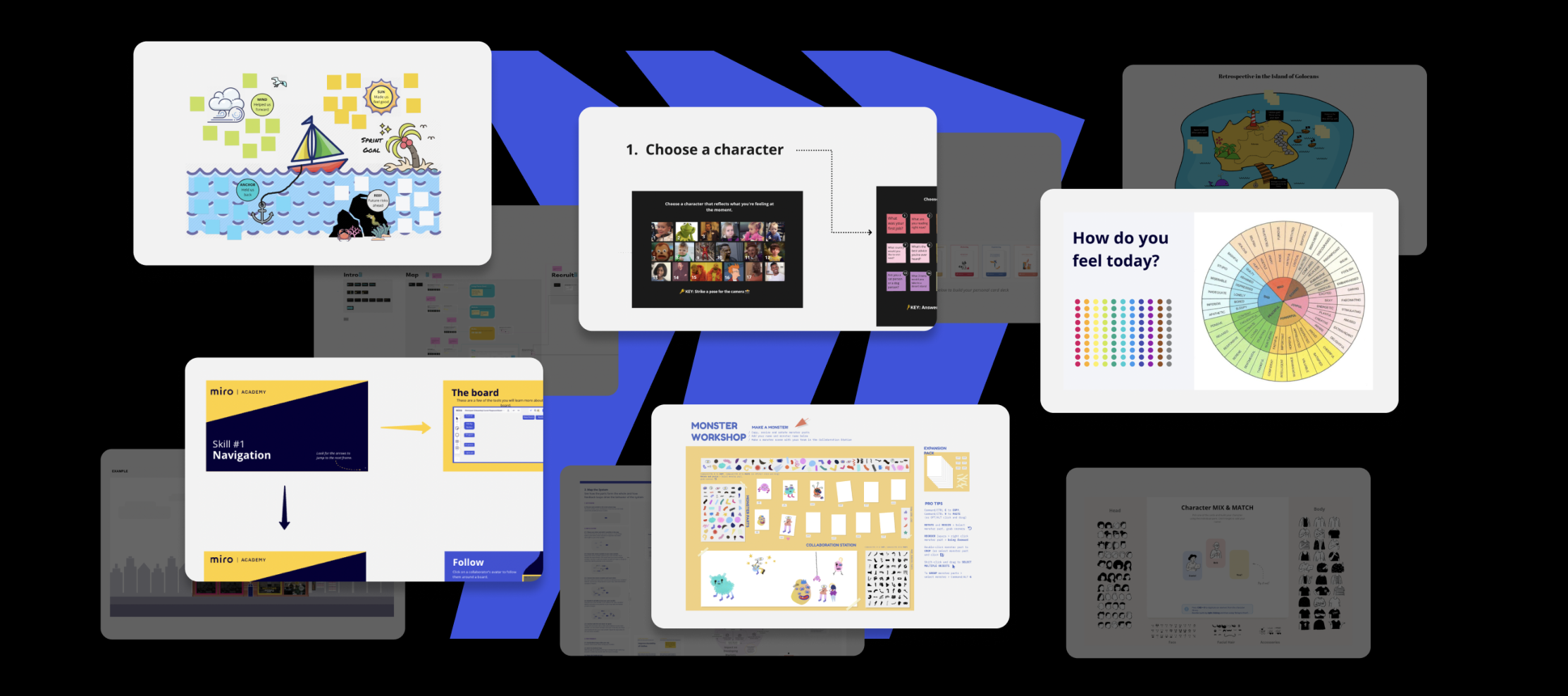
Hi Miro Community When we launched Miroverse in 2020, we hoped you’d like it and use it. But you’ve gone above and beyond — creating so many new templates, developing big new ideas, and sharing them with our whole growing community.We’re grateful for all your creativity and contribution to our community. Now let’s look at this year’s highlights! See the Best of 2021 templates Templates that took off this year New templates deeply enhance the Miro experience, for our community members and for our users all over the world. Here are the ones the Miroverse loved most in 2021. Most Used: Sailboat Retrospective — Agile Coach @Johanna Torstensson gives teams a fun, easy, productive way to look back at sprints and identify what went well and what needs to improve. Most Viewed: The Check-In Icebreaker — Toasty helps remote teams get warmed up and communicate how they feel before a meeting starts — to improve participation and communication. Most Liked: Emotions Wheel Icebreaker — Miro’s
Hello Community!We’re making some changes to our diagramming shape library. The AWS, Azure, and Cisco shape packs — previously available via apps — will be moved to our Smart Diagramming shape library, and their respective stand-alone apps will be removed.What's happening?This decision is part of our goal to offer customers an all-in-one diagram maker with a seamless experience. Providing all kinds of shapes in a single library is one of the steps in making it easier and faster to visualise information. We consider customer feedback throughout this journey.No action is required from you. Existing boards and their content will not be affected. The stand-alone apps (AWS, Azure, and Cisco) will be removed from all plans, starting December 1, 2021. Want to know more about Smart Diagramming?In October, we launched our Smart Diagramming solution, which allows teams to align with shared visual language and includes an extensive shape library. Shape packs from AWS, Azure, Cisco, and many other
Miro's VP of Business Development, Kevin Chung (or "Kev" as we call him ) is excited to tell you all about a new strategic partnership with Miro and Google Workspace. 🎉Two features from our partnership that we think you'll love? Miro for meetings, which will allow you to attach Miro boards to your Google Calendar invites (coming early 2022), and the ability to add Google Docs directly on Miro boards. Watch Kev's video to learn more & share what you love most about Miro and Google on LinkedIn and here in the comments!
Hello, Miro Community! 🎉 We are thrilled to share the launch of Miro for Webex Meetings at WebexOne today. Now, all Webex users will be able to bring Miro seamlessly into their entire Webex suite — from Meetings to Messaging — to go from conversation to real-time collaboration. This will help Webex teams create, ideate, and brainstorm together in one seamless collaborative experience. In celebration of launch, we have an exciting opportunity for Webex users to win Miro swag by participating in our #MiroForWebex launch day social media challenge. Find instructions for how to win on our WebexOne event board, and play between now and November 1st to claim your Miro prize See how Miro for Webex Meetings works to make your Webex meetings more engaging, productive, and inclusive on our Miro for Webex page. Ready to try it out? Open up Webex and add Miro right from your Messaging or Meeting Apps to get started! ❓Need help? Read more about getting the most out of the Miro app for Webex
Now you can create or update a Miro board directly within an Airtable base. Get the integration to combine the benefits of both tools and help your team manage shared projects from idea to implementation in a single place. If you want to build your custom integration or embed Miro into your software - check out Miro API. Also, come back here to the Developer Forum to discuss your projects with your peers
Hi Miro Community, At Distributed 2021, our third annual virtual event, we’ll break down digital walls and explore how to deeply connect with our teams, work, and sense of purpose.And you won’t want to miss the unveiling of a new set of tools to help you engage and make big things happen.Bring your knowledge and experience as we think visually about challenges with the help of experts like our very own CEO, Andrey Khusid, and designer and best-selling author, Jake Knapp.Let’s make work and technology a bit more joyful, a bit more energizing, a bit more human. When?AMER: October 19-20, 8am-2pm PDT EMEA: October 20-21, 8am-2pm CEST
Already have an account? Login
Enter your E-mail address. We'll send you an e-mail with instructions to reset your password.