🎃 Miro Community Halloween Contest — win a $400 gift card
All the latest news and announcements, and the best content from the Miro team.
Recently active
Hello Miro Community!We’re excited to announce the launch of our newest update to Miro for interactive displays. With our quick-sign in functionality, your hybrid meetings and collaboration sessions will be up and running in no time.With just the click of a button, you’ll be able to send Miro boards from your personal device to a display in a matter of seconds - making it easy to get started quickly. All you have to do is select a board from your phone, tablet or laptop (via browser or Miro’s apps) and type in the secure code in order to launch the board on the display, and make it available for everyone to see and contribute.Not only that, but with secure and automatic sign-out, your data will be protected, even on a shared device.Visit our Help Center to learn more about this feature. Want to learn More about Miro on displays? Read here. We’re excited to hear what you think!
Hello Miro Community! With the world slowly returning to pre-pandemic normalcy, many companies are starting to think about back-to-office plans this fall. This brings up the question of ‘How do you use Miro for hybrid collaboration?’ (‘hybrid’ here refers to a mix of remote + in-person participants in a meeting). Using Miro with an interactive displays is a great way to collaborate in a hybrid setup and create an inclusive, engaging environment for all team members. Check out our newest Help Center articles on this topic: Supported Interactive Displays Here, you will find an overview of how Miro works when used with an interactive display, a list of supported vendors, and a step-by-step guide for how to set up Miro on a display.Selecting the Right Interactive Display For Hybrid CollaborationThis article will guide you through the decision-making process of selecting your display for collaboration - what to consider, how to choose, and a list of various vendor options. Hosting a
Hi Miro Heros! As you may know, within the last 15 months, Miro has seen explosive growth — going from 3 million to 20 million users and from 300 to 900 employees! 📈 But this hasn’t been without challenges, for all teams, especially our product teams on how to scale our processes. Shortly after I joined Miro – back in early 2020 –, I spent some time crafting and introducing a standard approach to address some of challenges around our product discovery and decision-making engine. We call this framework the Product Alignment Framework, and it’s currently being used across all product teams at Miro. I thought it would be helpful to prepare a write up and a Coda template that you can re-use and adopt for your own team’s need. Read more about our framework here and copy the doc to get started:https://coda.io/@farbod/product-alignment-framework-at-miroI’d also love to hear your thoughts, questions and feedback on the framework. Join the conversation and drop them under this post and I’ll g
In the spirit of collaboration, we listened to your feedback and learned that one of the biggest challenges teams face is how to build and maintain engagement throughout meetings and workshops. When meeting online, teams may not always want to express themselves verbally, which makes it challenging to keep everyone engaged and dialed in with the group.That’s why we’re launching reactions, a fun new feature that can increase engagement during meetings and workshops by giving everyone a chance to express themselves. Select from six emojis to express how you feel at any time during a meeting or workshop Participants can raise their hands and facilitators will get notified Facilitators can lower hands The reactions feature is available for all users, and board owners will be able to turn the option on and off. Visit the Help Center article to learn more and let us know what you think!
With Miro for Education we are committed to helping students learn new digital skills and master virtual collaboration.In October, #GCSC will gather more than 600 students from all over the world - on Miro - for a 8-week experience of global virtual exchange, cross-cultural team cooperation and fun.Students will be organised in global virtual teams and assigned a case study and different activities to work on as a team. Are you an educator teaching at a higher education institution? Applications for this 4th edition starting in October are still open. Find more details and apply on GCSC’s website.Do you run your own case studies on Miro? Tell us about your experience! PS: if you are a student or an educator, you can get your own free Miro Education account. Apply now on www.miro.com/education
We've improved our mobile and tablet app to help you create, connect, and work better while on the go. Here are some of the changes we think you might like:Now you can upload multiple images from your camera roll and import them directly into your boards, saving time and multitasking like a pro Choose from 4 new comment color options, so you can highlight important feedback to your team Create and edit new frames on mobile to organize and present information Select and present ideas quickly with the improved Lasso tool on tablet Don't have the Miro app? Download for iOS or Android today.
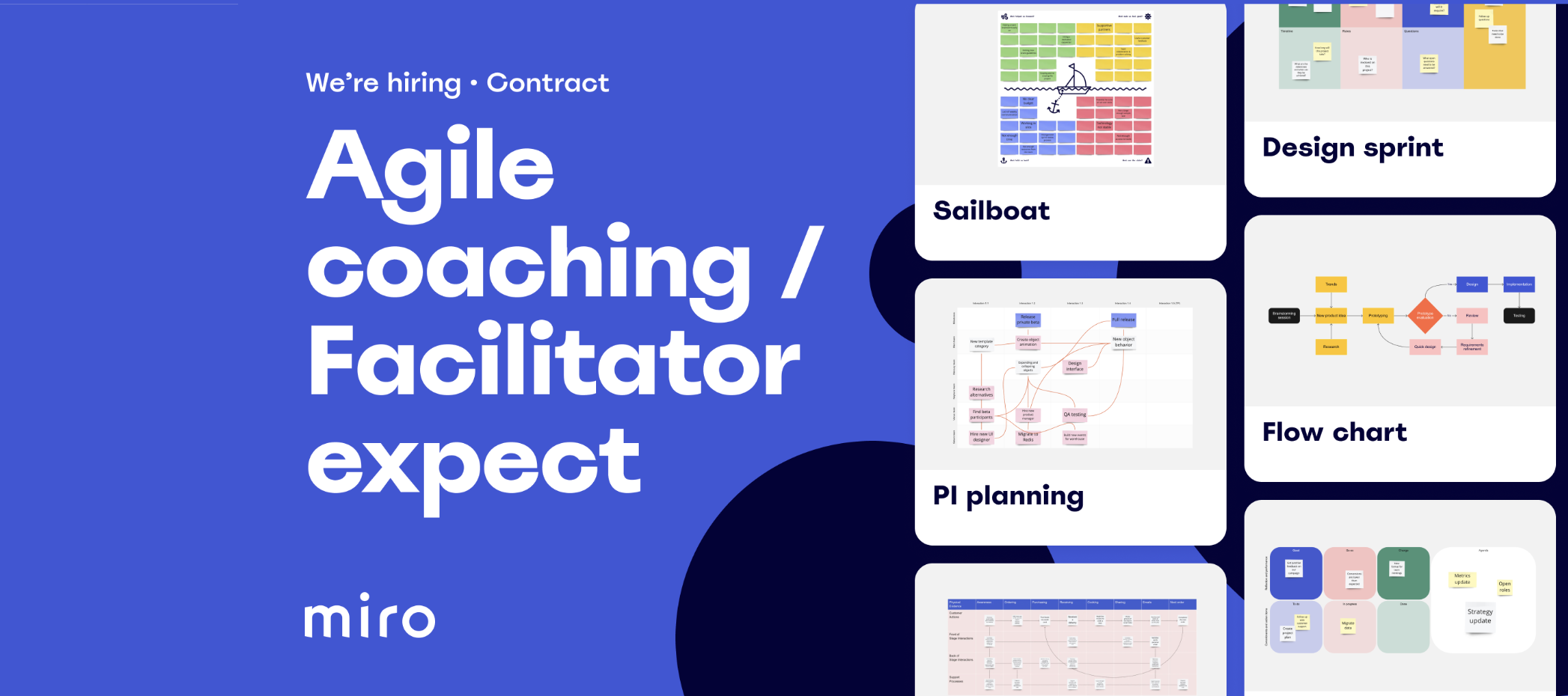
Hi Miro Community! Miro is looking for an Agile / Facilitation expert to improve Miro Templates [contract]Miro is an online collaborative whiteboard platform with 20+ million users worldwide. To help new users adopt the product, we provide them with useful templates. Templates include pre-made examples for a variety of use cases and productivity tips, and are a growth engine that is essential to enable Miro to become the #1 visual collaboration platform.Currently, we have 200+ templates in our Templates library, and it will grow to cover more use cases in the future. Our goal is to bring templates to the next level by holistically improving their instructional quality and the way they represent methodologies.In order to achieve that, we’re looking for an external partner who has:Subject matter knowledge in Agile, Facilitation and other Product development methodologies Experience in creating Templates / Frameworks / Learning materials Miro knowledge (you’re a pro-Miro user) A systemi
Hey everyone!With Miro, you can easily share your boards with collaborators - board sharing settings allow you to invite other people and change users’ access to your boards at any time. We prepared a list of popular questions for those who would like to better understand board sharing permissions. Follow the links below to find the answers in Miro Help Center. How can I share my board with other users? How do I share boards with people outside my team? How do I change users’ access to my board? How do different board access levels work together? How do I set default sharing settings for boards and projects in my team? How to create a private board? How to set a shared board to private? I lost access to my board. What do I do? Why is the public link option missing on my board Share menu? How do I protect my public board with a password? Can I share my board as a template with users outside my team? What is the best way to share a board with workshop participant
As some of you already noticed grids are now tables in Miro. The new name comes with the updated functionality – you can now merge cells, and copy content from spreadsheets! Tables let you have the best of both worlds – we are adding more structure to your visual collaboration, while keeping things flexible:Copy content from spreadsheets, merge cells, and use versatile formatting options to create easy-to-read text tables Add sticky notes, images, files, and more to organize visual content betterVisit Help Center to learn more and let us know what you think about this update in the thread
Hi there! Our Product team put together this post to highlight some recent trends we’ve seen in how people are using Miro post-lockdown -- and to highlight how we’re evolving our product roadmap in response. https://miro.com/blog/collaboration-trends/ Check it out and let us know what you think! What else are you curious to know? Sarah
In celebration of Miro turning 10 this week Miro’s Managing Editor, Jenni Kaye, and Social Media Specialist, McCall Turner, highlighted 10 out of the box ways our community has used Miro We love hearing the ways Miro has helped you create and collaborate with your team but more and more we’re seeing Miro used for fun personal projects. From writing a novel to playing Dungeons and Dragons, the Miro community continues to surprise us and we can’t wait to see the unique use cases you discover next.Don’t forget to tag us on LinkedIn, Instagram, Twitter, or share your story in this online community with your unique uses for Miro so we can feature your creativity in the next round up! Check out the blog post
Hey there,A small, but important update of the day Now you can hold CMD or CTRL button to stop auto-reassign of mind map nodes if you want to have more precise control over your mind map. Just a reminder that you can find all product updates and bug fixes in the Changelog.
Starting today, all Miro users can recover accidentally deleted board content without having to contact support. Based on the feedback provided to us by beta testers, this functionality is especially convenient for big collaborative boards with multiple collaborators. Board editors (except anonymous guest editors) can restore: Any content deleted from the board during their current active session and 30 minutes after the content was deleted in case the session is over The last 1000 objects deleted from the board – if the restoration occurs more than 30 minutes after the content was deleted Any content deleted from the board if the objects were selected and deleted simultaneously for an indefinite period of time – until the next 1000 objects are deletedThis functionality is accessible via Activity list in the collaboration toolbar in the lower left corner of your Miro board. Curious to learn more? Visit Help Center, and let us know what you think in the thread – as always, we can’t wai
Collaboration on the go with Miro, now made even better: Need to give feedback to your team? Now you can do it in new, fun comment colors on mobile Create frames directly from the mobile app to organize and present information Shapes, stickers, and text can be viewed easily without the need to zoom out Don’t have the Miro mobile app yet? Download it for Android or iOS
UPDATE: Exciting news 🎉 The new templates experience has been rolled out for all users. See the new experience.Visit the Help Center to get into the specifics or learn more in the blog.—Hi Miro Community, I’m Vicki, Growth Product Manager at Miro, and I’m excited to share an update on Miro Templates!Starting today, we’ve begun testing a new templates experience in customer accounts. For those lucky few, you can easily browse our 150+ templates, including the best-in-class templates made by Miroverse creators! The new template experience lets you:⚡️ Get started faster with templates right from your dashboard🔎 Quickly find templates via topic tags and featured templates👩🚀 Leverage best practices from the Miroverse Community📚 Learn all about a template with interactive previews and educational resourcesWe’ll be rolling out the new template experience to everyone over the next few weeks, so keep in mind you may not have access to all our templates just yet.After you’ve experienced br
Today, Miro released our new report, “A Year of Remote Work,” in which we surveyed 1,000 remote workers to see how remote work has affected their personal lives, professional lives, and mental health. Among our findings: Nearly half (49%) of people who are married or in live-in partnerships say that working from home has improved their relationship with their spouse or partner. 62% of parents with children under 18 say that working from home has improved their relationships with their kids. 57% of remote workers say they are more likely to multitask during virtual meetings than they were before the pandemic. One-third of knowledge workers (33%) are awake for less than 20 minutes before they begin work in the morning.I’m interested in hearing from Miro users whether these (or any other findings in the report) resonate. Any thoughts?
Reflecting on a year of Miroverse It’s hard to believe that it’s been a year since we released Miroverse into the world. Since then, we’ve seen more than 350 creators share 550+ templates, including frameworks, activities — even art!The best part? Miroverse makes it easy for anyone in the Miro community to copy and use each of these user-generated templates, so as the gallery grows, so does the impact of all the brave, generous teams who share their work. I wanted to say a big thank you to our community for sharing their workflows with the world. Earlier in the month, we asked for the thoughts and feedback from our Miroverse creators before taking the opportunity ourselves to reflect on how it started, how it’s going, and where it’s headed ourselves. You can find the conversation between Nik, Mariam, and myself, captured this blog article. To spread the love with our creators I’d like to ask the community here…What is your favorite Miroverse template? Let them know below
Hi everyone! We just released optional password protection for public boards to Team, Business, Consultant, and Education Plan users.This feature has also been available on the Enterprise Plan.We added a new layer of security to your public boards – share you Miro boards via a public link for viewing, commenting, or editing, protect them with a password, and enjoy seamless and secure collaboration.Visit Help Center to learn more and let us know what you think about optional password protection in the thread below
We are introducing anonymous Guest Editors – the quickest and easiest way to invite collaborators that don’t have the Miro account yet. Invite anyone outside Miro to collaborate with your team on your public board without any friction or additional costs. Guest Editors don’t have to sign in or sign up for Miro to have full access rights to the board that is shared with them via a public link. Organize remote meetings, brainstorming sessions, and workshops in minutes – simply make your Miro board public and share the link with workshop participants. Don’t worry about losing access to the board if you accidentally close the tab or refresh it – as long as the board is public, it will be shared with Guest Editors. Learn more about anonymous Guest Editors in our Help Center article. Guest Editors are available for Team, Business, Enterprise, Consultant, and Education plans
Thanks to the feedback from many Company Admins across our Enterprise customers, we’re introducing a new dashboard that provides an overview of how teams are adopting Miro across the organization. Admin Insights will allow Company Admins to see how the number of users, teams, projects, and boards have changed in the account over time and which templates are the most popular at the org-level. Take a look at our Help Center to learn more. We’re excited to bring more comprehensive insights & analytics in the future as we lay the foundation with this initial release.
Hey Miro Heroes!We are happy to share monthly Help Center updates - take a look at our April overview of new articles: Invoices and Receipts Helpful guide describing billing documentation - how to download invoices and receipts with your company details, what information your invoice contains and how to interpret it. How to Create a Private Board Need to work on a project individually? Follow the steps from the article to learn how to achieve this with Miro. Reactions Meet Reactions - see how you can show it on your board rather than say it! Admin Insights Enterprise Company Admins can now take advantage of a helpful dashboard showing account data and analytics - the article will tell you more about the possibilities it gives. Possible Issues on Mobile and Tablet We are here to support you and ensure a smooth experience with Miro on any device. The article is a collection of solutions for possible issues in tablet and mobile apps. Login Issues Troubleshooting guide for those who ha
Miro + Post-it = the ultimate duo!We’re excited to team up with Post-it® Brand to keep good ideas going! Now, Post-it® App users can capture physical Post-it Notes and export them directly to Miro. Learn more:Website page Blog Post Help Center article
Hi everyone,Miro Help Center is a living library of helpful guides and tips that will aid in your whiteboarding experience. We never stop improving and enriching it with new information, and now we are happy to start sharing the monthly content updates with you. Here’s our March overview of new articles: Board Export Issues Experience trouble saving your Miro board as a PDF, CSV file or image? Check out this troubleshooting guide and learn more about the most frequent possible reasons and solutions. Post-it More great possibilities offered with the new integration between Miro and Post-it®! Find out how you can set up the connection and start exporting your Post-it® stickies to Miro boards. How to Contact Miro Support Ensuring the smoothest user experience is our main priority - check out the most effective ways to get support depending on your plan and request type. Pro tip. You can always submit your feedback about the articles right in the Help Center! Scroll down to the bottom
Hi Miro Heroes! Understanding how billing works is essential for organizing your workflow with Miro! Here we collected the most popular billing-related questions - from upgrading your team to cancelling the subscription. Follow the links below to find answers and guides shared in Miro Help Center. Before upgrading your plan, you may come across the following questions: What plan will best suit our team’s needs? What features are supported on different Miro plans? How do I upgrade my team with fewer licenses than my current team size? I’m an individual worker and would like to purchase one license for myself. What plan do I choose? Can I pay by invoice? If you’re already a paying customer, check out the links to learn more about managing your subscription: I upgraded but my team is still limited to free features. What do I do? How am I charged for additional seats on a monthly subscription? How am I charged for additional seats on a yearly subscription? What do I do in
As Miro usage scales within your organization, the need for more granular security settings increases We released new Team-level security features to give you the control and flexibility needed to customize allowlists and sharing policies according to your teams' needs. This is particularly useful for companies working with external collaborators for use cases like workshops, agile ceremonies, and more. Read our Help Center to learn more.
Already have an account? Login
Enter your E-mail address. We'll send you an e-mail with instructions to reset your password.