🎃 Miro Community Halloween Contest — win a $400 gift card
Connect with other community members, discuss how you’re using Miro, and get inspired.
Recently active
As a facilitator (both process & training facilitation), my choice of using Miro one year ago was driven by a single: a collaborative platform where ALL participants can engage and interact. The more active, the better!So, it’s really important to onboard new (and returning) participants onto Miro. Do it well and the experience will be tremendous. I take pride for meticulous onboarding regardless for a group 2 or 200.Here’s how my Miro onboarding has evolved over the last year!June 2020 - I started using Miro in April 2020 and this was one of the first paid client events done virtual. Basic look and at that point, anybody can unlock anything on a Miro board. It was dangerous times, but we love it! Current 2021 - This is how my Miro onboarding segment currently looks like. Any recurring challenges that participants continuously came across in my previous sessions are addressed in this view. The number of Miro tools that I demo are also context dependent. The shorter the event, the l
Hallo zusammen,das letzte Jahr war ein turbulentes und auch, was die digitale Nutzung angeht, ein geniales Jahr - Einige Highlights habe ich hier mal zusammengestellt: Grafik mit anderer Farbgebung und ohne Bildschirminhalt von: http://www.freepik.com Miro bietet unendlich viele Möglichkeiten - wenn Ihr auch Einsatzgebiete habt, die Ihr zeigen könnt:Einfach hier posten - Anregungen sind immer willkommen!Michael
Hello! I’m relatively new to Miro and even newer to the world of having my own clients. When I started working with a new client a couple of months ago, I decided to create a Miro board for both of us to use both during our meetings and as a resource.Bird’s eye view: long term plans, kanban task list, meeting agendas, then one column per project/focus areaMy client hired me to help her with up to 9 projects/focus areas around a more formal launch of her small consulting company, so I created one frame per project and organized them into a horizontal row. Any notes or new frames related to a project will be placed underneath the top frame to maintain organization. The kanban template on the left works like a charm to keep us on track with our current and future projects.Closer view of website project and email marketing project notes and visualsI’m sure there’s room for improvement, but so far this method is working for us. I look forward to seeing how it works for us in the coming week
Hi community! I like to share a trick to show and easily manage a set of bars on Miro. For example, I use it in workshops together with my clients to define Objectives & KPIs for Digital Strategy. All the elements on the board are locked except the rectangles (horizontal and vertical) that you could stretch until arrive at the level you want. Here is a public board to see an example: BTW, this board should be also a good template for Miro users (beyond the bar function). Cheers, Mauro
I often make boards or frames using a picture of a model as a background. I then want participants in my workshop to be able to place sticky notes on the background. But Ik don't want them to move the background itself, so I want to lock it.The easiest way to work with sticky notes is to right click to insert them. However, this does'nt seem to work over locked objects (except frames). And you can't use the visual as a background to a frame (can you?) My workaround is to provide a ‘stack of stickies’, but I would prefer people to be able to insert their own. Any ideas on how to do that?
I am wondering if there is an easier way to divide a bar to show % of completion, Delay and In progress for a particular use case. I added multiple square bars and colored them individaully and matched them to its adjacent bar and this entire process was very inconvenient. I hope someone can suggest an easier way to represent these. Delivery Roadmap
Hey, I’m seeking a great visual to display all achievements made through a quarter for 3 different categories. I know miro is the place, but I can’t figure out which template to use. Does anyone have any suggestions? I would like to list the achievement, the time spent, and the impact of it. Thank you!
Hello there, Anybody can share how you use Miro as a UX Researcher? Next month Miro’s Researcher @Eduardo Gomez Ruiz will give a webinar on “Getting the most out of Miro as a UX Researcher”, and he’d like to show some examples from different companies to make it feel more real. If you’re interested and you could make a version of sections of your Miro board that obscures the details of the project and focuses on the format that other researchers could borrow, that would be great! Ideally, with a quote or a few notes into the HOW, PROCESS, or BENEFITS. Screenshots also work! Does not need to be fancy or super visually appealing. Our goal for the conference is not to show the tool but rather explore the ways to maximize the value for a researcher, which may entail how you engage stakeholders with your research process or findings, how you do the analysis or capture notes, how you present the findings, etc. If you want to be featured explicitly during the talk (optional), please also s
Hi there!!! Here’s a solution I came up for a virtual conference...using Miro!! My Story We wanted to replicate the energizing feeling that comes with attending an in-person conference...virtually! I used Design Thinking to work through what challenges (cost, lack of human connection etc..) we needed to solve for and decided to create a prototype in Miro. My Failure After putting quite a bit of time thinking through the solution and crafting the solution, we determined that a less complex approach would be used to accomodate the conference hosts. It felt like a failure because it the new approach did not quite address the challenges we were looking to solve for. My Win I still view this a win because the process allowed us to think through challenges we needed to solve for, especially as this is a repeating event. If you’re thinking about hosting a virtual conference, think no further than Miro.
@mironeers:Thank you for listening and adding this feature: Michael
I know that educators frequently use Miro for teaching, but what about students themselves?Have your kids ever used Miro to do their homework? For example, building a virtual poster instead of a physical one? Interested in hearing your stories.
I’ve been inspired by the work of Team @Hued and some other designers/users on Miro where the Miro space is made 3 dimensional. So I have decided to try this for myself. Man, it takes a bit work! I certainly have to configure myself to think of depth and perspectives.For the record, I’m using vector art in .svg to reduce size.If you have been trying this way of building Miro, share your own creation in the comments! My inspiration:https://miro.com/miroverse/the-amsterdam-house/ PS. I have very limited artistic bones in me!
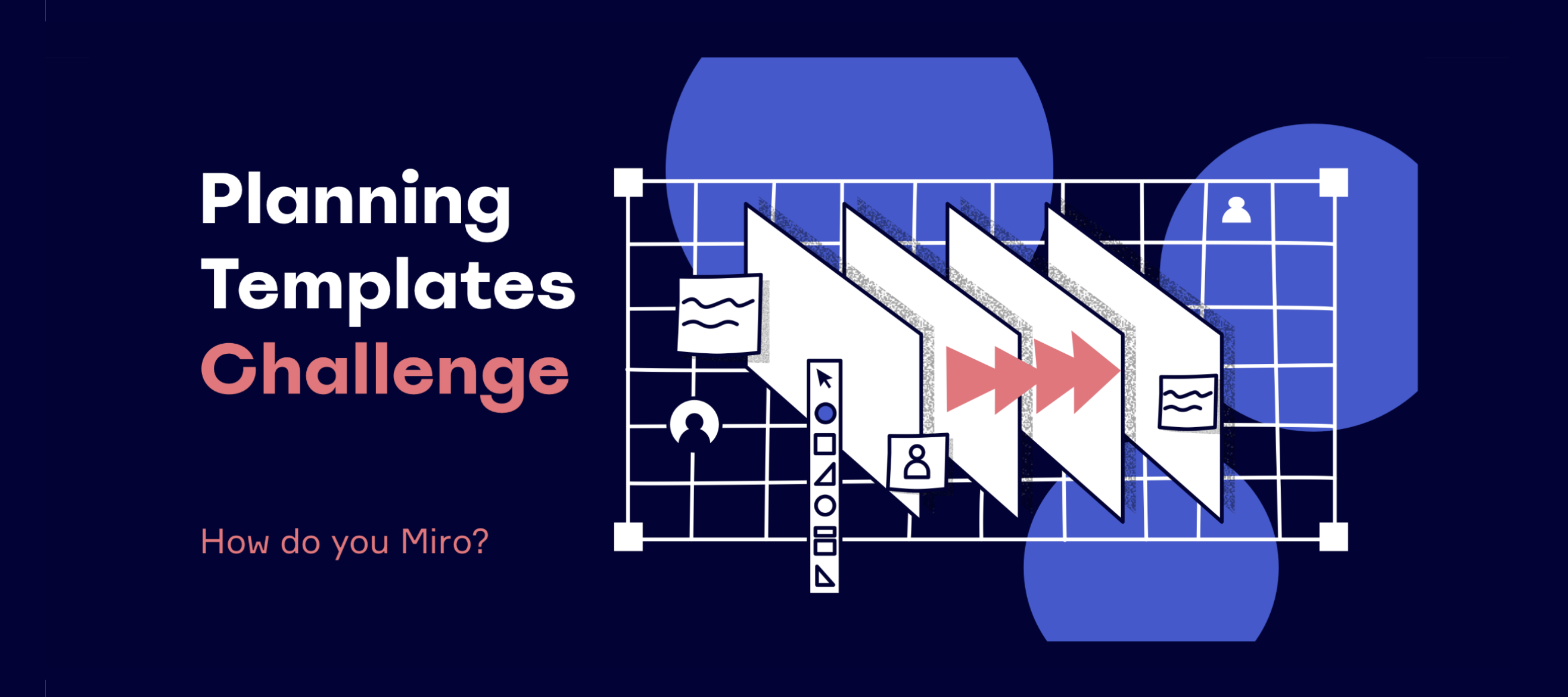
Hi Miro Heroes, And hello, spring! We’re kicking off the next Miro templates contest: How Do You Miro? Planning Templates Challenge! ✨ In the words of Antoine de Saint-Exupéry: “A goal without a plan is just a wish.” Planning can be hard work but without this stage, managing projects becomes even harder. It provides clarity, context, and helps keep teams aligned. So with this How Do You Miro challenge, we want to know how you go beyond first sketches to create plans and manage projects - from start to finish. 🧙♀️ Show the Miro Community how you make wishes come true! Challenge detailsTiming Submission period: March, 3 - March, 31 Voting & Judging: April, 1 - April, 7 Winners announcement: April, 8 Awards Judges’ Choice: we have a panel of three expert judges to choose the best template. Submissions will be judged for their ease of use, layout, and fun factor. People’s Choice: this award will be based on top likes under the submission here in the online community. Make s
Hello everyone @miro your programming people and developers,at this time I am working with my own templates for a workshop … and I have noticed what you’re worked on:Months ago when I added a created template on my board I have to think about the size of my template and I have to move my mouse on my board where is enough space.Now: No matter where I am on my board:Adding the template / Whoosh … it’s been placed automaticly where there is free space.In the past it happend that elements where placed overlapping. Not anymore!Thank you for all the work that you do and you have done that we did not see and notice.Your’e great - you do an awsome job - you making miro this what it is:One of the best tools in the world and you … you should get the best award in the world for it! Thank you for all your hard work !!! Michael
Hi folksA client uses Miro, so I’m using it for a workshop in a couple of weeks. I’ve already spent some time playing to get used to the controls.Some in my group of up to 15 will know how to use it but others will be a new. The client is sending a briefing out beforehand, but they’re busy people - I won’t expect them all to have the hang of it.So, I’d really appreciate some pointers for:1 How to set up a Miro board for brainstorming and capturing thoughts, with 3-4 groups 2 How to give them a walkthrough at the start (maybe combined with an icebreaker)Thank you
Hi Miro Heroes, It's that time again! Read ahead for the Miro April Webinar schedule: Getting Started with Miro every Thursday at 8am PSTMiro is the online collaborative whiteboarding platform where distributed teams get work done. Join product expert, Jennifer Clark, in this free 50-minute session as she walks through how to get started with Miro. Transforming Your Digital Classroom on April 20 at 2pm PSTWe know educators across the globe have had to adapt to an increasingly digital classroom experience - and Miro is here to help. Join Jennifer Clark as she shows you how to bring fun, creativity, and collaboration to your classes to create interactive learning experiences.You'll walk away with inspiring tips and real examples of ways you can use Miro -- whether you're planning for the semester with colleagues, hosting group project assignments and empowering your students to share feedback, or facilitating discussions using different primary sources. Agile Ceremonies in a Remote
After using Miro for 3+ years, it’s still fun when you discover something you didn’t know.In this example, I will group the four images and then double-click the top-left one (the cat with the fishbowl) and move it separate from the group. Next I will do the same with the puppy. This saves me from Ctrl+Shift+G to ungroup, rearrange, and then Shift+drag to select all and Ctrl+G to group. I didn’t see any mention of this in the Structuring Board Content → Grouping Help Center article, but I expect it’s a feature and not a bug.
Hallo an alle,ich habe gesehen, dass hier die Frage nach deutschsprachigen Templates im Miroverse gestellt wurde. Auch wir (bei der Silicon Pauli GmbH) haben lange nach gut aussehenden und funktionierenden Miro Templates gesucht, die auf deutsch getextet sind . Da wir nichts passenden finden konnten, haben wir das Remote Innovation Playbook gebaut. Dieses Tool unterstützt in allen Bereichen von Remote Workshops - Vorbereitung, Durchführung und Nachbereitung - Falls ihr dazu mehr erfahren wollt, dann findet ihr hier mehr Details. Ansonsten könnt ihr euch gerne unter diesem Post oder unter products@siliconpauli.com mit allen möglichen Fragen melden :) Free TemplateWenn ihr jetzt einfach nur nach einem deutschsprachigen Template als Vorlage zur Inspiration oder zur direkten Anwendung sucht, dann könnt ihr dieses Template gerne kostenfrei duplizieren und für eure Zwecke nutzen: Profiling Web.(Ihr könnt es dann natürlich abändern wie ihr möchtet und Inhalte löschen)Eine englische Version d
I’m playing some vampire with some friends and created a character sheet for us to use in Miro.
Amira Mustapha Founder and Executive Director of Art Defined Productions Create three groups of people and send them to the three different link locations to complete the puzzle. Ultimately they will realize they need items from each other to solve their puzzle. It a way to show collaboration versus competition More info on how I created the puzzle in Notes
I have this dream of being able to fluidly and seamlessly present and work with a group using Miro and Zoom, and what I would really like to do is to use both touch to navigate the Miro workspace, and a pen or stylus to write and draw, just as I would on an actual whiteboard.I'm hoping for a single interface to address both.I have tried using a “standard” touch screen monitor, but found the one I tried was only sensitive to a finger tip and the drawing/writing detail was not fine.I have a Wacom Intuos tablet, but have found Palm Rejection with this tablet is not supported in the Miro interface. When using the stylus I have to turn off Touch manually with a switch on the side of the tablet otherwise when I rest my hand on the tablet to draw, it zooms and pans the Miro workspace unpredictably. I find this is clunky and slow when I am trying to get into the flow of working and presenting to a group.My current workaround is to use a mouse for navigation, and then the tablet for writing. I
Remember the classic TV show, Amazing Race? Ever wanted to be a part of it? Now you can and in Miro, of course!Last November, @NurulFathiyah created and delivered the A-Miro-Zing Race experience during an APAC Miro User Group event. It was a great success! @Joshua William Davies and I decided that, as with any savvy TV executives will tell you, “Let’s do a bigger LIVE re-run!”So here’s your opportunity to join this race, this 11 March. It’s going to be bigger and bolder as we have invited collaborators from around the world to contribute a piece of their own unique Miro experience to make up the puzzles and race challenges. It’s not a walk in a park, for sure.If you’re ready to have fun, laughter, and explore more Miro possibilities, register for the event now!https://events.miro.com/events/details/miro-apac-presents-a-miro-zing-race-2021-bigger-better-bolder/#/
We’ve been having a blast developing tools for this community on the Miro API/SDK. ‘Blast’ doesn’t capture it… the ability to build tools on top of all the amazing features in Miro is straight-up life changing. The developer docs and sample projects are well put together and make it easy to get started. Its not rocket science -- but the potential feels … astronomical 🤓 ← Miro now | Miro after the creative world discovers the API → What follows is a glimpse into how its been going. We’re about to begin sharing the tools in beta. We’ll keep you posted. Always eager to share what we’ve learned and collaborate with other Miro enthusiasts. I’ll probably post over in the ‘Developer Forum’ a deeper dive into some of the more developer side of things… Miro Plugin Development Project HQ Here’s some screenshots of our development HQ Miro board … don’t mind the mess, if I knew you were coming over I’d have cleaned the place up. The High Level Top left / top: Concept, Glossary and Re
In dem folgenden Video ist ein Kurzüberblick zusammengestellt, welche Vorteile miro bietet: Michael
Hello, an idea and question to all German users: What about the idea to meet either virtual or in real life in a real world meeting. Therefore I like to know:Where do you come from and is anyone interested in a meeting?Please post the answers here into this thread.Looking forward for as many answers as possible and maybe to meet and share ideas.Ich komme aus Düsseldorf - NRWMichael
Already have an account? Login
Enter your E-mail address. We'll send you an e-mail with instructions to reset your password.