🎃 Miro Community Halloween Contest — win a $400 gift card
All the latest news and announcements, and the best content from the Miro team.
Recently active
Thought diversity offers a boost to any type of team. And on Agile teams in particular, diversity of thought isn’t just a competitive advantage — it’s non-negotiable. Here’s why: 👍Teams that embody and prioritize openness, respect, and courage provide welcoming, inclusive spaces that cultivate diverse opinions and ideas from all team members.👍Agile teams need to work, learn, and act nimbly. And when they have solid diversity of thought, teams benefit from more perspectives and ideas — and that breadth of knowledge makes it easier to make informed decisions and innovate rapidly.👍A diverse Agile team can more accurately comprehend and even relate to those backgrounds and viewpoints. Read the full article to discover great tips to cultivate thought diversity. #agileretrospectives #Retrospectives #Miro #agilemindset
Hi Miro Community! 👋 Curious about what we launched in July? 🤔 You can find all of our exciting updates in my blog post. Some of my favorite updates are: 😲 Miro smart chip for Google Docs😎 Miro Academy badges in Miroverse✍ Multiple accessibility updates for more inclusive collaborationComment down below what your favorite updates for this month are. If you have any ideas on how to make Miro even better – please add them to your Wish List Cheers,SimmiProduct Marketing Operations Specialist at Miro | Berlin
I'm thrilled to announce that Miroverse profiles are now adorned with your prestigious Miro Academy Badges, showcasing your latest skills and accomplishments! 🏆💪The Miro Academy team takes great pride in providing top-quality courses that empower our customers with the knowledge and skills they need to get work done more efficiently and effectively in Miro. From creative collaboration techniques to advanced workflows, our courses support teams with creating the next big thing! 🚀🌌We extend our heartfelt congratulations to all Miroverse users who have earned these impressive badges. Your dedication to continuous learning and growth inspires us every day. 🌟💪 If you haven't explored the Miro Academy yet, now is the perfect time to dive in and join our vibrant community of learners! A special shout out for our creators who have attained all 5 badges! I know this isn’t a full list but I’m looking at you @Adrien Painturier, @Alejandro De Blasi, @Alrex Agui, @AnnikaR, @Christiane Schmitz
For all the Confluence and Jira users out there, we’re excited to announce a new update that makes it even easier to bring Miro into your Confluence pages and Jira issues with Atlassian Smart Links!Try out the three new Miro display options: an inline link, a card view, or a fully embedded board so you can easily build a whiteboard into your workflows.To add a Miro Smart Link, simply paste your board URL link on a Confluence page or Jira ticket or type “/link” to insert. Once pasted, you can display the board as one of three options: A small “inline” link which can quickly show anyone viewing the page what the board title is. A more impactful “card” view where you can see more information about the board, including a thumbnail preview and the time it was last updated. A full embed, where anyone with the appropriate permissions can view, comment, or edit the live board. Note: The board permissions are what is set in the board sharing settings.
Hello Miro Community, The Smartsheet app for Miro now includes a two-way sync that enables teams to get projects across the finish line faster with higher quality. Move from ideation and alignment to execution by easily converting sticky notes in Miro to rows in a new or existing sheet within Smartsheet. Import rows from Smartsheet to a Miro board as cards when you need to collaborate in real-time on tasks. Best of all, information will be updated in both tools – no matter where you edit them 🤓.Visit this Help Center article to learn more and try the app now. Oh and this app was built with the Miro Developer Platform 😎. Are you next? Happy collaborating, Jenny
Hi everyone! This one’s for our Enterprise customers. Company Admins can now enable Content Admin permissions for extended permissions to manage projects, boards (e.g. delete, transfer, or move boards and download board backups), and company templates without needing to request permission from board owners to do so. This gives admins the greater ability to better organize and administer the workspace in general. You’ll never have to say or think any of these again: “I just want to get rid of all these “untitled” blank boards. Can’t I just delete them?!” “I don’t need permissions to edit and see actual board content; I just need to have permissions to change the permissions for others.” “I get emails like ‘can you give me access to this board’ and employees send me a link. But after clicking the link, I can’t do anything because I need to request access from the board owner.” Want to enable Content Admin permission on your account? We’ll only enable this feature b
Exciting news! We've partnered with Jake Knapp to create a Talktrack (an interactive Miro board video walkthrough) based on his bestselling book Sprint. 🚀This Talktrack board will take you through a guided workshop experience with Jake himself, where you'll learn how to build and test a prototype in just 5 days. 🤩 ➡️ Just click here, enter the board, and PRESS PLAY. We’re thrilled to share this incredible resource with you all and can’t wait to see what amazing creations you come up with. So head over to the board and start your design sprint journey today! Don't forget to share your experience with us in the comments below. ✂️ Can I copy this board with the Talktrack recordings? Yes you can! Head over to Miroverse via this link. Once you've made a copy, you'll be able to watch the Talktrack recording and edit the board as you follow along with the workshop. Happy sprinting! 🏃♂️
Calling all members of the Miro Community! Join us at Miro Distributed '23 on October 18th for our annual one-day virtual community event focused on collaboration, learning and networking. Here you’ll have the opportunity to take part in training, unite with thousands of other Miro users, and continue exploring the creative ways the Miro Community is driving innovation in a collaborative world 🚀 Your Voice Matters Help shape the agenda by completing our 3 minute pre-event survey by July 19. Take the survey. Apply to be a SpeakerInterested in hosting a session on one of Miro’s largest virtual stages? As Miro community member you are eligible to apply to be a speaker at this year’s Distributed ‘23! This year we're looking for speakers who can share stories and host hands-on workshops that showcase how teams are using Miro to bring ideas, products, and services to market. Examples of topics we're looking for should fit under one of the below tracks: Track Theme #1: Centering the custome
Hi Miro Community 👋I am back to share all about what we launched in June for you. From new integrations to the new Miro Interactive display app, there are so many exciting updates. I’d love to know what your favorite update is -- let me know in the comments below! Cheers,SimmiProduct Marketing Operations Specialist | Miro
This just in, after months of beta testing with our customer partners, we just released a new and improved interactive display experience, now available with an expanded list of user preferred devices from Neat, Dell, Vibe, and DTEN. As easy as a flip-chart, except you can also save it all digitally👆 The new app for interactive displays allows you to start the board with a tap so you can seamlessly jot down your ideas and let your creativity flow. 🖍️ And whether you prefer using your finger or a stylus, you'll enjoy a frictionless drawing experience. Want to create a more collaborative and creative brainstorming environment for your office? Let your IT team know they can (and should) enable the Miro experience, so you can just jump on a board with your team (sitting anywhere), sketch out your ideas and save them digitally. You can learn more about interactive displays on Miro in our help article. Questions, comments or ideas? Let us know in the thread below ⬇️
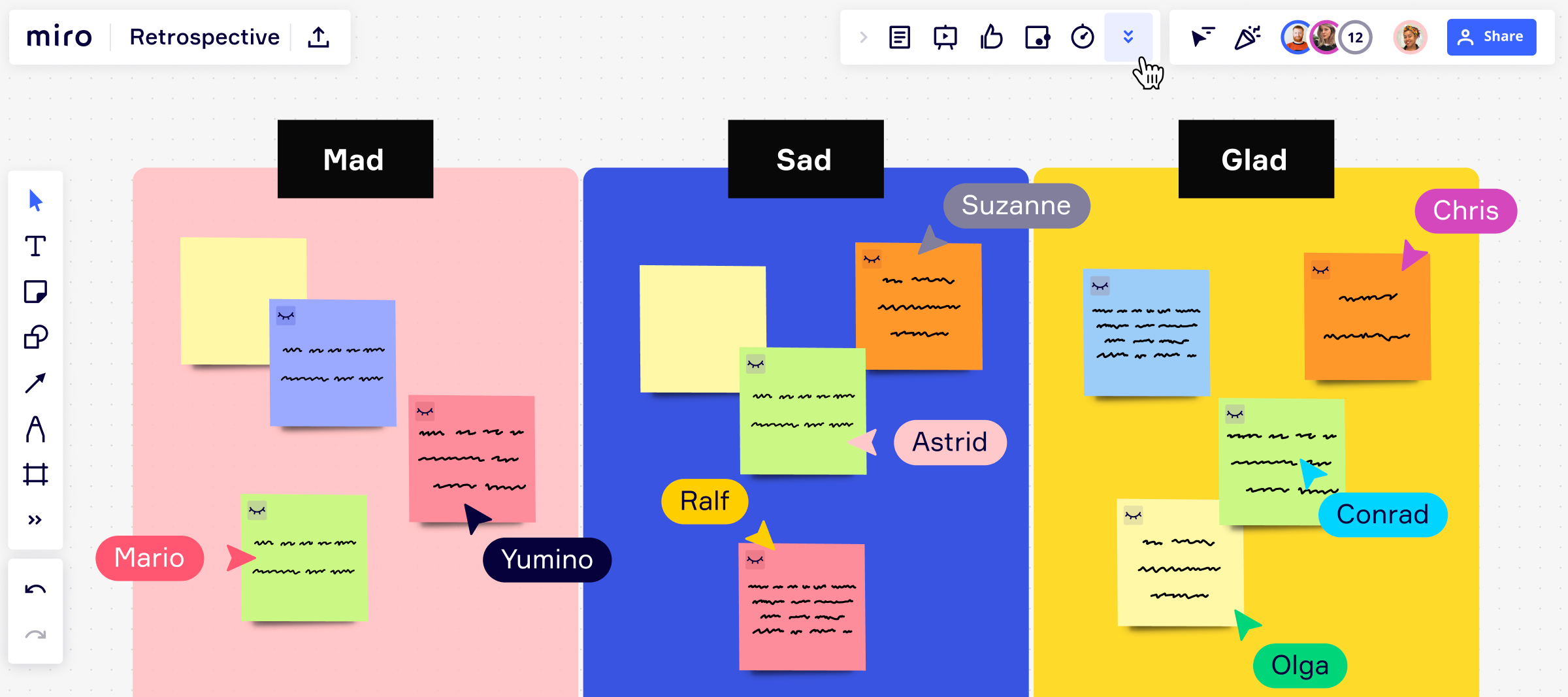
Hey Miro Fam 👋,We have a cool new update for all you who run retros, workshops and brainstorm sessions. Introducing Private Mode, a new feature that allows you to create space to share input. Give teams a private space to reword, prepare and reflect within a meeting, encouraging more feedback and diverse insights. How it works: Any editor on the board can activate Private mode. While the mode is active, participants can enter their opinions on sticky notes in private, with the content invisible to others (authors will continue to be visible). Any of the editors can end the mode and upon ending, contents of all sticky notes will be revealed. Private Mode in actionHead to your Miro board and try it out, and don't forget to share your feedback with us here on Miro Communities. Enjoy your new private space!ShubangiPS: Available on all paid plans
👋🏼 Hey Miro Community!This month, we’re excited to introduce 12 new integrations across data, docs and media - to help you connect Miro to your favorite tools and streamline collaboration workflows. Try them our and let us know what you think!New Miro integrations across data, docs, and media.📈 Import live data & insights into your collaboration space, with:Amplitude UserTesting Typeform📺 Insert and play videos directly in Miro, with:YouTube Loom Wistia Vimeo📝 Embed Miro into documents and project details, with:Notion Confluence Coda Productboard MediumFind more helpful resources:Learn more about the new integrations.Browse the Miro Marketplace.Explore the Developer Platform.
Hi Miro Community 👋We understand that the process of submitting your work can feel overwhelming, especially if you're a first-time creator. But don't worry, we're here to help! We've made improvements to make it more user-friendly and straightforward by breaking down the process into simple, step-by-step instructions, so you'll never feel lost. We've also added helpful prompts to guide you through completing your profile and included contextual hints to prevent common mistakes. We want to continue improving, and that's where you come in. Your input is incredibly valuable to us. We would love to hear from you about any information you feel is still missing. If you're already a published creator, we'd especially love to hear about the resources that you found most helpful throughout the process. 👀 What does it look like? I’ve recorded a video walkthrough on publishing a template with the new experience, and as always, our help center is a fantastic resource for learning more (we’ve upd
Join us for our Q2 What’s New webinar to be the first to hear about our latest product updates and announcements This is no regular webinar, we keep it lightweight and fun while showcasing how you can get the most out of Miro’s newest features. You’ll also be the first to hear about new product announcements and releases that you won't want to miss! If you’ve joined us before, you know the drill. Save your spot today! Need more convincing? Here’s feedback from our last What’s New webinar: “OMG! Are you kidding me?! This is going to save me so much time!!!!!!!!” “I’m practically foaming at the mouth right now” “Some can’t even DREAM of this high, let alone make it happen. Thank you Miro” 🙈 Can’t make it? Register anyway, and we’ll email you a recording! Got feedback for the team? Let us know what you think and how we can make this content even more valuable for you down below 👇
Hello Miro Community 👋Knowing who you're collaborating with makes it easier to clarify responsibilities and hold team members accountable. The latest updates to @mentions help you to keep tasks organized and searchable, making it easier to work with and identify team members, and find information when needed.In-text mentions — Reference teammates on text-based widgets, including Sticky Notes, Shapes, and Text to keep everyone on the same page. Self mention — Reference yourself with @mentions, providing an easy way to highlight your involvement in a task or conversation. Profile cards — Profile cards help you to quickly identify who you're working with when hovering over @mentioned names.📚 Visit the Help Center to learn more about @Mentioning people on the board. 💬 Have you tried out these updates yet? We would love to hear your thoughts and experiences in the comments below. Let's keep the conversation going.
Have you ever found yourself lost in a sea of Miro objects during a presentation? Fear not, we have some exciting news! 🔎 Click to zoom Presenters can now zoom in on any frame with just a click, making it easy to spotlight content and keep the audience focused. What’s more, Miro also automatically identifies clusters of objects and allows you to zoom in on them, helping you highlight activities or content on the board outside of slides. 💡 Lightbox effect For those of you who are looking for a more polished presentation experience without distractions, we’re also introducing the new lightbox effect, which creates a black border around frames in presentation mode, blocking out any objects that lie outside of a presented frame. The lightbox effect can also be easily toggled off from the presenters toolbar. We want to make it easy for you to seamlessly transition between a slide-like and canvas-like presentation, so you can deliver a more engaging and immersive audience experience. Tr
Hey Miro Community! This month we have released updates which will take your presentations and collaboration across locations and time zones to the next level. I am also excited to share that we are celebrating 2,000 templates in Miroverse - all thanks to our incredible creators who continue to inspire the world with their ideas. Furthermore, we welcomed nearly 100 new creators, including product expert, podcast host, and angel investor, Lenny Rachitsky.Read more about Lenny’s templates and our other updates in the full post. Lastly, a quick reminder — our next WHAT’S NEW WEBINAR is right around the corner and there’s still time to claim your spot. You can expect an in-depth view of how to use our new features to supercharge your workflow, plus some other key announcements. We can’t wait to see you there!
Hi Miro Community, We’ve launched Miro AI this morning on Product Hunt and the response from the community has been incredible. We’re gaining traction on the platform, and aiming for #1! If you love AI and want to support us share your upvote here.Miro + Ai + You ❤️🔥 Thank you! Happy collaborating,Turner
Let’s grow together! Join us for Miroversity Live — our free annual education series designed to help you get more easily done on Miro. You’ll get all the deep learning directly from experts to upskill your collaboration and reach your goals in 2023. You’ll walk away knowing how to: Build workflows entirely in Miro, so you never have to jump between tools again Successfully host and participate in hybrid meetings with Miro’s collaborate-anywhere capabilities Design beautiful presentations and deliverables in Miro — no design knowledge or skills needed And so much more. We hope to see you there! When: January 24 & 25 | Live in AMER & EMEA 🔗 Register for Miroversity Live ‘23 here Have a question? Want to share if you’ll be joining Miroversity Live ‘23? Let us know in the comments below👇🏿
Turning common practices into shared templates helps teams to build consistency, establish best practices, and provide a starting point for any new member to quickly get up to speed on how to use Miro.Here’s a round up of the latest custom template improvements that'll help you and your team to save time, ensure consistency, and improve your teams workflows:Opt-in for easy template publishing. Company-wide sharing of custom templates has been made easier with updated sharing permissions for paid plans. Learn more about sharing policies. Make it easy to find templates by adding longer template descriptions with keywords that’ll enhance discoverability in search results. Additionally, separate folders now differentiate company-endorsed templates from open-sourced team templates. Learn more about Custom Template settings. Highlight templates to drive adoption of best practices at your company. Featured templates are recognizable by their badge and appear near the top of the Team or Compan
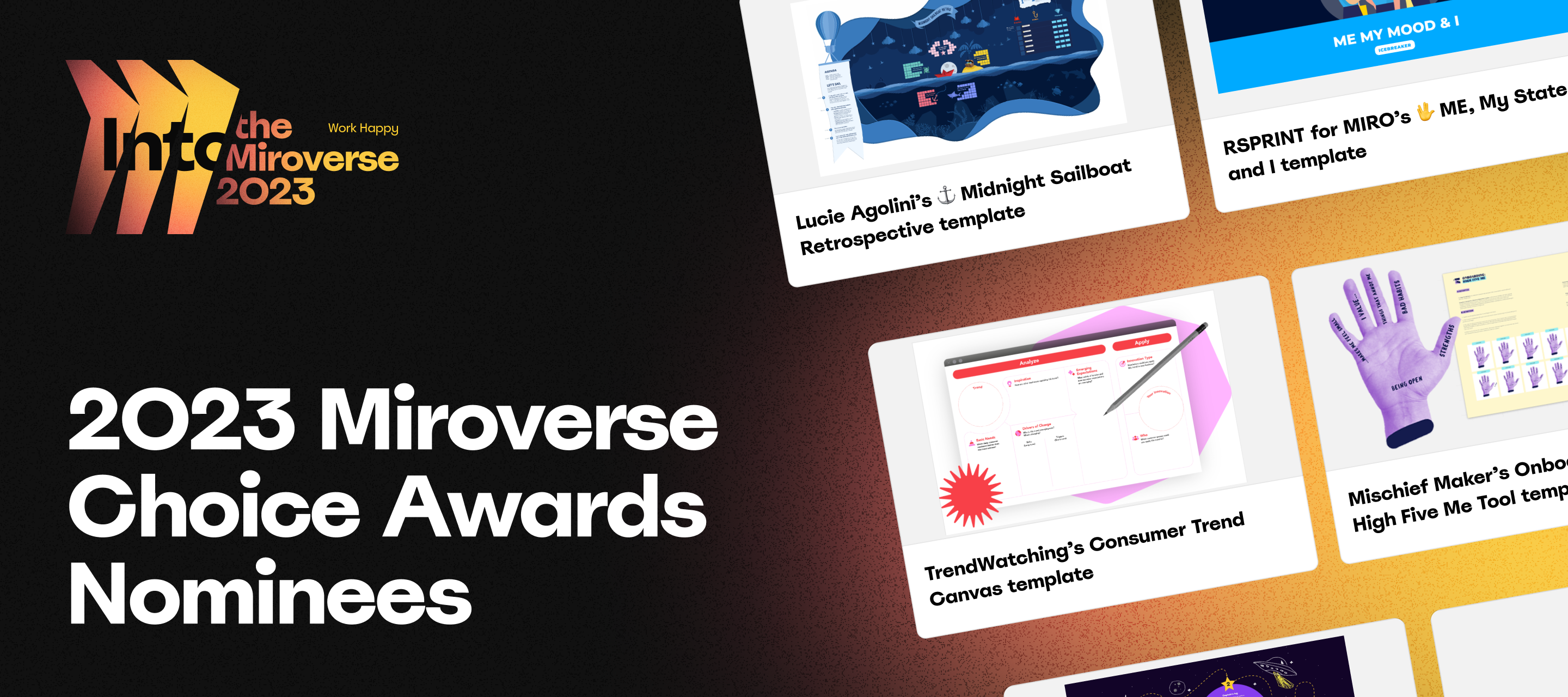
Miro Community, This Spring, Miroverse turns three! 🥳 Our community has published over 2,000 templates on Miroverse, showing the limitless ways we can meet challenges with creativity and collaboration. To celebrate, we invite you to vote for your favorite Creator in this year’s Miroverse Choice Awards! Strategy & Planning: @Annie and Project Pitch, @Alejandro De Blasi and Social Media Planner, @Maja Voje and Market Problem MapRetrospectives: @Maria Karnaukhova and Space Adventure Retrospective , @Nhi Tran and Retrospective - Friends, @Clyde D'Souza and Gather Town RetrospectiveIcebreakers & Games: Mischief Makers and Onboarding: High Five Me Tool, @Said Saddouk (in collab with @Steven Sampson-Jones and @Lucie A) and Enotejis v1.1, @Boris Petrovitch Njegosh (RSprint) and ME, My State and IAgile Workflows: @Paul Snedden and Agile Bingo, Jon Spruce and Working Agreements, @NinaSwitch11 and Agile Marketing KANBANMeetings & Workshops: @Joe Caplin (Outfly) and Company Vision W
Hello, Miro Community! We are excited to share that today we have launched a new and improved voting experience to help you easily involve teams in decision-making. With Miro’s improved voting app, we’ve made it easier and faster for meeting and workshop facilitators to get a sense of how the group feels about a variety of options. Quick and easy for facilitators as well as participants Customize the voting process by selecting specific objects to vote on Voting results are visible within just a few seconds after the session ends Visit the Help Center to learn more and use voting to make sure everyone has a voice.
Hi Community! Into the Miroverse is back for a second year! Join us on May 31st to hear from leading Miroverse Creators on proven productivity and creativity tips for more innovative work. Meet the Miro team behind the platform, connect with like-minded peers all over the world, and gain practical skills to co-create in the Miroverse. Some things to know: Where: Virtual Event Date: May 31st, 2023 Time: 10 am - 2 pm CDT / 5 pm - 9 pm CEST / 7 pm - 11 pm (GMT +4) Sign up here to save your spot and see the full schedule!
Hey Miro Community!This month we have small updates which will make a big impact on how you use Miro in your work and daily life. From Private Mode’s interactive feature to Card Panel’s ease of use – we hope they’ll make your experience in Miro much more seamless. I am also excited to welcome 100 new templates last month to Miroverse – a new record!Our top pics were Valentine Rousseaux’s Project - Timeline & Key Info, Shehab Beram’s Product Backlog Refinement Workshop, and Hyperact’s Service Blueprint. Check out our What’s New Blog to read more about what we launched in April!
Austin Community! We’re excited to announce our upcoming community networking meetup at our new office in Austin! This event is a great opportunity for our Miro community professionals to come together, make connections, and learn from each other.Our community networking meetup will be an informal gathering where you can chat with other like-minded individuals, share your Miro experiences, learn from others, and meet with members of our team. We’ll also share new ways to deepen your connection with Miro. Light refreshments will be served!🔗 Register to join us here Our team is looking forward to hosting you at our new office space in Austin. See you soon!
Already have an account? Login
Enter your E-mail address. We'll send you an e-mail with instructions to reset your password.