Miro hacks, fancy use cases, inspiring discussions, creativity, networking, and more 😍
Recently active
🎄✨ In the heart of Innovation Wonderland,surprises and joy are at hand.On day two, a gift of the community’s choice,let’s celebrate together, let your spirit rejoice! ✨🎄 It’s day two of Innovation Wonderland week, and we’re excited to bring you a very special surprise — a gift handpicked by YOU! 🎉We heard Miro Heroes gift ideas to make 2024 a productive, creative, and innovative year. Now, it’s time to reveal the top picks!iPad or Samsung Galaxy Tab A9 Bose Headphones Want to win one of these prizes? Here’s how:Comment below with the item you’d like to receive. Each commenter will be counted only once, so no need for multiple comments. We’ll randomly select a total of ten winners both in Miro Heroes and on Miro Forum on Dec 11, 2024, at 9 AM CET to be notified via email.We can’t wait to see who the lucky winners will be! 🎉 Good luck to all, and remember, Innovation Wonderland week is far from over! Keep an eye out for tomorrow’s surprise! 🎁_______________________________________
Hello everyone! I’m working on a new app for Miro called Formulas and I’d love to get feedback from the community here.The Formulas app brings your Miro board to life by enabling board items to dynamically change their values and colors based on the other items in your board. Check out the video below for the full pitch, but here are some examples of what the plugin can do:Run calculations like Sum or Average against the items in your board Create a sticky that changes its background color to red automatically if it has a negative number Make a text block that combines the text of all items inside of a frame. Keep the value of a sticky in sync with another sticky or text block on the board. Count the number of dots in frames as a custom voting exercise I’m nearly happy with the basic functionality of the app currently, but I don’t have a clear idea of real-world use cases, so please tell me what you think. Do you think this app is just a fun gimmick or would it help with something yo
Hi all!One day while preparing for an upcoming retrospective, I had an idea to make the waiting time more engaging: why not let participants solve a puzzle while others were finishing their post-its? I tried uploading an image and cropping it manually, but it didn’t work very well. Then I searched online for a tool that could cut an image into squares and let me upload the pieces to Miro, but the process turned out to be time consuming and clunky.That’s when I realized: I needed something built directly into Miro.So I created Puzzleit, a Miro app that lets you upload any image and instantly turn it into a puzzle right on your Miro board.You can get it from Miro Marketplace: Puzzleit If you have any feedback or issues, please feel free to share them with me!Happy puzzling! 🧩😀
I've just been trying to use Miro for Story Mapping using the Story Mapping template. It was looking good to start with but after a while when I came to need to organise Activities and items on the backbone row it all just fell apart and I had to give up.The behaviour of the Activity and Backbone row items basically breaks the entire usefulness of the User Story Map template for me. The way I story map, I have Activities at the top, then items on the backbone row form the 'walking skeleton', these are the minimum set of non-optional stories that enable the system to work. To start with items under the backbone might be details or sub-tasks of backbone items, but further down the map, perhaps several release slices down, tasks at that location still relate to the activity, but may not relate directly to whatever task was on the backbone row. These later tasks might represent alternative user journeys through the system, or quality of life improvements for the activity.The problem is tha
Okay community, vote and settle this debate! Which one do you prefer and why? Desktop/Mobile App vs. Web Browser I prefer the desktop app because I like to keep my browser tabs minimal and organized. I cannot have too many open at one time! I think of Miro as a program so I like to use it like an application and not a website. I’ll use the mobile app from time-to-time to make quick notes or edits. It’s a good tool to have even though I don’t use it that often.
I have been using the Miro Assist Expand with ideas action on mind map nodes and am loving it. However, what has frustrated me is, when I have another objects type, e.g., a sticky note from a brainstorming activity and I want to turn it into a mind map, I have to copy the text, create a mind map, and paste the text into the mind map – that is just too many steps.Given there was no “switch type” action to convert objects into mind maps, but there is CRUD (create, read, update, delete) mind map in the Miro SDK in an experimental release, I had the idea to take @Yash's open-source Cardsy app (that makes cards from other objects) and use it to make a one-click solution to create mind map nodes from other objects.Thanks to @Max Harper for assisting with the final lines of code, you can try it our for yourself here.Install linkThe install link can be found here → https://apps.mirohero.ca/Note:This is an unofficial Miro app. You may also be blocked from installing it from your Miro plan admin
Feel free to give a shout out to colleagues and let them know they’re appreciated!
Hello everyone my name is Jill and I live in the Netherlands :)
A strategy map
哎呀
I’ve been working out how to use pre-recorded videos for Talktrack, so that I can get the delivery right, apply edits, then navigate the board.Set up an OBS Virtual Camera and add your pre-recorded video as a Media Source. Ensure that the audio from the media source is being sent to the virtual camera with the Monitor and Output setting. Route your audio to a virtual sound source. If you’re on a Mac I’ve found Blackhole to be the best way to do this, and the Multi Output Device preset is ideal as it will enable you to hear the audio whilst navigating the board as part of the Talktrack recording. Select your virtual webcam and virtual sound source as part of the Talktrack recording. 🎥… Profit!Of course, this will be redundant if it becomes possible to upload videos to Talktrack, but until then...
Hi everyone,I’m working on a project where my team and I are using Miro to map out a really complex workflow. The board has gotten quite large, and it’s starting to feel a bit overwhelming to navigate and keep things organized.Does anyone have any tips or best practices for:Structuring large boards? Keeping things visually clean and easy to follow? Helping team members quickly find what they need?I’d love to hear how others are tackling this! Thanks in advance. 😊
A visual map to identify categories and topics we’ll talk about in the content plan
Hello Miro community!Exciting news! We're delighted to announce that our new app, Autodesk for Miro, designed to seamlessly import Autodesk 3D files to your Miro board, is nearly ready for launch.In addition to full Forge viewer experience, including setting different viewports, this app promises to revolutionize your workflow.Currently, we're in the private preview phase and would greatly appreciate your input to ensure it's just right. Interested in helping us out? Please reach out for access to the preview! amen.teng[at]servicerocket.comLooking forward to collaborating with you!
I’m brand new to Miro and working on creating a large board for facilitating an all day workshop for a smallish group. I initially started by copying over some templates, but as I got comfortable I just started creating my own thing. I’ve discovered that I’m having to use text sizes of 900 for example, and the zoom is set to just a few %. Is there any problem with this? Should I be targeting using “normal” text sizes and doing everything at 100%, or is it totally irrelevant as long as I keep things in proportion to one another?I’m worried that I’m going to get even more hours into setting this up and suddenly realize that actually having apparently huge everything actually screws me up somehow.Any thoughts much appreciated! Thank you,
Need to frame multiple items at once? Select them, launch MultiFrame, and click Create frames.MultiFrame also supports:Three different padding options: None (default Half Normal (Miro’s standard padding when using the “Create frame” action) Ten colour options: White Black 8 x Miro brand colours Or no colour at all (default) Several aspect ratios – force all newly created frames to one of the following: 16:9 4:3 1:1 A4 Letter Legal 11x17 Get MultiFrame here → https://miro.com/marketplace/multiframe/ Role the credits@Max Harper at Refractive – for going above and beyond to build this using the Web SDK v1.0. @Jonathan White & Hilary Jenkins at Hiro Studio for providing a number of app icons ideas (we started simple, but will sprinkle in some color down the road). @Vedran at Hookshot Software for his guidance in my learning some React and TypeScript after being away from a developer role for nearly two decades.
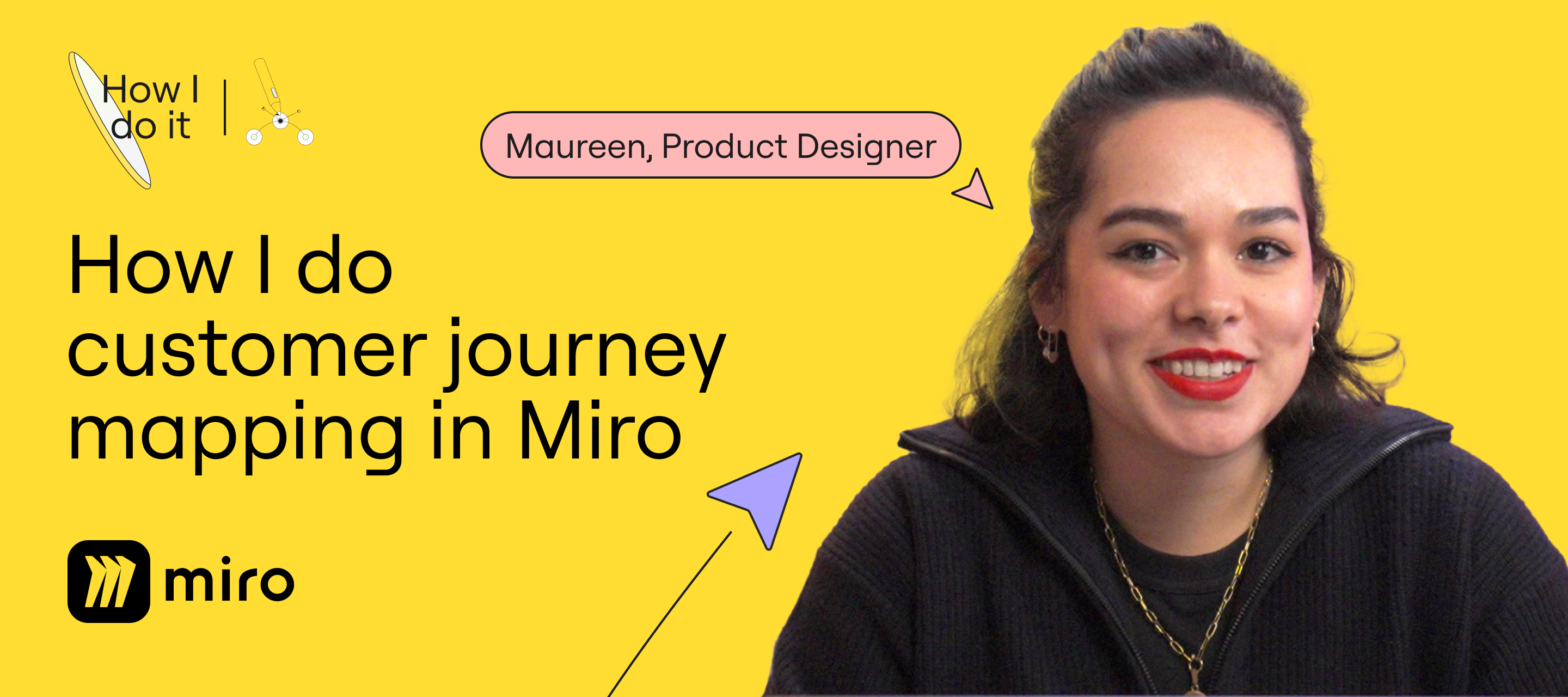
Hello Miro Community! I'm Maureen, part of Miro's product design team and I’d like to invite you to join me in this video to see how we create and use customer journey maps in Miro! Watch to see how we:✍️Collaborate with users to map out their Miro experience.🧠 Brainstorm with the team to tackle insights.🚀 Create actionable to-dos to make a real impact. 💻 Watch: How I do Customer Journey Mapping in Miro” with Maureen You can also access this free Miroverse Template with my Talktrack that I cover in the video. 💬 Have a question, comment or want to share how YOU run journey mapping in Miro? Share your thoughts and boards in the comments below—I'd love to hear from you!
It’s day five of Innovation Wonderland week! For our final community challenge of 2024, show off your creativity by designing your very own calendar template. Every participant wins swag! 🏆 Here’s the challenge:Design your calendar template in Miro Looking for inspiration? Check out these ideas from the Miro team. Submit multiple template to increase your odds of winning the big prize Submit your template(s) in Miroverse Share a link to your template(s) in this thread by Friday, Jan 31, 2025 Winners will be announced the week of Feb 3, 2025 🗳️Voting and judging:Two winners will be selected — one in each of the following categories:Community choice: Decided based on the number of likes and copies the template receives in Miroverse. Miro team choice: Decided by a panel of Mironeer judges based on relevance, layout and design, and ease of use. 🎯 Relevance: Have you created a template that meets the challenge criteria?🎨 Layout and design: Is your template organized, attractive, an
We all know how challenging product planning sessions can get—trying to align on priorities, managing feature requests, and ensuring everything stays connected to the overall development process can feel like herding cats, especially when dealing with teams spread across different locations worldwide.At our company, we faced this challenge too. Initially, we used Miro solely for brainstorming sessions. However, we decided to experiment further and began utilizing it for ideation and product planning as well.We quickly discovered that transferring information from our GitHub issues to Miro was a hassle because it required us to copy and paste chunks of information. To streamline this process, we developed an app to integrate GitHub, allowing us to import issues easily and eliminate manual work. Over time, we realized the need for a template to avoid rebuilding the page repeatedly. Now, with our tailored template, we efficiently map out roadmaps, plan features, and track tasks.Our tailor
#MiroAII frequently get diagrams in images (jpg, png, gif, etc.). It would be awesome to have an AI engine that could do an “OCR” type scan, but convert everything in the image of the diagram into an editable Miro Board with Miro Components (not just putting the image into a Board, but converting the image into Miro components in a new Board). This would be a life changer!!!
Hello Miro community,I’m following up on a previous post I made about using Autodesk and Miro together for design reviews. This time, I want to dive deeper into two specific topics:Design reviews across disciplinesMany design reviews involve stakeholders who aren’t familiar with technical tools like Autodesk. How do you structure your Miro boards or facilitate discussions to make sure that non-technical participants can engage productively and meaningfully? What are the specific ways you use Miro to make them more accessible?Streamlining approvalsCapturing feedback and securing sign-offs during reviews can often be a bottleneck. What strategies or workflows have you found effective in making this process more efficient? Do you rely on Miro for this, or do you integrate other tools alongside Autodesk and Miro to manage approvals?I’d appreciate hearing how your teams navigate these challenges and any best practices you’ve developed. Some ideas from our templateOur team developed a CAD d
I recently noticed a colleague using a shape that had smaller radius corners than the basic rounded rectangle shape, and that the corner size remained the same as the shape was resized.Upon further investigation, I found they were using the UML → Activity diagramming shape. And after some more digging, I saw that the UML → Interface object had even smaller radius corners.Here is a board I put together with the different shapes I found (feel free to copy the board by clicking on the board title and using the Duplicate action): While these other shape objects solve my problem of the basic rounded rectangle shape’s corners being way too big (as noted in this Wish List idea post) when I need to make the rectangle very big, the only downside I am seeing is that the font size does not scale with the shape:
🎄✨ Innovation Wonderland is here, it’s true.Each day a new surprise, a gift, for you.Today’s custom stickers are just the start,a creative token straight from the heart! ✨🎄 Innovation Wonderland Day 1 - let the fun begin! 🎉✨From now until Dec 13, Miro Heroes and Miro Forum users will be able to participate in a new activity each day — and everyone can claim a gift! 🎁✨We’re revealing the first gift today at the kickoff party, so don’t miss it! Join us: 🕔 5 PM CET / 8 AM PSTCan’t make it? No worries — timezones can be tricky! Check back on this post later for details on how to receive today’s gift.If you’re able to join, we’d love to see you there! Moments together are rare, so let’s have some fun, share a virtual toast to all we’ve accomplished and unwrap the first gift together.
Hello everyone!Our team has been exploring ways to make design reviews more seamless, especially for teams that use Autodesk and Miro together. If you’re using both tools, I’d love to learn more about your workflow. For example: How do you transfer designs from Autodesk into Miro? What’s your process for adding annotations, feedback, or markups? Do you use Miro to present your designs to clients? If yes or no, we’d love to hear the reasons! What recurring challenges during design reviews? If you could improve one thing about how these tools work together, what would it be? Just a quick note that our team did create Autodesk for Miro, which connects Miro with Autodesk and enables the designs to be reviewed and improved further by teams.We’re hoping to better understand the challenges people face in this space so that we can improve their workflows further.Please share your thoughts, tips, or gripes below. It’ll be super helpful!
Defina as regras de conduta e participação do grupo, baseadas nos princípios da netiqueta.
Already have an account? Login
Enter your E-mail address. We'll send you an e-mail with instructions to reset your password.