Question

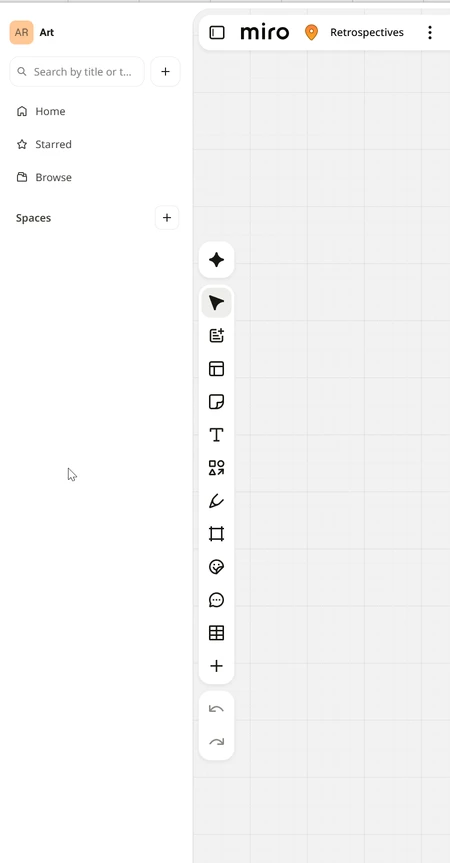
How do you hide this very wasteful "teams" side panel?


Is there a way to turn off this Teams left side panel that really wastes a lot of space and just recently appeared?

I cannot for the life of me figure out why Miro keeps encroaching on screen real estate. This completely useless side bar takes up a significant amount of vertical and horizontal space. Is it possible to collapse it? Or better yet hide it completely?
 

2 replies

  • Author
  • Beginner
  • October 19, 2026

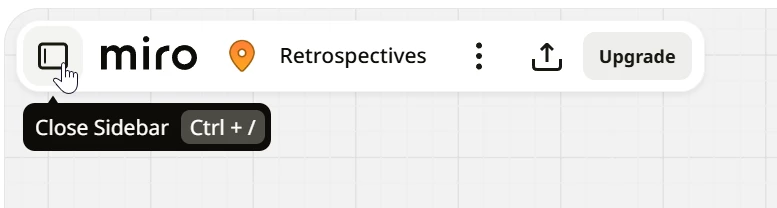
If anyone else is looking for this, the very confusing UX is to hit a button next to the world “miro” in your board’s title. 


Eca
Mironeer
Forum|alt.badge.img+5
  • Mironeer
  • October 19, 2026

Hi ​@A Lomerson 

thanks for sharing your feedback!

You can collapse the sidebar by clicking the icon next to the Miro logo in the board header. You can also use Ctrl + / on Windows or Cmd + / on Mac.

We appreciate you sharing your thoughts on the sidebar's design and use of screen space. If you'd like to suggest improvements to the UI or request changes, please share your ideas on our Miro Wishlist, where you can submit feature requests and vote on existing ideas.