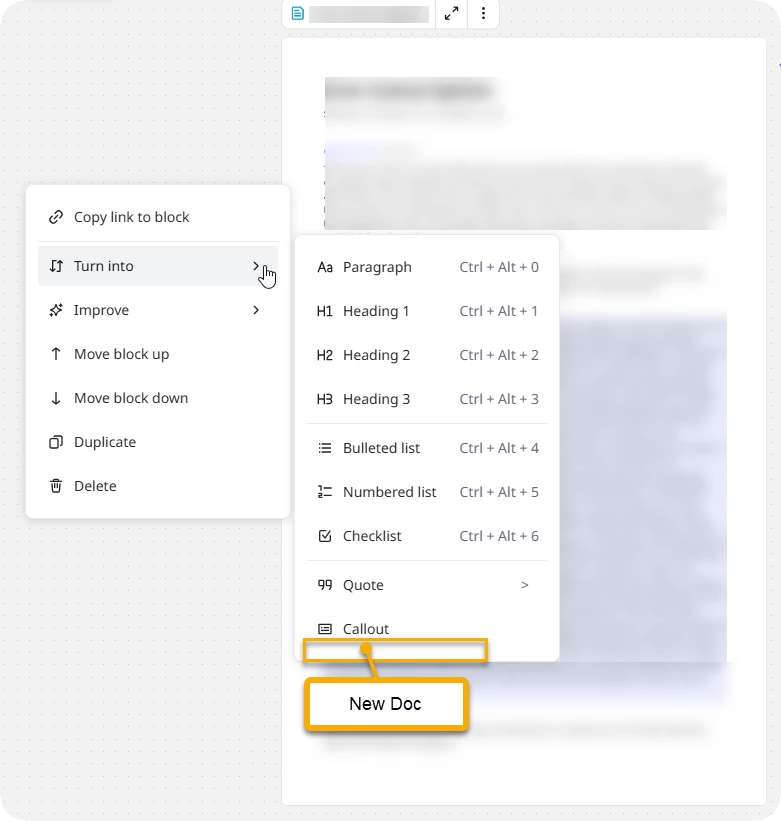
I have found myself wanting to split Docs that have either grown too large, or beyond their intended purpose.
Please add an action to turn a Doc block into a new Doc.
Shortcut Required
Because I more often than not need to complete the action on more than one block at a time, there would need to be a shortcut for the Turn into → New Doc action — this only shortcuts will execute on multi-selected blocks (e.g., if I select three blocks and use an ellipsis and then Turn into → Bulleted list, only the block who’s ellipsis I selected will change to a bulleted list. But if I use Ctrl/Cmd + Alt/Option + 4, all selected blocks change to a list.