
Answered

Turn Spreadsheet into User Story Map

  • March 5, 2021
  • 2 replies
  • 1180 views

Hi. What would be the most efficient way to turn a spreadsheet into a User Story Map?

Stories (about 75) have been captured in a spreadsheet, and I’m simply looking for an efficient method for turning each row into a card that can be moved around on a User Story Map in Miro.

Thanks!
Best answer by Robert Johnson

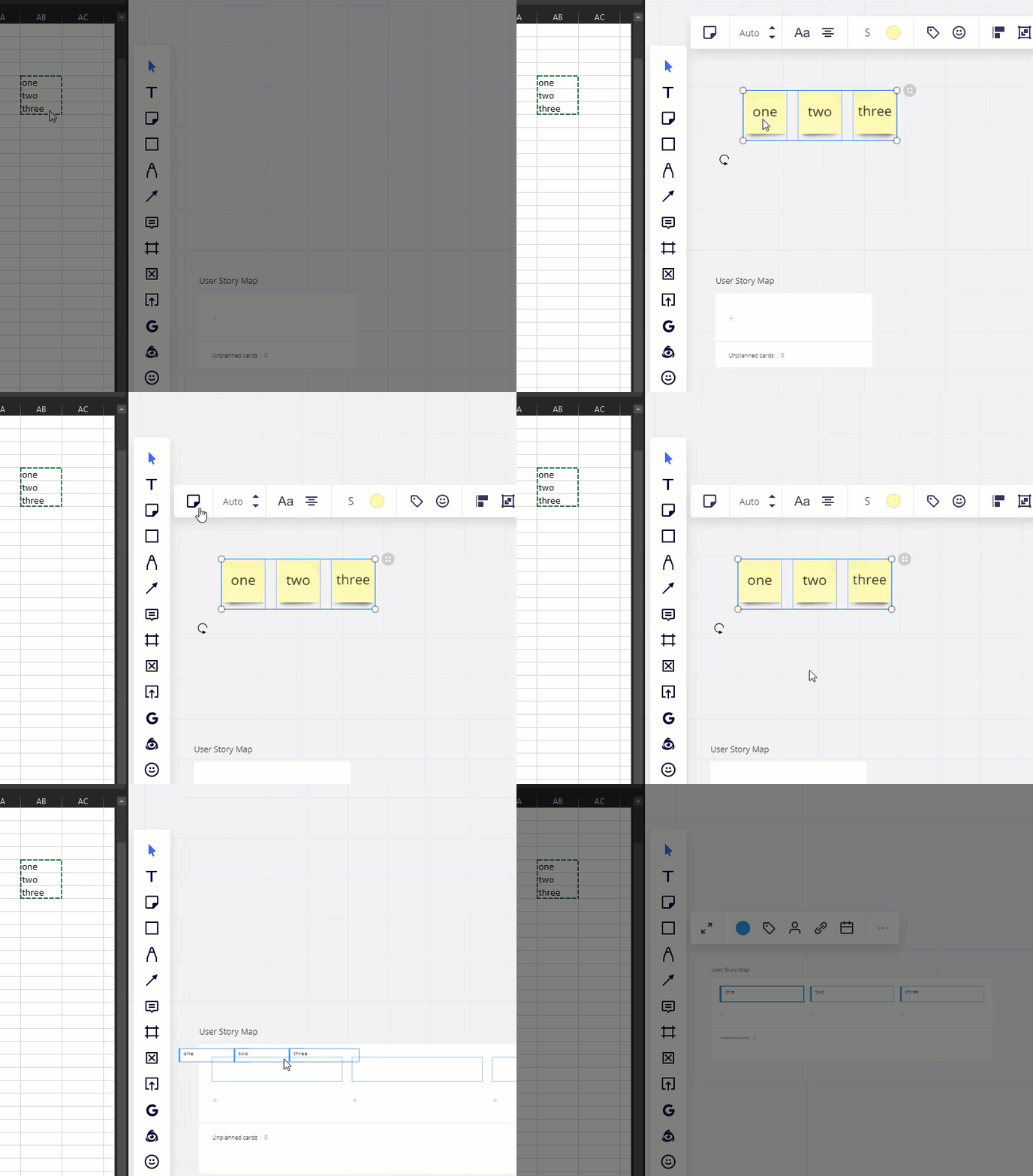
@fvv - Here’s one way:

  1. Copy-and-paste spreadsheet cells into Miro board to make sticky notes
  2. Use the switch type feature to change convert the sticky notes to cards
  3. drag the cards into User Story Map


This topic has been closed for replies.

2 replies

Robert Johnson
Forum|alt.badge.img+13
  • Volunteer Community Moderator
  • Answer
  • March 5, 2021

@fvv - Here’s one way:

  1. Copy-and-paste spreadsheet cells into Miro board to make sticky notes
  2. Use the switch type feature to change convert the sticky notes to cards
  3. drag the cards into User Story Map


  • Author
  • Beginner
  • March 15, 2021

Thanks @Robert Johnson! That’s a good, simple way of doing it.

For anyone else looking for a solution: I ended up using this Zapier integration instead, which allowed to more specifically retain the structure of the content (channel specific columns into specific card fields): https://miro.com/marketplace/google-sheets/

