don't miss

[KNOWN BUG] Miro server down

  • May 4, 2026
  • 12 replies
  • 57 views

Forum|alt.badge.img

The server is down? In Australia? 

May 4, 2026

HI everyone! 

It turned out there's a bug on our end that causes this behaviour. The good news is that the team is already aware of the issue and is currently working on a fix for it. We're bringing our sincere apologies for all the inconvenience it causes! 

We'll definitely keep you updated on the progress. Please, bear with us!

12 replies

  • Beginner
  • May 3, 2026

First of all, this started 3 days ago — I can't access any organization from the drop-down list on my iPad. Nothing happens when I tap on an organization name.

I'm using an iPad Pro M1 (2022), with the latest iPadOS version and the latest version of the Miro app installed.

This makes the app essentially unusable. To clarify: when I open the Miro app on my iPad, I can't open any organization from the list, except for those in my favorites and the one that opens by default (recently used).

This is not the only issue I've experienced on iPad — it was just the last straw.

Another problem: every time I switch from Miro to another app (for example, Zoom) and then return, the toolbar disappears.

I had this issue for months, and the only solution was to restart the app, which takes about 5 minutes to load each time.

Only after a few months did I find a workaround: if I rotate the iPad from landscape to portrait and back again, the toolbar reappears. Even though this method works, doing this every single time is annoying as hell 


Have you tried? Go to Settings > General > iPad Storage > Miro. Select "Offload App." This removes the application's binaries—which may be corrupted—while preserving your local data. Then, reinstall the app from the App Store. Maybe there are inconsistencies within the M1's filesystem.


Forum|alt.badge.img

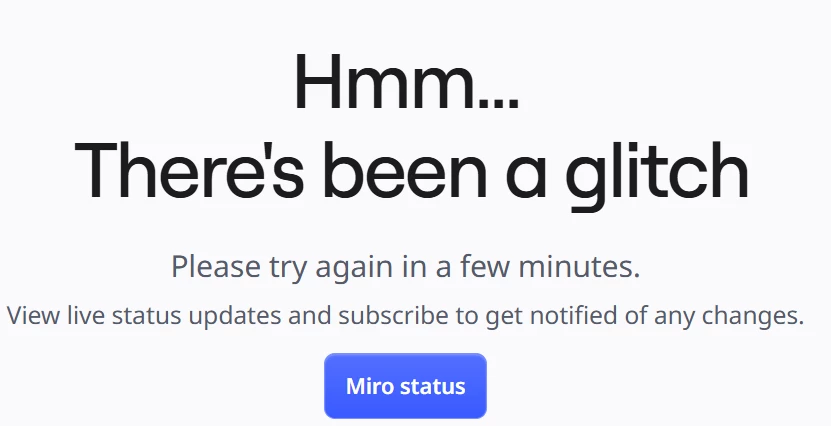
I have the same issue. My miro board isn’t opening. It says “Hmm… There's been a glitch. Please try again in a few minutes.” I assume it might be somehow deleted or archived which is weird because I’m pretty active.

I see on the Miro Status page that there weren’t any problems. How the board can be restored?

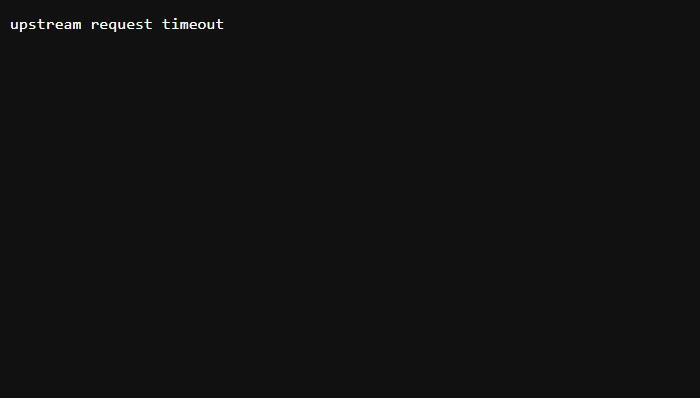
The site also doesn’t allow me to log in. This is what the site displays.


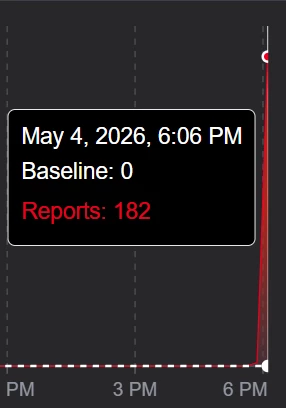
UPD: Downstream reports some issues with Miro. Might be related.


Forum|alt.badge.img

This is what comes up when I try to log in and open a board. Since I’m not a paying customer, i cannot report the issue and it states there is no on going issues currently, however no one on my team can log in at present.


Forum|alt.badge.img
  • Author
  • New Here
  • May 4, 2026

I’m having the same issue


Forum|alt.badge.img

Down for me as well in SE Florida.


Forum|alt.badge.img

Yep, same issue. 


Forum|alt.badge.img

Down for me as well in SE Florida USA


Forum|alt.badge.img
  • New Here
  • May 4, 2026

Yes, same problem - Colorado, USA. 


Eca
Mironeer
Forum|alt.badge.img+5
  • Mironeer
  • May 4, 2026

HI everyone! 

It turned out there's a bug on our end that causes this behaviour. The good news is that the team is already aware of the issue and is currently working on a fix for it. We're bringing our sincere apologies for all the inconvenience it causes! 

We'll definitely keep you updated on the progress. Please, bear with us!


Robert Johnson
Forum|alt.badge.img+13
  • Volunteer Community Moderator
  • May 4, 2026

There was an issue listed earlier on Miro’s status page that appears to have been resolved.

More info here → https://status.miro.com/eu/incidents/01KQSWV9S3DGDDJ6WDQ6NEQD1E

I would suggest that you subscribe to updates for one or more regions:

https://status.miro.com/


  • Beginner
  • May 5, 2026

Have you tried? Go to Settings > General > iPad Storage > Miro. Select "Offload App." This removes the application's binaries—which may be corrupted—while preserving your local data. Then, reinstall the app from the App Store. Maybe there are inconsistencies within the M1's filesystem.

Hi! I really appreciate your answer, thanks. So, as you may know, yesterday Miro went down — not only were the boards inaccessible, but the app as a whole. It seems my message may have anticipated events. Today the servers are back up, and my issue with inaccessible organizations from the start page has also been resolved, at least occasional