Answered

Issues upgrading my plan

  • November 13, 2024
  • 1 reply
  • 50 views

Hello,


I have tried several times to register for a paid plan on Miro but keep facing billing issues and I am unable to finalize the payment.


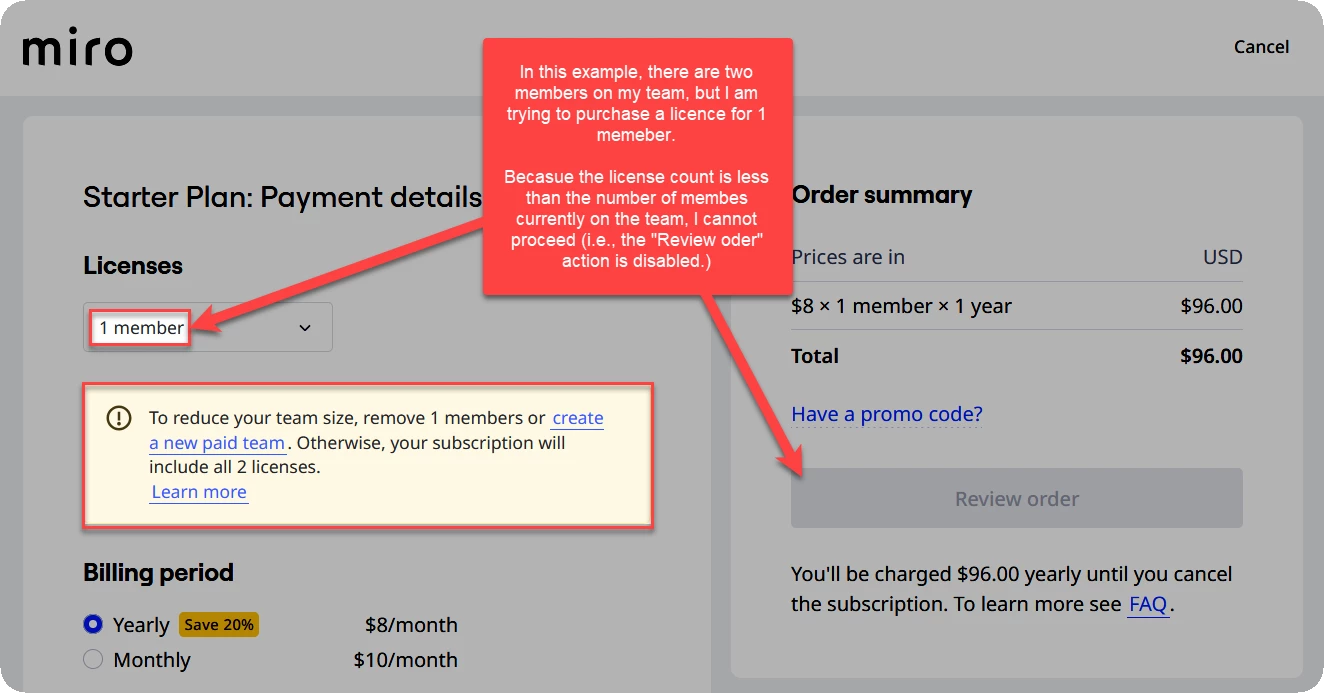
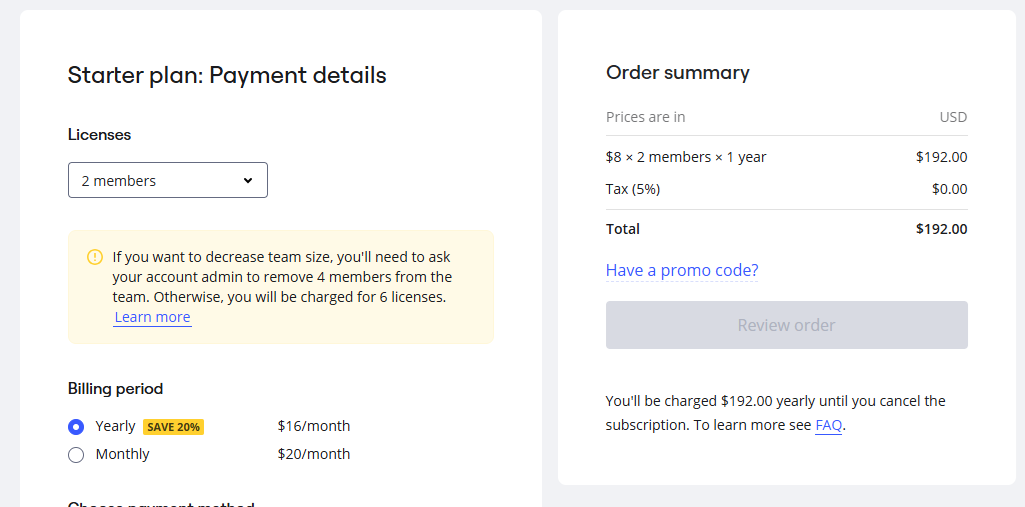
My last attempt (see screenshot below), the “Review order” button would not get activated even after I filled in all billing and card information .


Best answer by Robert Johnson

@Leyla Saadi - You are trying to purchase 2 licenses, but you have 4 team members:


You need to either

  1. Remove two team members
  2. Just set up a new paid team for yourself and the other member and then
    1. Add that other member to your new team
    2. Move your boards to the new team space

Creating a new team space

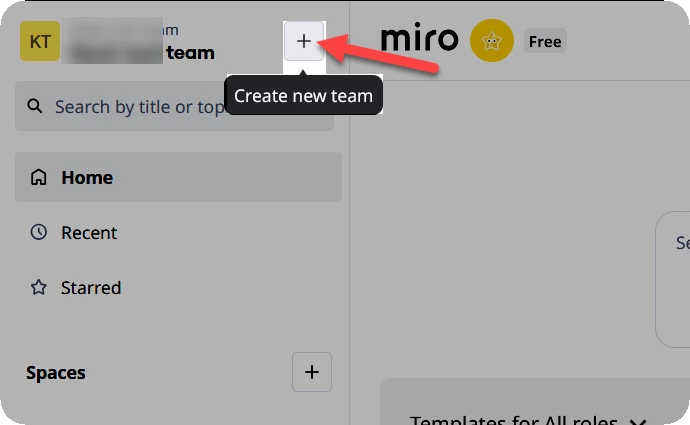
If your account profile is only a member of one team space, you should see a Create new team action to the right of your current team name:
 

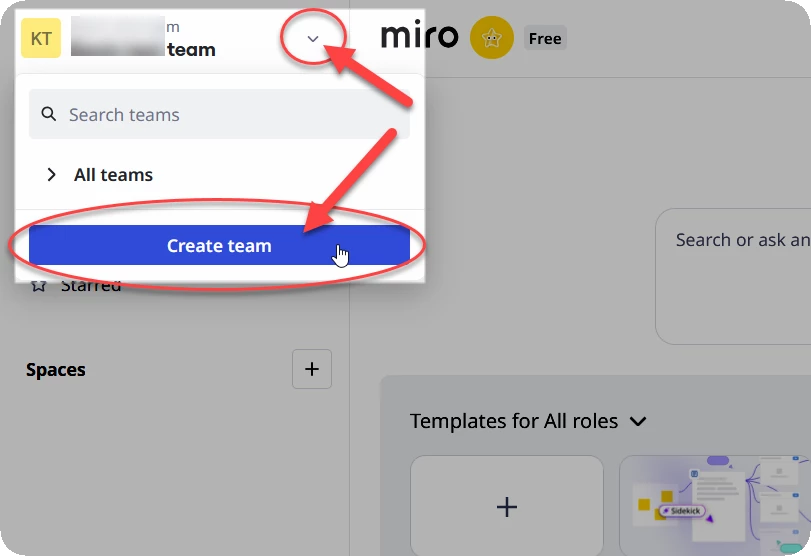
And if your account profile is a member of two or more team spaces, you should see a Crate team action in the team switcher menu:
 

A third option is to browse to https://miro.com/pricing/ 

  • NOTE: You should already be signed into Miro before doing this as it will create a new team under your current account profile!

1 reply

Robert Johnson
Forum|alt.badge.img+13
  • Volunteer Community Moderator
  • Answer
  • November 13, 2024

@Leyla Saadi - You are trying to purchase 2 licenses, but you have 4 team members:


You need to either

  1. Remove two team members
  2. Just set up a new paid team for yourself and the other member and then
    1. Add that other member to your new team
    2. Move your boards to the new team space

Creating a new team space

If your account profile is only a member of one team space, you should see a Create new team action to the right of your current team name:


And if your account profile is a member of two or more team spaces, you should see a Crate team action in the team switcher menu:


A third option is to browse to https://miro.com/pricing/ 

  • NOTE: You should already be signed into Miro before doing this as it will create a new team under your current account profile!