Question

Editing tags within a Table

  • January 21, 2026
  • 1 reply
  • 17 views

Hi Miro Community!


I’m using tables more and more in my workspaces. And I really like the columns that utilize tags. 


How can you edit or delete a tag? For example I misspelled something and hit enter before I edited and now it is listed as an option. I’ve made a new tag that is spelled correctly, but I’d like to remove the first option. 


This is also helpful because of when the AI within Miro creates a table based on a prompt, it creates tags that I don’t want to use.


Any info on how to edit and delete tags within a table is much appreciated!


Andrew

1 reply

Robert Johnson
Forum|alt.badge.img+13
  • Volunteer Community Moderator
  • January 21, 2026

@Andrew Dahlgren I had just shared these very steps in another post a few days ago. Have a read and let me know if you have any questions.

Here are the steps to edit Kanban-style Cards (which differs from the classic Miro Card).

There are at least two ways to reach the Tag edit UI:

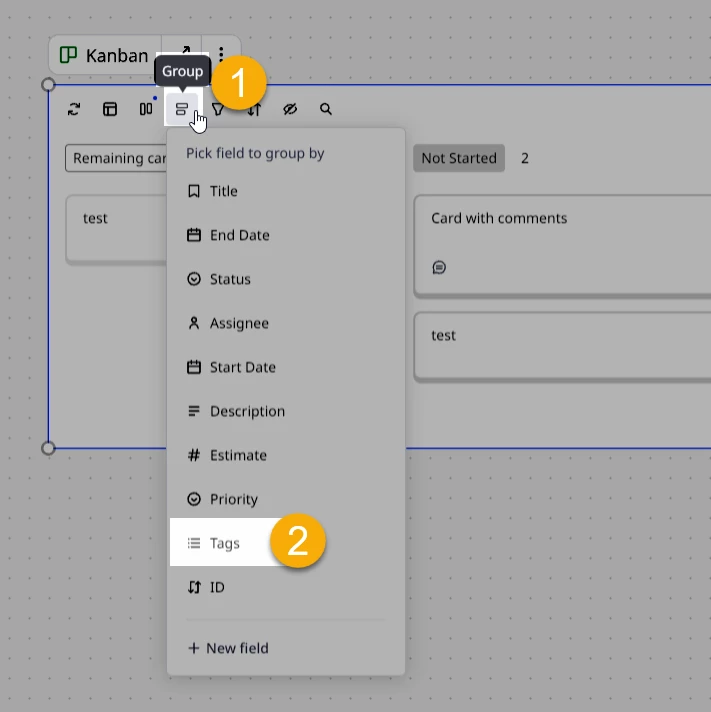
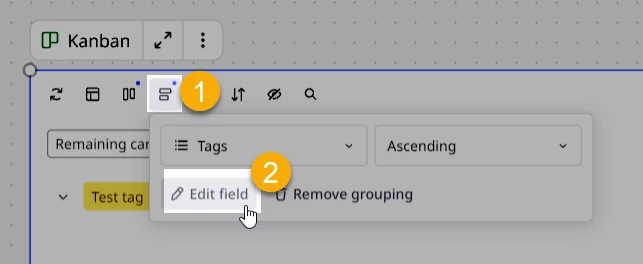
Option 1 – From the Kanban view

  1. Group by Tags
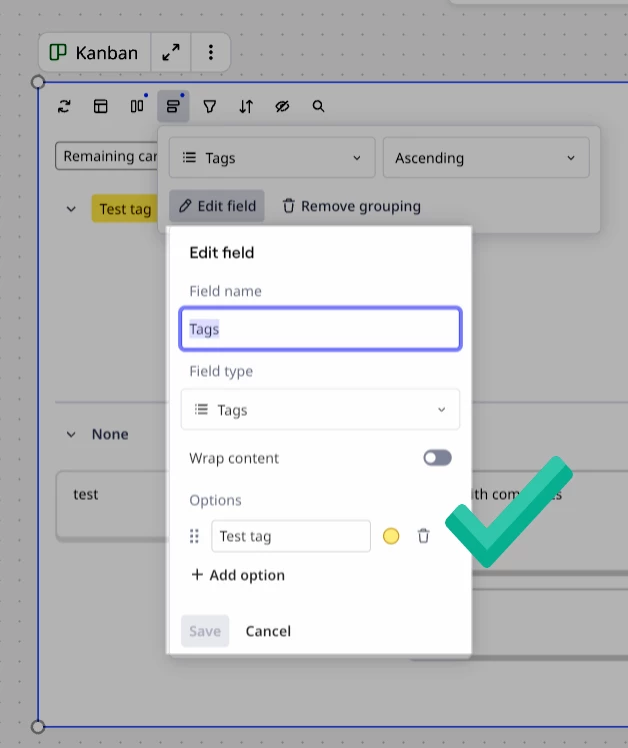
  2. Click on Group again and Edit field


    And there it is:


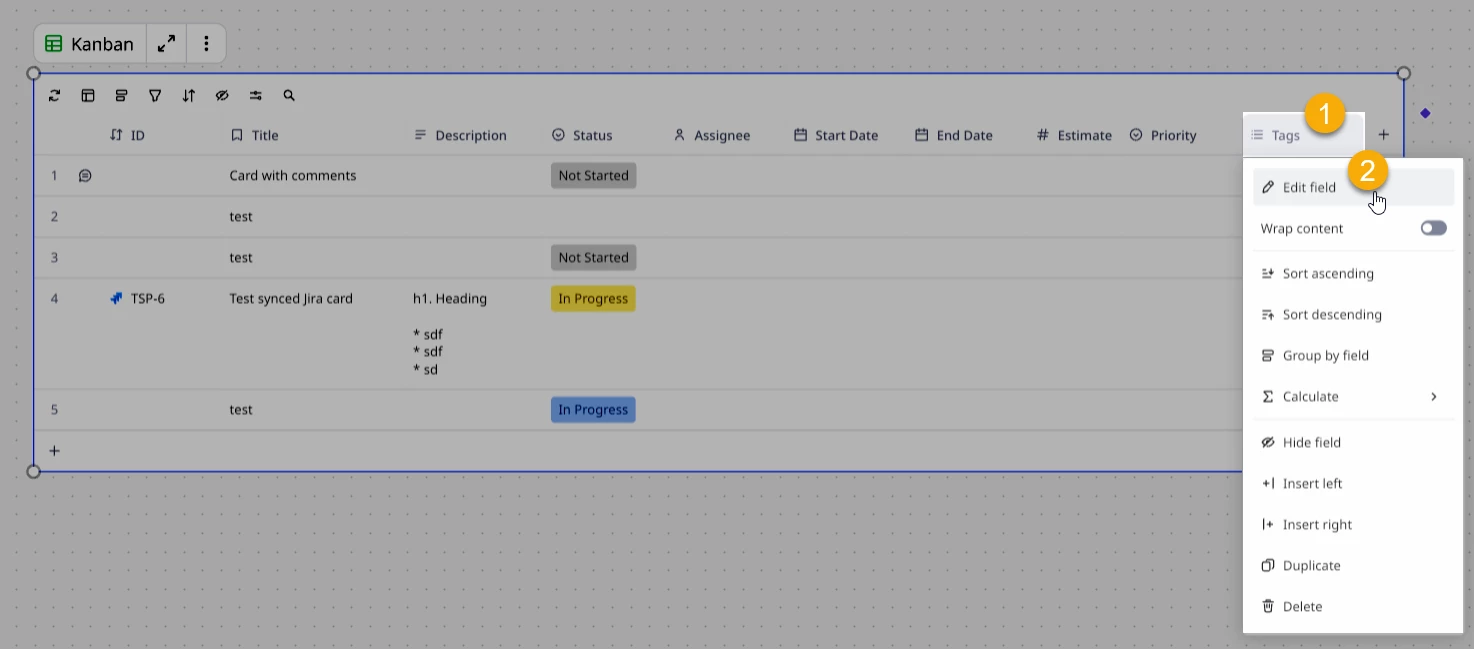
Option 2 – From Table view

Click on the Tags column header and then Edit field: