

Answered

Changing board-level permissions for a team member

  • September 7, 2026
  • 2 replies
  • 79 views

Roger Wheeler

I have the Edu plan. Each term I place all students on my team. Students are organized into miro spaces (each course I’m teaching is a separate space) via invitation. Students on the team cannot see the boards in a space they haven’t been invited to.

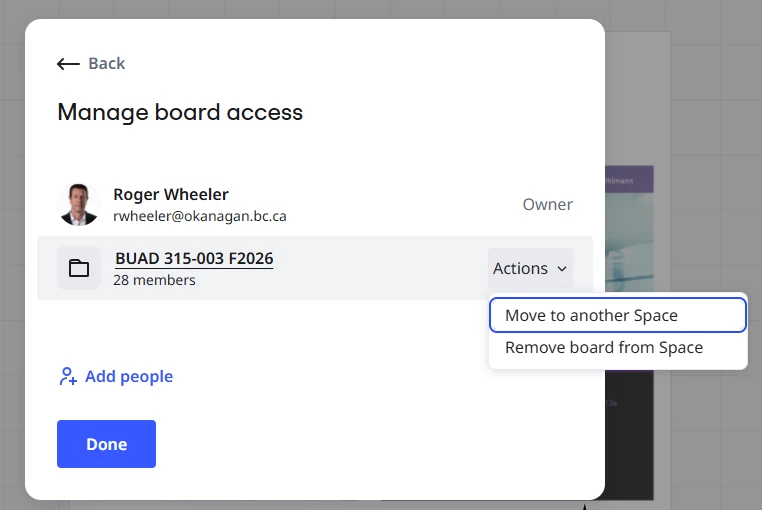
In one particular space I have the default permission for the space set to “Viewer”. However, I have one board within that space that I wish to provide temporary “editing” permissions to a few selected students ... but I can’t seem to do this ... all team members in that space seem to be treated as a single entity. I can’t see a board-level option to adjust permissions for individuals. This functionality used to exist but seems to have disappeared. Am I missing something? The only work-around I could find is to invite those specific students to the board and in doing so, set them to editors. Very clunky. Is there a better way? 

Here’s a screenshot.
   

Best answer by Robert Johnson

​@Roger Wheeler I am 99.9% sure the only way to achieve your goal using the Education Plan is — as you already mentioned — to invite the users at the board level.

If you were using the Business Plan, you could use the Guests feature (you would generate a Guest “edit” link to send to all who need edit access), and if using the Enterprise Plan, then likely the User Groups feature would work.

View original

2 replies

Robert Johnson
Forum|alt.badge.img+13
  • Volunteer Community Moderator
  • Answer
  • September 7, 2026

​@Roger Wheeler I am 99.9% sure the only way to achieve your goal using the Education Plan is — as you already mentioned — to invite the users at the board level.

If you were using the Business Plan, you could use the Guests feature (you would generate a Guest “edit” link to send to all who need edit access), and if using the Enterprise Plan, then likely the User Groups feature would work.


Roger Wheeler

Hi Robert. Thanks for confirming. Much appreciated!  R.

