
I’m using the Kanban tool and running into a limitation with tags. It seems I can’t edit or delete the tags I create on Kanban cards, and I also don’t see a way to change their colors. Am I missing something, or is this a current limitation of Miro’s Kanban feature?

Answered
Can't edit Kanban tags
Best answer by Robert Johnson
Here are the steps to edit Kanban-style Cards (which differs from the classic Miro Card).
There are at least two ways to reach the Tag edit UI:
Option 1 – From the Kanban view
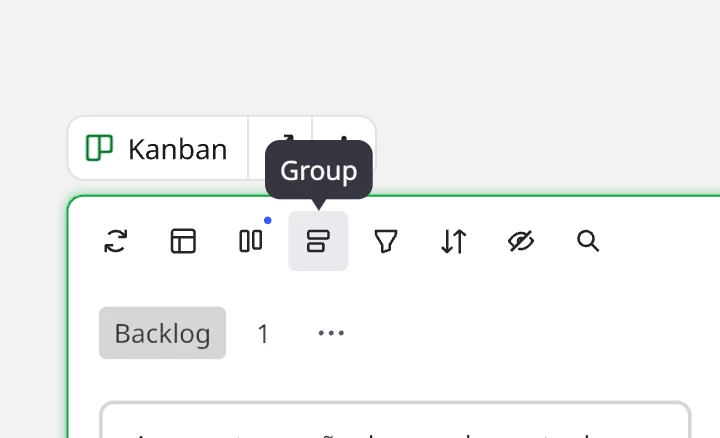
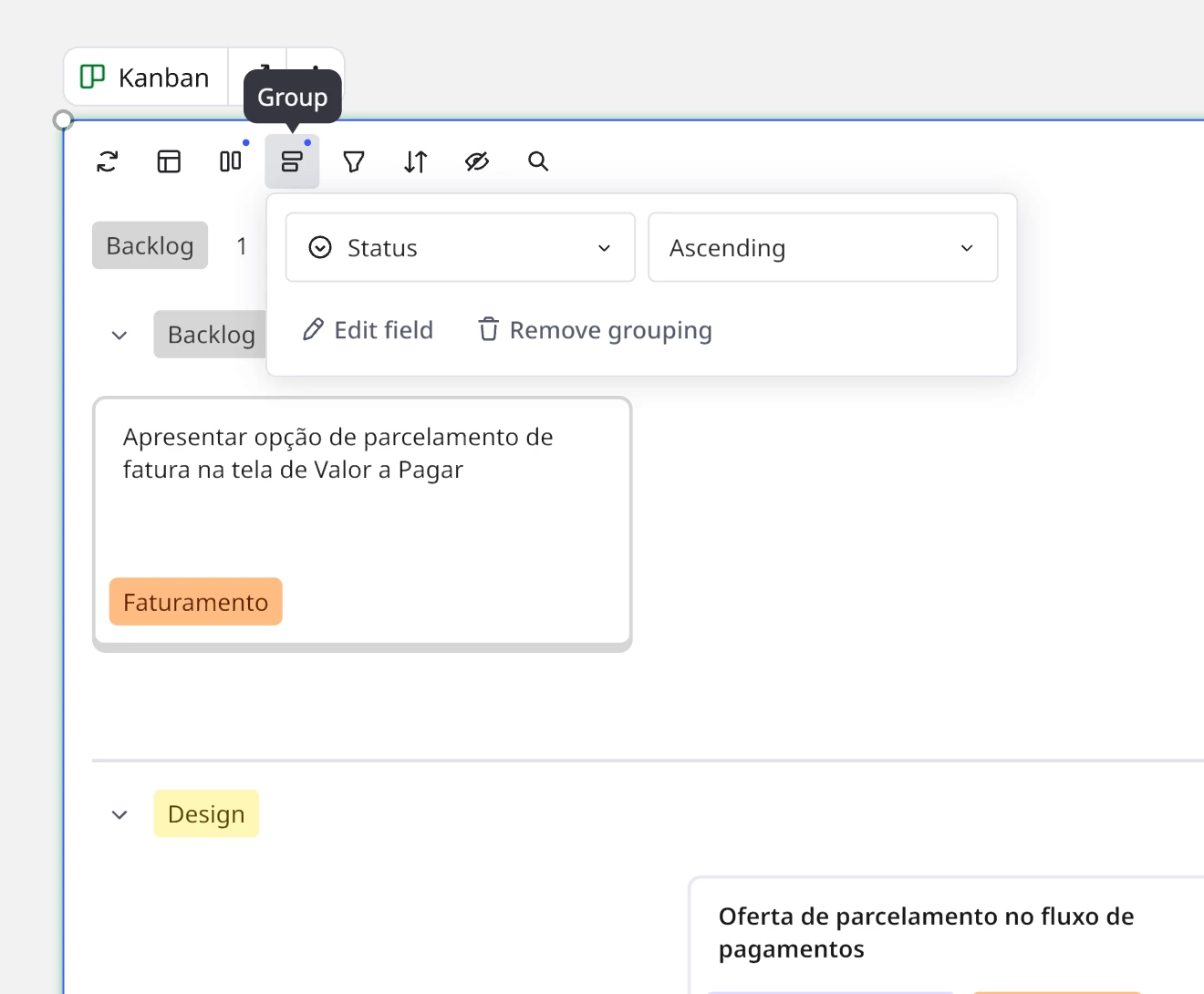
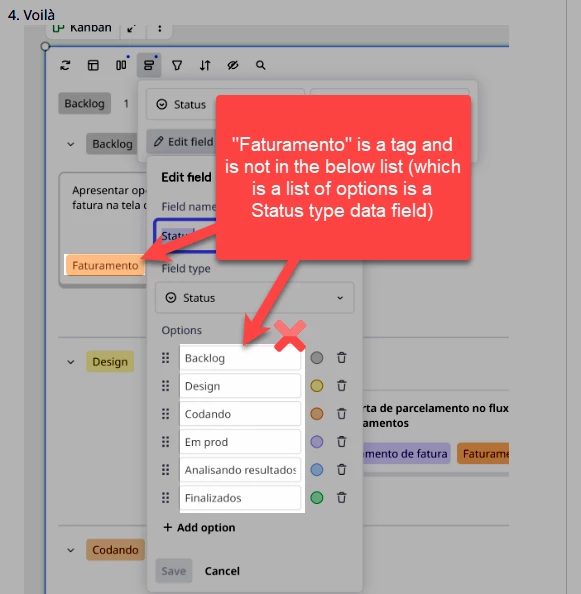
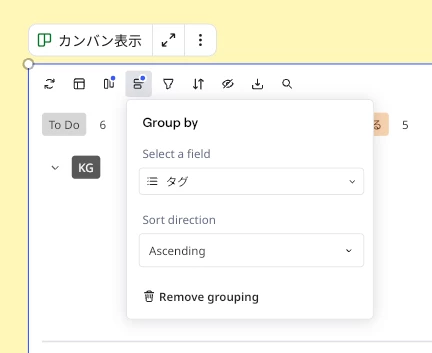
- Group by Tags
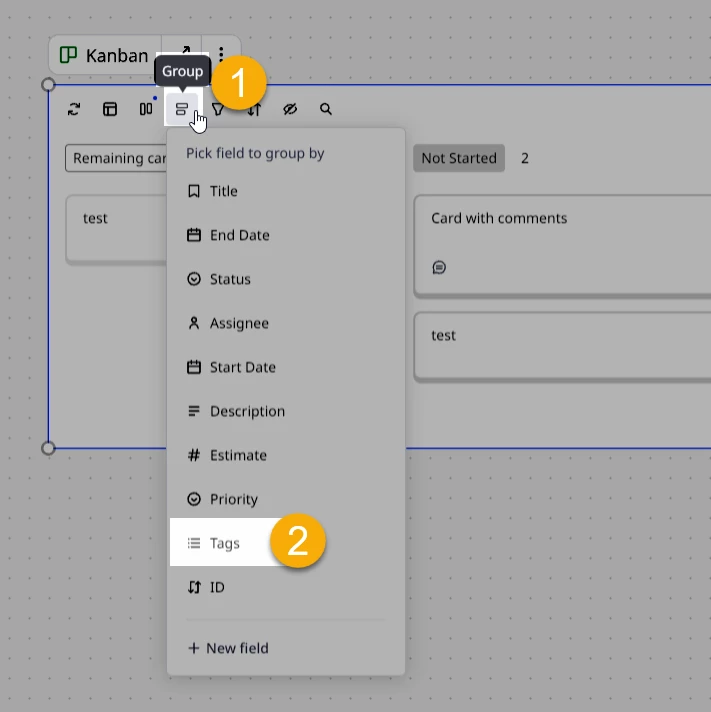
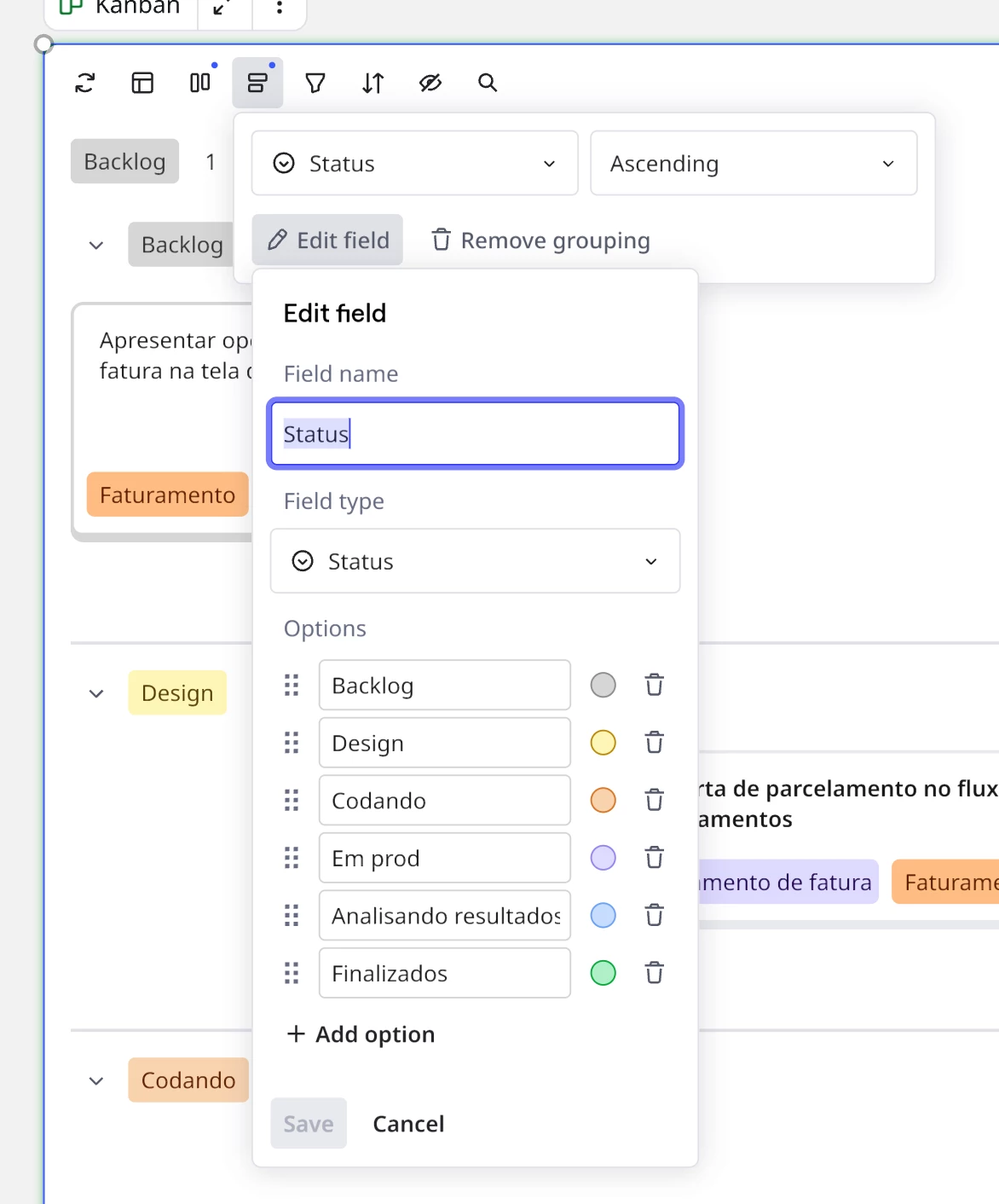
- Click on Group again and Edit field
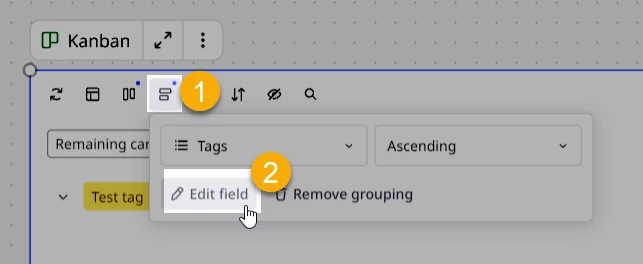
And there it is: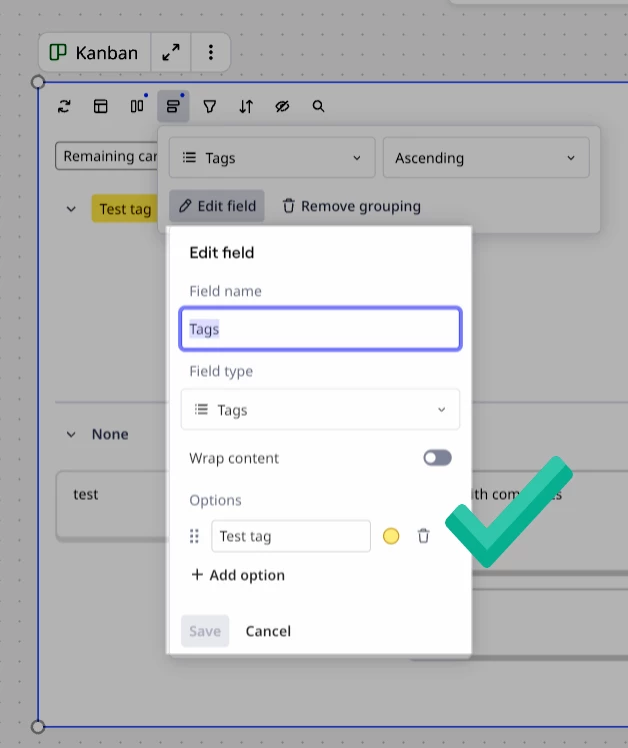
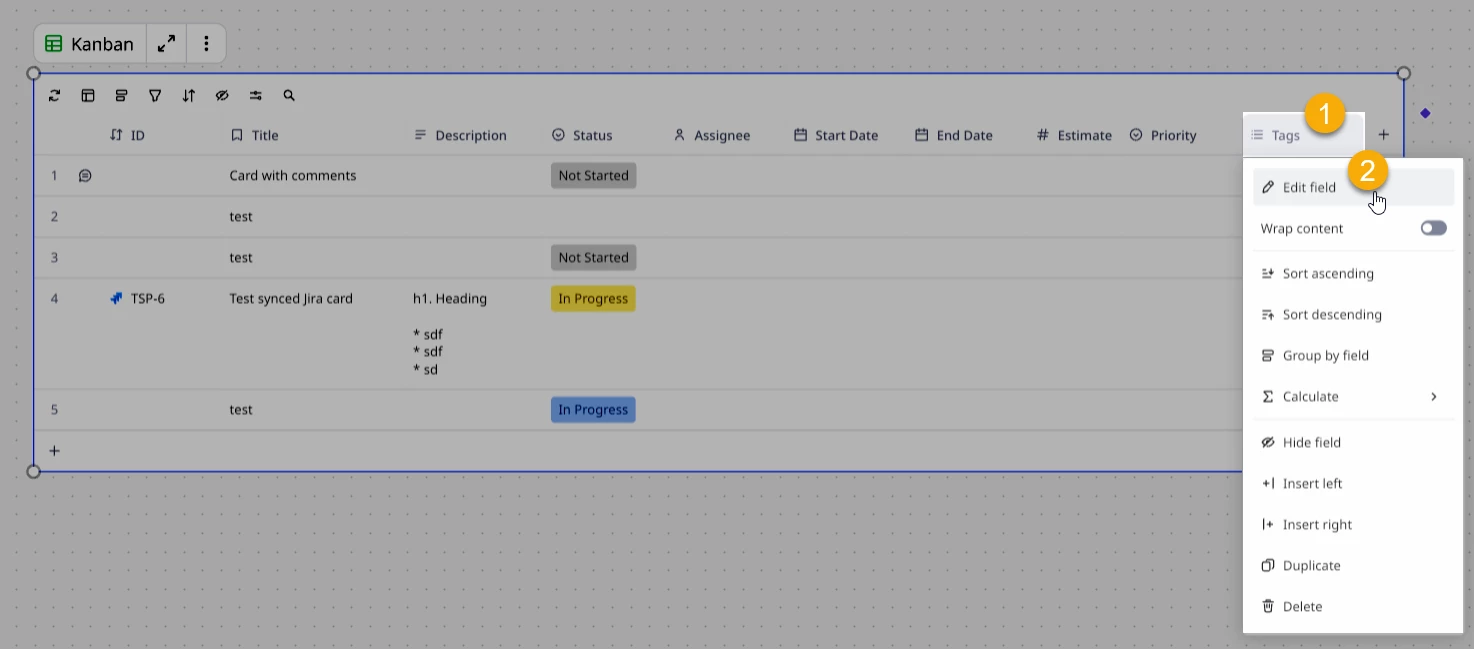
Option 2 – From Table view
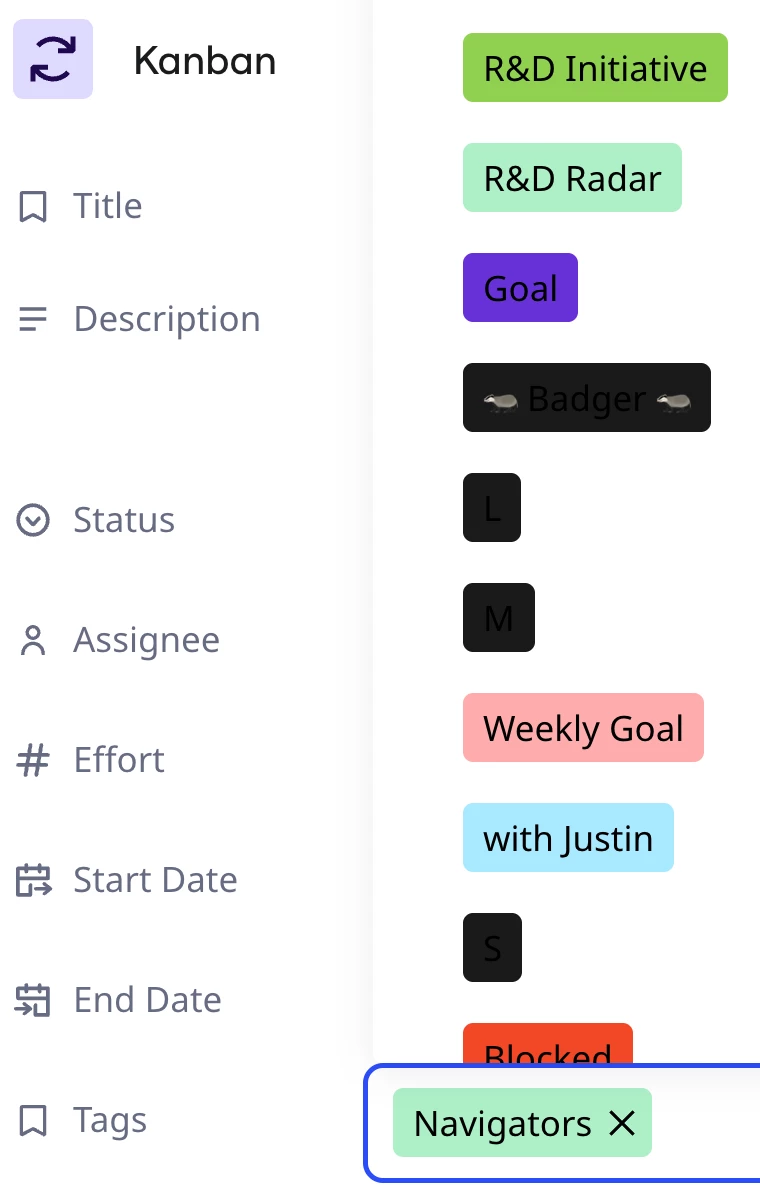
Click on the Tags column header and then Edit field:





Log in to the community
No account yet? Create an account
Log in with your Miro account Login with Token
Enter your E-mail address. We'll send you an e-mail with instructions to reset your password.