Answered

Can't edit Kanban tags

  • September 22, 2025
  • 5 replies
  • 144 views

I’m using the Kanban tool and running into a limitation with tags. It seems I can’t edit or delete the tags I create on Kanban cards, and I also don’t see a way to change their colors. Am I missing something, or is this a current limitation of Miro’s Kanban feature?

Best answer by Robert Johnson

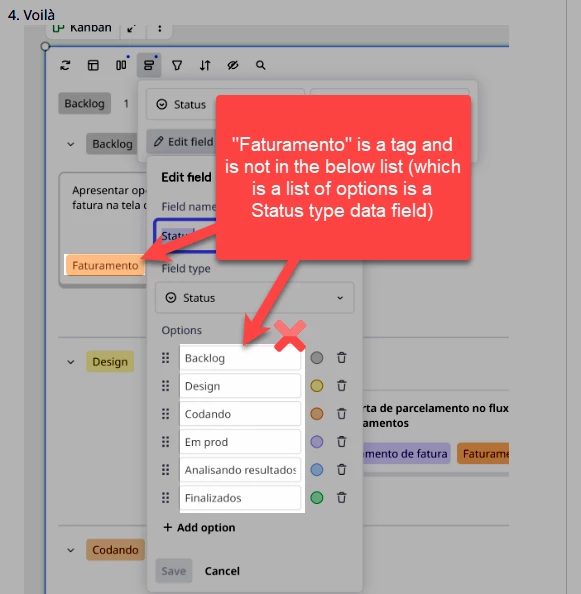
Thanks ​@Aline Driemeyer, but the ask here is to be able to edit tags — you have highlighted how to edit the Status data type.


@Jeremy Petrie / ​@Rachel Collingridge / ​@Paul Phillips There doesn’t appear to be a tag management UI at this time. I would suggest that you upvote this wish list post:

https://community.miro.com/ideas/tag-management-in-kanban-27082

5 replies

Eca
Mironeer
Forum|alt.badge.img+2
  • Mironeer
  • September 22, 2025

Hi ​@Jeremy Petrie

thanks for flagging this! To help us better understand what’s happening on your side, could you share a short screen recording showing the steps you take when trying to edit or delete a tag in Kanban?

It would also be helpful if you could let us know:

  • Which version of Kanban you’re using — Kanban (Beta) or Columns (formerly Kanban)?

  • Are you on the web app, desktop app, or mobile when you run into this issue?

  • Do you see the same limitation across all boards, or just on one specific board?

  • What happens exactly when you try to edit or delete a tag (e.g. option missing, greyed out, error message)?

This will help us test and confirm whether it’s expected behavior or a potential bug.


I am also experiencing this issue, using Kanban (Beta), both desktop and browser versions across multiple boards.

There is no way to delete or edit an existing tag.

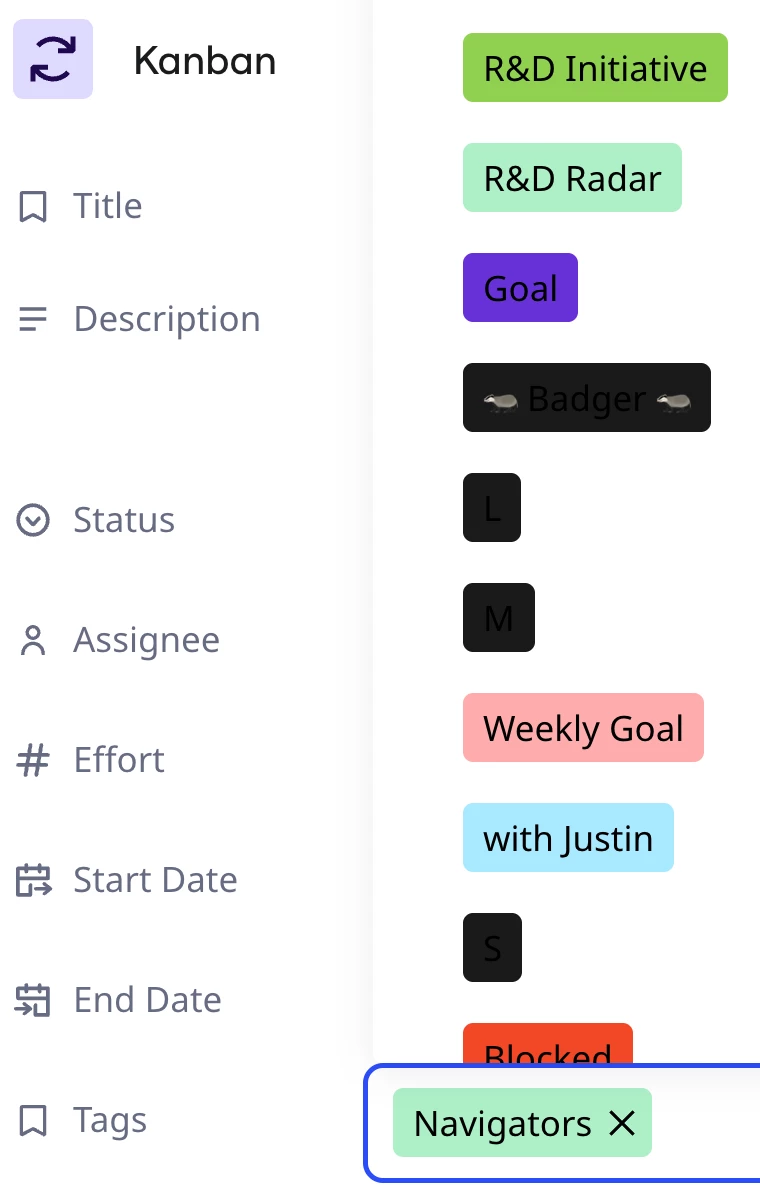
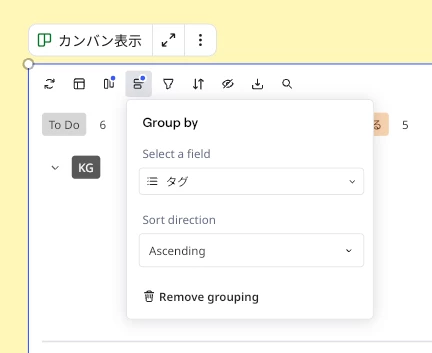
Additionally, tags created with a black background are displayed with black text, which is not helpful. See screenshot.


I have the same issue. How do you edit tag colours on Miro on a Kanban board?


I got it. 


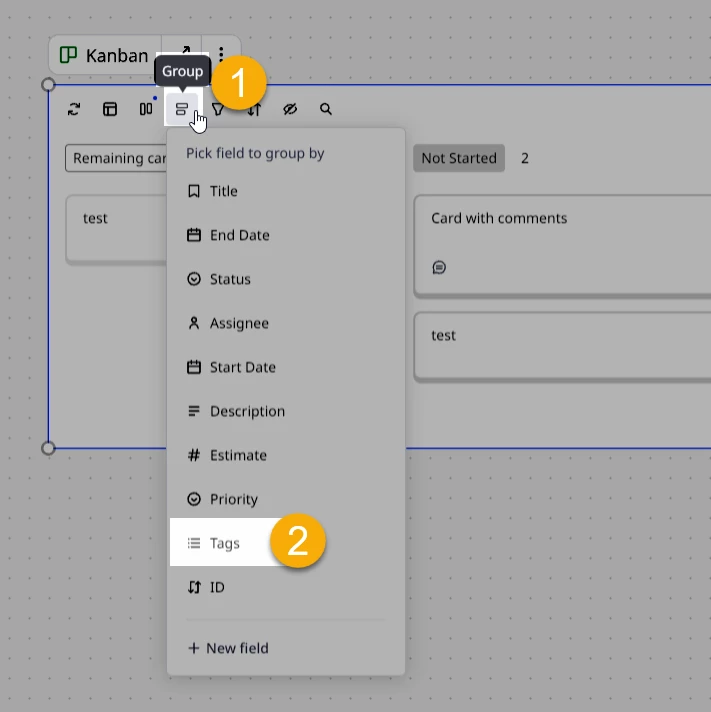
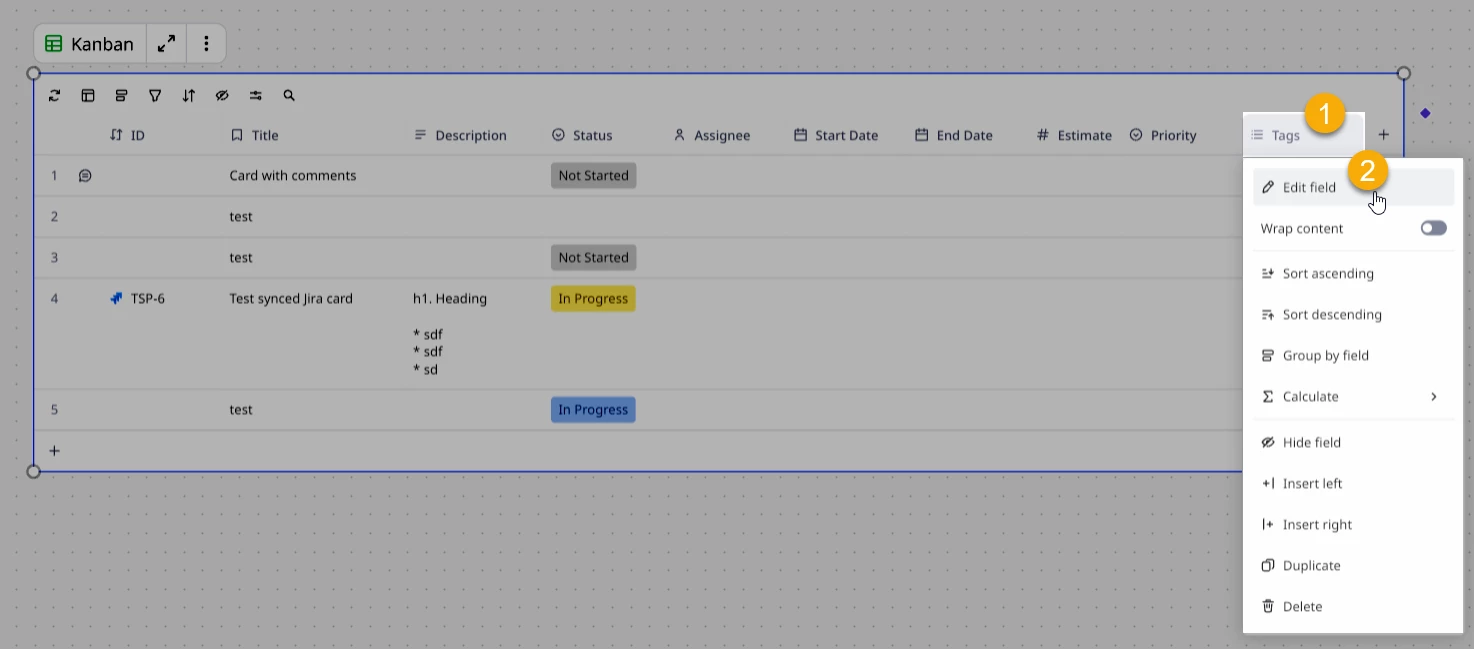
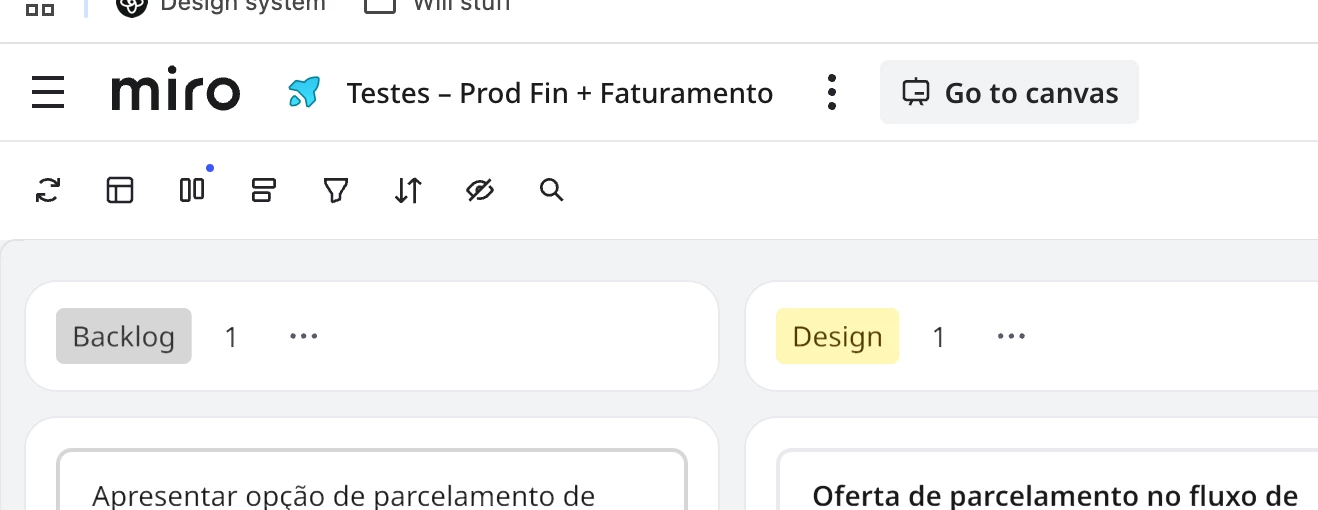
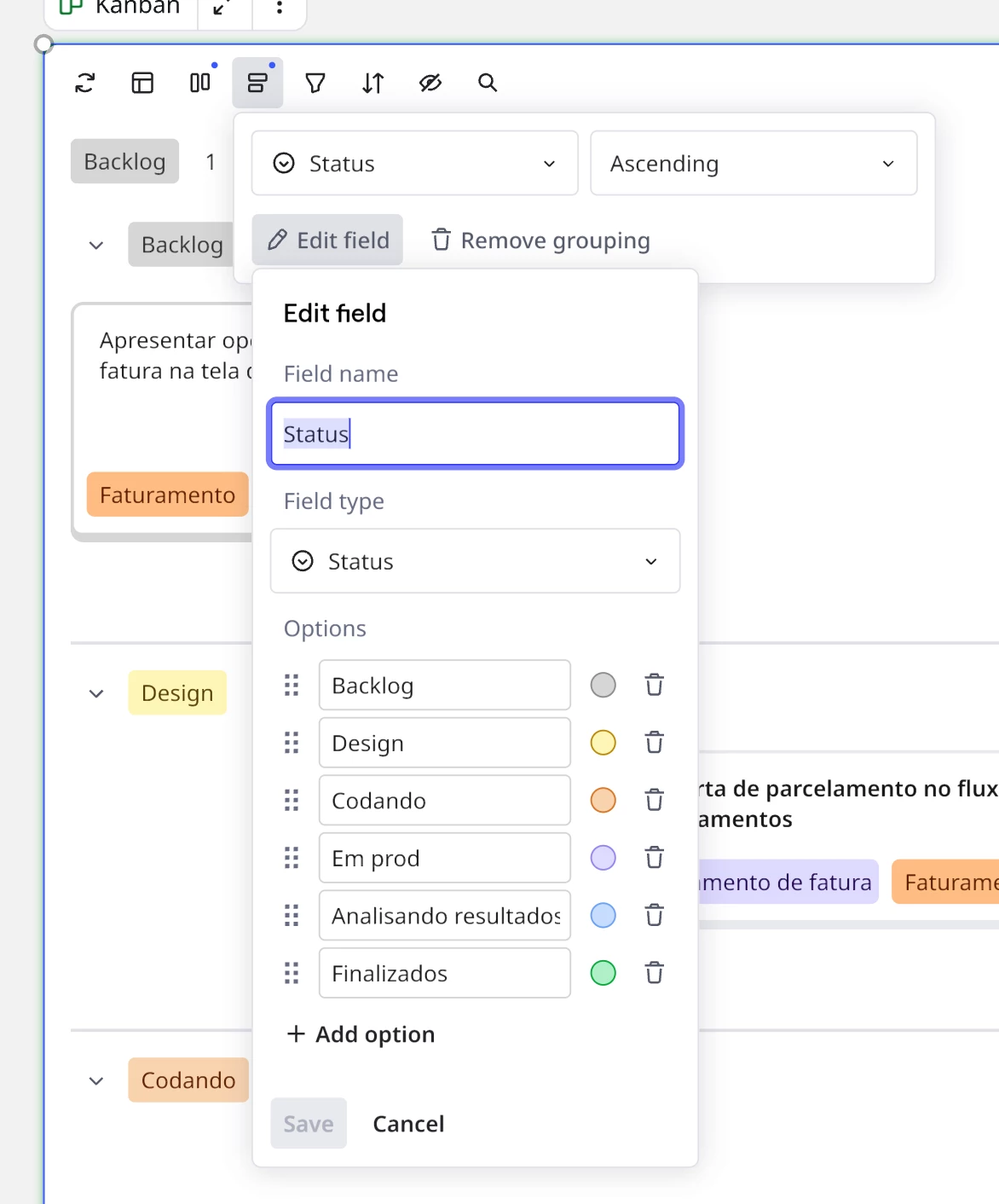
  1. You click on 'Go to canvas'


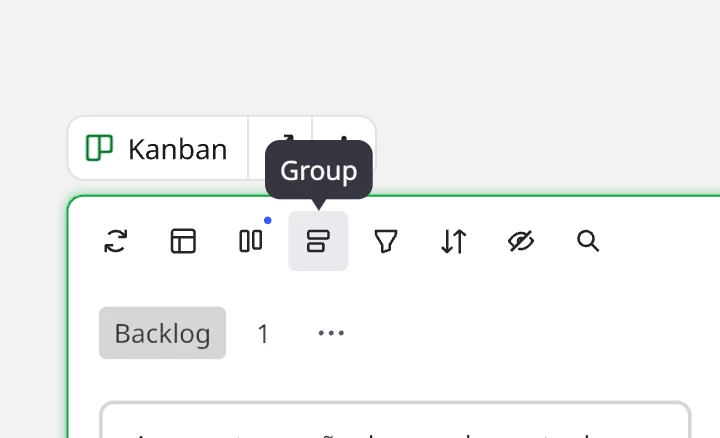
  2. Click on 'Group' > Choose the field you want to edit
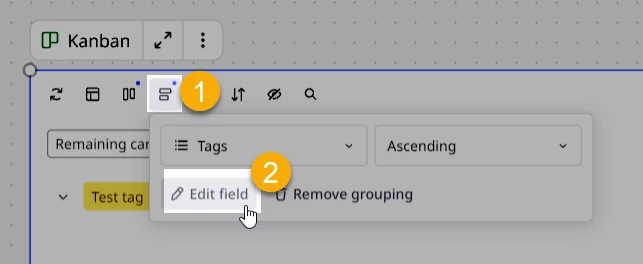
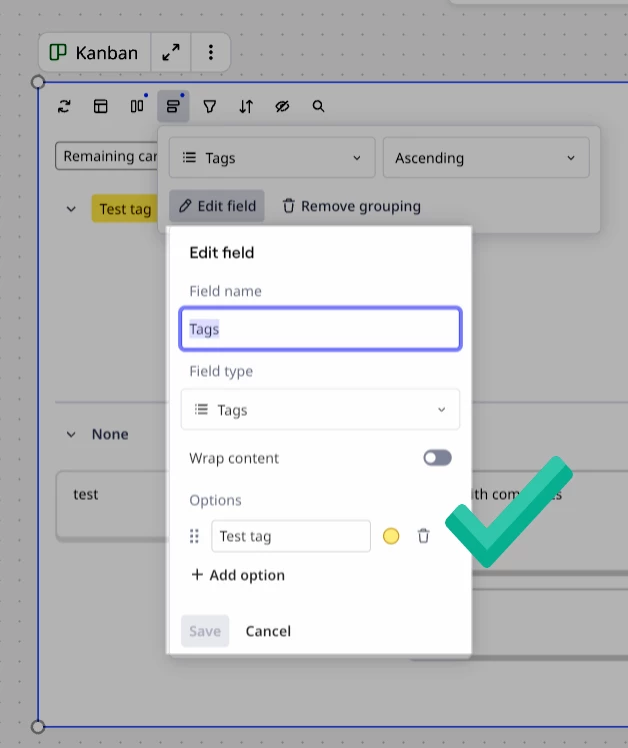
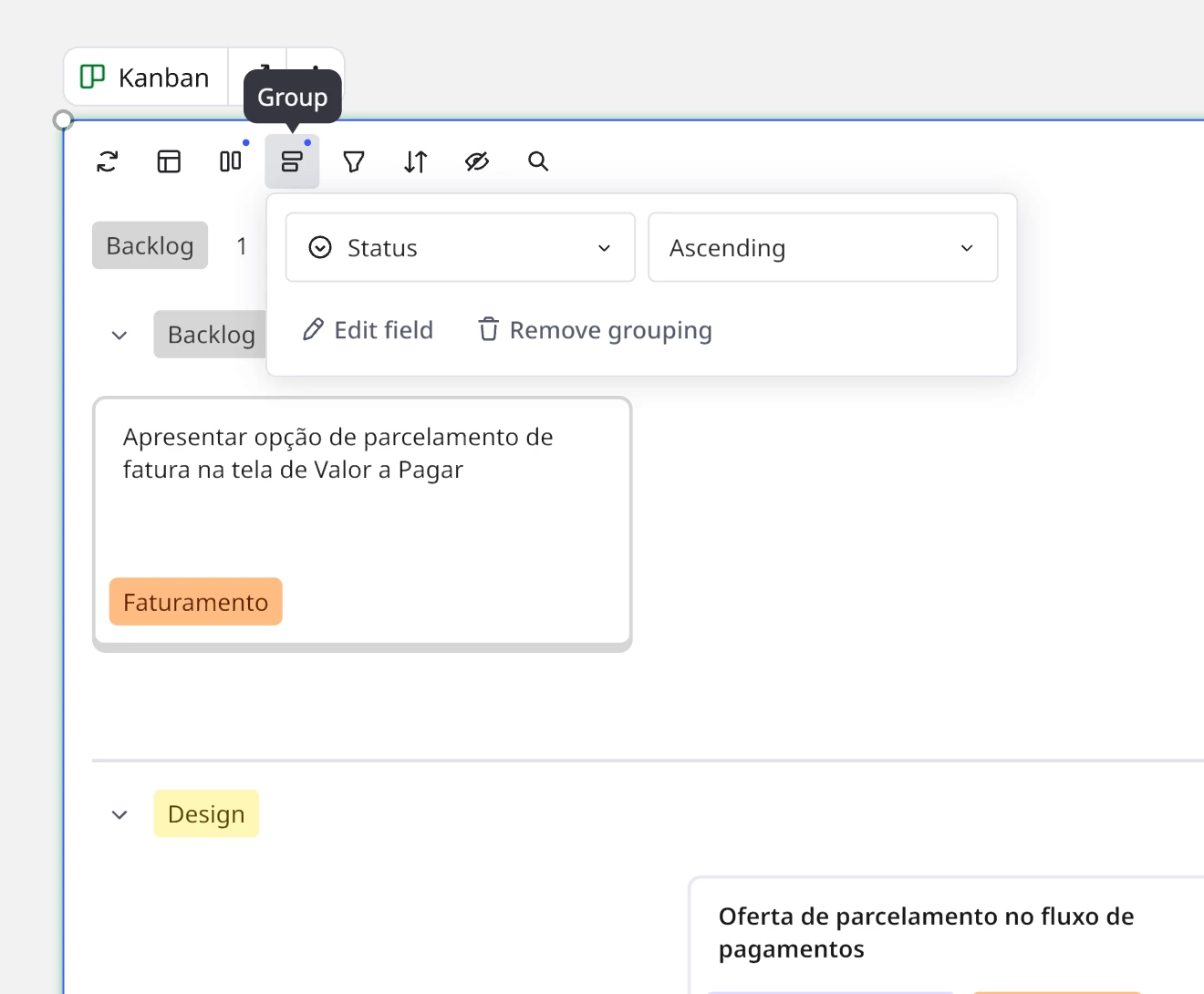
    1. It will change the view. Click again on 'Group'. Your chosen field'll be selected. Click on 'Edit field'
    2. Voilà


Robert Johnson
Forum|alt.badge.img+13
  • Volunteer Community Moderator
  • Answer
  • December 26, 2025

Thanks ​@Aline Driemeyer, but the ask here is to be able to edit tags — you have highlighted how to edit the Status data type.


@Jeremy Petrie / ​@Rachel Collingridge / ​@Paul Phillips There doesn’t appear to be a tag management UI at this time. I would suggest that you upvote this wish list post:

https://community.miro.com/ideas/tag-management-in-kanban-27082