Answered

Board Thumbnail from Area no longer exists

  • September 26, 2024
  • 7 replies
  • 262 views

We always set board thumbnails from an area of the board but this option no longer exists. I’m trying to do this from within the board but it looks like this:
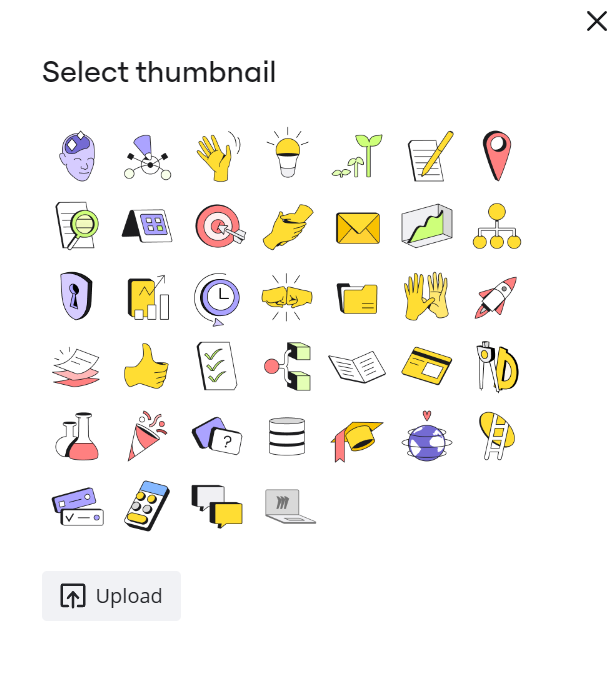


tried also different browsers and PC. Always the same. What can we do?

Best answer by Robert Johnson

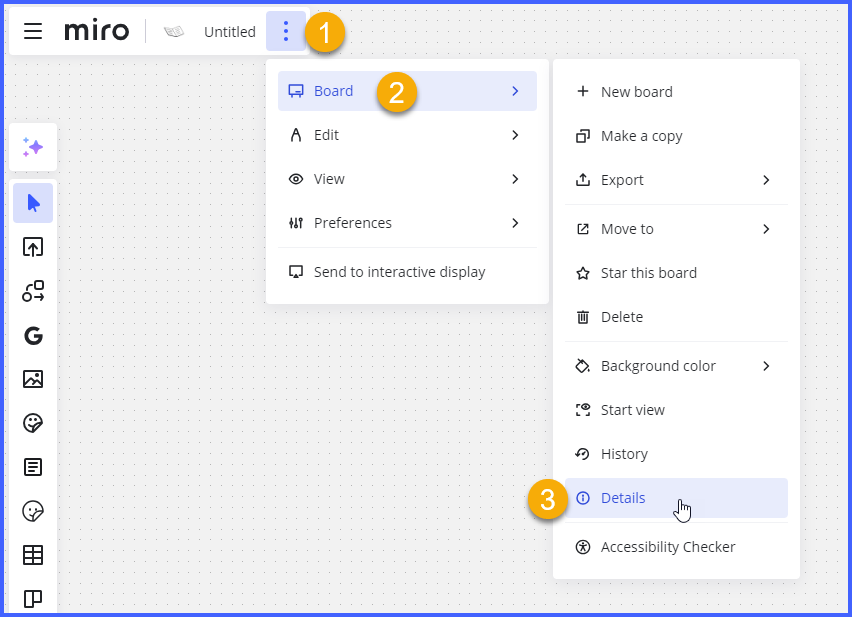
@Bill Seitz - The option still exists, but is currently only accessible by going into the

Main menu → Board → Details:


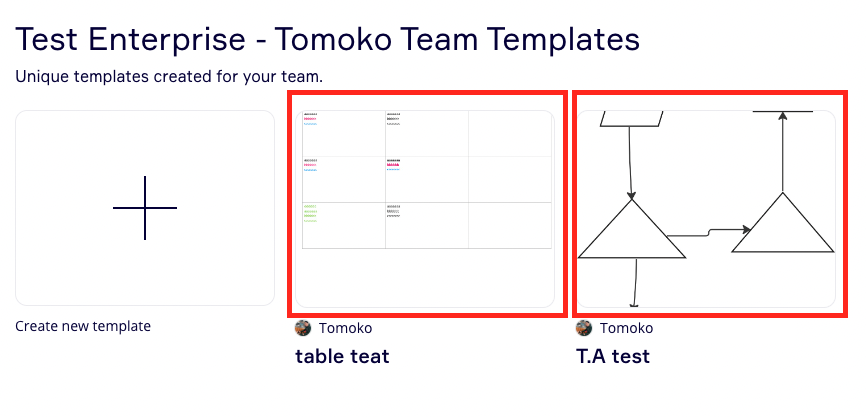
Which will take you here:
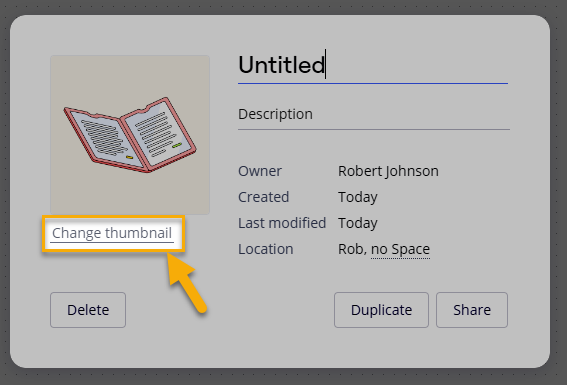
 

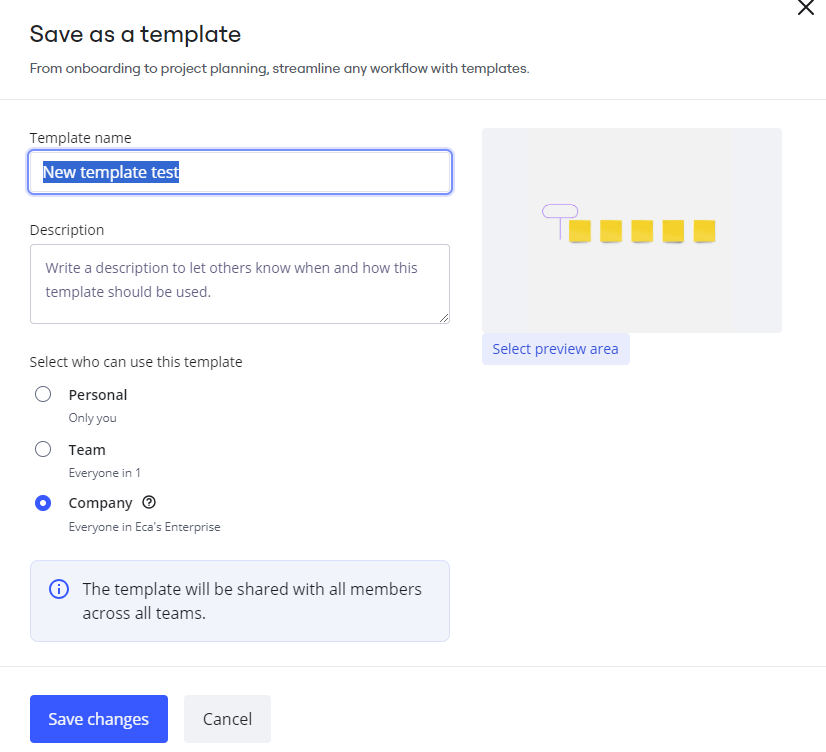
And, finally, here it is:
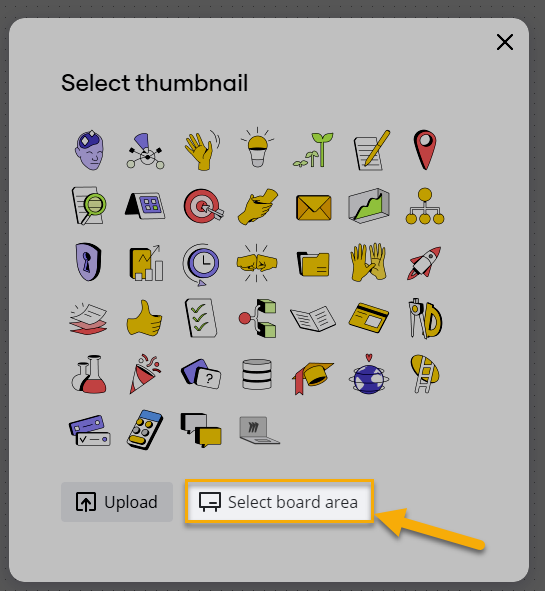
 

I've heard that a product team is working to bring the Select board area action to the change thumbnail dialogue that is accessed from the board by selecting the current thumbnail. 

View original

7 replies

Eca
Mironeer
Forum|alt.badge.img+5
  • Mironeer
  • September 26, 2024

Hi @fuchsundvogel,


Thanks for bringing this to our attention! 


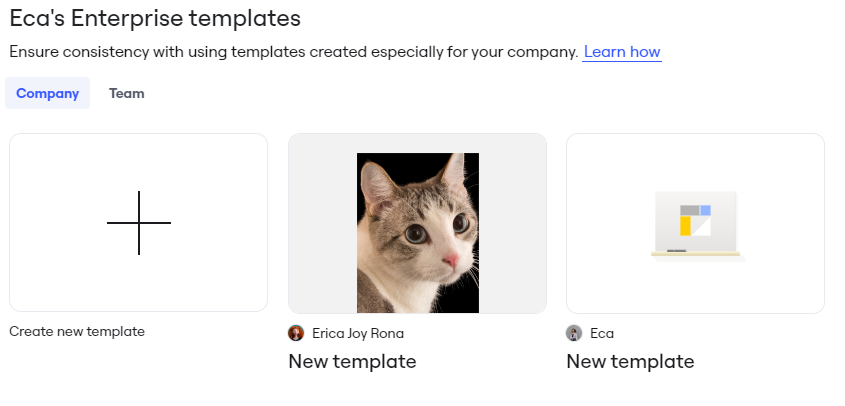
Are you trying to set up your board’s thumbnail from the board’s content like the following:


Based on my replication in the new UI, it seems that the thumbnail for my template was set up by default. And I only have the option to choose from the available icons or customize my board’s cover photo or thumbnail. 


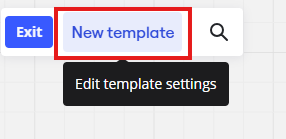
To make an area of your board as a cover photo/thumbnail, before saving the template, kindly select a preview area.


Open the Template settings > select a preview area > drag your mouse to set your thumbnail > save


If you have any further questions or need additional assistance, feel free to ask!


What if you’re not using or saving a Template?

(I just took a screenshot and uploaded it as preview, and I feel dirty)


Robert Johnson
Forum|alt.badge.img+13
  • Volunteer Community Moderator
  • Answer
  • September 28, 2024

@Bill Seitz - The option still exists, but is currently only accessible by going into the

Main menu → Board → Details:


Which will take you here:


And, finally, here it is:


I've heard that a product team is working to bring the Select board area action to the change thumbnail dialogue that is accessed from the board by selecting the current thumbnail. 


Please bring this feature back!


I NEVER use generic images for my board thumbnails, I ALWAYS use board area – it is infinitely better to be able to see at a glance a snapshot of the content. So please don’t take this feature away from us, or hide it!


The option to select a board area seems to have disappeared again - now nowhere to be found.  What is the thinking behind this?  It makes no sense at all.  I have hundreds of boards let alone the thousands created by everyone else in our company. 

Finding the right board without this feature is a nightmare!!!

We collaborate enormously and trying to distinguish between different boards covering related aspects of a design simply from the Title is impossible.  Seeing a representative image of each board allows us to immediately identify the board we are looking for.  In meetings and teaching sessions this is critical - spending a few minutes opening up boards just to find a relevant one in the middle of an explanation or in answer to a question is particularly unworkable and irritating to all parties concerned.

Please, please, please, bring this feature back and ban anyone in the Miro org who comes up with the bright idea again that users will like to be restricted to icons or uploaded images only.


Yes!!!

I reached out to support yesterday about this. They told me the feature still exists, so I sent a screen-share video showing them that it doesn’t. I immediately got the same response and realized I was dealing with an AI bot, not a human.

Miro support has been pretty good up to now about fixing things like this, so we’ll see how this one goes.