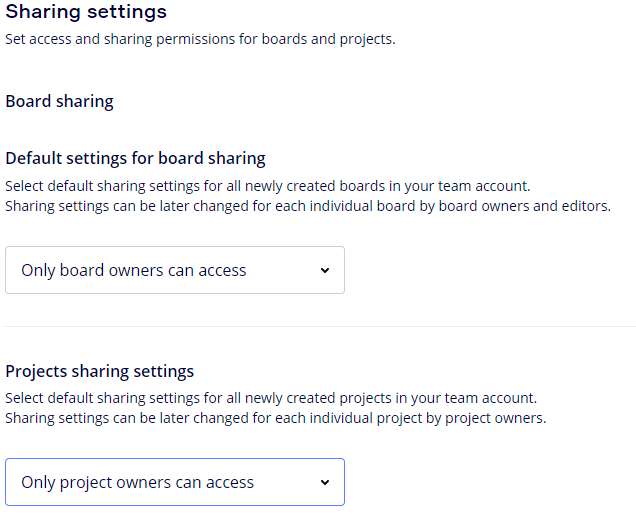
HI, It appears that the board sharing edit rights have gone missing from link share options? Anyone else noticed this?
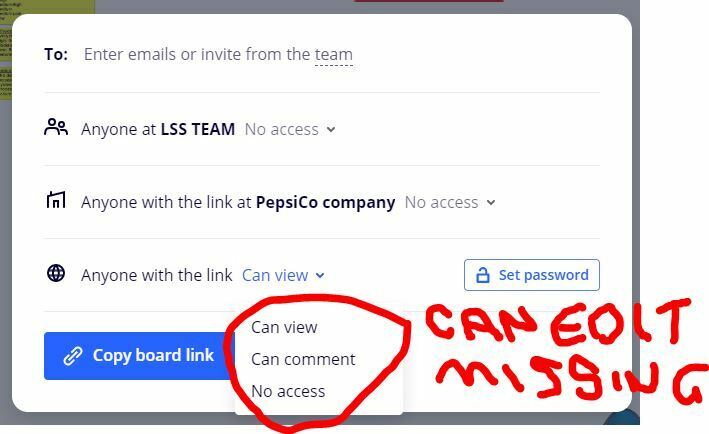

HI, It appears that the board sharing edit rights have gone missing from link share options? Anyone else noticed this?
Best answer by JennyDie
Hi Craig,
yes we noticed it also. You or your company admin can add those rights in the permissions. Below sharing settings → Board Sharing → By public link → select “Anyone can view, comment, and edit”
Before we selected this one activly, the option with just view and comment was preselected.
There was a sharing setting change from Miro. Other community members mentioned it before: https://community.miro.com/ask-the-community-45/anyone-else-having-issues-with-guest-editors-not-being-able-to-edit-boards-4078
Best Jenny
Enter your E-mail address. We'll send you an e-mail with instructions to reset your password.