Write code in Miro and ship better-quality software

  • Nov 16, 2022 8:42 AM UTC
  • 11 replies
  • 2502 views

Turner Pijpers
Mironeer

Hi all,

I’m very excited for this one, hope you are too!

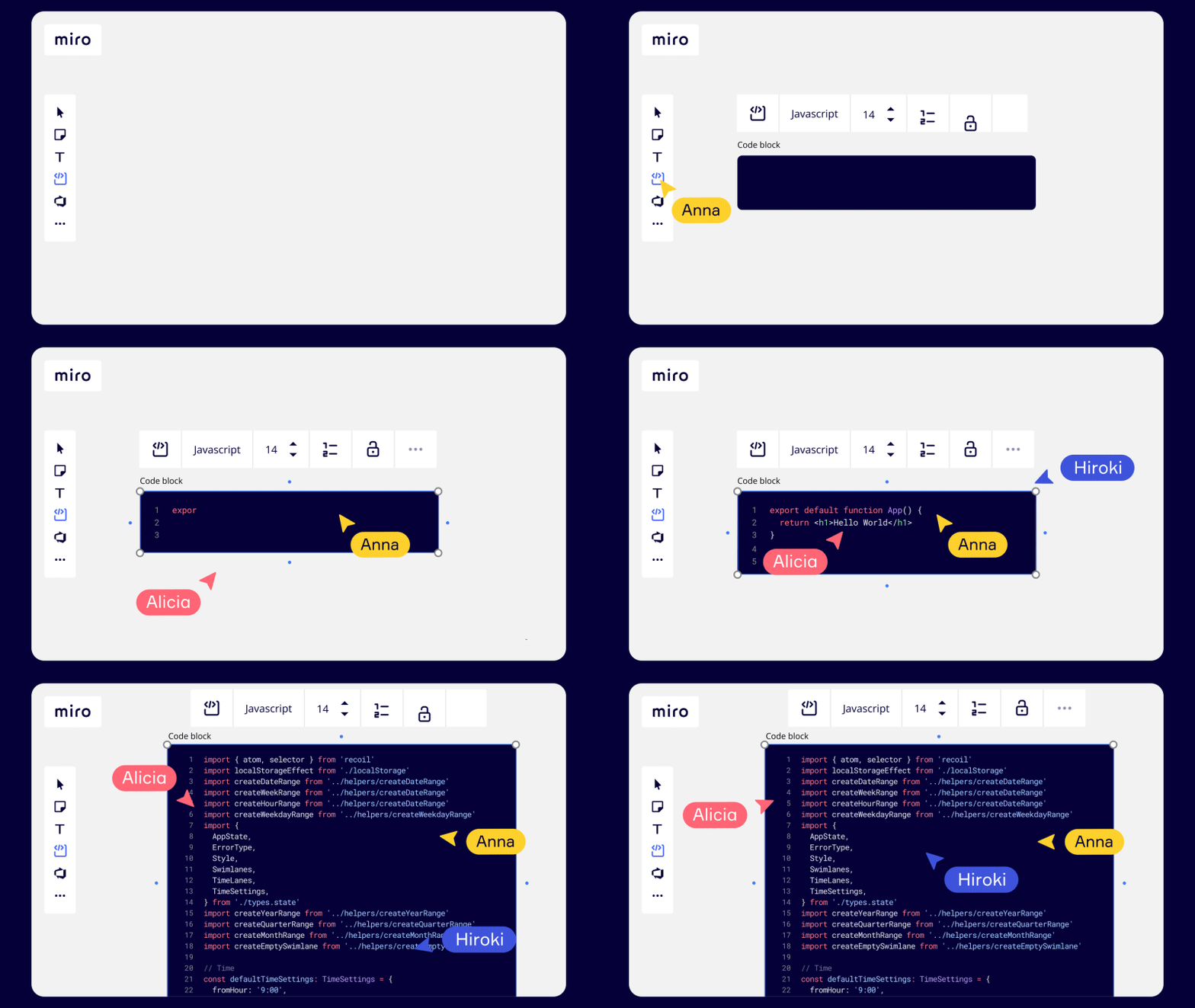
Code block makes it easy for teams to write and collaborate on code, and to ship better quality software. The widget includes 15 of the most popular programming languages. Code block can:

  • Automatically highlights syntax 

  • Paste code from external tools into Miro

  • Copy the code back into your favorite code editing tool

Engineering teams and recruiters can now easily brainstorm new solutions, debug problems remotely, or conduct coding interviews in Miro. 
Visit our Help Center for more information.


Happy collaborative coding!


Turner

11 replies

Robert Johnson
Forum|alt.badge.img+13
  • Volunteer Community Moderator
  • Nov 16, 2022 7:16 PM UTC

Thanks, Miro team! Now I can retire my custom-code-block-rectangle-shape-custom-template! (Even just typing it takes longer than using the new Code Block!)


Turner Pijpers
Mironeer

Thank you @Robert Johnson for covering this need until we got this live #teameffort :) 


  • New Here
  • Nov 17, 2022 8:35 PM UTC

@Turner Pijpers can we make the code block collapsible! would be great! thanks :D 


  • New Here
  • Nov 21, 2022 2:52 AM UTC

Thank you very much for adding this feature. Please do not forget to add support for C# since it is 4th place in the 10 most used programming languages in 2022.


  • New Here
  • Nov 24, 2022 8:42 AM UTC

Love this.
Good to have at a minimum, lighter/darker theme.


I like the feature, but as @eliumoraes says, C# is in the top 10 of the languages and not in the code block as a possible language. Any chance you will add it soon ?

Thx for the great work.


Robert Johnson
Forum|alt.badge.img+13
  • Volunteer Community Moderator
  • Jan 30, 2023 2:14 AM UTC

@Didier Kuttel - You may want to upvote this Wish List idea post → https://community.miro.com/ideas/add-c-language-support-to-code-block-11899


  • Beginner
  • Jun 15, 2023 2:43 PM UTC

Thank you ​​​​​​@Robert Andersen for covering this need until we got this live #teameffort :) 

Hey everyone in the awesome Miro community! I'm great excited to join this discussion, and I hope you're all feeling the identical level of excitement.

I have to say, the new Code block feature is a total game-changer! It's a real game-changer because it allows us to write and collaborate on code right within Miro itself. This capacity we can work together and create software it is even better in terms of quality. And guess what? It supports a whopping 15 popular programming languages, so the sky's the limit!

One thing that really caught my attention is the automatic syntax highlighting. It's like magic! It highlights the different parts of your code, making it much easier to read and understand. Plus, the ability to smoothly copy and paste code from external tools into Miro, and vice versa, is a huge time-saver. It's perfect for when we need to brainstorm new solutions, troubleshoot issues from afar, or even conduct coding interviews—all right here in Miro!


aman
Forum|alt.badge.img
  • Active Contributor
  • Jun 23, 2023 3:56 PM UTC

Hi all,

I’m very excited for this one, hope you are too!

Code block makes it easy for teams to write and collaborate on code, and to ship better quality software. The widget includes 15 of the most popular programming languages. Code block can:

  • Automatically highlights syntax 

  • Paste code from external tools into Miro

  • Copy the code back into your favorite code editing tool

Engineering teams and recruiters can now easily brainstorm new solutions, debug problems remotely, or conduct coding interviews in Miro. 

Visit our Help Center for more information.


Happy collaborative coding!


Turner

I really love this feature, its’ really helpful in Sofware based flow, where ususlay I have to write sudo code. 

I would really love to see more support for other Programming languages, like PowerShell.


Regards

Aman


This is a bug report.  

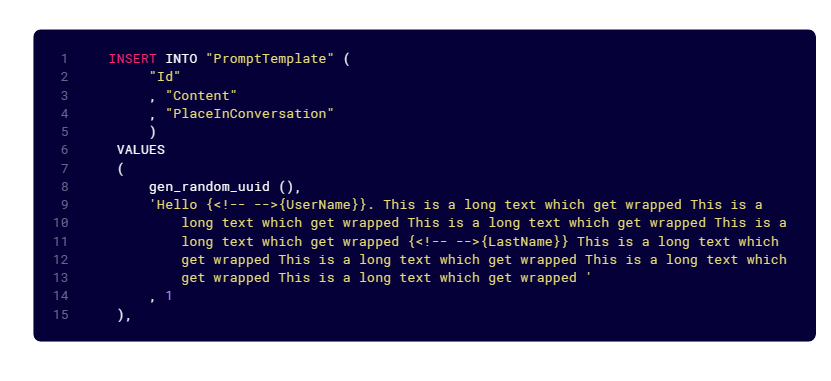
Code block with SQL as the language, when it is clicked, turns all `{{` into `{<!-- -->{`
 

Code block has been double clicked on and {{UserName}} has changed into {<!-- -->{UserName}}


Robert Johnson
Forum|alt.badge.img+13
  • Volunteer Community Moderator
  • Aug 23, 2023 2:06 AM UTC

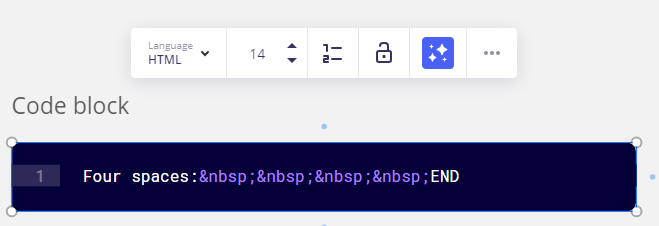
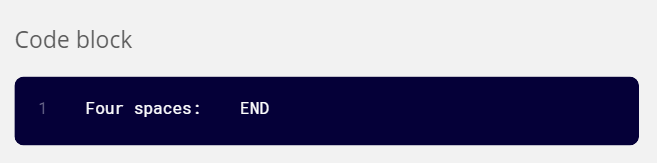
Hey, @Turner Pijpers - Some unexpected behaviour when adding a non-breaking space in an HTML code block (I was trying to show someone code using a &nbsp;:


While in edit mode:


And out of edit mode: