


🎥 Miro Talktrack (board recordings) is live for all users! Share your questions and feedback here 🎉

  • September 14, 2023
  • 31 replies
  • 1383 views
🎥 Miro Talktrack (board recordings) is live for all users! Share your questions and feedback here 🎉
Show first post

31 replies

  • Beginner
  • July 16, 2026

Hey ​@sarahimau - what institution are you at?  If you have a Miro education licence, there will definitely be someone supporting it… you probably need to find your school’s Learning Technologist or the Miro Service Manager for Miro within the IT dept. You could either ask one of the teaching staff to find out, or do you have a service desk or place you can log queries? [The first thing they will probably ask is if you’ve cleared your cache or tried on another browser, so do that first] 

I have an account that’s not attached to anyone else at my institution. There is at least 1 other person at my institution that I know uses Miro, but our accounts are not linked. So, I have no one to ask. I applied for a free education license directly through Miro and was granted one.


  • Contributor
  • July 16, 2026

Hey ​@sarahimau.  2 things to note: 1 - talktracks won’t work on tablets on phones.  2 - did you upgrade to your educational licence? I just did a quick search and found the following: 

Here is how to check your workspace, find the tool, and resolve the recording issue.

Step 1: Switch to Your Education Workspace

  1. Look at the left-hand sidebar of your Miro dashboard.
  2. Check if you see multiple square team icons.
  3. Hover over or click each icon to check the plan status.
  4. Ensure you switch to the specific team workspace that says Education.
  5. Note: If you create a board in a "Free" team space, Talktrack features may be restricted or hidden

Let me know how you get on.  Or maybe someone from Miro could jump in?

Good luck! Jenni Kate


  • Beginner
  • July 17, 2026

Hey ​@sarahimau.  2 things to note: 1 - talktracks won’t work on tablets on phones.  2 - did you upgrade to your educational licence? I just did a quick search and found the following: 

Here is how to check your workspace, find the tool, and resolve the recording issue.


Step 1: Switch to Your Education Workspace

  1. Look at the left-hand sidebar of your Miro dashboard.
  2. Check if you see multiple square team icons.
  3. Hover over or click each icon to check the plan status.
  4. Ensure you switch to the specific team workspace that says Education.
  5. Note: If you create a board in a "Free" team space, Talktrack features may be restricted or hidden

Let me know how you get on.  Or maybe someone from Miro could jump in?

Good luck! Jenni Kate

It does say “Education” on the workspace, but I still can’t view any recordings. I am on a computer, not a mobile device. I did not do any “upgrade” that I’m aware of. I am not paying anything. 
I wish I could contact Miro Support, but from what I read I don’t have access to that with an Education license. So I’m not sure how else to try and resolve the issue. 
Thank you for trying to help me!


Robert Johnson
Forum|alt.badge.img+13
  • Volunteer Community Moderator
  • July 17, 2026

​@sarahimau 

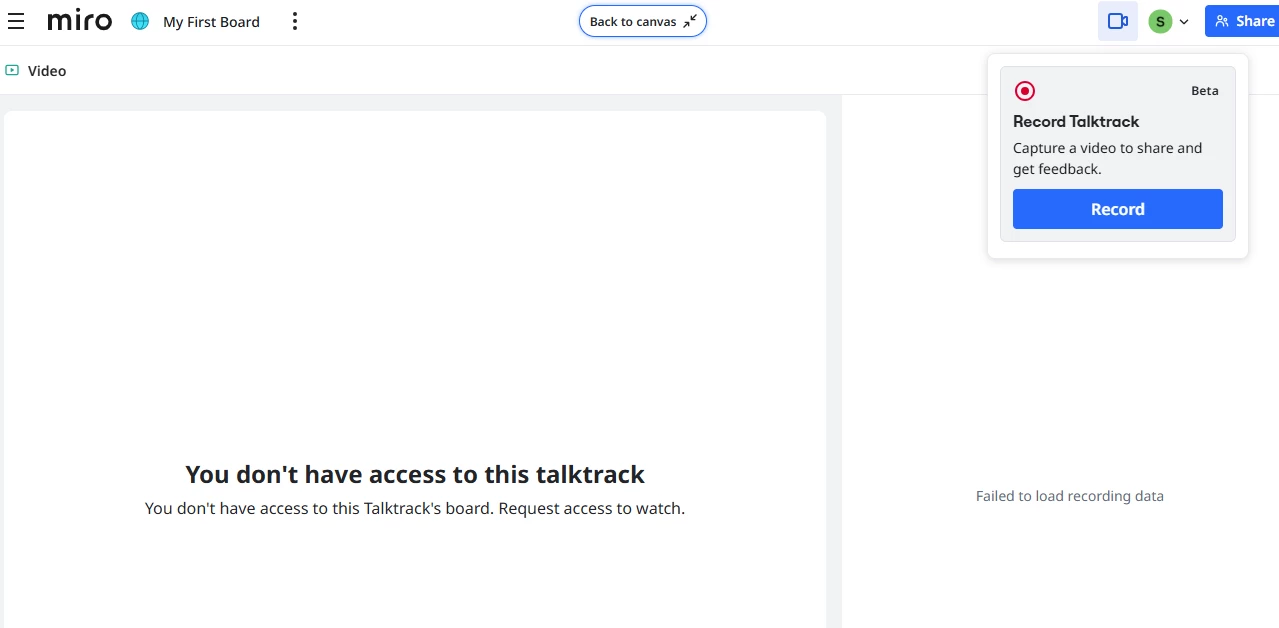
I tested Talktrack today but when I try to view recordings it says “You don’t have access to this talktrack. You don’t have access to this Talktrack’s board. Request access to watch.”
But I am the admin and board owner and there doesn’t seem to be anywhere to request access. 

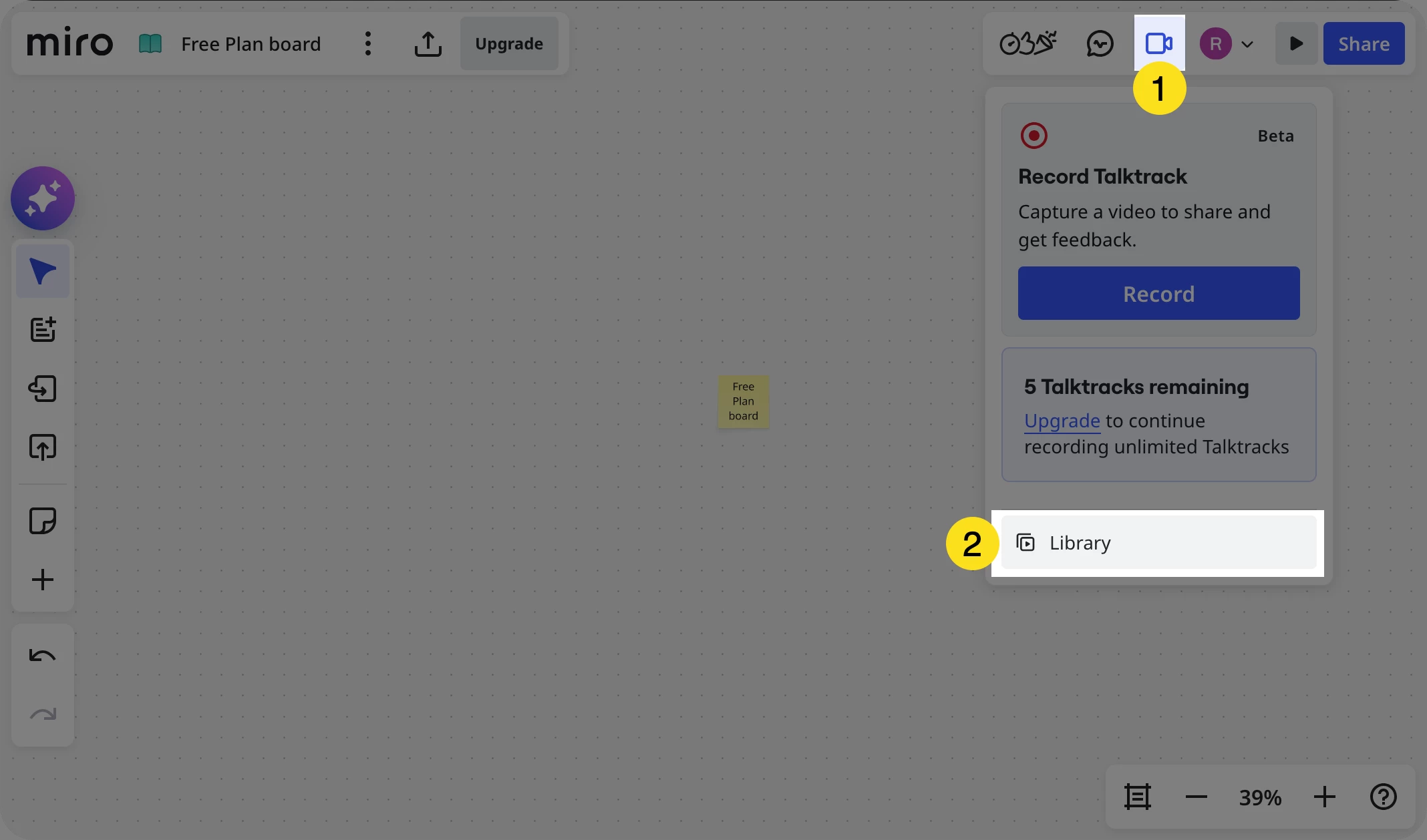
If you are the board owner, what happens when you:

  1. Open the board
  2. Open the Talktrack recordings library:


  • Beginner
  • July 17, 2026

​@sarahimau 

I tested Talktrack today but when I try to view recordings it says “You don’t have access to this talktrack. You don’t have access to this Talktrack’s board. Request access to watch.”
But I am the admin and board owner and there doesn’t seem to be anywhere to request access. 

If you are the board owner, what happens when you:

  1. Open the board
  2. Open the Talktrack recordings library:


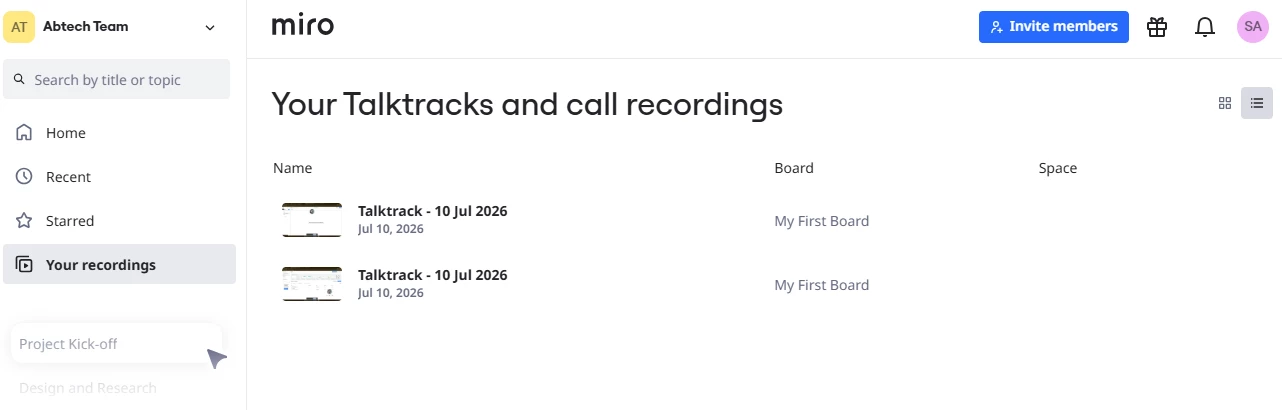
I was looking here:
 

But I went into a board and tried to record a test and view it then I clicked the camera icon you show. Here’s what I see:


Robert Johnson
Forum|alt.badge.img+13
  • Volunteer Community Moderator
  • July 17, 2026

​@sarahimau Thanks for sharing the screenshots. I have converted yoru post into a support ticket. You should receive an email shortly confirming the creation of the new ticket.