Hi Miro Team,
When using Miro combined with Jira and showing the dependencies between the cards, I wish :
- to be able to show the dependency lines at all time
(not only when show dependencies is activated)
- to be able to manipulate the visual link at the user’s convenience
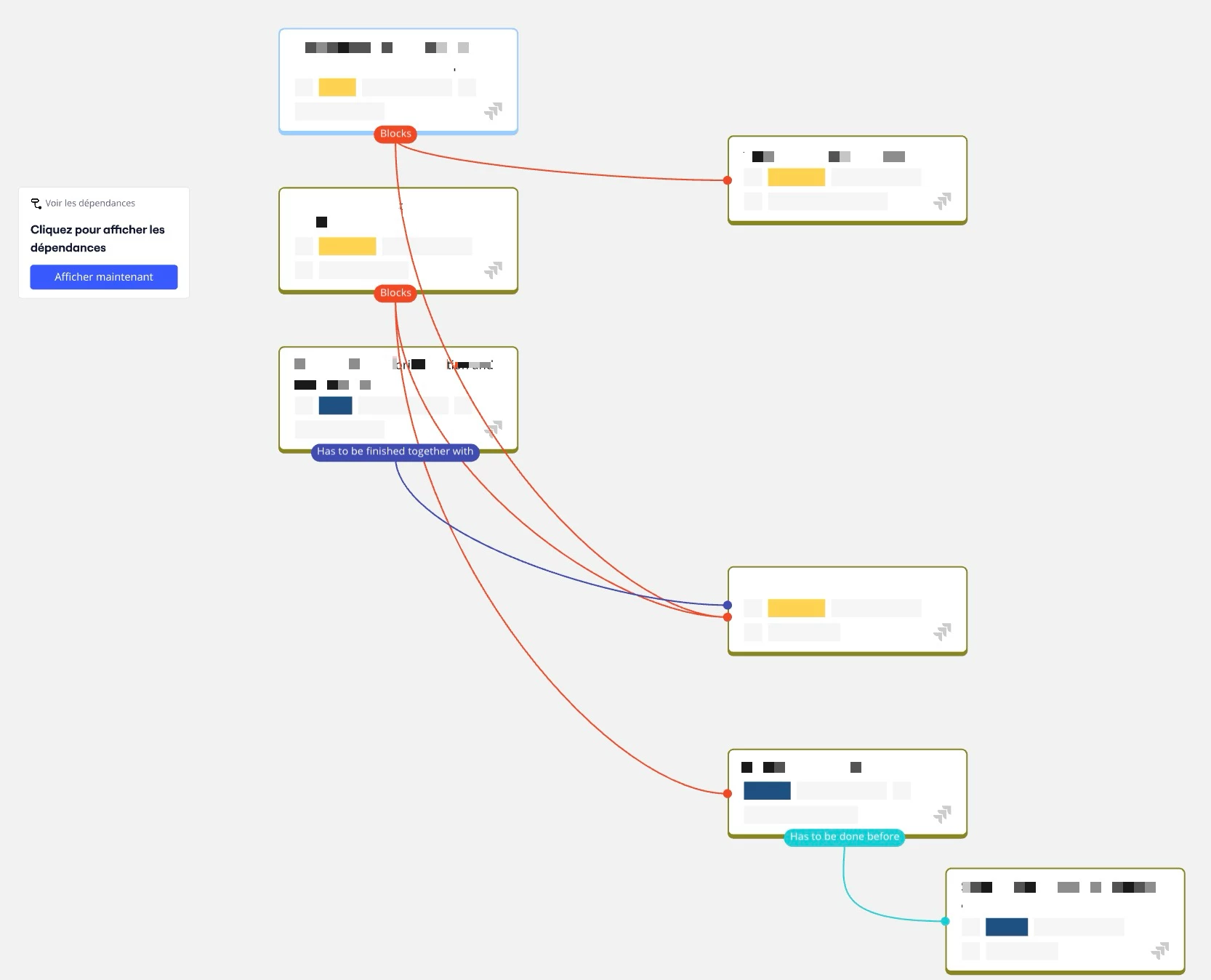
(currently, the source of the relationship is always at the bottom of the card, and the impact is shown at the left of the Jira card. The line linking the 2 cards cannot be manipulated, making it impossible for an user to arrange them to make it more clear)
If we could have the same type of control that we have for the arrows, it would be a game changer.
I praise the aesthetic of Miro that allows to make things simple and easy to understand. I try to convert my colleagues to use it, but when I showed them the following result… they have decided to go with another application and it gave them a mixed feeling of Miro.
See my screenshot below.
Thanks!