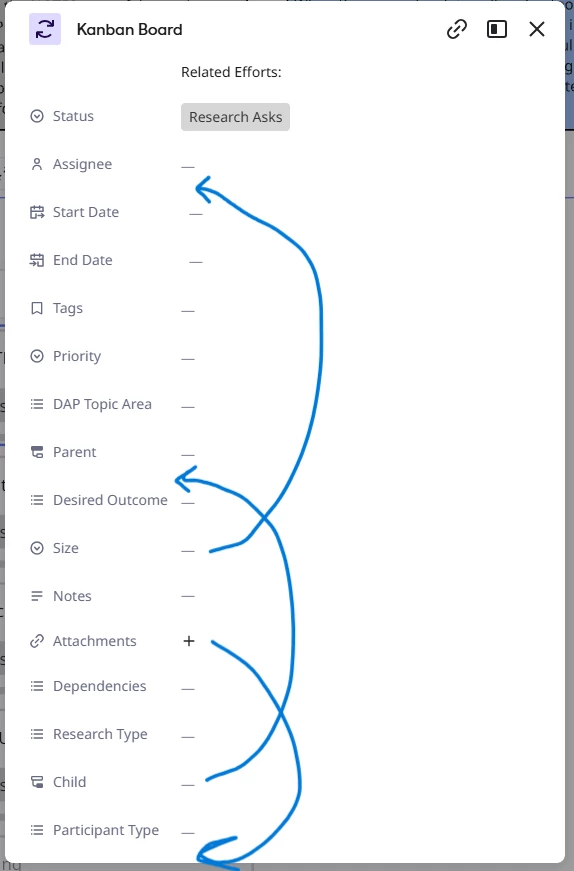
I am using the new Kanban feature (still in beta) to track work across a UX Research team. Adding columns in the table view makes those columns available as a card field when in Kanban view, which is great. However, reordering the columns in table view does not impact the order of the fields on the card. I would like to be able to reorder the card fields in a way that is logical for understanding the work item. (photo below shows and example how I would like to move the fields around to put them in a specific order). This would be beneficial because the Kanban card has certain fields I need researchers to fill out when they create a new item, so they should be at the top, while other fields may not be relevant until later on in the work (such as adding notes and attachments for completed presentations).