Open

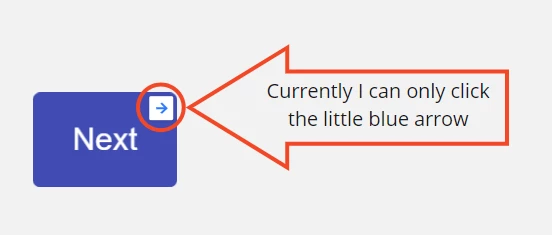
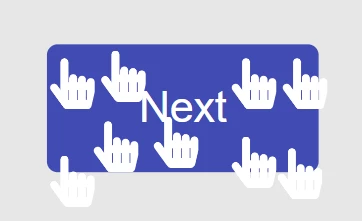
Option to make an entire object a clickable hyperlink

Related products:NavigationFrames
  • September 13, 2020
  • 75 replies
  • 7871 views

Show first post

75 replies

Robert Johnson
Forum|alt.badge.img+13
  • Author
  • Volunteer Community Moderator
  • May 11, 2024

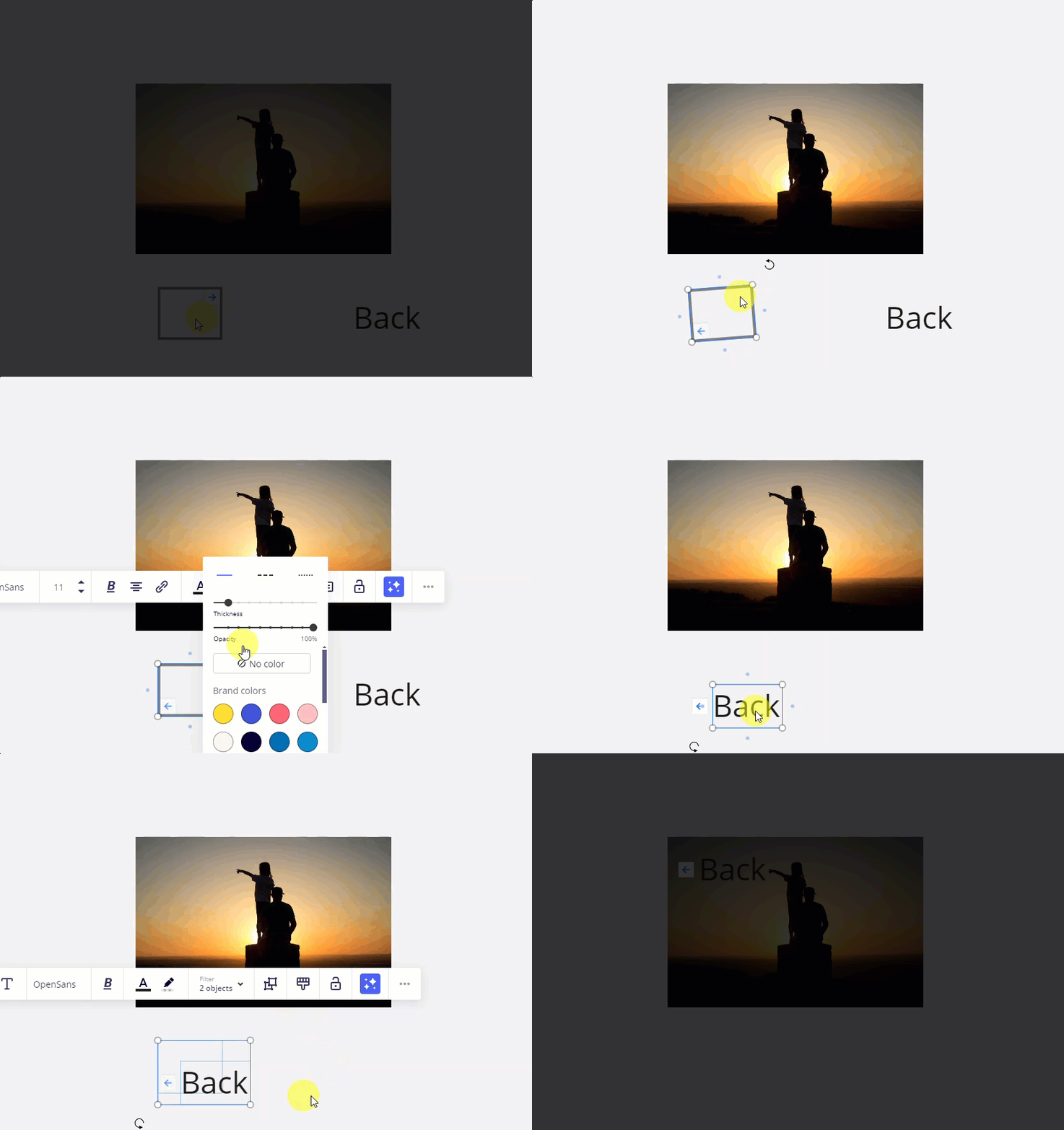
While we wait for this feature, just reviving an old tip shared by @Jonathan White at HiroStudio.co!

if you want the internal Link to arrow to be pointing to the left, you can

  1. create a shape with no background or border
  2. make it a link to an object on the board
  3. rotate it 180 degrees to point to the left
  4. add some text, e.g., “Back”
  5. and group the shape and text. 

Here it is in action:


Jonathan White
Forum|alt.badge.img+4

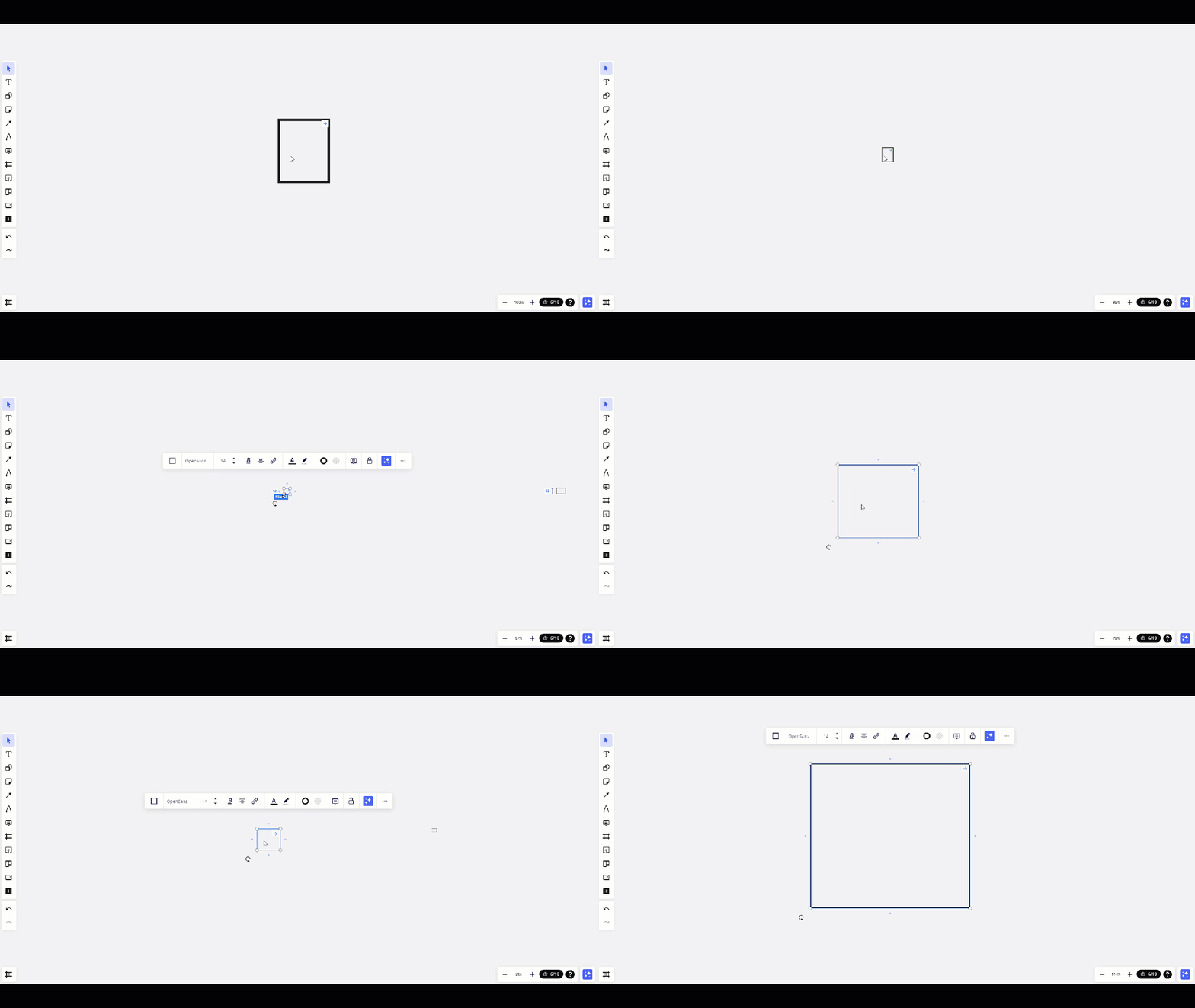
An oldie but a goodie @Robert Johnson. One additional tip is to play with the size of the box you will use for the link. At different levels of zoom, the blue link arrows can get smaller or disappear altogether. Make sure to zoom out on your board to ensure your boxes are sized to make your link as visible as you need it to be. 


This is a HUGE need for our development team as well. Please add large clickable buttons/hyperlinks.


  • New Here
  • August 4, 2024

Its an embarassement to wait for so long for such simple and intuitive feature.


BurtyC
Forum|alt.badge.img
  • Active Contributor
  • August 4, 2024

This feature would basically enable clickable wireframes in Miro. Why we still haven’t got this simple feature is unfathomable 


Robert Johnson
Forum|alt.badge.img+13
  • Author
  • Volunteer Community Moderator
  • August 19, 2024
The following idea has been merged into this idea:

All the votes have been transferred into this idea.

Forum|alt.badge.img
  • Beginner
  • October 12, 2024

As others requested, I also want to have this feature but along with a shortcut for the blue arrow. 
Kindly prioritise this. 

Here is my use case: https://community.miro.com/ask-the-community-45/is-there-a-shortcut-on-miro-to-go-to-linked-item-from-an-object-18056?postid=67718#post67718


Forum|alt.badge.img

It's ridiculous. I suppose Miro has at least one usability consultant, who strongly advises against such a feature.
This has been a great idea for the past four years, and 5,684 people have been searching for a solution. But who cares?
Why is this thread even in the “ideas”  category and not in “bugs”.


Oh wait, I’ll check this one:


(after watching, 6 hours later...)
Hmmm …. no. But lots of the exciting AI stuff we all waited for.
And a study in the agile community.

And Jira Integration! Oh! News alert! On February 15, 2024, Atlassian officially, and quietly, ended the official ‘life’ of its popular Jira Server product 🤣 (sorry, that’s just out of pure frustration)

come on, @Brie
can we have clickable objects. please?


Forum|alt.badge.img
  • Beginner
  • October 16, 2024

@Heinz Abegglen Agreed. when your product have basic usability bugs, who cares about AI?


Eca
Mironeer
Forum|alt.badge.img+2
  • Mironeer
  • October 17, 2024

Hi everyone,


Thank you for your feedback and for continuing the discussion on this. We understand the frustration and recognize how beneficial clickable objects would be for many of our users, especially when creating interactive wireframes and workflows.


The team is constantly reviewing suggestions and collecting all your votes and use cases to prioritize it accordingly.


In the meantime, for those looking for temporary workarounds, you can still use linked shapes and text as shared earlier in the thread by @Robert Johnson and @Jonathan White, and I encourage you to keep sharing your specific use cases so that we can pass them along to the product team.


Thanks again for your patience and input!


  • Beginner
  • January 16, 2025

Having a clickable button or an object that can convert to a link or button is really an essential functionality. 

A button to link to another element, page or text to an internal page element is urgently needed. External link buttons. 

Please add this functionality. its desperately needed.  


  • Beginner
  • January 17, 2025

pls add a clickable object/button that you can link to other areas of the page. It would make the presentations have a broader use. Its a critical function. thanks 


Why is this still not a feature 3 years later? Looks like I’m leaving Miro. 


Please add this functionality. its desperately needed! Especially because currently the “clickable” link is dependant on the zoom-level. So on a board with a lot of content you have to zoom in deeply  in order to “activate” the clickable link-symbol. Miro newbies stumble over this often. I would also appreciate, if it would be possible to link a picture completely, not only in the tiny link-symbol in the right upper corner.


Forum|alt.badge.img

Based on how long this has been ignored, I feel like there is some myopic security concern, patent infringement concern, or compliance requirement of a whale of a client keeping this from becoming a reality for the masses. Hey devs, if it is security, what if you allow it for intra-board only (Prezi had this a decade and a half ago, although jump-to would also be nice vs. pan-to, Figma has it, etc). For external links, at lease make the arrow link scalable and able to be styled. If it is not any of the three issues mentioned, please innovate! The current solution is the most minimum viable crap our team and clients have had to deal with in a while. I would be evangelizing Miro to so many more clients if you cleaned up this one issue. It really would be a great alternative to other app prototyping tools or complex process/production explanation/visualization! It’s crazy that this is a wireframing tool and you have this non-intuitive, so completely OFF standard UI/UX method for navigating! I would be willing to sign an NDA to get the straight story about what’s going on here!


Forum|alt.badge.img

I also just saw what round of funding they are in. That might also add to the reasons why they aren’t focusing on the actual community and power-users of the tool anymore. Save money, sub growth!


  • New Here
  • May 22, 2025

Does anyone have an workaround.
The actual Link Feature is just unusable.


  • New Here
  • September 16, 2025

I really need this feature too. 


Up! Still waiting for basic functionality
@Miro Community Team 


James McElroy
  • Contributor
  • October 17, 2025

+1


  • Beginner
  • November 3, 2025

Hi Team,

This might not be the perfect solution, but I’ve found a workaround for this specific issue.

1. If you want to make an entire object a clickable hyperlink (e.g., making a box labeled "Google" clickable to navigate to a destination box like "Overview"), here’s how you can do it:

  1. Copy the link from the "Overview" box.
  2. Paste it as a hyperlink into the "Google" box.

Once this is done, clicking on "Google" will display the hyperlink. Clicking the hyperlink will then take you to the desired destination.


  1. If you'd like to make the entire box clickable and have the hyperlink appear, here's a simple workaround:
  1. Create a text box and type "Google" (or your desired text).
  2. Group the text box with a shape (e.g., a rectangle) to make it look like a single object.
  3. Add the hyperlink to the grouped object.

Now, when you click anywhere on the box, the hyperlink will appear, and clicking it will take you to the desired destination.

The only drawback is that two clicks are required to complete the action.

Let me know if this helps!

Best regards,
Snehassree M


Forum|alt.badge.img

If you sort the wish list by Most Replies. This is in the Top 15. 5 years on this thread and still waiting! If you can’t implement due to obscured/dark links or other security concerns, at least come up with a better UI/UX idea than what we have now. Or, is this going to get worked into the Prototype add-on. At least separate intra vs. inter links. explain how we can get good intra navigation that can just jump, or dissolve into another view to approximate a UIUX experience. Powerpoint has this!


Forum|alt.badge.img

I do see that prototyping is introducing some of this. Please introduce more tutorials that dive deeper on intra-board navigation vs. AI auto-generate please. If the new prototyping does allow this, I think you are burying the lead for this thread.


Kenneth Ritley
Forum|alt.badge.img+2
  • Active Contributor
  • November 21, 2025

In the hope that MORE attention is better than LESS attention . . . THIS WOULD BE THE JEWEL IN THE CROWN OF THE NEW MIRO SLIDES FEATURE!

If we had “nice big friendly buttons” we could add them to our frames in slides, and then during a slide presentation it would allow us to jump to different slides.

This is already a feature in PowerPoint - now, the BAD NEWS is that maybe somebody has a PATENT for this feature and that is preventing Miro from implementing it . . . but if that is the case, at least KNOWING about that might be nice.

NICE BIG, FRIENDLY HYPERLINK BUTTONS - I HOPE WE WILL ONE DAY GET THIS!


Kenneth Ritley
Forum|alt.badge.img+2
  • Active Contributor
  • November 21, 2025

@Snehassree M  That is a pretty good idea - thanks!  But . . . I think the hyperlink will be visible, right?

I agree, functionally that sounds like a good workaround - but seeing unneeded hyperlink text would be a distraction when I give a presentation.