Open

New Mouse Icon - How to revert back?

  • Nov 3, 2026 7:12 AM UTC
  • 2 replies
  • 34 views

Hi there! 


I’ve just logged in to Miro board and it seems to have a new mouse icon (screenshot 1). Is there any way to get it back to the original (screenshot 2)?

Thanks in advance!

2 replies

Eca
Mironeer
Forum|alt.badge.img+5
  • Mironeer
  • Nov 3, 2026 6:22 PM UTC

Hi ​@Motivation to Chill 

Thanks for sharing your feedback and screenshots!

I've converted your request into a Wishlist idea. Our team will review this, and it's now open for votes and comments.

For others coming across this idea, if you feel this would be helpful for you or your business, please be sure to vote for it and leave a comment about your use case to help our team scope this request!

Thank you again for helping make Miro better!


Robert Johnson
Forum|alt.badge.img+13
  • Volunteer Community Moderator
  • Nov 3, 2026 10:19 PM UTC

​@Motivation to Chill You have my vote!

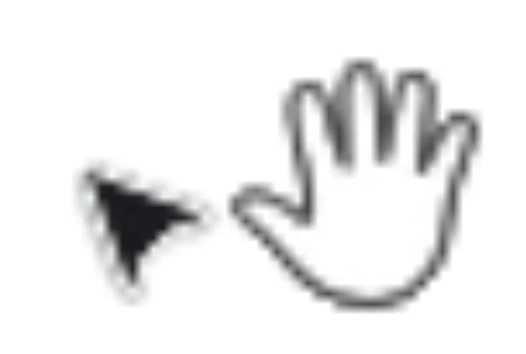
Since the new Cursor Chat update, the default select cursor (the new triangle style) renders at roughly half the size of the pan/hand cursor. Pressing V and H to toggle makes the size jump obvious. I’m on the fence with the size. I mean, for myself, I think I can handle it, but how about others?

And when viewing on my Windows 11 machine on an external display at 1920 × 1080, the cursor’s edges also look jagged and aliased, as if it’s being rasterized at low resolution instead of scaling with the display — it looks clean on my MacBook at 1512 × 982.

To reproduce

  1. Open any board.

  2. Press H, then V, repeatedly (** BUT NOT TOO FAST OR THE TEXT WILL TYPE IN YOUR CURSOR! **)

  3. Compare the two cursor sizes and the edge quality.

Expected: Both cursors look similar in size, and the edges are crisp.
Actual: The select cursor is about 50% the size of the hand cursor, and its edges are visibly jagged.

Screenshot attached.
Environment: [Chrome, Edge, Desktop app + Windows 11, external display @ 1920 × 1080]