

Open

Handwriting to text

  • February 18, 2021
  • 8 replies
  • 3555 views

George Sofroniou

Within work we recently moved to company laptops that come with touchscreen & a stylus pen = Miro Heaven!!

Using this more often has me thinking it would be great if handwriting with the pen tool could then be converted to text? (I imagine this would be a great use case on tablets too with the Apple Pencil in mind)

8 replies

YES PLEASE!


George Sofroniou

YES PLEASE!

Would be an amazing feature wouldn’t it Laura! I can see so many use cases for it in business world, education and personal use.


  • New Here
  • April 28, 2021

This is a most have feature when working with a stylus.
One way I have used as a work around is to take a screen shot that use stickies capture tool bring the text as post its.


Atanas Prchev

Perfect!

I'm actually writing this with an S Pen :)

Would be awesome to have the support for these types of devices. I also use Apple Pencil with my tablet. Miro would be a powerhouse for me if it would be able to convert writing to text. Would warrant me to use pricier plans too because I would ditch other types of software. Everything I would do would be on Miro!


  • Beginner
  • September 30, 2022

How has your experience been using a stylus? I have tried the app using surface book pro and its so laggy its unusable :( Pen works just fine with other apps! 


  • Beginner
  • September 30, 2022

Within work we recently moved to company laptops that come with touchscreen & a stylus pen = Miro Heaven!!

Using this more often has me thinking it would be great if handwriting with the pen tool could then be converted to text? (I imagine this would be a great use case on tablets too with the Apple Pencil in mind)

Please add Microsoft Surface to the tag list for this!


  • New Here
  • June 2, 2024

Using and Ipad really unlocked the true potential of Miro for me. The drawing, hand writing and selection experience is top tier, truly up there with the best note taking apps.

However, as with most handwriting to text experiences, Miro combined with the ipad is underwhelming as they missconvert things so often and the writing experience is weird (letters fade as you write and they convert.

Instead, it would be so much better to write out your sentence as on a piece of paper, and then choose to convert it. So something that would feel like selection (like a screenshot), have a contextual option to replace. 

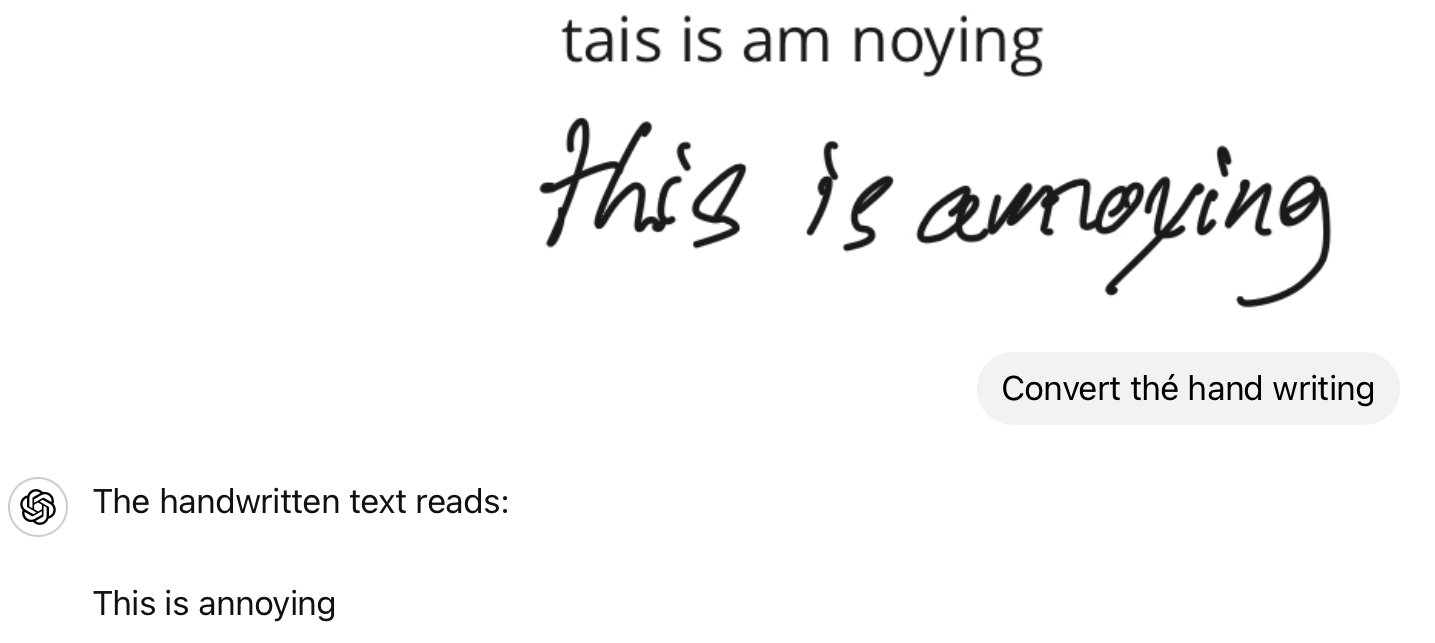
As a test I took a screen shot of handwriten notes on miro, sent it to ChatGPT and it gave me a pretty great return! Not a half bad work around,
The main issue I experienced with ChatGPT was having it keep formating I had. It did tabs and bulletpoints, but I had symbols for my bulletpoints to organize meaning, and it din’t convert the symboles. 

Example of miro/ipad conversion capabilities vs chatgpt


ElvaMiro
Mironeer
Forum|alt.badge.img+2
  • Mironeer
  • June 3, 2024

Hi @DanSchlic 


Wow, this is a pretty cool workaround! Pretty cool to integrate the notes into ChatGPT; wouldn’t have thought of that before.

