


Hi,
I hope you are well.
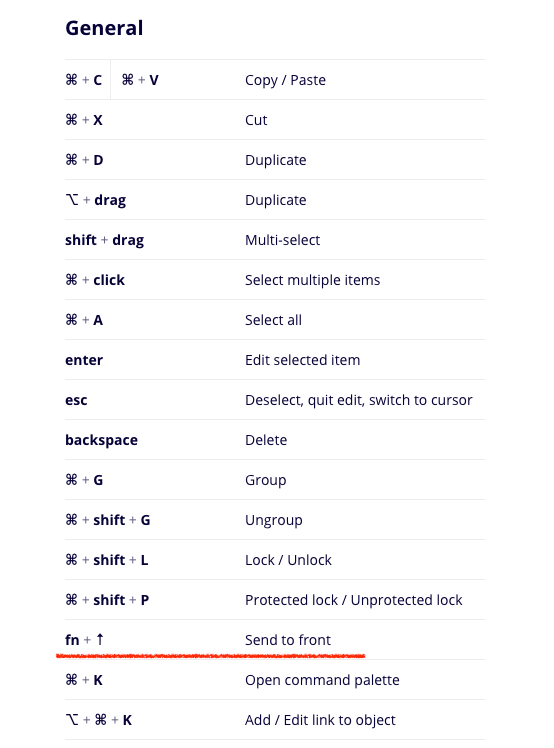
I was looking in to the Miro Shortcuts (Settings > Shortcuts), and just noticed, that Send to Back shortcut is missing from the list of General Shortcuts.
I believe if someone want to know about send to front, and he would also like to know shortcut to send to back. fn + ↓
:) IHMO it’s worth mentioning in the Menu.
Send the shape back and bring to front - click the three dots on the context menu and choose an option. Or use shortcuts Pg Up and Pg Dn (for Windows)/fn + ↑ and fn + ↓ (for Mac).
Thanks
Regards
Aman