

Open

Checkboxes

  • May 24, 2024
  • 4 replies
  • 788 views

Forum|alt.badge.img

Checkboxes simplified. It would be great to have checkboxes that I could just click on and put a “check” or remove it. It would also be great to be able to fully customize them(font, side, colour, vertical or horizontal layout,…)

4 replies

I can't believe Miro doesn't have such a simple yet important tool! This is almost a dealbreaker...


Eca
Mironeer
Forum|alt.badge.img+5
  • Mironeer
  • October 24, 2024

Thanks for contributing to the discussion, @Francisco Vasconcelos and @Michael Grubhofer! Our team has reviewed this, and we are keeping an eye on all feedback related to this. While we don’t have any specific updates yet, we encourage you to check the Miro changelog for the latest feature releases and improvements.


Rest assured, as soon as there's an update regarding this request, we'll be sure to share it here and keep this thread updated. We really appreciate your input in helping to improve Miro!


  • Beginner
  • July 8, 2026

Any update to this? I am looking for a checkbox feature as well.  Apparently it used to exist as part of a “wireframe” menu, based on previous message board chatter, but I cannot find such a menu in my current Miro interface.


  • Beginner
  • July 8, 2026

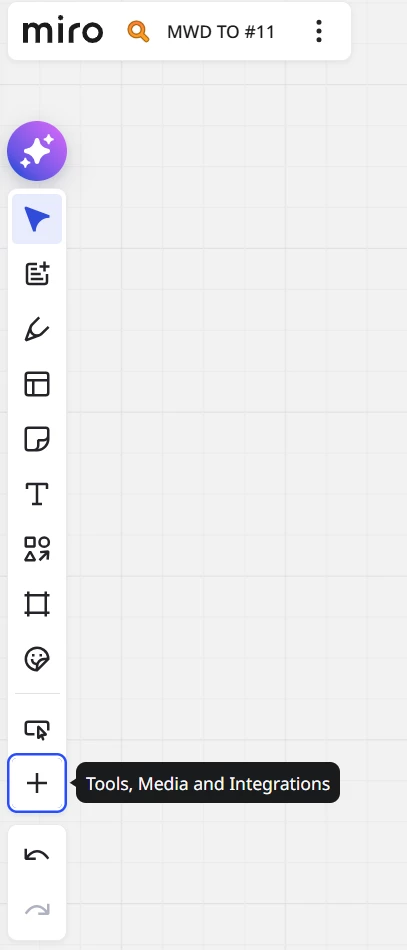
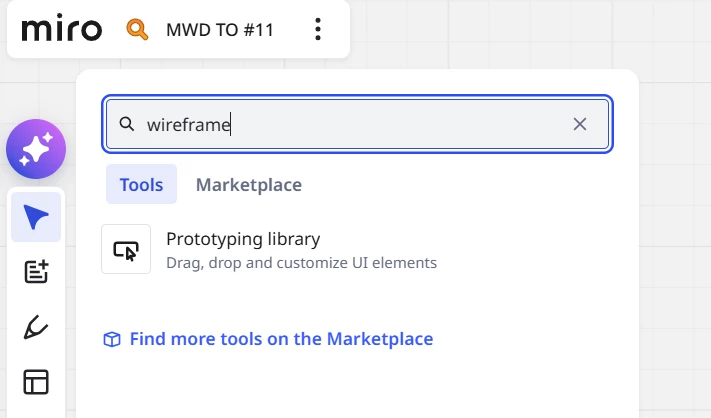
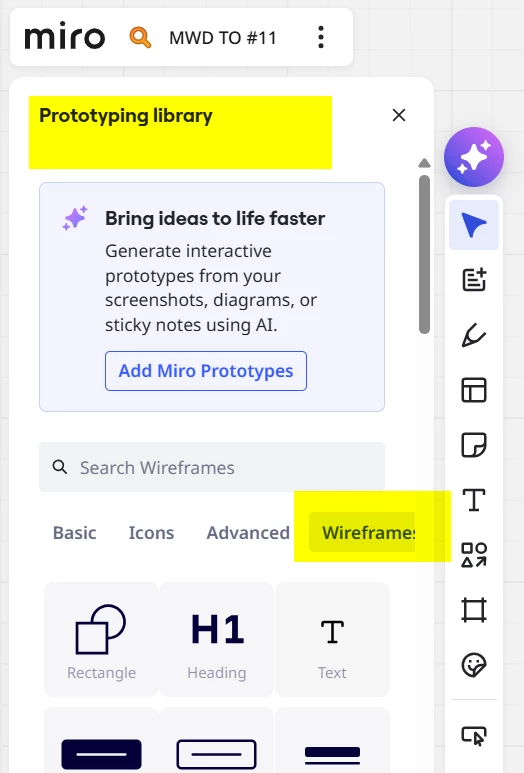
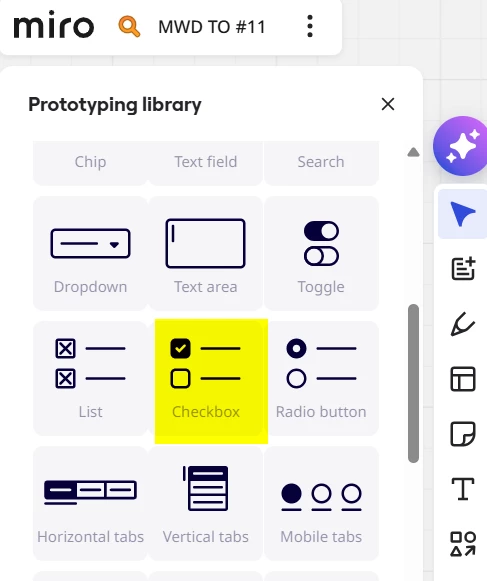
I found it!!!!! Thanks to someone on a different message board.  Go to the + icon (Tools, Media, and Integrations.) Type “wireframe” in the search bar. Click on “Prototyping Library.”  Scroll down to the checkbox icon and drag it into your Miro workspace.  The text can be deleted, leaving just the checkbox if desired.