Open

Automatically reduce the resolution of images over 32 megapixels.

Related products:Images
  • August 5, 2020
  • 27 replies
  • 4345 views

Show first post

27 replies

Sometimes our clients have low-spec PCs, and removing high-res images resolves the stuttering they used to experience. If these improvements are made, it would be easier for us to recommend Miro to our clients.


This 32MP upload limit has honestly been one of my biggest frustrations with Miro 😅
 

  So… I ended up building a solution for it.  
 

I made a macOS app called Feather - File Compressor that can compress, convert, and split (oversized) images before importing them into Miro, email or basically any website or tool.


“But that doesn’t fit my workflow.”


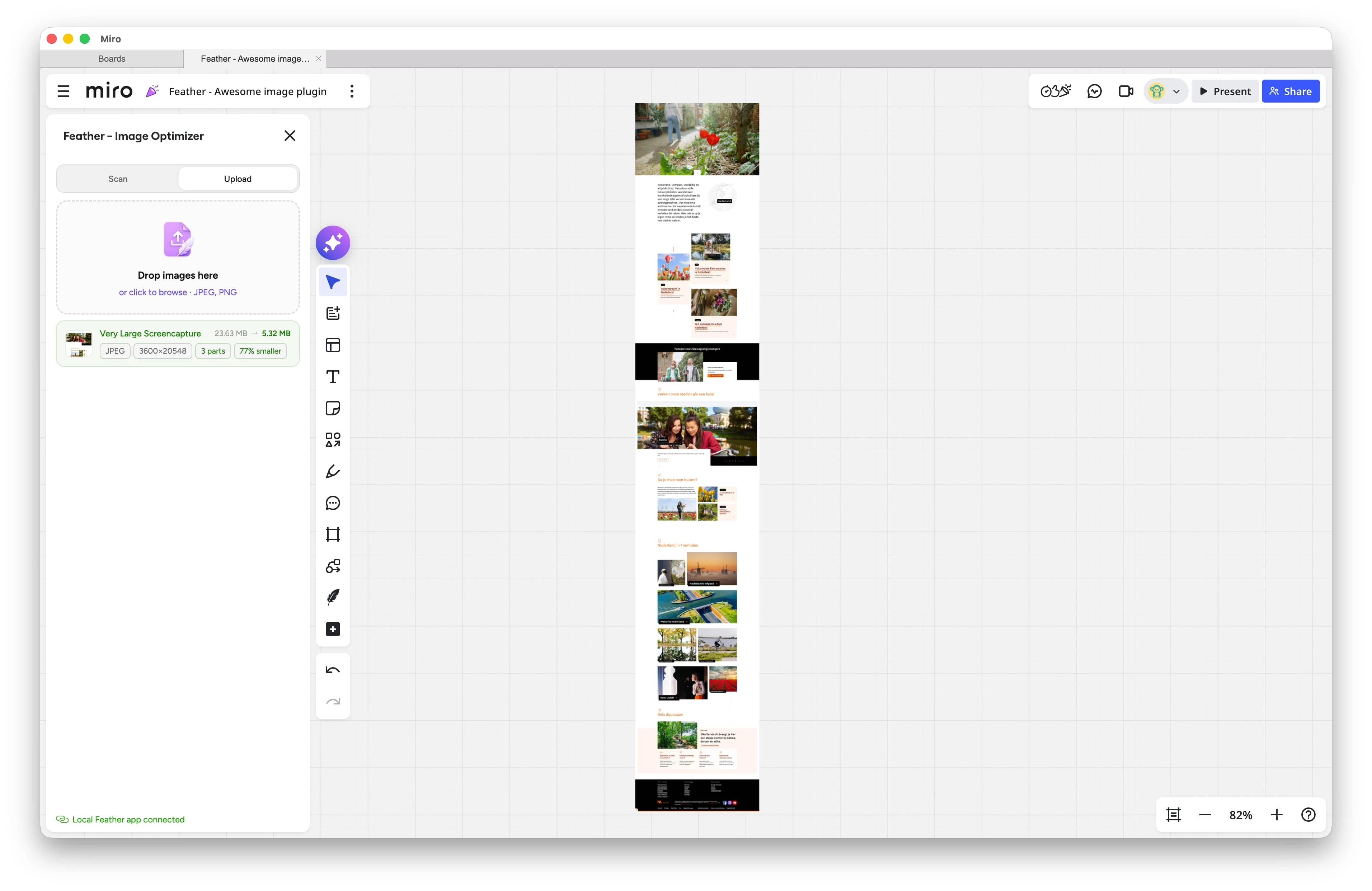
Exactly why I also built a native Miro plugin. The plugin connects directly with the Feather macOS app running locally on your machine, so you can import oversized images straight into Miro without manual steps.


It’s currently going through Marketplace review, but should hopefully be available within the next week.


What it basically does:

  • compresses images without noticeable quality loss (also the once you already have on your board)
  • converts unsupported or inefficient formats
  • splits oversized images into accepted chunks
  • uploads and stitches everything back together directly on the board

So to you, it just behaves like a single image.


Everything is processed fully locally on your machine, no cloud processing or external servers involved.


Feather for macOS is already available for free today in the App Store. The upcoming update just adds the Miro and Figma plugin support.


Hopefully this helps some other people here fighting the same limitation 👀