If I create a standalone card in a Miro board, I see a rich text “Description” area. However, if I create a card in a Kanban board (or related view), I see only a plain text “Description” field. Why is this?
Thanks,
N
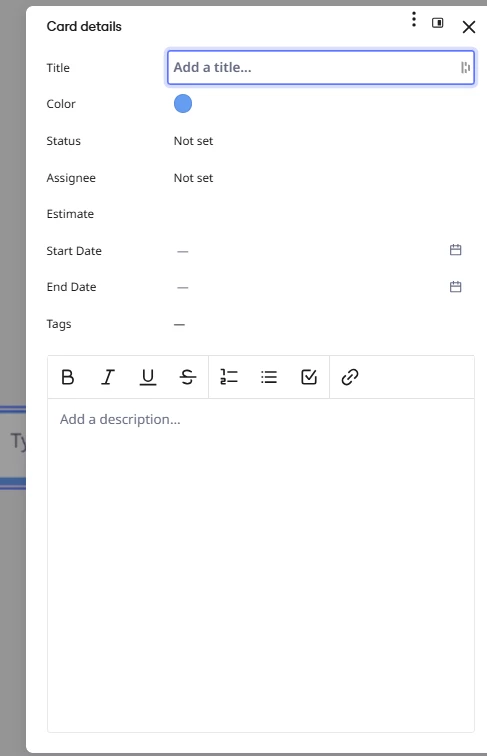
Examples: Rich text (stand alone card):
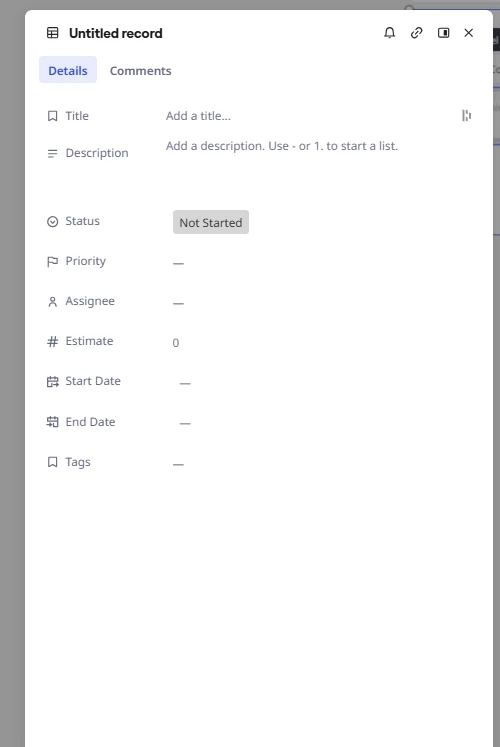
Plain text (Kanban-based card)
Best answer by Robert Johnson
@Nickyyy I've noticed this too — it's not just cards. Across Miro's objects there tend to be two or more "flavours" of the rich text editor floating around at any given time. The differences usually show up when new objects or features ship (the newer ones get a newer editor implementation, while older ones keep the legacy version), but it can also come down to engineering preference between teams, or simply a lack of strict governance over which shared components get used.
So the standalone card and the Kanban card were likely built by different teams at different times on different implementations — and migrating the older one carries risk, so both coexist. Hopefully they converge eventually.
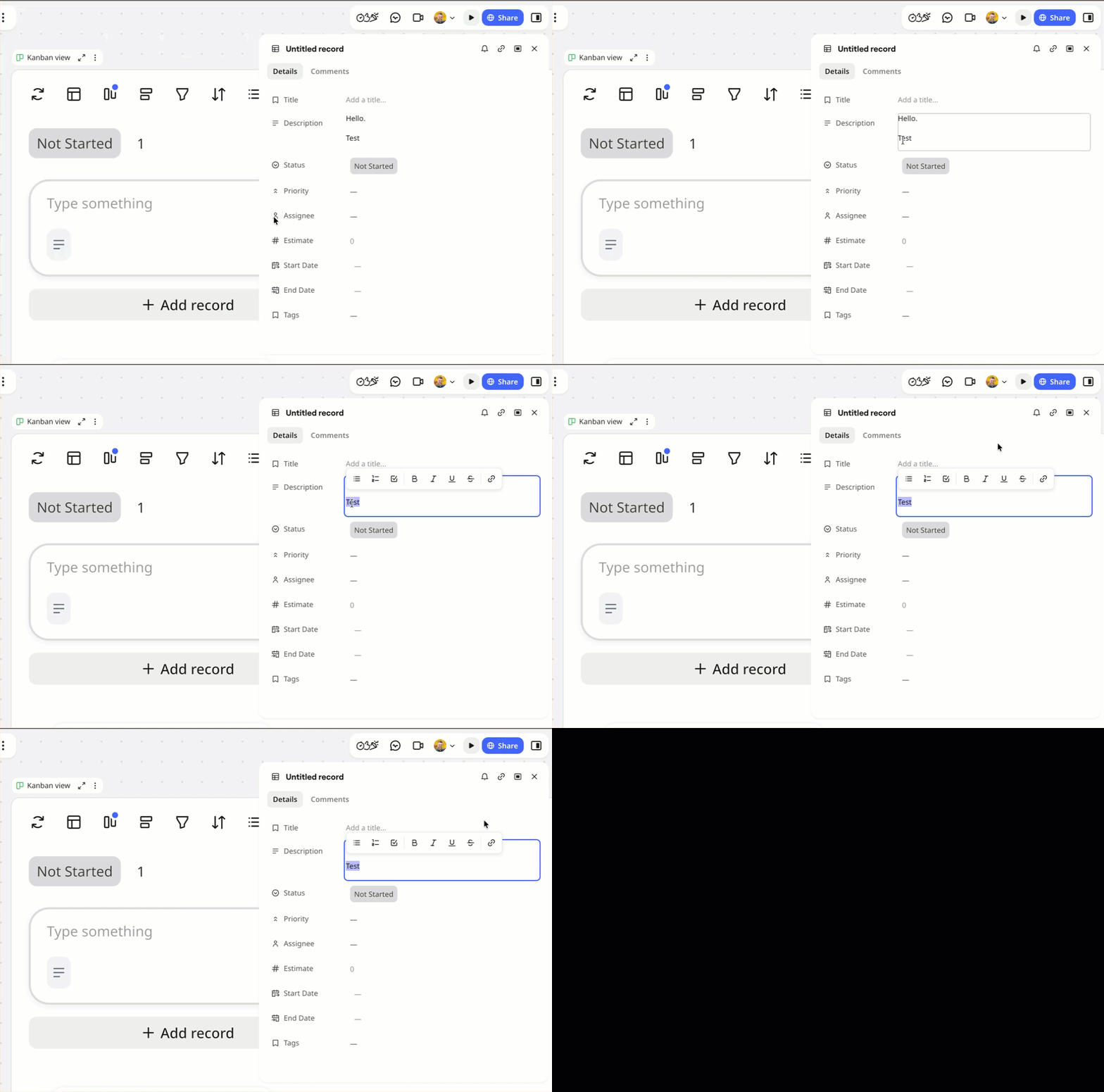
Specifically with the new Kanban cards, they appear to have opted for a floating rich text toolbar vs. the previously static one. For example, when I hightlight text in the new Kanban card:
@Nickyyy I've noticed this too — it's not just cards. Across Miro's objects there tend to be two or more "flavours" of the rich text editor floating around at any given time. The differences usually show up when new objects or features ship (the newer ones get a newer editor implementation, while older ones keep the legacy version), but it can also come down to engineering preference between teams, or simply a lack of strict governance over which shared components get used.
So the standalone card and the Kanban card were likely built by different teams at different times on different implementations — and migrating the older one carries risk, so both coexist. Hopefully they converge eventually.
Specifically with the new Kanban cards, they appear to have opted for a floating rich text toolbar vs. the previously static one. For example, when I hightlight text in the new Kanban card: