Sections

  • May 6, 2026
  • 3 replies
  • 9 views

Forum|alt.badge.img+1

Hello,

Can someone please help me understand how to create sections within a space? If the feature has changed, I am looking for any option that provides at least two layers of organization for boards. My organization is using the web version. I have read this page: Spaces – Miro Help Center, which directs you to take the following steps:

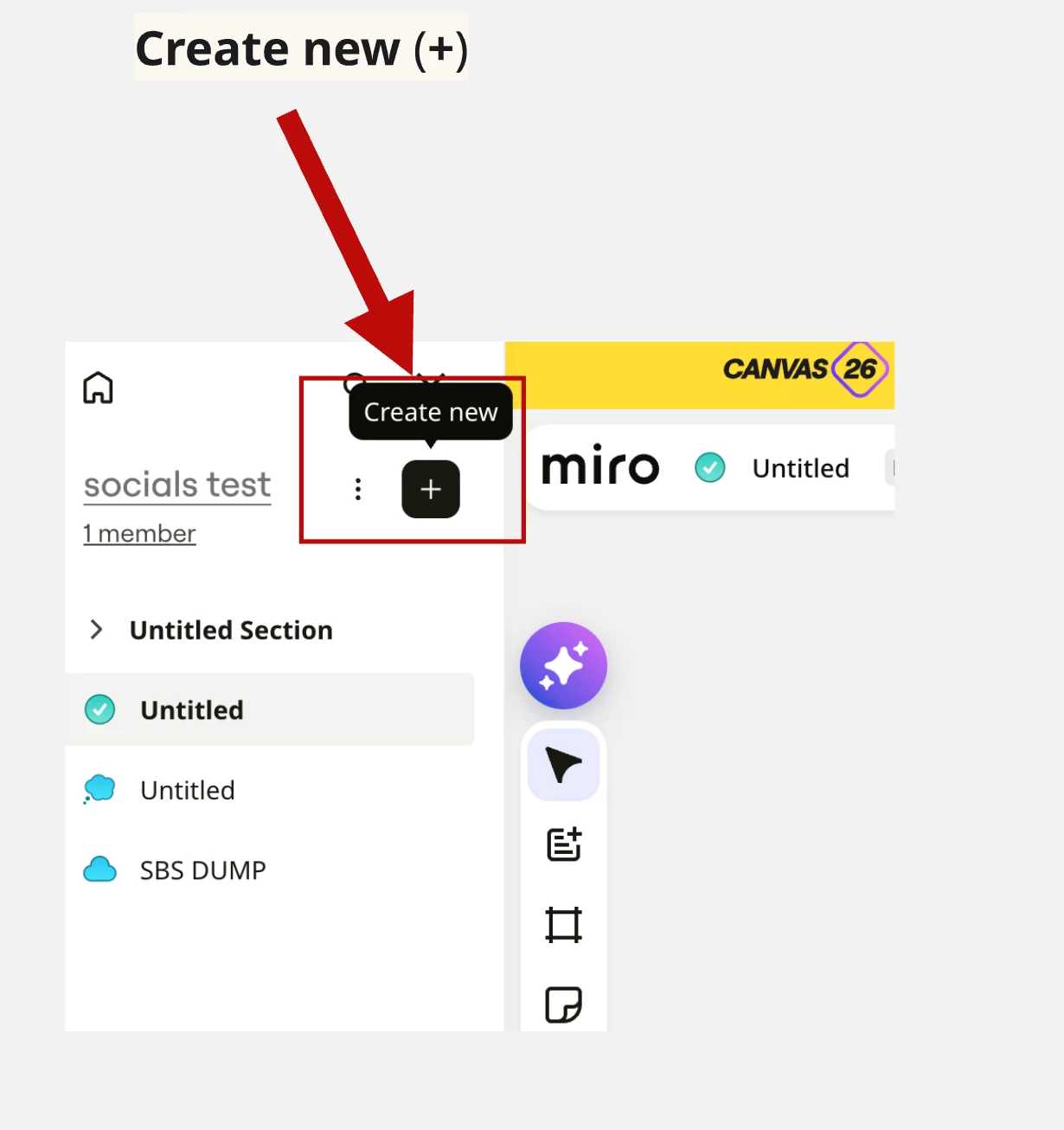
  1.  In the Spaces sidebar, select Create new (+).
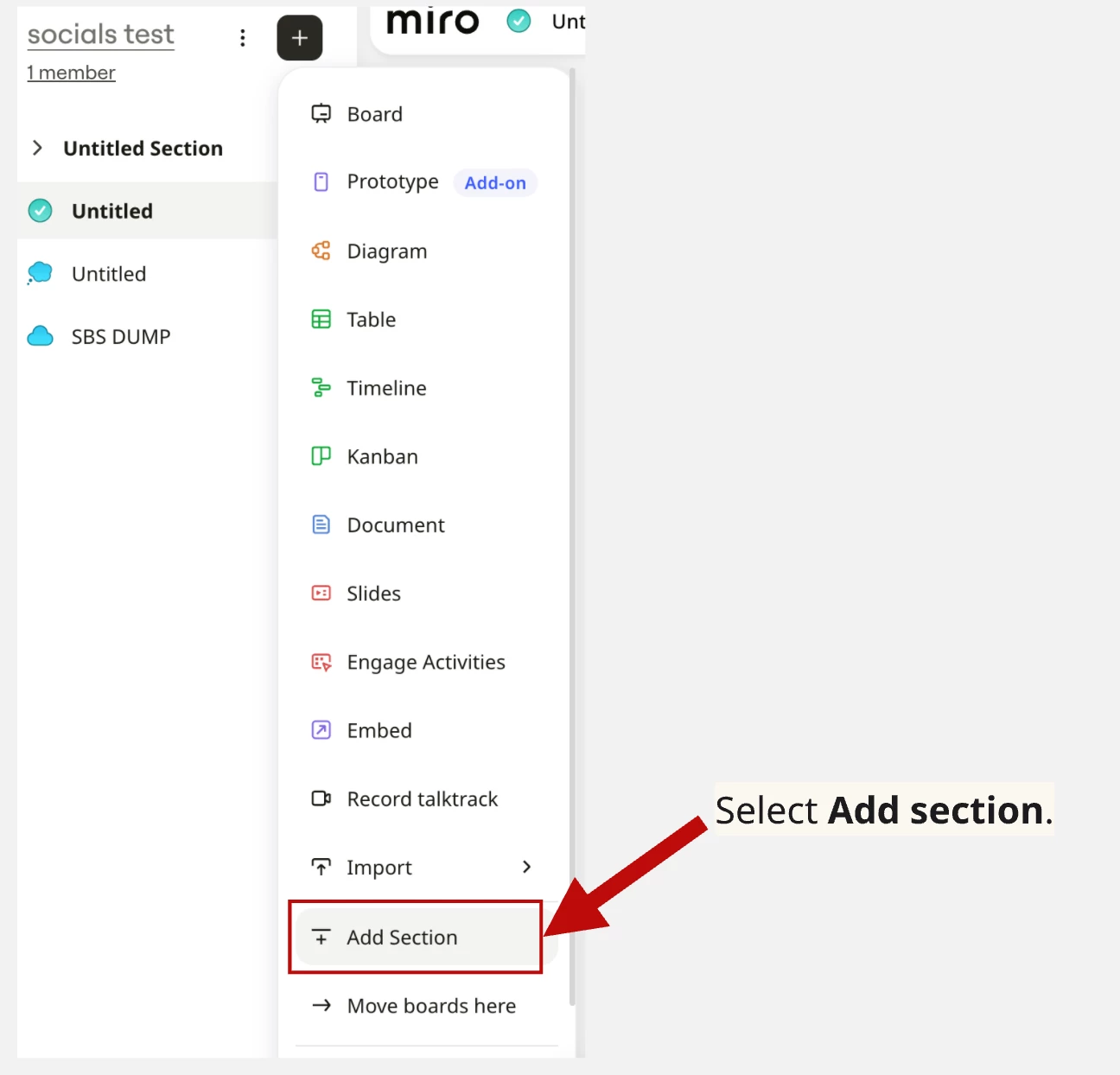
  2. Select Add section.
    An untitled section is added to the sidebar.
  3. Name your new section, and press Enter.

However, I do not see the add section option anywhere in the Spaces sidebar.


Thank you in advance,

P

3 replies

Eca
Mironeer
Forum|alt.badge.img+5
  • Mironeer
  • May 6, 2026

HI ​@Paul S,

I understand the confusion here.

In the current web version, the “Add section” option only appears after you’re working inside a Space that already contains at least one board.

To clarify the steps based on the current UI:

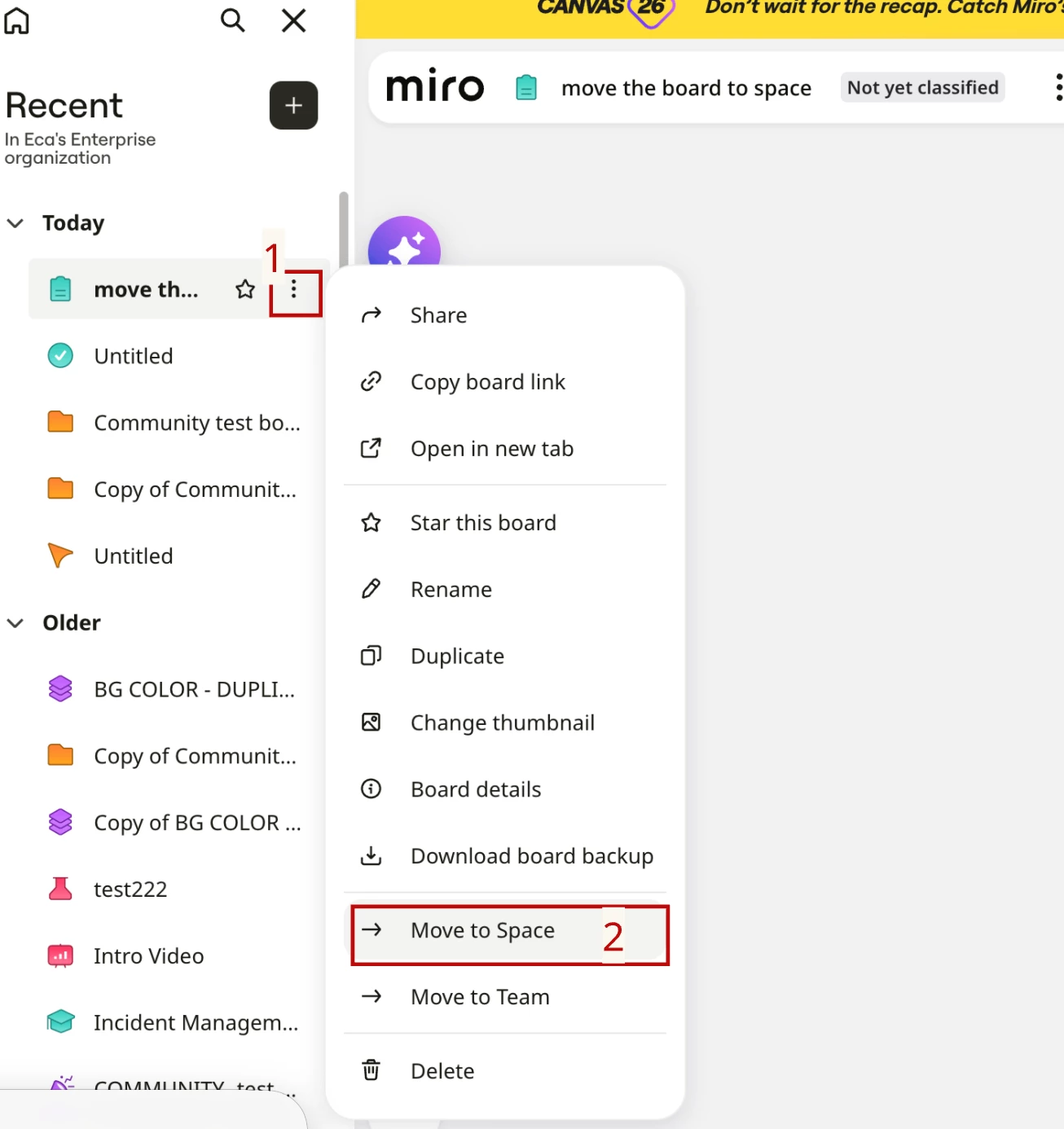
  • First, make sure your board is moved into a Space


  • Open that Space from the sidebar
  • Once inside the Space view, click Create new (+) — the “Add section” option should then appear

If you’re not seeing it even after that, it may be due to UI rollout differences or account permissions.

If needed, I can also connect you with Support to check your specific workspace setup.


Forum|alt.badge.img+1
  • Author
  • New Here
  • May 6, 2026

Hi Eca,


Thank you so much for taking the time to help with the detailed instructions.


I do not appear to have the “Add section” option within the Space view when I click Create new (+).


If you are able to with connect me with support to check my specific workspace setup, that would be fabulous!


Thanks again,

P


Robert Johnson
Forum|alt.badge.img+13
  • Volunteer Community Moderator
  • May 7, 2026

@Paul S To clarify Eca’s reply, you need to first open a board that belongs in a Space.

Once you have the board open, use the Create new action and you should see the Add Section action.

Note: If the Add Section is there but is disabled/greyed out for you, then you are not the Space owner and need to be given edit access to the Space.


Accessing Sections from the dashboard

I suggest that you also upvote this idea to make Sections visible from the desktop vs. only when you are on a board: