Kanban and Record Side Panel

  • May 14, 2026
  • 2 replies
  • 44 views

Forum|alt.badge.img

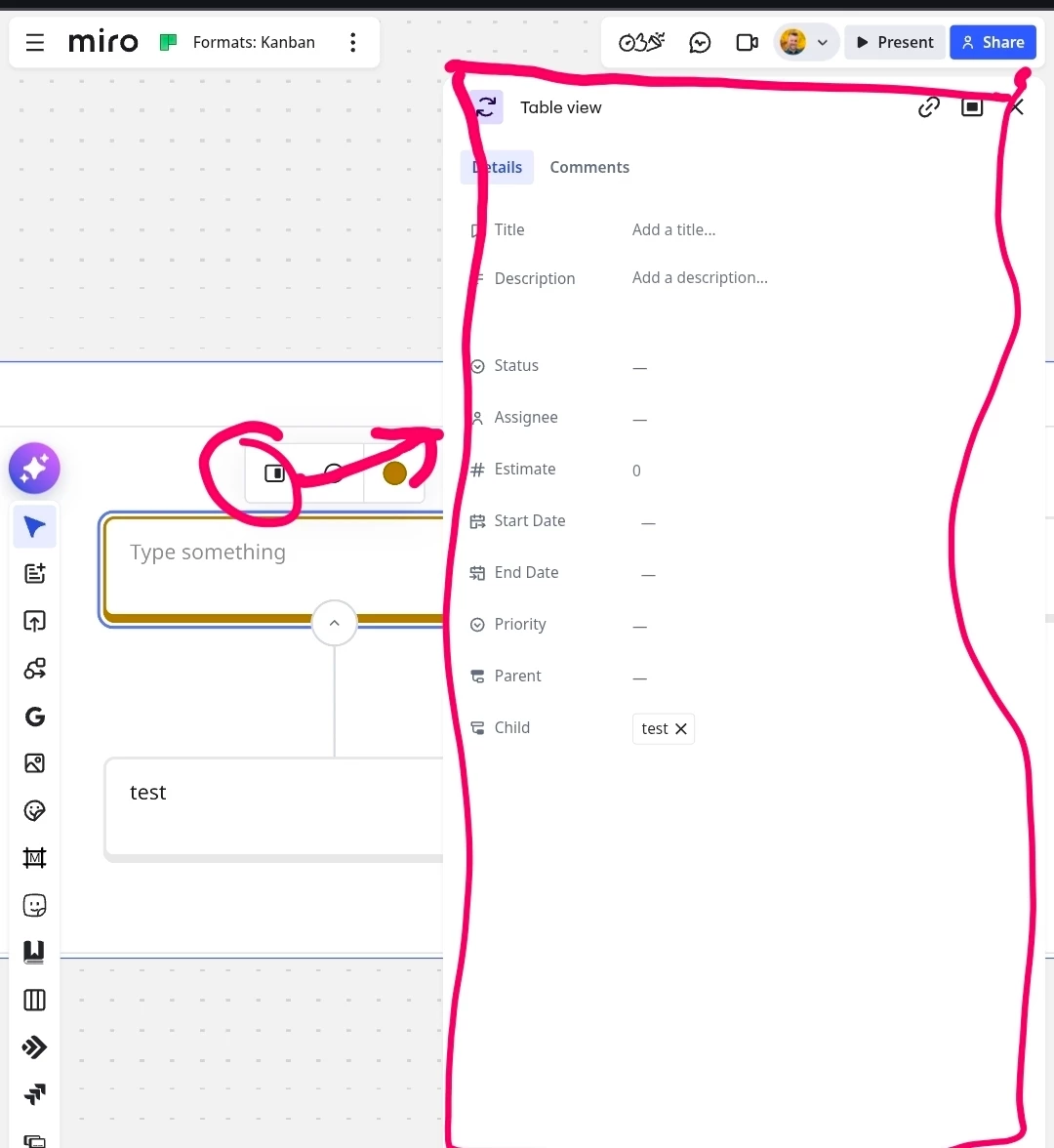
Hi - first time dropping a question but this is something thats really causing me issues - in Kanban when not working in cavas, but zoomed in view. If you open the record as a side panel it use to open on the left. and push the board further along so you could see all your columns and still have the side panel out. Its not moved to the right and covers up the end columns - so you have to close the side panel to change any data.

Anyway of changing this back? Is there something I can configure?

2 replies

Eca
Mironeer
Forum|alt.badge.img+5
  • Mironeer
  • May 22, 2026

HI ​@Laura Harrison 

Thanks for reporting this. I’d like to take a closer look at the Kanban behavior you’re describing to better understand if this is related to something unexpected.

Could you share a screenshot or short screen recording showing:

  • how the side panel currently opens,
  • which columns or parts of the board are being covered,
  • and, if possible, how the previous behavior looked when the panel opened on the left side?

Having a visual reference will help me accurately compare the current behavior against the expected Kanban layout and check whether there’s a workaround or configuration option available.


Robert Johnson
Forum|alt.badge.img+13
  • Volunteer Community Moderator
  • May 23, 2026

@Eca The Kanban (and legacy) card panels all open on the right now, when they used to open on the left. This is expected. Here's a (rather horrible) screenshot taken from my mobile device:

 Unfortunately, there's no way to go back. The only other option is to open cards in a center view, which makes referencing the canvas behind even more difficult.