


[INVESTIGATING] Jira integration not working

  • February 4, 2026
  • 3 replies
  • 56 views

Forum|alt.badge.img

I’ve been putting Jira cards onto our boards for a looong time.


Today, when I click the Jira button to bring up the controls, I get the following message:
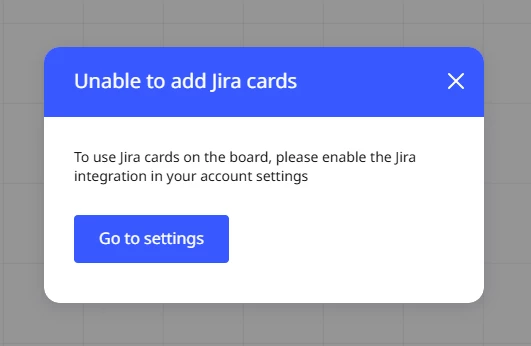


And when I click “Go to settings” I see this: 
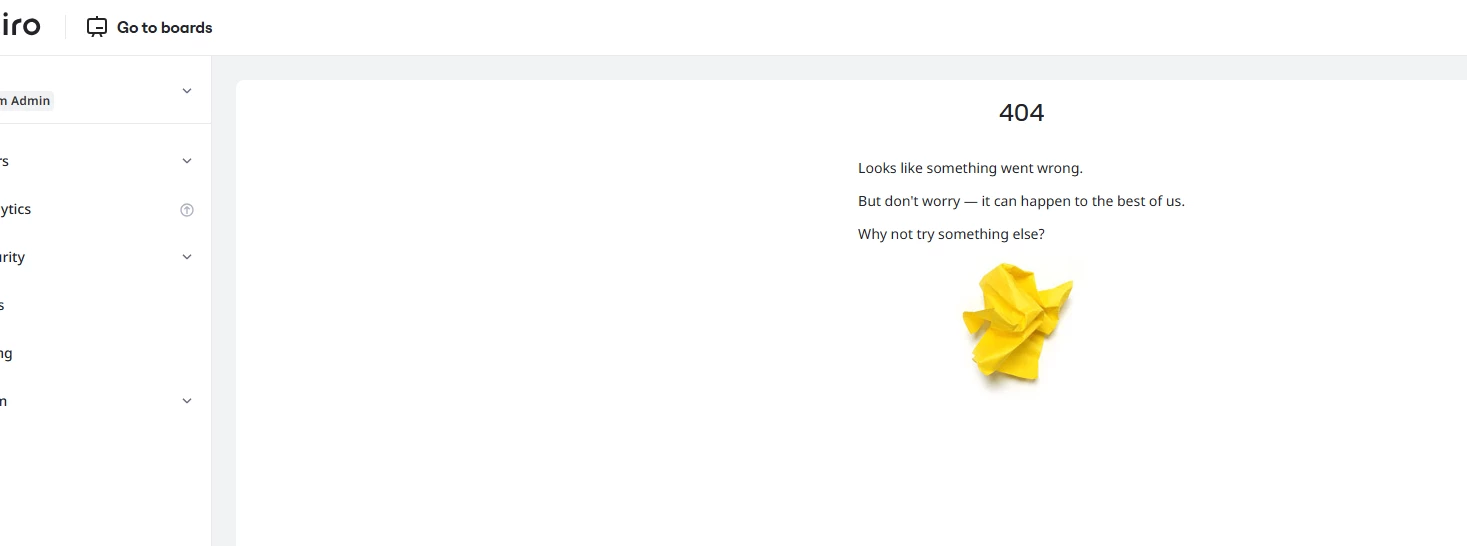

Please help, this feature is important to our workflow..

thanks,

Pete

February 4, 2026

@Samatha B I merged your post with ​@Pete McNair ‘s post.


@Pete McNair I just noticed this myself. On my end, I had to reconnect/authorize my Atlassian/Jira account in the Miro team’s App settings. However, even then, I received an error when trying to convert a sticky note into a Jira issue. I have opened my own support ticket and would suggest that you open one too.


Opening a Miro Support ticket

Paid subscribers can open a Miro support ticket by following these instructions:

https://help.miro.com/hc/en-us/articles/360020185799-How-to-contact-Miro-Support#h_01F010RXA0E1S9C0WFQYX75R6C

3 replies

Forum|alt.badge.img
  • New Here
  • February 4, 2026

Hello, 

We are reaching out regarding an ongoing issue with the Miro–Jira integration that has started impacting our sprint planning workflows.

We use Miro boards for sprint planning and rely on Miro cards being converted into Jira issues. This worked smoothly for the first couple of weeks after setup. However, since then, we’ve been facing recurring problems, including:
 

  • The “Convert to Jira issue” option disappearing from Miro boards for some users 
  • Re-authentication attempts via the app integration resulting in a 404 error 
  • The issue occurring inconsistently across users, even within the same Jira project and Miro board


Given this, we had a couple of questions:

  1. As Jira administrators, is there anything we can do at the org or project level (permissions, app settings, reconfiguration, reinstallation, etc.) to resolve this issue globally for all users?
  2. If this cannot be addressed centrally, what steps should individual users take to ensure the integration continues to work reliably and the “convert” functionality does not disappear?
  3. Are there any known issues, limitations, or recent changes with the Miro–Jira integration that could explain this behavior?


We’d appreciate any guidance or best practices you can share, as this integration is critical to our sprint planning process.

Thanks in advance for your help.


Robert Johnson
Forum|alt.badge.img+13
  • Volunteer Community Moderator
  • February 4, 2026

@Samatha B This sounds like something that should be investigated by Miro support.

Paid subscribers can open a Miro support ticket by following these instructions:

https://help.miro.com/hc/en-us/articles/360020185799-How-to-contact-Miro-Support#h_01F010RXA0E1S9C0WFQYX75R6C


Robert Johnson
Forum|alt.badge.img+13
  • Volunteer Community Moderator
  • February 4, 2026

@Samatha B I merged your post with ​@Pete McNair ‘s post.


@Pete McNair I just noticed this myself. On my end, I had to reconnect/authorize my Atlassian/Jira account in the Miro team’s App settings. However, even then, I received an error when trying to convert a sticky note into a Jira issue. I have opened my own support ticket and would suggest that you open one too.


Opening a Miro Support ticket

Paid subscribers can open a Miro support ticket by following these instructions:

https://help.miro.com/hc/en-us/articles/360020185799-How-to-contact-Miro-Support#h_01F010RXA0E1S9C0WFQYX75R6C

