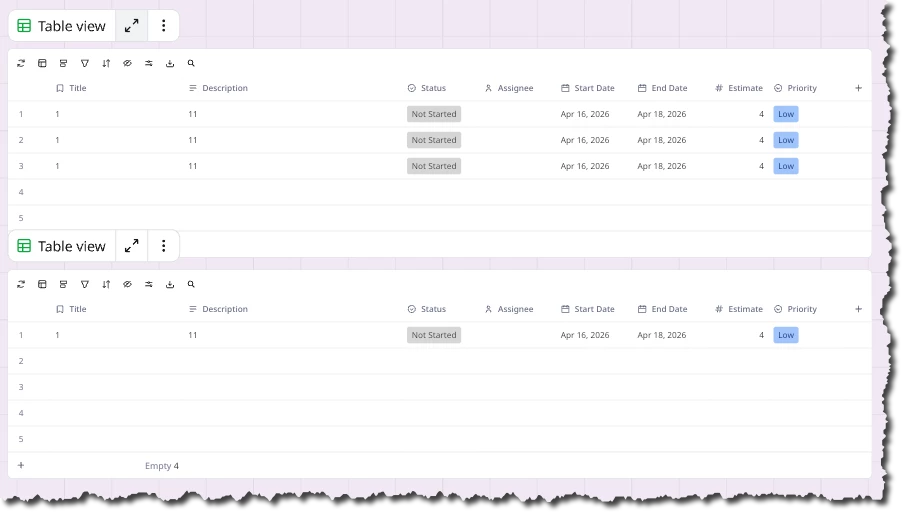
Question

Copy a specific row from one table and paste into another table

  • April 16, 2026
  • 2 replies
  • 28 views

Forum|alt.badge.img+1

We use the Miro table to track my team's goals. Once a goal is completed, we need to paste that goal from our active/upcoming goals table into the archived goals table, which has the same columns. We need to have a place for our archived goals outside of our current goals table to ensure that the current goals table isn’t getting overwhelming for the team to find the goals they are currently working on. 

2 replies

Kenneth Ritley
Forum|alt.badge.img+2
  • Active Contributor
  • April 16, 2026

HI ​@Aurelle Ratkovich 

So I’m curious . . . is that cut-and-paste NOT working for you?

I don’t do tons and tons of copying-and-pasting rows between tables, but I’ve never had any problems. But to be fair I never used synched tables - just different copies of the same table. Always works for me.

Is that not working for you?

Cheers, Ken


Forum|alt.badge.img+1

Yes, cut/paste doesn’t work from table to table. The only option is to paste the exact full table not just the specific selected row. I can’t use the full copied table as my team needs to be able to take only tasks that are completed from one table and add them to another, but will remove the original row from the first table, but don’t want all of it.