


I collaborate with a person in China. I am in the US.
When the user in China has her OS (Mac) set to Chinese region, she can type chinese onto the board and it renders correctly, using simplified chinese.
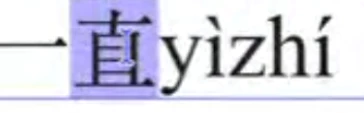
When I view the board on Linux, with my system set to English, I see the Japanese Kanji:
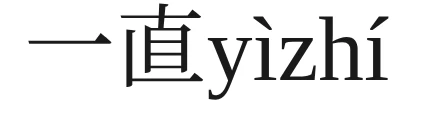
interestingly, when I *copy* the text with my mouse and paste it outside of miro to a local app or to Google translate, I get the correct chinese character:
一直
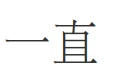
and if she switches her Mac to English settings, she also sees the Japanese Kanji. If she changes the Mac back to Chinese, she sees the Chiense charcter.
It seems that for non-Chinese systems, when you render the character, Miro is choosing the Japanese kanji form of the chinse character. (BTW, this is for all fonts we tried, Noto, Titan, etc)
But the underlying information is there; I can copy it out and it’s Chinese, not Japanese.