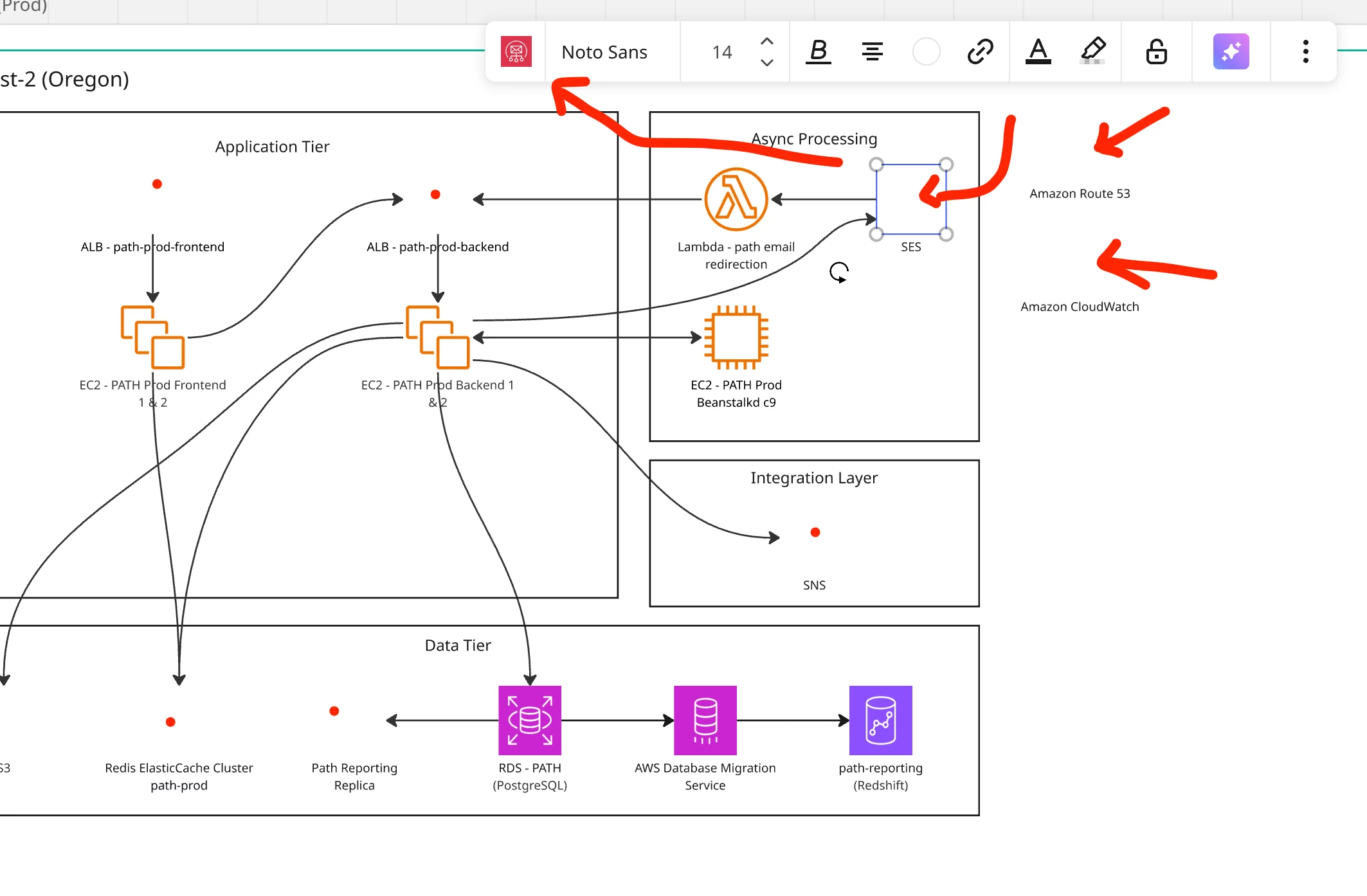
A number of AWS icons/elements have turned invisible on multiple diagrams. You can select and move the icons, but they remain invisible. I have tried to move them to front. I have duplicated them and the copy is also invisible. I have tried to ‘switch type’ to another type, and it works, but it is still invisible. I have duplicated the diagram, still invisible. I have tried incognito mode and a different browser. I have tried a hard reset on the diagram. I have toggled hardware acceleration. I have cleared my browser cache/storage. Nothing seems to work.
It is not all AWS icons, just some of them.
One oddity, I can change the color, and the icon shows up with the selected color. Typically, any color changes of an AWS icon is ignored.
I was planning on just manually redoing the diagram, but then notice it has happened to multiple diagrams.
Any ideas how to fix it?