Question

What happened to my Spaces display??

  • August 18, 2026
  • 6 replies
  • 47 views

In the middle of the day today, my Miro display changed.  In the past, when I clicked on a space, the right-hand side of the screen would list all the boards in that space.  I could sort them various ways -- recent, name, etc.

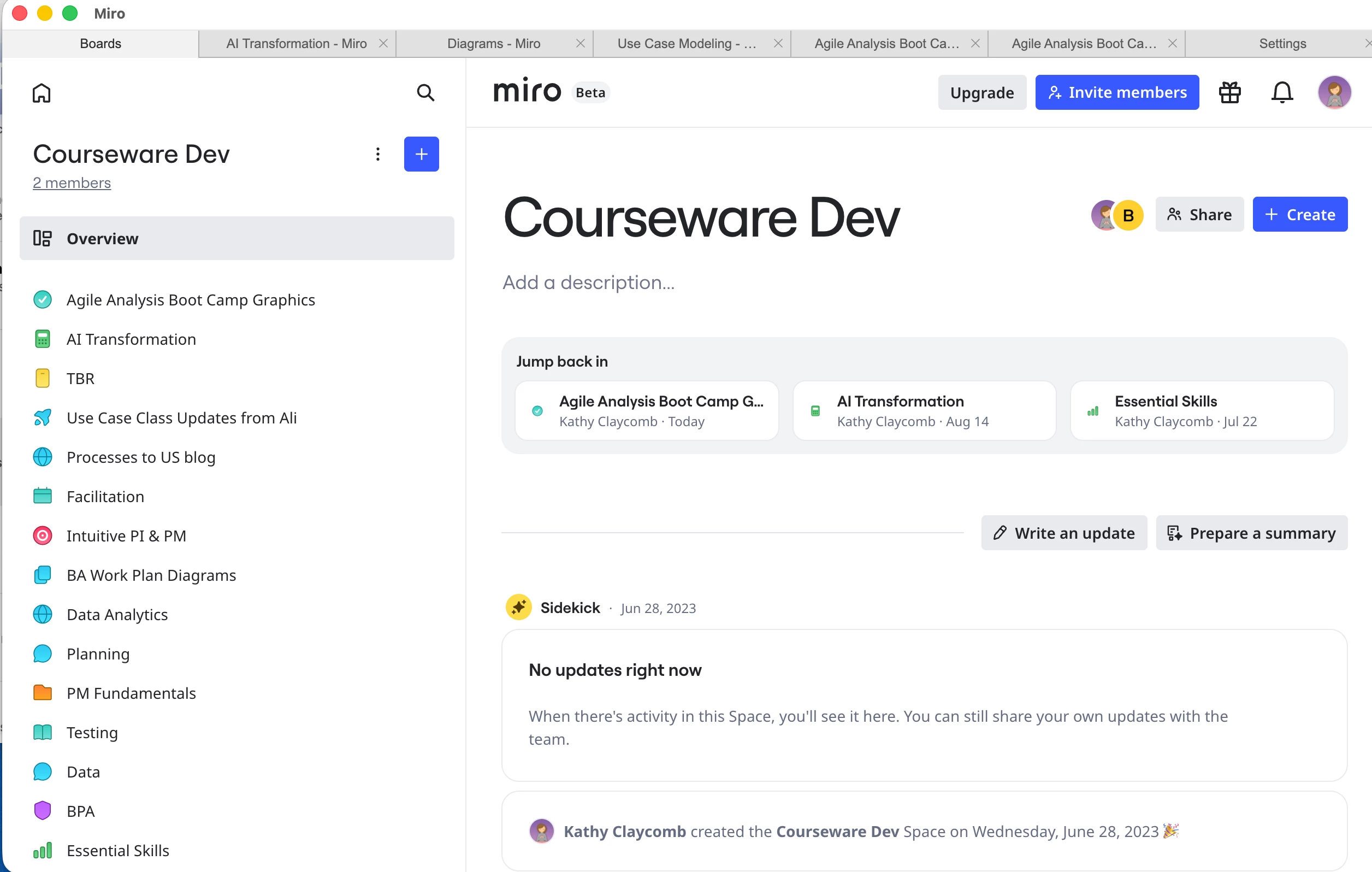
Today, the display suddenly changed.  When I click on a space, I now get the boards listed down the left-hand side, and some AI-generated (I think) content on the right.  There’s even a small tag that says “Beta” at the top of my screen.

This new layout is useless for me.  It’s particularly bad because I can’t sort the boards on the left-hand side of the screen.

Have I accidentally enabled some beta feature?  And how do I get back to the display I know and love?  Thank you all!
 

6 replies

Robert Johnson
Forum|alt.badge.img+13
  • Volunteer Community Moderator
  • August 19, 2026

@Kathy Claycomb Other users are reporting this new (beta) Spaces experience too — you did nothing to activate this.

I have seen another version where a list of boards in the Space is returned (with filtering and sorting options still) instead of the Overview page you are seeing, however, there is now only a list view with no option to switch to a Grid/thumbnail view.

I’d suggest opening a support ticket to request being opted out of this beta (if that’s even possible).

If you are using a paid Miro subscription, you can open a Miro support ticket by following these instructions:

https://help.miro.com/hc/en-us/articles/360020185799-How-to-contact-Miro-Support#h_01F010RXA0E1S9C0WFQYX75R6C

I would also suggest that you continue to leave feedback here as Miro Product Managers to monitor the forum for feedback.


Below is the response I got from Miro when I filed a support request.  

I cannot express strongly enough how negative an impact this is having on my work.  There is no effective way to view and sort the boards in a large Space.  The organization suggestions they have provided do not give me the same ability to easily browse through my boards.  I am relegated to running searches and hoping the right board pops up.

I simply cannot believe that their UX designers thought it would be a good idea to remove the ability for users to sort and view the boards in a Space.  And I have no idea what I’m supposed to do with the Sidekick area that now takes up over a third of the screen.  The information there is of no use to me at all.

I am really unhappy that this Beta feature was pushed out with no notice and that no opt-out exists.  I resent being a test subject while trying to get time-critical work done.  

Please, Miro, at the very least -- give your clients a way to roll back to the previous interface while this is in Beta and you gather feedback.

--K.


**************

Hi Kathy,
 
Thanks for reaching out to Miro about your Space display being changed. Rest assured, I'm here to assist you!
 
Based on what you’ve described, you’re seeing Miro’s new Spaces experience. The new layout includes a Space Overview on the right-hand side, while the boards and other content within the Space are displayed in the sidebar on the left.
 
The “Beta” label you’re seeing is related to this updated Spaces experience. You haven’t accidentally enabled a beta feature or changed a setting yourself. The new experience is being rolled out by Miro, which is also why you’re seeing the same layout across your Mac app, Safari, and iPad.
 
At this time, there isn’t a user-facing setting that allows you to switch back to the previous Spaces layout. The previous sortable board list on the right has been replaced by the new Space navigation while this experience is enabled.
 
I realize this is particularly inconvenient for your use case, since being able to sort boards by name or recent activity is important when you have a large number of boards. For now, a few options may make navigation easier:

  • Use Miro’s search to quickly locate a board by name rather than scrolling through the Space sidebar.
  • Create sections within your Spaces to group boards by project, team, status, or another category that works for your workflow.
  • Manually reorder sections and boards so your most frequently used content is easier to access.
  • Star frequently used boards so they’re readily available from your Starred area.
  • Use Home search and filters when you need to locate boards across your organization.

 
The AI-powered Space Overview on the right can also be ignored if it isn’t useful for your workflow. Its presence does not change your boards or permissions.
 
We also understand that these alternatives don’t fully replace the sortable board list you previously had. Your feedback about the lack of sorting and the difficulty of navigating larger Spaces is completely valid, and we’ll make sure it’s captured as product feedback for the team working on the new Spaces experience.
 
At this time, we don’t have a way to restore the previous layout manually, but if a setting or option to switch between layouts becomes available, it will be reflected in Miro’s documentation.
 
We appreciate you taking the time to explain the specific impact, as this helps us understand where the new experience is falling short for teams with larger board libraries. 
 
Let us know if there is anything else we can do to provide you assistance--we're here to assist!

Kind regards,

Mary

Miro


Robert Johnson
Forum|alt.badge.img+13
  • Volunteer Community Moderator
  • August 19, 2026

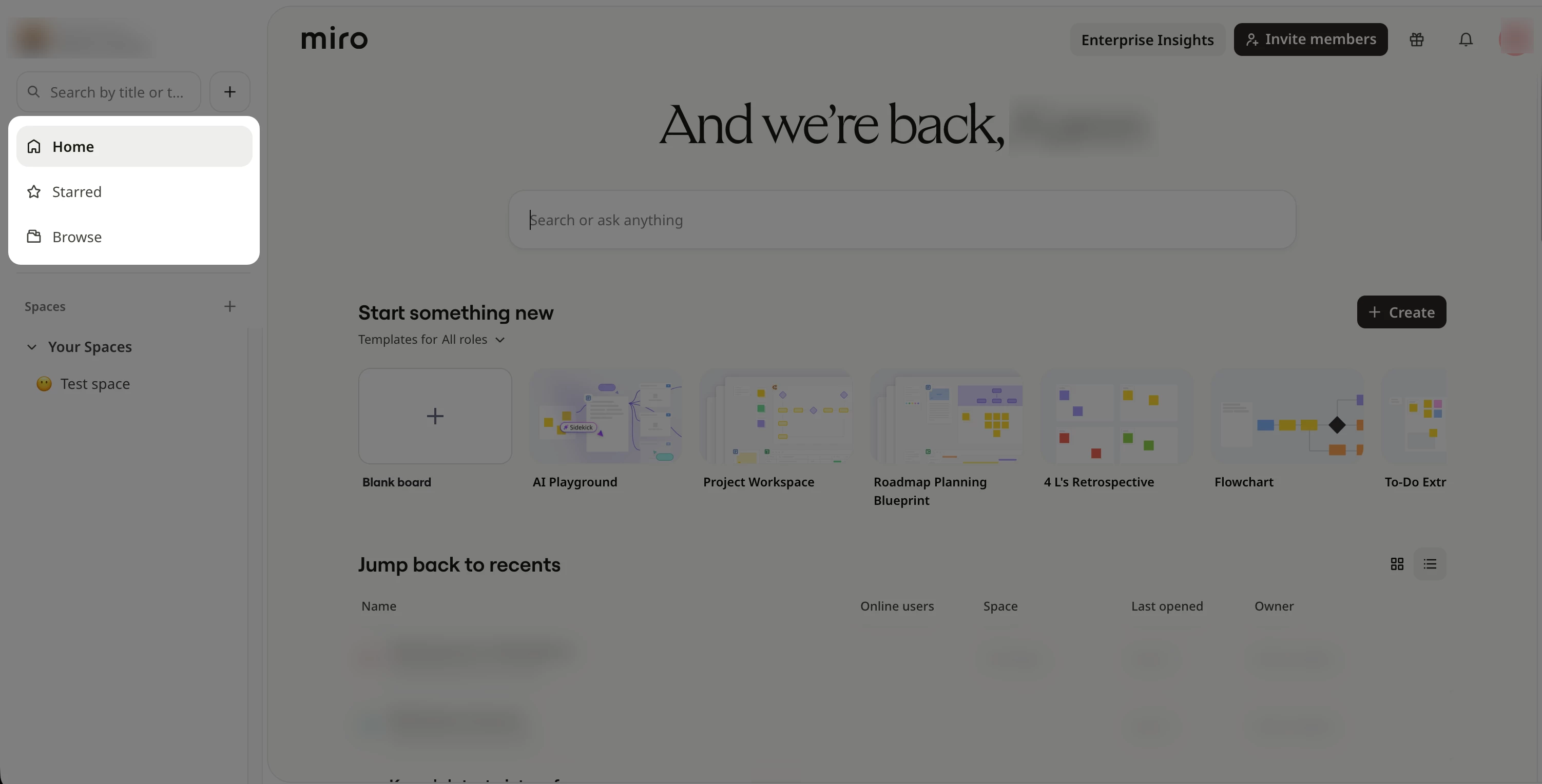
@Kathy Claycomb Ugh, sorry to hear this! I have ran into the issue of quickly getting to a board when I enter a Space. The solution I was directed to was to go to the Browse page → Boards tab → Filter by Space — yikes! I was already in the Space and now I have just taken a detour to another view of the Space (which not excludes Sections 😱).


@Kathy Claycomb Ugh, sorry to hear this! I have ran into the issue of quickly getting to a board when I enter a Space. The solution I was directed to was to go to the Browse page → Boards tab → Filter by Space — yikes! I was already in the Space and now I have just taken a detour to another view of the Space (which not excludes Sections 😱).

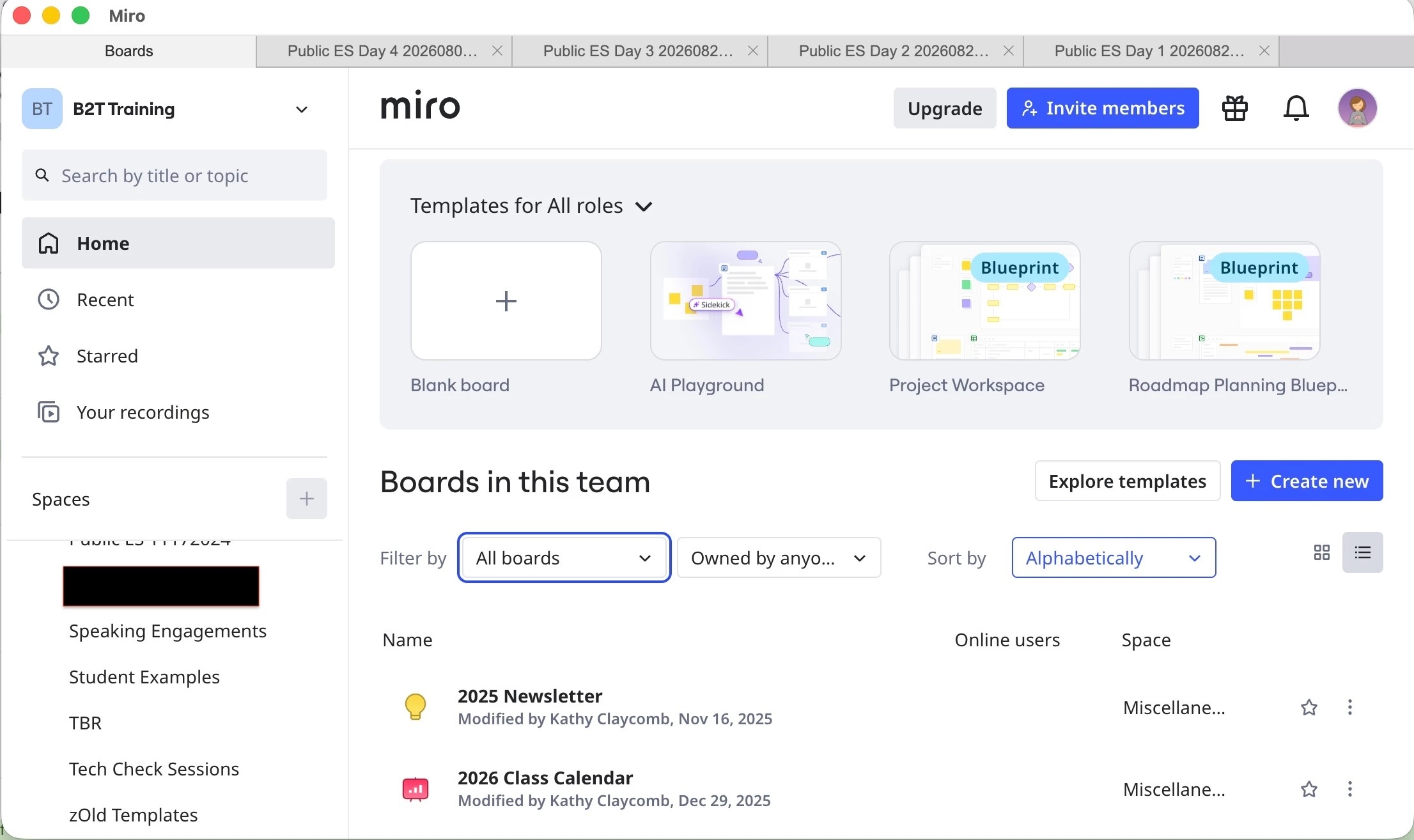
@Robert Johnson , could you help me find that path?  I’m using the app, not a browser, and I don’t see a “Filter by Space” option… When I select “Filter by” my only options are “All boards” or “Board Not in a Space”.

Thank you in advance!


Robert Johnson
Forum|alt.badge.img+13
  • Volunteer Community Moderator
  • August 19, 2026

@Kathy Claycomb Ugh… I regret to inform you that you appear to have a third variant in this new Spaces view beta — one where your Spaces page looks different, but you still have the old main dashboard navigation. Here’s what I see in mone of my accounts:

You might be able to get to the Browse page if you were using a browser vs. the desktop.


@Robert Johnson this is so frustrating.  I did not ask to be part of a Beta, nor do I want to be.  I can’t believe that they are testing new interfaces on production users without their knowledge or consent.  Beta testing is all well and good, but it should be something you can specifically opt in to.

Thank you for showing me how to submit a support ticket.  It didn’t get me a fix, but at least they know not everybody is happy with the new interface.