What happened to my Spaces display??

  • August 18, 2026
  • 1 reply
  • 8 views

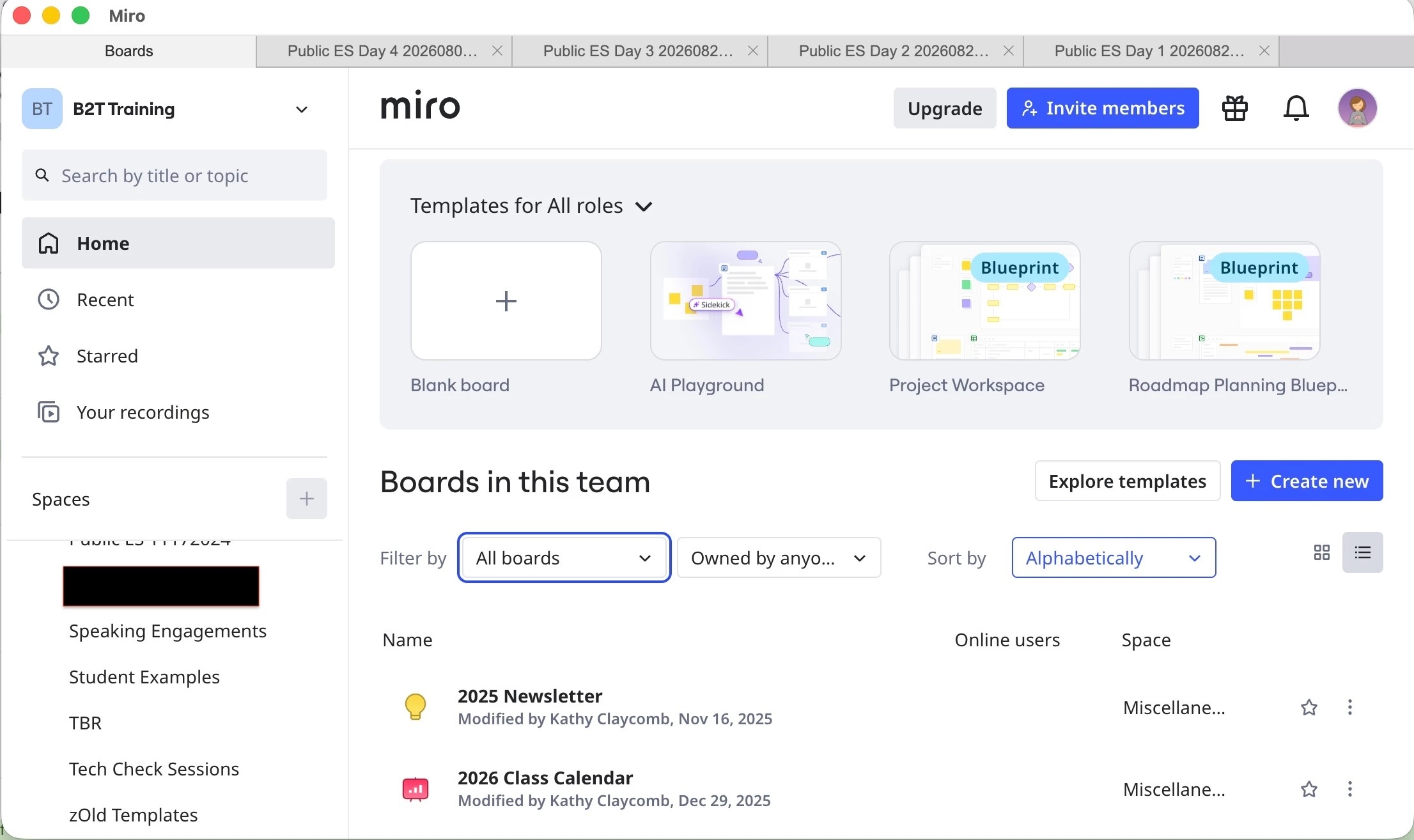
In the middle of the day today, my Miro display changed.  In the past, when I clicked on a space, the right-hand side of the screen would list all the boards in that space.  I could sort them various ways -- recent, name, etc.

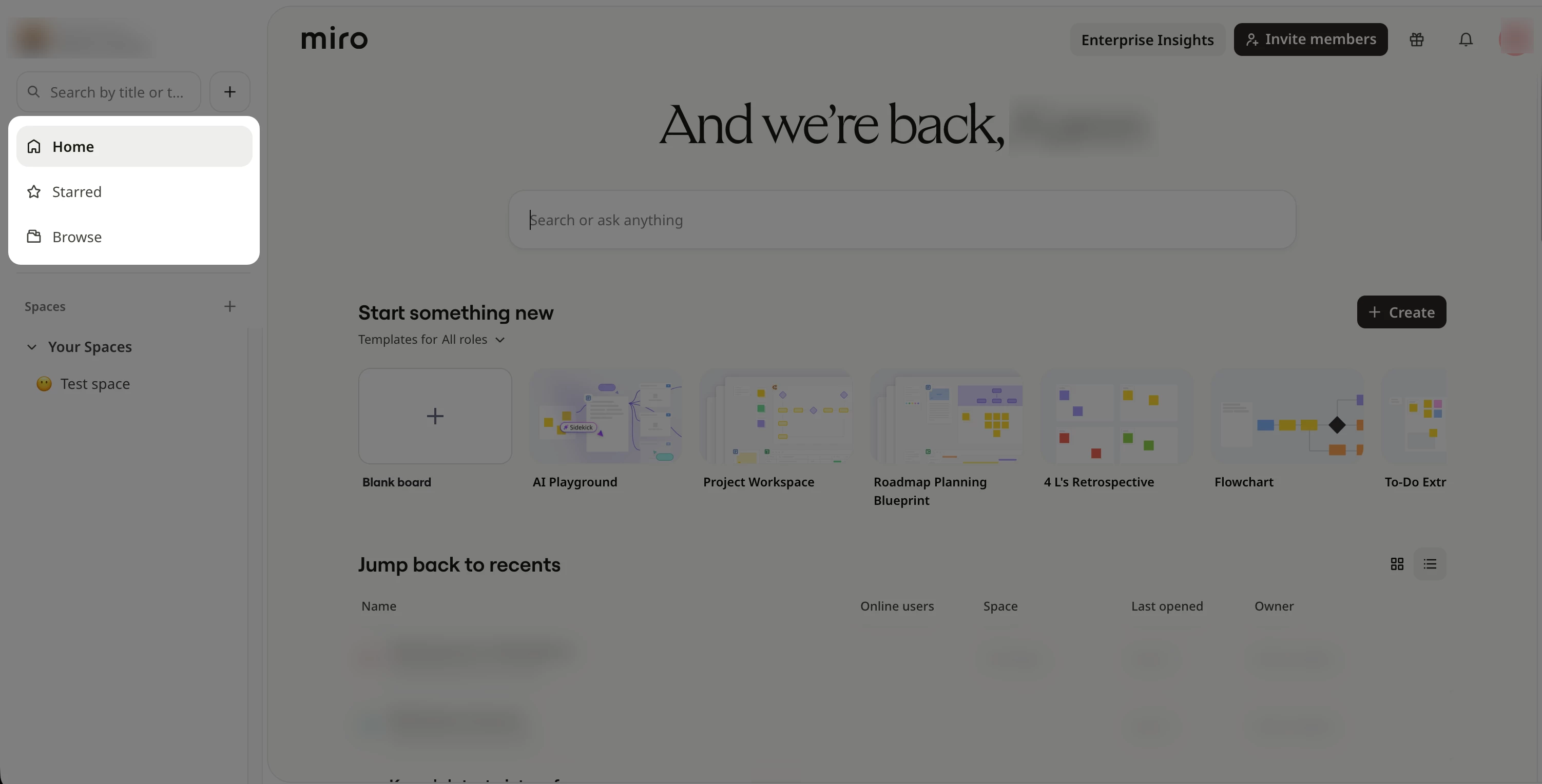
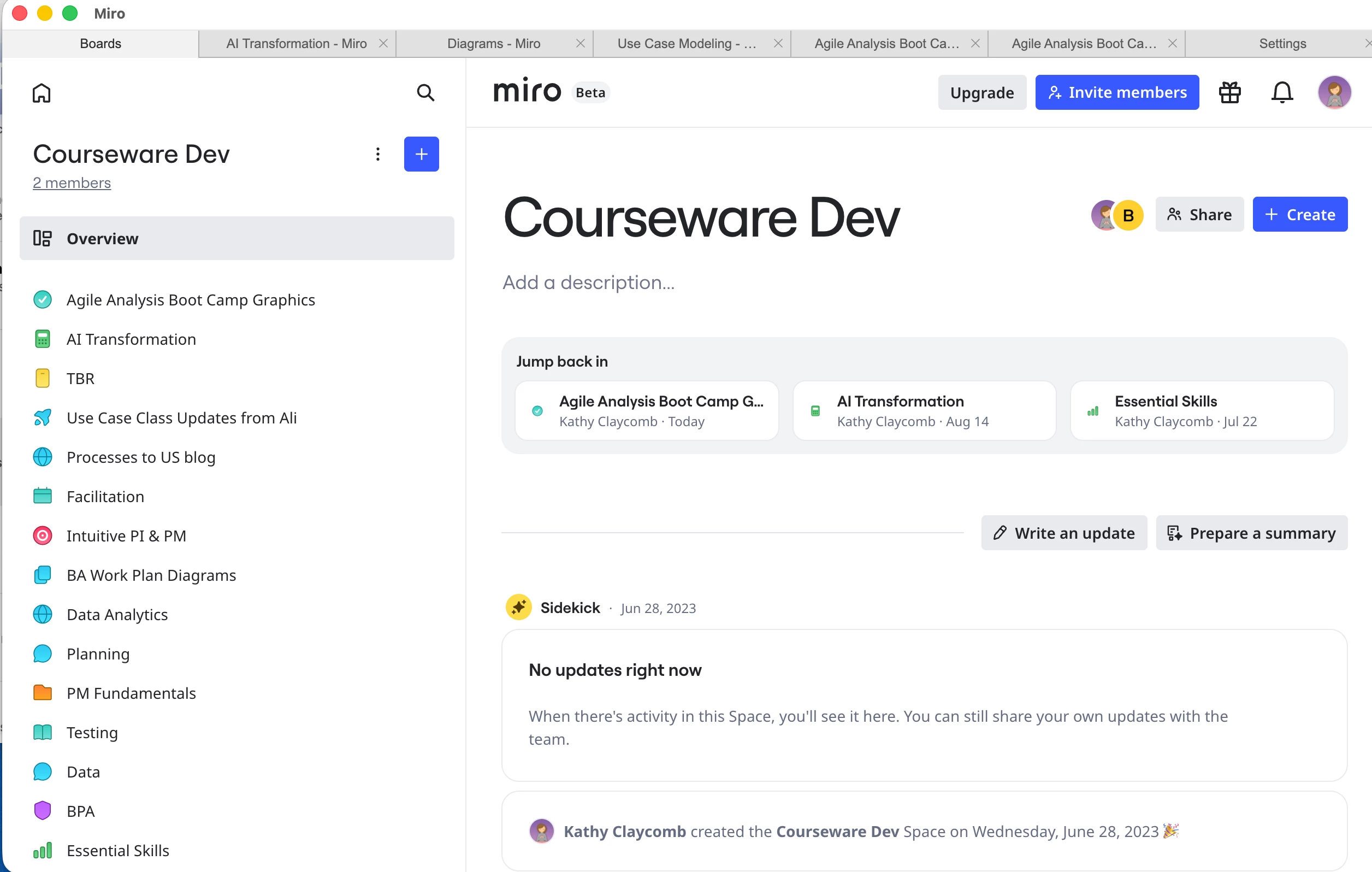
Today, the display suddenly changed.  When I click on a space, I now get the boards listed down the left-hand side, and some AI-generated (I think) content on the right.  There’s even a small tag that says “Beta” at the top of my screen.

This new layout is useless for me.  It’s particularly bad because I can’t sort the boards on the left-hand side of the screen.

Have I accidentally enabled some beta feature?  And how do I get back to the display I know and love?  Thank you all!
 

1 reply

Robert Johnson
Forum|alt.badge.img+13
  • Volunteer Community Moderator
  • August 19, 2026

@Kathy Claycomb Other users are reporting this new (beta) Spaces experience too — you did nothing to activate this.

I have seen another version where a list of boards in the Space is returned (with filtering and sorting options still) instead of the Overview page you are seeing, however, there is now only a list view with no option to switch to a Grid/thumbnail view.

I’d suggest opening a support ticket to request being opted out of this beta (if that’s even possible).

If you are using a paid Miro subscription, you can open a Miro support ticket by following these instructions:

https://help.miro.com/hc/en-us/articles/360020185799-How-to-contact-Miro-Support#h_01F010RXA0E1S9C0WFQYX75R6C

I would also suggest that you continue to leave feedback here as Miro Product Managers to monitor the forum for feedback.