
Answered

Web Link thumbnails inconsistency

  • Apr 29, 2025 7:30 PM UTC
  • 3 replies
  • 205 views

Charles Collin
Forum|alt.badge.img

Hi community, 

I face some inconstencies when I want to copy a web link into my miro board. Sometimes it will only display a basic link and other times it will be a beautiful frame…
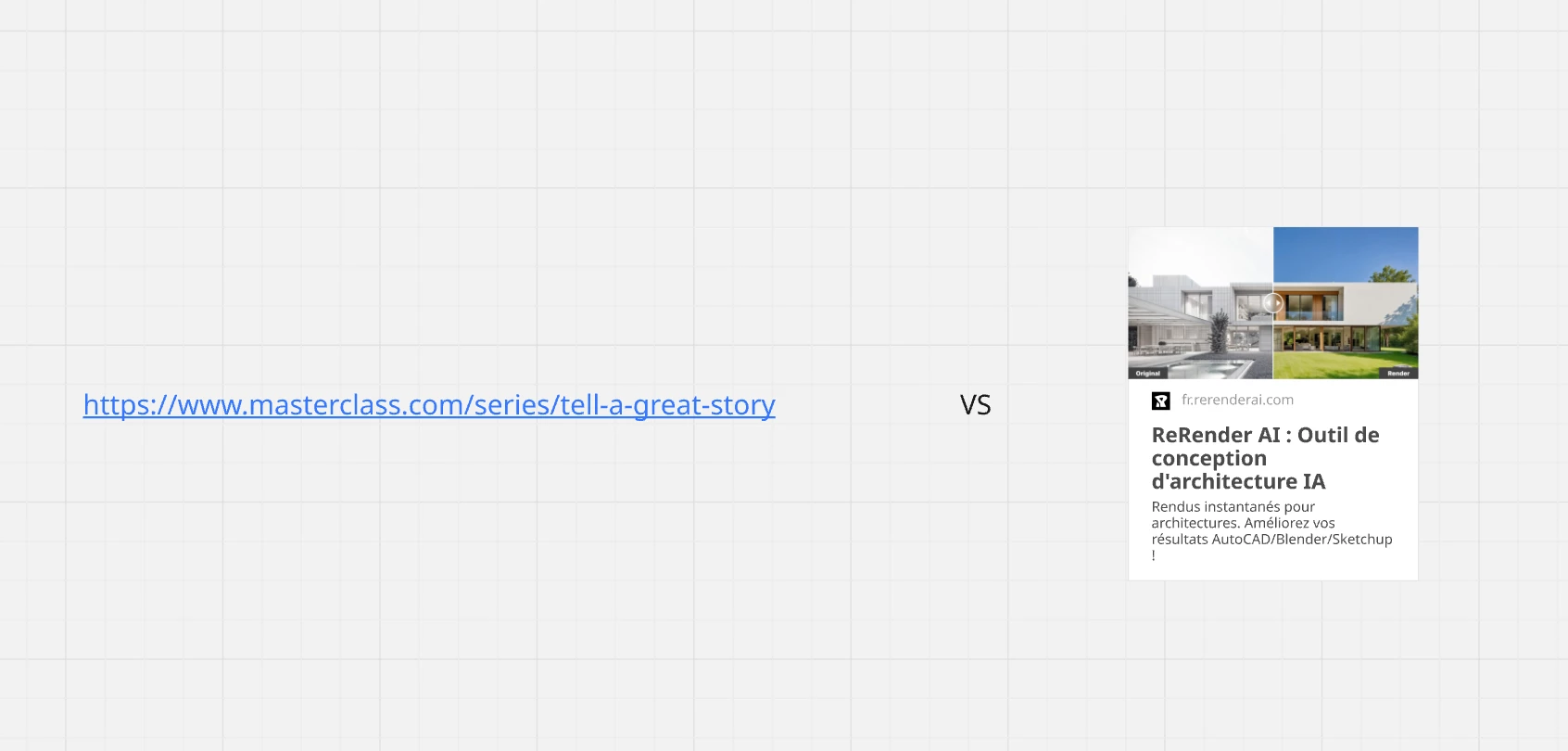
 

thanks, 

CC

Best answer by Robert Johnson

​@Charles Collin - When a link is pasted onto the Miro canvas, Miro will check to see if the source supports the Open Graph Protocol and if they have specified an image to be used to represent the page.

In the example links you have shared, the masterclass.com has not specified an image via og:image metadata:


Where rerenderai.com has:

The image → https://rerenderai.com/branding/rerender/preview.jpg


Unfortunately, knowledge of Open Graph is not common, nor should it be expected.

Hopefully this explains the inconsistency!

View original

3 replies

Robert Johnson
Forum|alt.badge.img+13
  • Volunteer Community Moderator
  • Answer
  • Apr 29, 2025 8:08 PM UTC

​@Charles Collin - When a link is pasted onto the Miro canvas, Miro will check to see if the source supports the Open Graph Protocol and if they have specified an image to be used to represent the page.

In the example links you have shared, the masterclass.com has not specified an image via og:image metadata:


Where rerenderai.com has:

The image → https://rerenderai.com/branding/rerender/preview.jpg


Unfortunately, knowledge of Open Graph is not common, nor should it be expected.

Hopefully this explains the inconsistency!


Charles Collin
Forum|alt.badge.img

​@Robert Johnson , it explains many things indeed. Thanks!


I’m transitioning from Milanote - and its implementation of frames supports every website I throw at it.  Could miro look into a fallback frame generation?  For reference I use fab.com artstation.com frequently to make design boards for materials, but without frames I have to paste the link and the image every time.