Answered

Unable to Proceed with Miro Subscription Purchase (Button Disabled)

  • May 16, 2026
  • 2 replies
  • 29 views

Hello


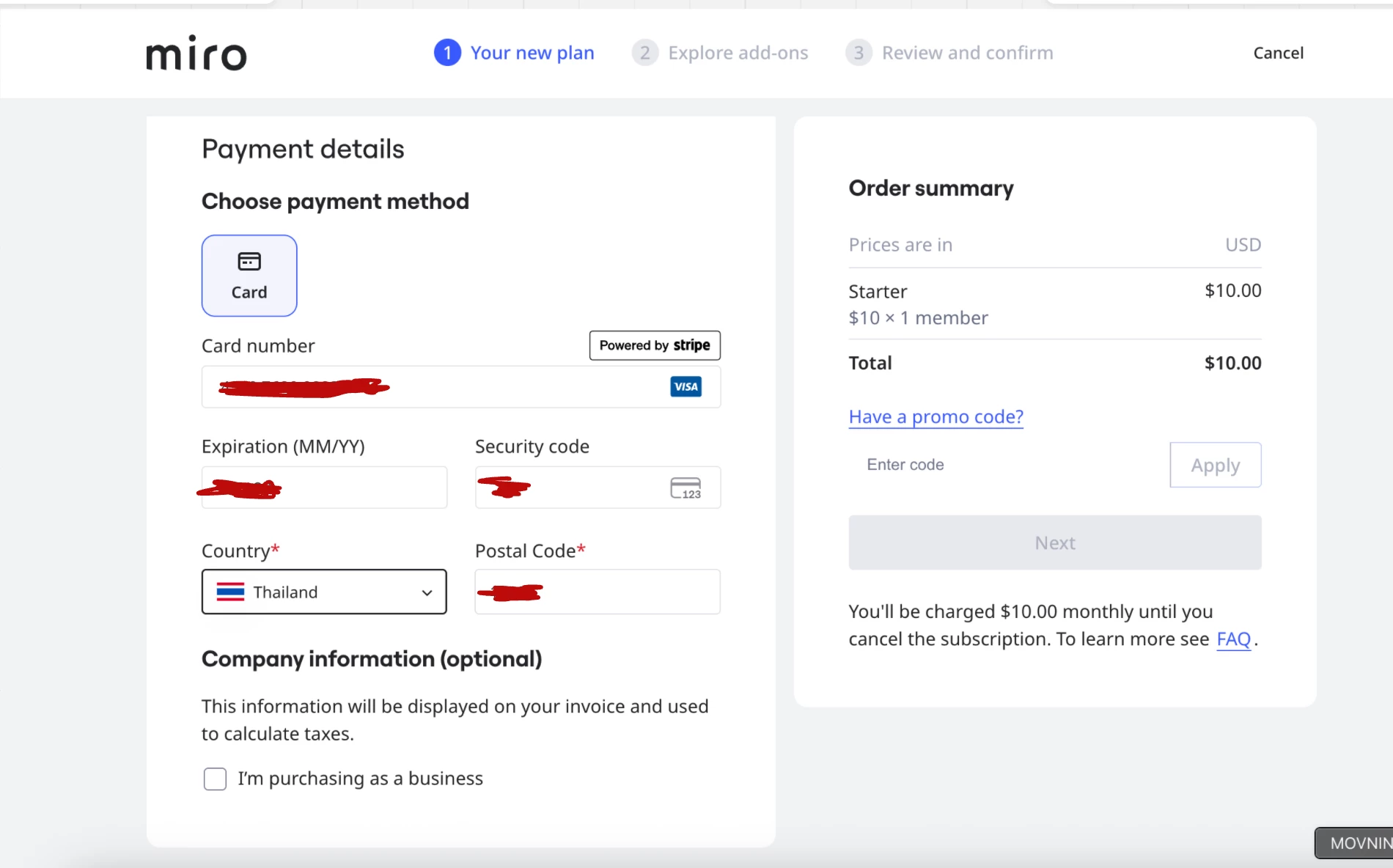
I already filled in the complete card and billing details to purchase a Miro subscription for 1 person. However, I still can’t proceed because the button remains disabled. I can’t proceed next to buy

 

Best answer by Robert Johnson

@Momery I have converted your post into a support ticket for investigation. You should have received an email confirming the creation of the ticket. 

2 replies

Robert Johnson
Forum|alt.badge.img+13
  • Volunteer Community Moderator
  • Answer
  • May 16, 2026

@Momery I have converted your post into a support ticket for investigation. You should have received an email confirming the creation of the ticket. 


Robert Johnson
Forum|alt.badge.img+13
  • Volunteer Community Moderator
  • May 16, 2026

@Momery Now that I’ve had a chance to hop on my laptop, I see that when a user is completing the checkout process, the left pane scrolls while the right one stays static.

On the right, you are attempting to purchase a single licence.

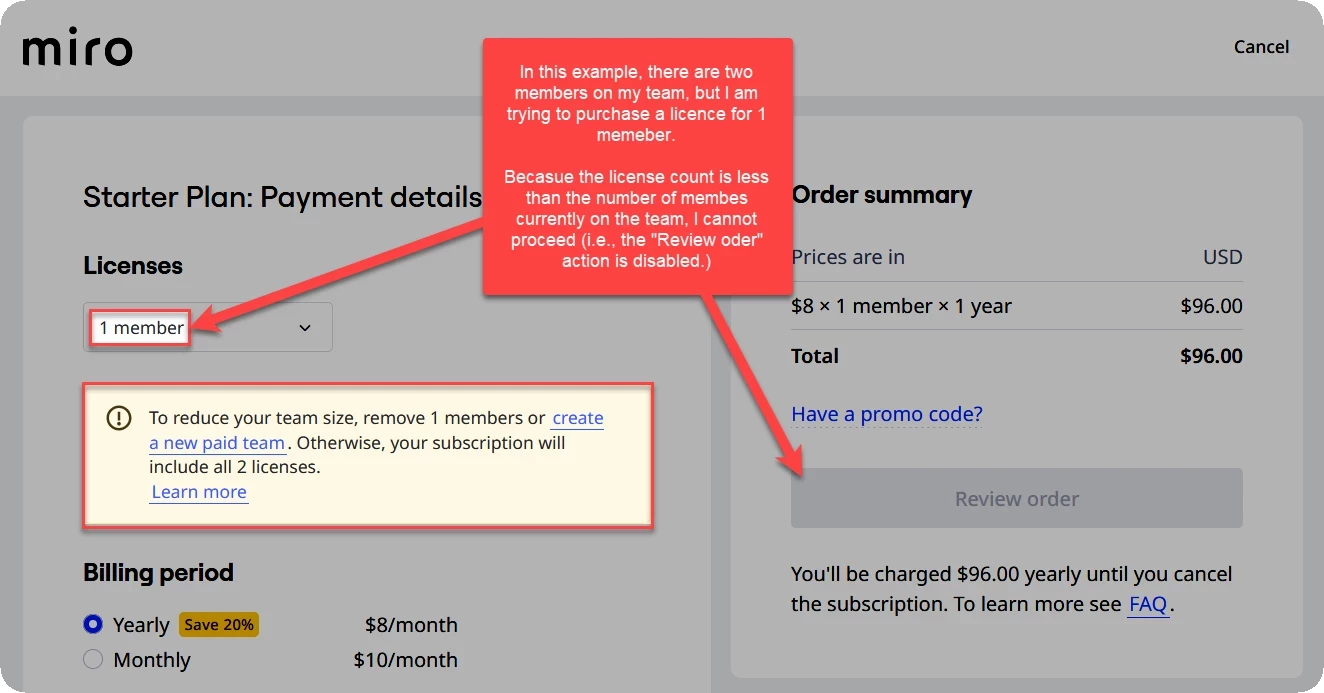
Can you confirm if you have more than one team member in the free plan team you are trying to upgrade from, but have changed the Licenses dropdown to 1 member? If so, this will keep the Next button disabled. For example:


To proceed, you would need to remove the team members whom you do not wish to purchase a licence for.

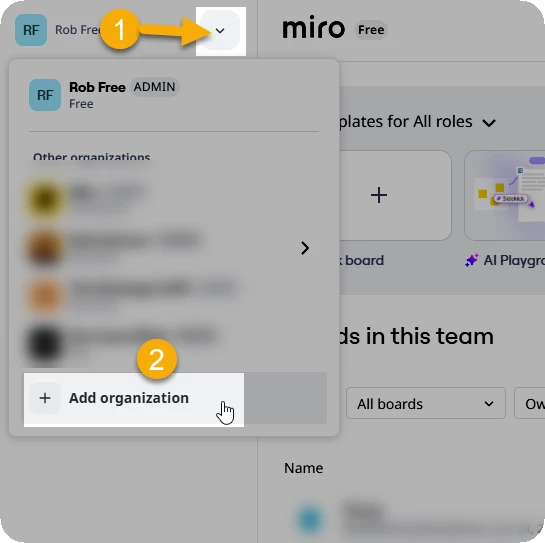
Alternatively, you could create a new paid team workspace for yourself and then move your boards to the new workspace.

You can create a new paid workspace  by visiting www.miro.com/pricing or from your dashboard’s workspace switcher: