
Answered

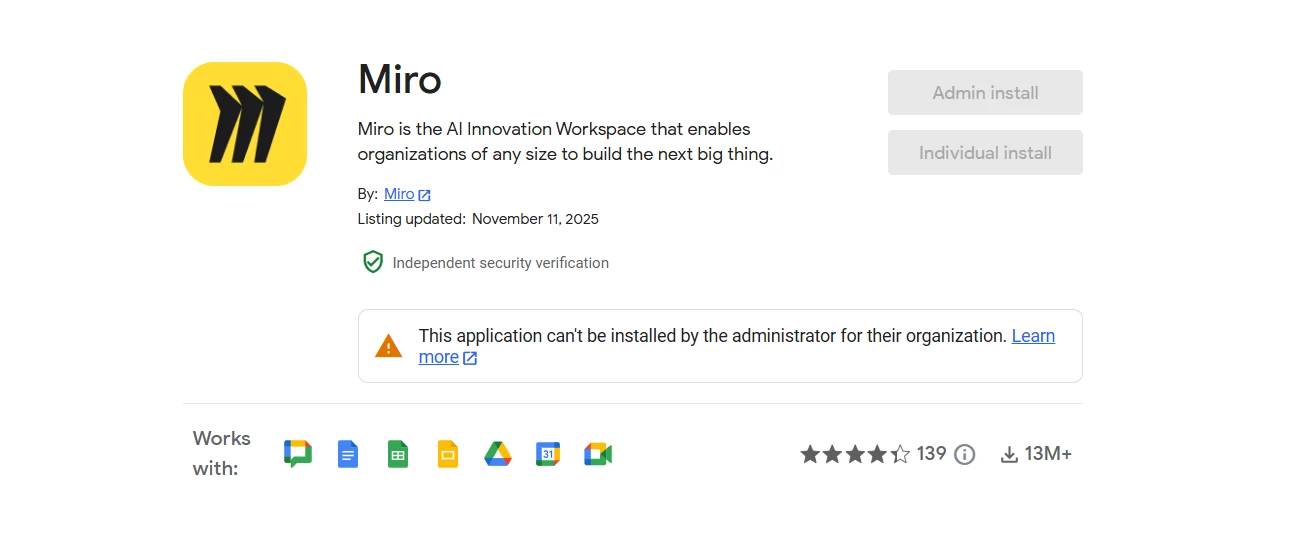
Unable to install Miro in Google Workspace

  • April 10, 2026
  • 1 reply
  • 14 views

Hi, we are unable to install Miro on our Google Workspace. The install option is grayed out for all users, including the admin. Are there any additional configurations that need to be checked for it to become available? Also, our Workspace settings allow all users to install any app from the Marketplace. Do you have any idea what might be causing this?

 

Best answer by Eca

Hi ​@Akshai Prakash 

Thanks for reporting this.

I’ve converted your request into a support ticket so the team can investigate this further on the backend.

Since your Google Workspace Marketplace settings already allow app installations, this behavior may be caused by an organization-level restriction, a mismatch in admin permissions, or a provisioning/approval issue specific to the Miro app in your domain.

The support team will review the configuration and get back to you with next steps or any required changes.

1 reply

Eca
Mironeer
Forum|alt.badge.img+5
  • Mironeer
  • Answer
  • April 10, 2026

Hi ​@Akshai Prakash 

Thanks for reporting this.

I’ve converted your request into a support ticket so the team can investigate this further on the backend.

Since your Google Workspace Marketplace settings already allow app installations, this behavior may be caused by an organization-level restriction, a mismatch in admin permissions, or a provisioning/approval issue specific to the Miro app in your domain.

The support team will review the configuration and get back to you with next steps or any required changes.
