UNABLE TO ACCESS MY BOARD ON MIRO

  • August 19, 2026
  • 4 replies
  • 68 views

I am having issues accessing a board I had created. I was supposed to have meetings today to show it to my manager and one this afternoon to work on it with a colleague. I have a free plan so limited as to what support I can get from MIRO. 


  • Dashboard loads very slowly.
  • Existing boards/flows don't load.
  • New boards don't load either.
  • Loading screen gets stuck around one-third.
  • Chrome and Edge have the same problem.
  • Incognito makes no difference.
  • I’ve logged out/in and changed your password.
  • Office IT person could not access the board I have made from his laptop either
  • Don't use a VPN.
  • Concerned about whether the existing flow/data is safe.


    Dashboard → slow but accessible
    Existing board → won't load
    New board → won't load
    Chrome → won't load
    Edge → won't load
    Incognito → won't load
    Different laptop → won't load

    I’d be grateful for any help. 

    Charlotte

4 replies

Eca
Mironeer
Forum|alt.badge.img+5
  • Mironeer
  • August 19, 2026

Hi ​@charlotte.whitehead, thanks for providing all these details!

Could you please also try the troubleshooting steps in our Board performance and loading issues guide? In particular, please check the Miro Status Page and, if the issue is happening across all boards (including newly created ones), check whether your network supports WebSocket connections.


If the issue persists after trying these steps, I can connect you with the Miro Support Team and include your browser console logs so the team can investigate further.


Hi ​@charlotte.whitehead, thanks for providing all these details!

Could you please also try the troubleshooting steps in our Board performance and loading issues guide? In particular, please check the Miro Status Page and, if the issue is happening across all boards (including newly created ones), check whether your network supports WebSocket connections.


If the issue persists after trying these steps, I can connect you with the Miro Support Team and include your browser console logs so the team can investigate further.

Hello

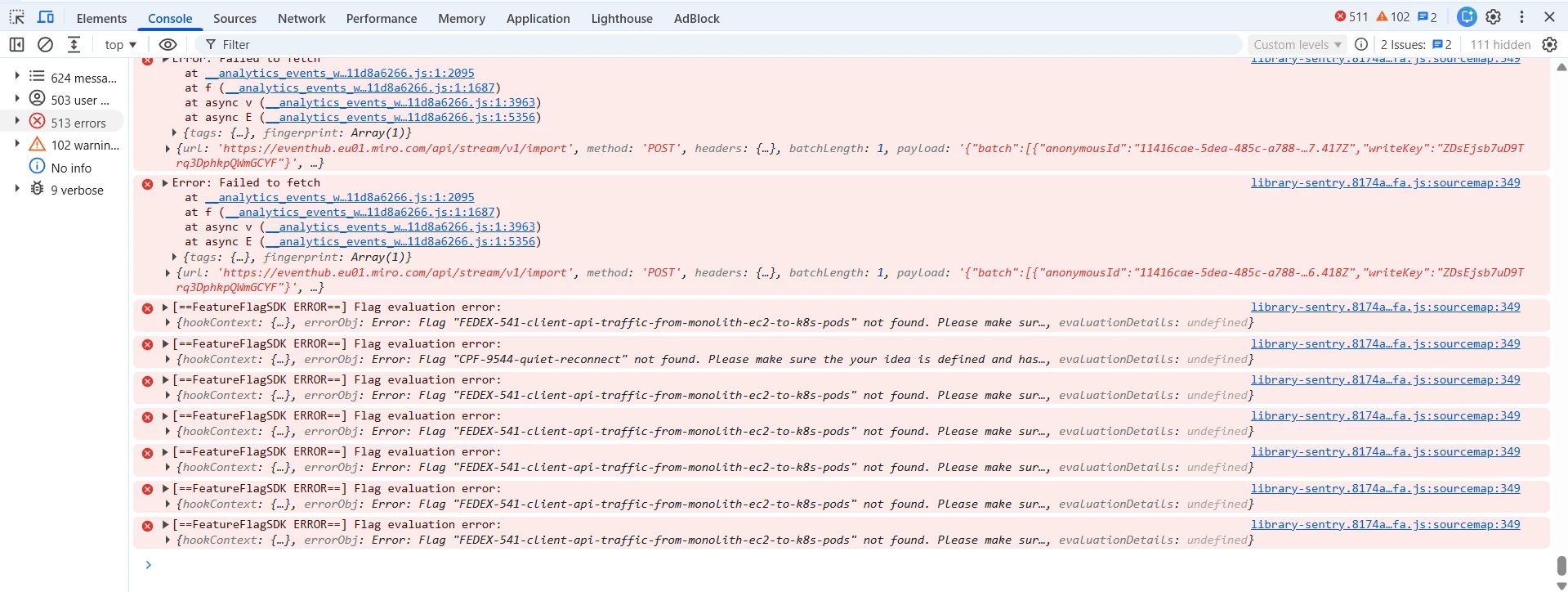
Thanks for the reply. The IT department at my office provided the below multiple errors when we try open the board I have created? 

I am also unable to create a new board (when I tried to do that there was the same issue of the page not loading)

If the MIRO support team could help I;d be very grateful. We’ve tried, what feels like, everything at our end...


I think I am going to have to look into using another tool to create flows as I have had to cancel 2 meetings today due to not being able to get into the MIRO board I had created. It’s a shame because I have used MIRO in the past so am familiar with it. 


Eca
Mironeer
Forum|alt.badge.img+5
  • Mironeer
  • August 19, 2026

Hi ​@charlotte.whitehead

I’m really sorry this issue has caused you to cancel two meetings. I understand how frustrating that must be, especially when you had planned to use the board for those meetings.


Since you’ve already gone through the troubleshooting steps and your IT team has also identified multiple errors, I’ll convert your case to a Support ticket so our Support team can investigate this further and help identify what’s preventing your boards from loading.


We’ll make sure the details you’ve provided here are included in the ticket.