
The letter spacing and/or kerning of fonts seems to be different between the rendered canvas and the way the browser renders them while editing (tested on Firefox and Vivalid; Fedora 43 and Ubuntu 24.04). This causes layouting issues in documents, last letters in labels to slide into the next line, and other issues as shown in this screen recording:
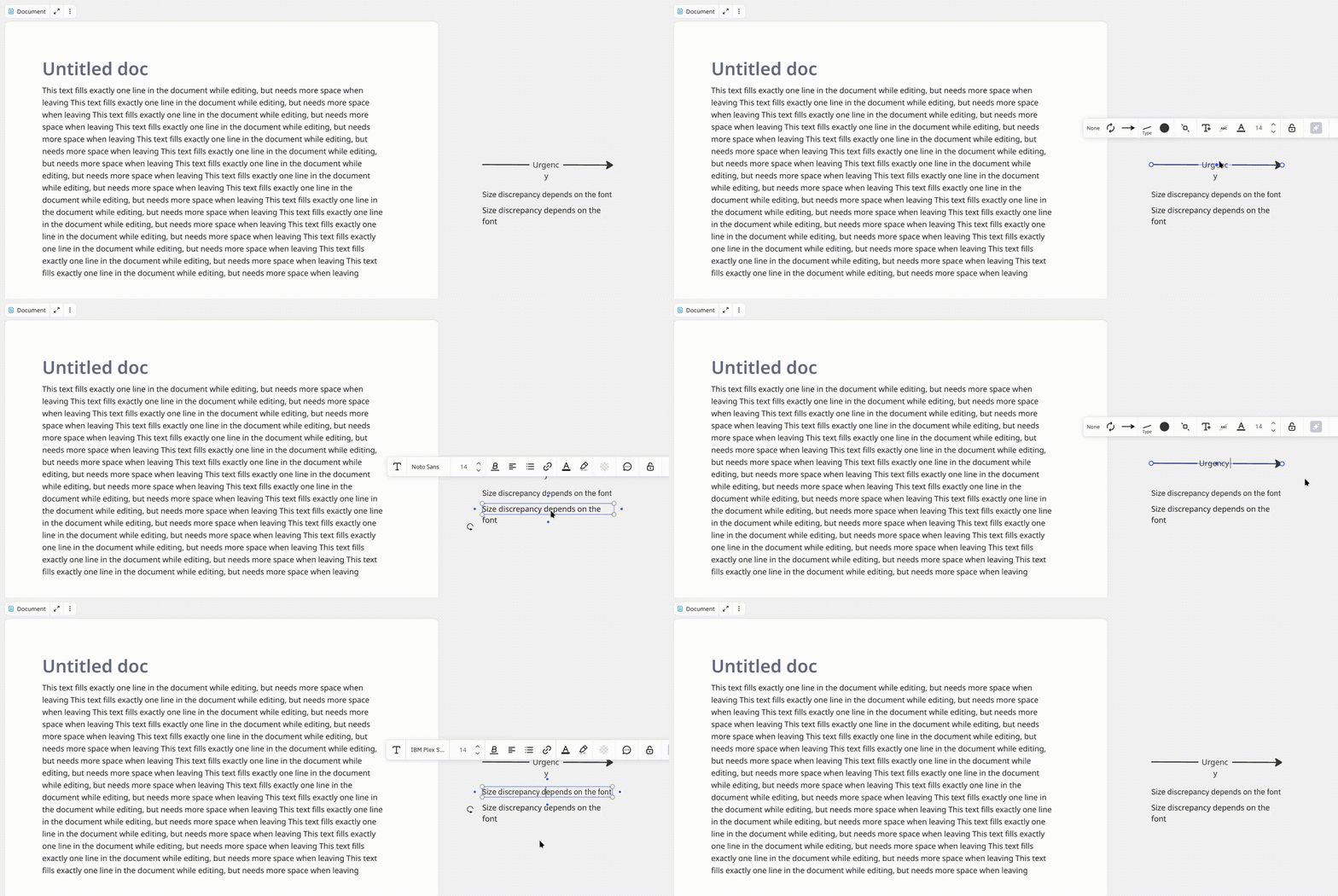
Severity depends on the font, so a workaround for many cases is to use Arial or IBM Plex Sans (closest match) rather than Noto Sans (largest discrepancies). The overhang can be worked around by adding a space at the end. That space, however, gets deleted on the next edit operation, so this is tedious. And documents don’t seem to allow changing the font.
Exact behavior varies with the browser and display. Different DPI scaling factors (in the OS) also affect the offset (here with Noto Sans, Vivaldi, Fedora 43):
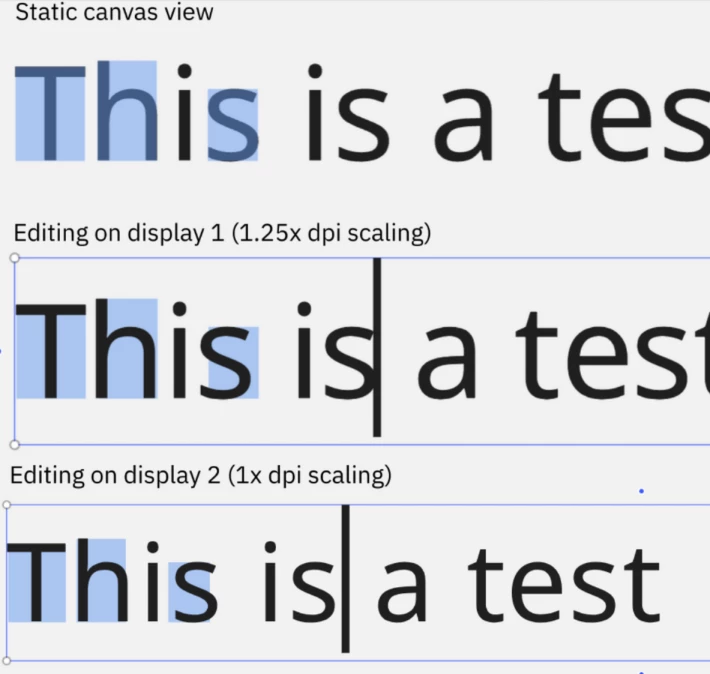
On the display with 1.25x DPI scaling, setting “letter-spacing: 0.25px” (CSS via browser debug tools) yields a perfect match -- could be coincidence, could be a hint to the root issue…
This is potentially related to other text-related issues reported here, like
The width of a text field seems to be set based on the width of the preview while editing. That’d explain render differences when viewed on different platforms.


