Text displays differently for collaborators on the same board

  • March 19, 2026
  • 2 replies
  • 14 views

Forum|alt.badge.img

I’m experiencing a text rendering issue in Miro when collaborating with another person on the same board.

When I create text using the Text tool, the word appears correctly on one line on my screen. However, when my student views the same word on the same board, the last letter often moves to the next line, as if the text box is slightly narrower on their side.

For example:

  • On my screen: wing

  • On the student’s screen:
    win
    g

This is my POV:
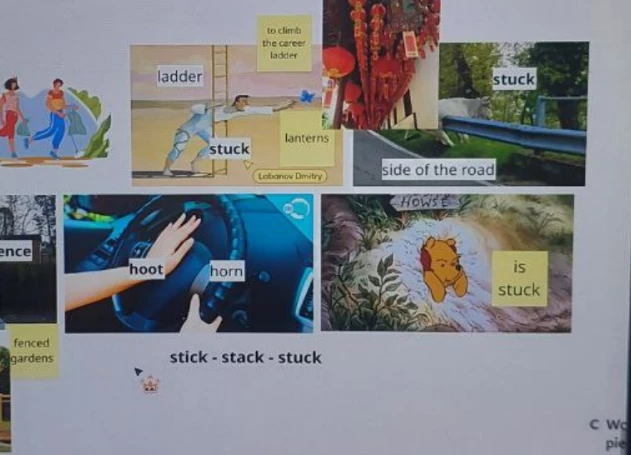

And this is my student’s:
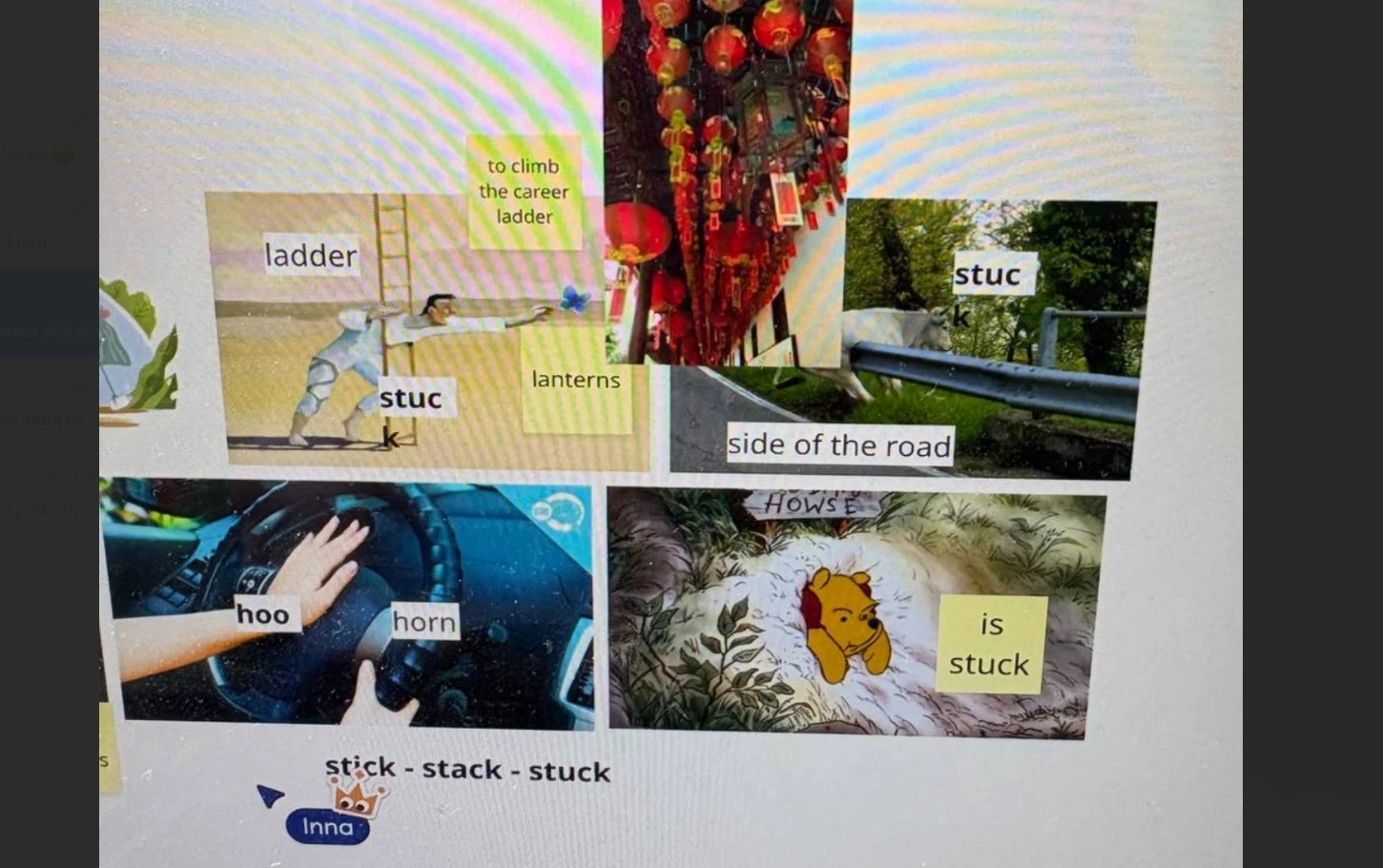
As you can see, the last letter disappears.

This pesky issue means that I always need to stretch all my text boxes a little bit to the right just to be sure that all the students on the board see them correctly. Can you please advise

2 replies

Eca
Mironeer
Forum|alt.badge.img+5
  • Mironeer
  • March 23, 2026

Hi ​@izzinessie 

Thanks for reaching out! Just checking in on this, are you still experiencing the text rendering issue on your board, or has it been resolved?

If it’s still happening, feel free to share any updates, and we can continue investigating


Forum|alt.badge.img
  • Author
  • Beginner
  • March 24, 2026

It is still happening with nearly all of my students. 

I think it’s important to add that this issue usually doesn’t occur when we are on the board at the same time. It only happens when I add text before the lesson and then, when my student open the board from their laptops, it’s all a mess.

To deal with this issue I always drag my text boxes a little to the right to make sure my students see them in a correct way. Like this:

  Can you please advise? This has become a recurring issue and is making Miro difficult to use reliably.