Answered

template update when edited

  • December 7, 2020
  • 2 replies
  • 571 views

2_And when I edit the template myself, the thumbnail of the template and the template on my board do not get updated. I need to ‘paste’ or ‘add’ the template again to the board in order to see the adjusted/new template, how come? Is this meant to be the feature? 

Best answer by Robert Johnson

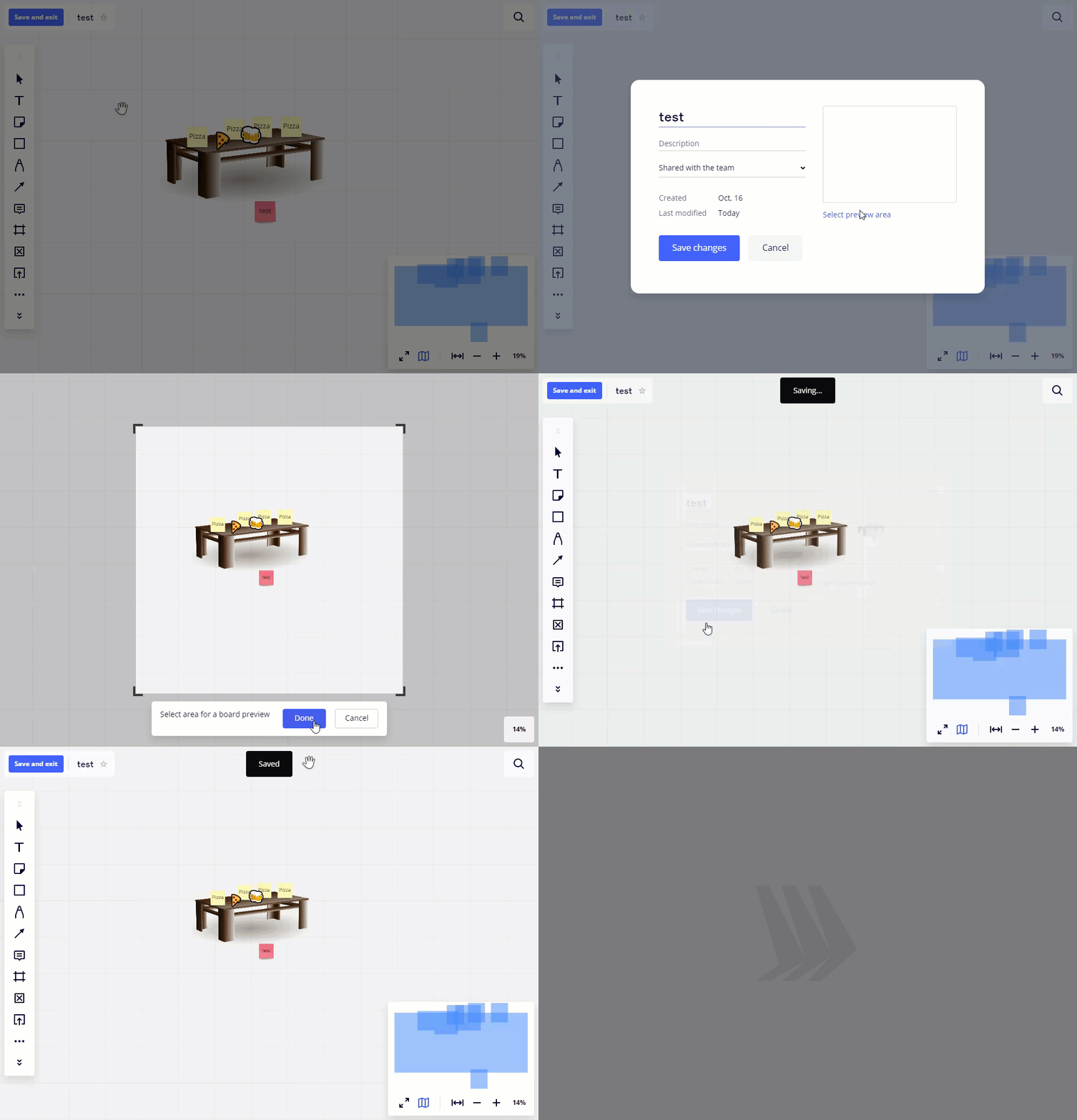
@Matthijs van Mulligen - To update the template preview/thumbnail:

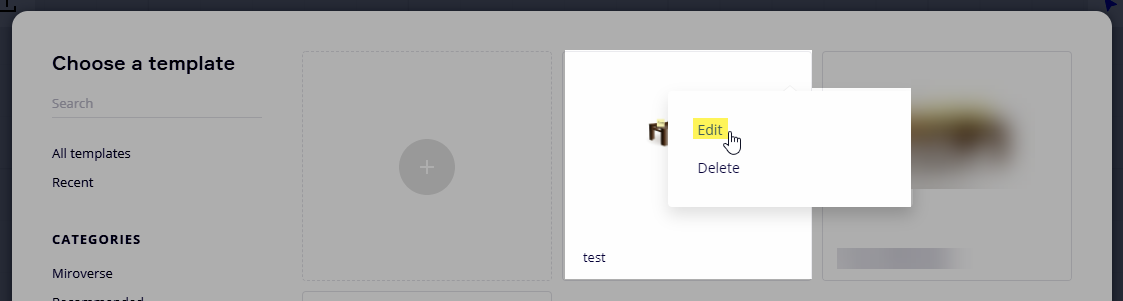
  1. Open the template in Edit mode:


  2. Click on the board title/name

  3. Click on select preview area and select your new area

  4. Click Done

  5. Click Save changes

  6. Click Save and exit


This topic has been closed for replies.

2 replies

Robert Johnson
Forum|alt.badge.img+13
  • Volunteer Community Moderator
  • Answer
  • December 7, 2020

@Matthijs van Mulligen - To update the template preview/thumbnail:

  1. Open the template in Edit mode:


  2. Click on the board title/name

  3. Click on select preview area and select your new area

  4. Click Done

  5. Click Save changes

  6. Click Save and exit


Thank you very much @Robert Johnson. This did the work!

The manual update of the template is a good feature. Secretly I expected Miro to directly & automatically update it by itself. The same issue occurred to the ‘adjustment date - information’ located on the bottom right of the thumbnail views, it did not (yet) update. After this manual trick it did. 


Thank you.