Answered

Tables (Beta) issues/suggestions

  • December 14, 2024
  • 30 replies
  • 1084 views

Show first post

30 replies

Eca
Mironeer
Forum|alt.badge.img+2
  • Mironeer
  • February 21, 2025

Hi ​@Andrew Paules,

Glad to hear you're enjoying the Tables Beta! 🎉 These are fantastic suggestions—especially multi-selection for records and field options, which would make bulk editing much smoother. I also love the idea of a default color setting and a "Random" option to maintain flexibility.


I’ll make sure to pass this feedback along to the team. Thanks for sharing your insights, and keep them coming! 😊


  • Beginner
  • February 25, 2025

Hi ​@Sagar Khakhaar,


Thanks for reaching out!


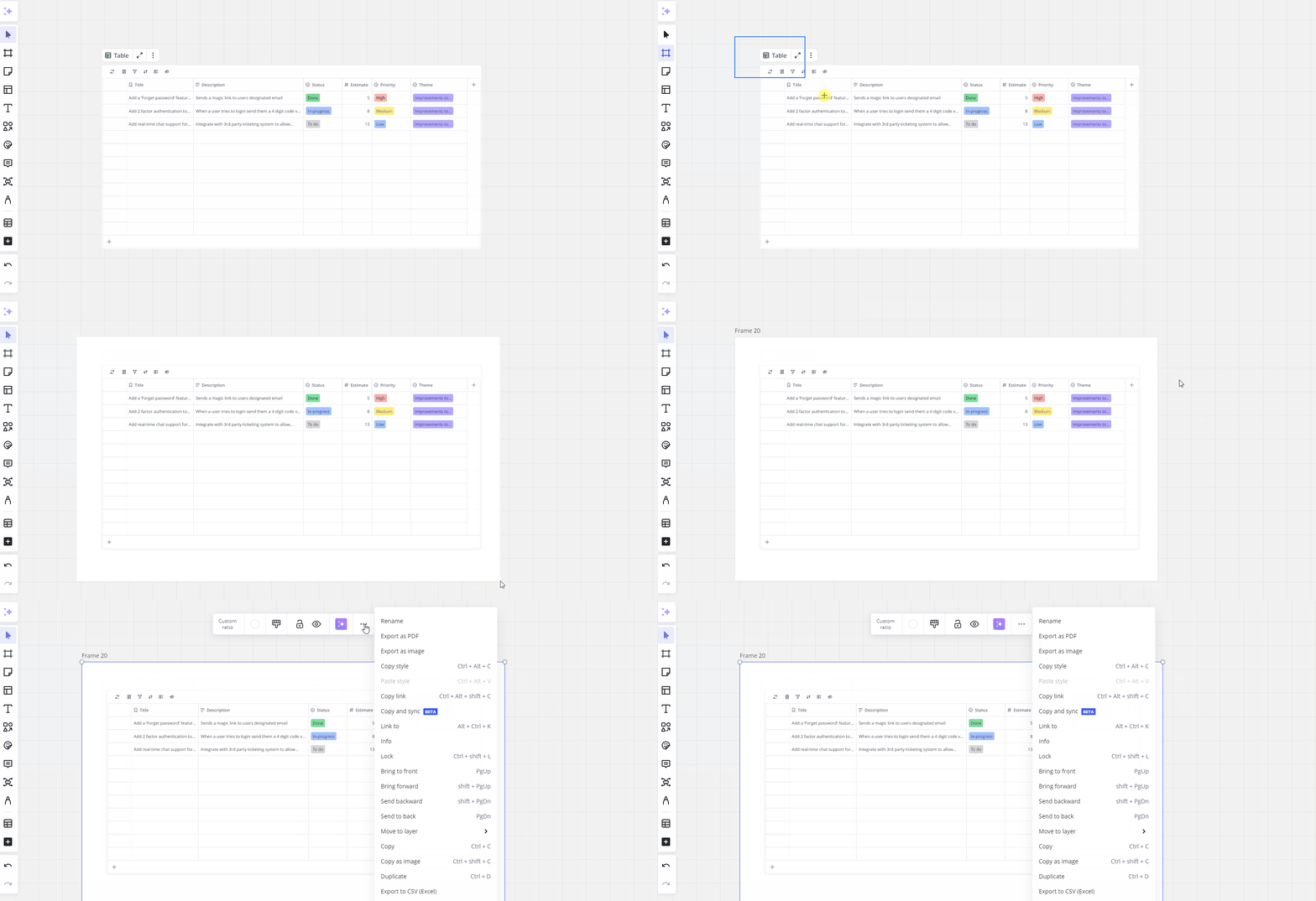
If you want to export the Table only, not the whole board, you’d need to put the table inside a Frame first then export the Frame together with the Table.

 Hope this helps!


Will we be able to export the table content into CSV format? Having pdf page is not useful. I can export Grid into CSV but I cannot with new tables, it means that I cannot move between Miro and Excel. Sorry, in my work environment, Excel wins, this is how I have to share the outcomes, this means that I will not be able to use new tables in Miro, only Grid.


Hi ​@Eca,

Thanks for the suggestion but have already tried copy pasting straight in.

I’m afraid I don’t get more than the heading if I try at table level or at best a single field at a time as it seems you can’t multi-select these either.

I hope considering how fundamental copying out structured data is as a feature of a table this is addressed soon.


Same. Here are my experiments:
 

  1. I cannot convert a table into a grid - when did that happen?
  2. I cannot select the cells in my table to “copy”
  3. If I “copy” the table from the table menu, it doesn’t paste anything except the name of the table
  4. If I add the table to a frame and use export to CSV, it says “Sorry there is no data to export, please select objects that contain text.”
  5. If I try to export the board to an Excel file, it says “Sorry there is no data to export, please select objects that contain text.”
  6. If I try to export the frame to a PDF, it dumps the data out into a text boxes that are too small to then export to Excel (from Acrobat)

My data is no longer in sync to my Excel file and I do not want to retype all this, but at this point, it would have been faster. Now I can’t trust this app with my data.


  • Beginner
  • June 30, 2025

Hi Everyone

I'm experiencing some frustrating issues with the synced tables feature, which is critical for the workflow I’m building.

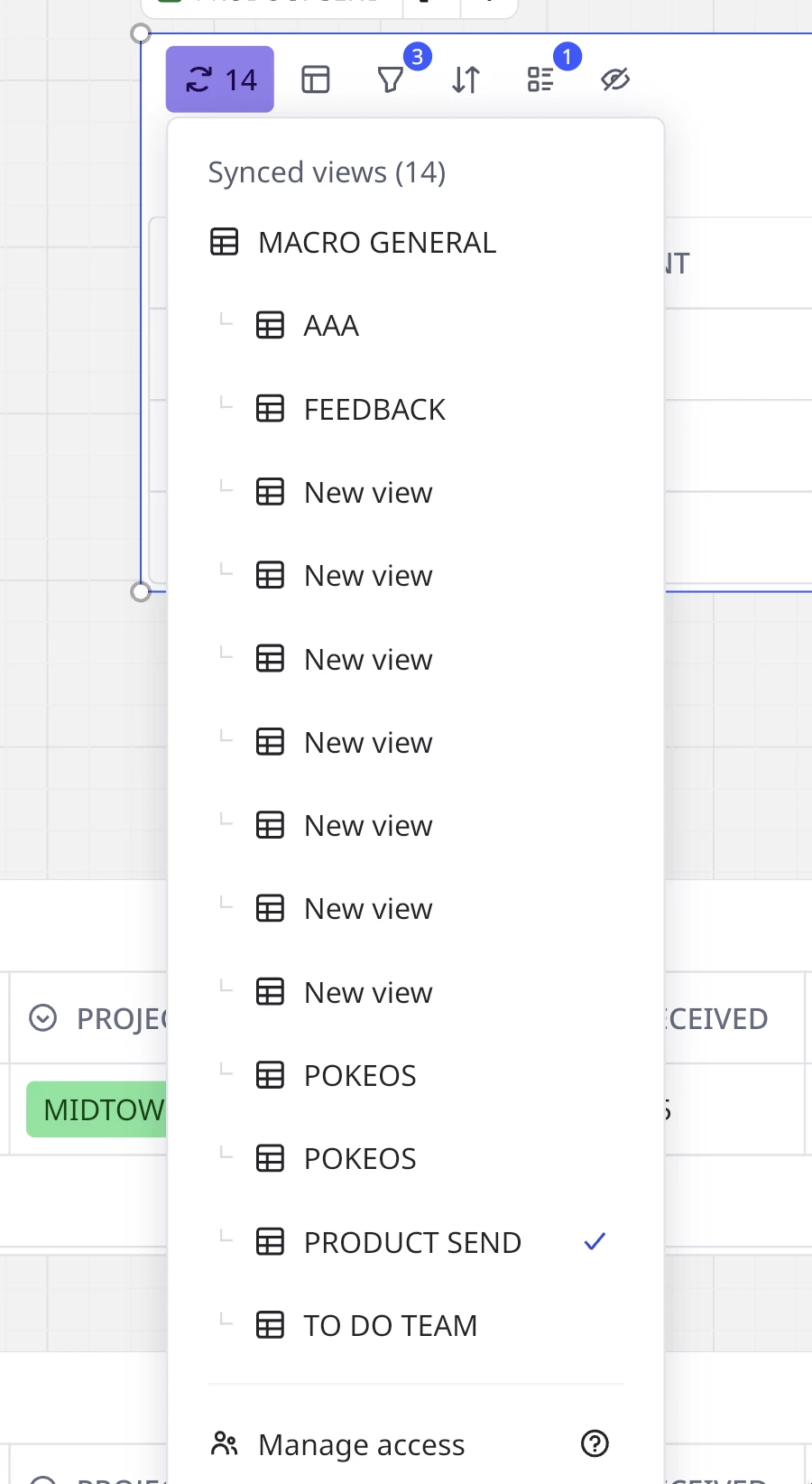
Ghost views not disappearing: When I delete a synced table, the associated view still appears in the “Synced Views” list. These views behave like ghosts — when I click them, nothing happens, and I can't locate them on the board, but they persist in the list as if they still exist.

Field visibility resetting: My workflow relies on one master table with a lot of data, and several synced views with filtered rows and hidden fields. The issue is that whenever I refresh the board (by re-entering or duplicating the table), all the previously hidden fields become visible again. This forces me to manually re-hide everything each time, which is extremely time-consuming.

This behavior is making it really hard to use synced tables effectively. I truly rely on Miro as a core part of my process, and I’d really appreciate any help or guidance you can offer to resolve this.


Here are the ghost views im taking about. One added detail is that filters remain the same, the issue is with hide fields.

Thanks so much in advance for your support.

Best,
Julián


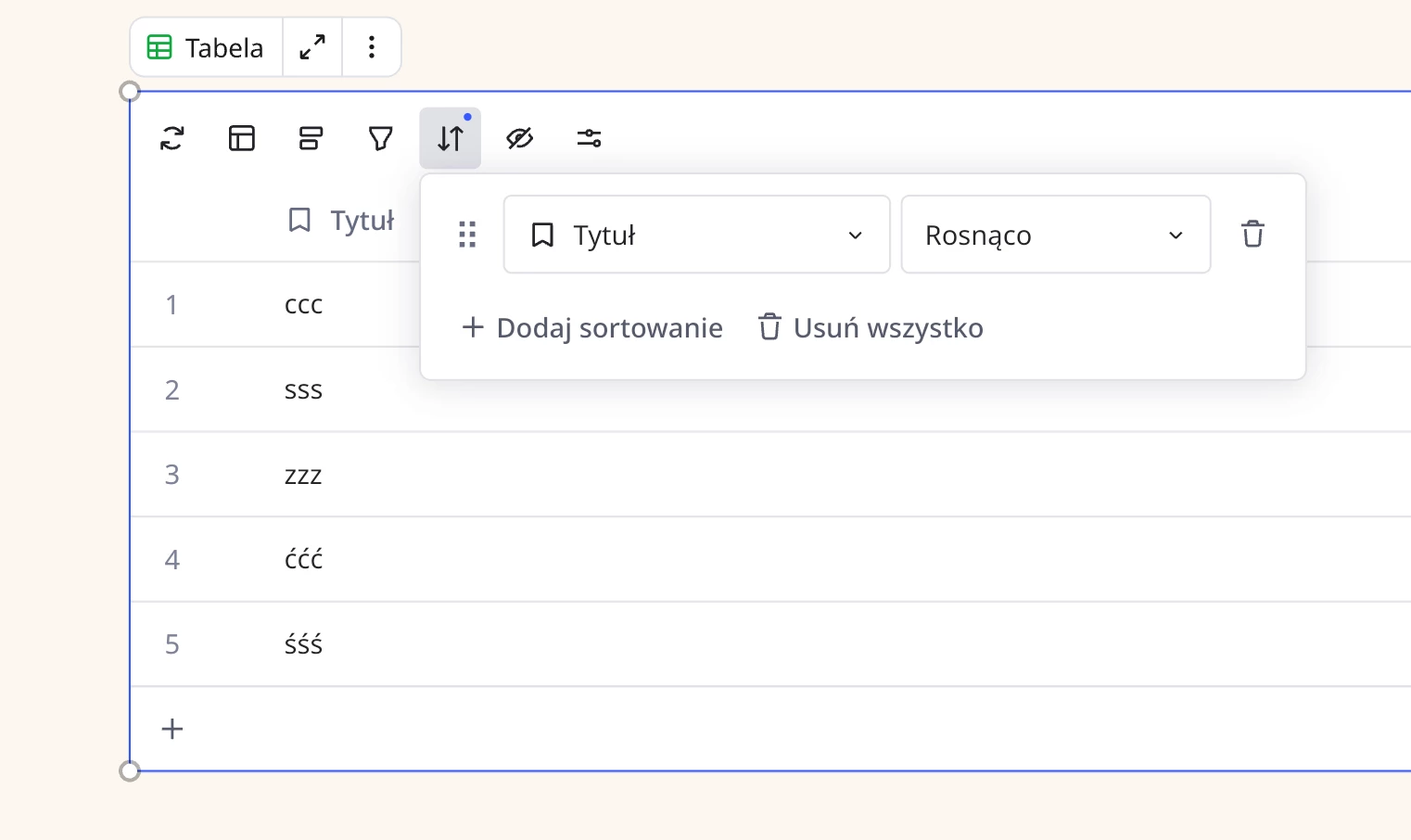
Hi, I have a question about sorting in Polish. Will it be improved in the future? Right now, all Polish characters are sorted after other letters. The correct order should be:
ccc
ććć
sss
śśś
zzz