Question

SVG Text Palcement

  • January 29, 2025
  • 6 replies
  • 179 views

Forum|alt.badge.img

I have imported some SVGs ans saved them as a shape pack. When I pull one onto the board, it places the text underneath the image. I’d like the text to be displayed in the middle/center horizontallt/vertically as a default. I can’t even manually change the location of the text.


Please advise on how this might be achieved.

6 replies

Eca
Mironeer
Forum|alt.badge.img+4
  • Mironeer
  • January 31, 2025

Hi ​@JMEY,

Thanks for reaching out! To better understand the issue, could you share a short screen recording of what happens when you add an SVG shape to the board? A video would help us see the behavior and provide more accurate guidance.


You can use a free tool like Loom or any screen recording software and share the link here. Looking forward to your update! 😊


Forum|alt.badge.img
  • Author
  • New Here
  • February 2, 2025

That’s not possible as this is a work computer. 

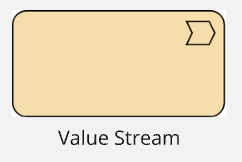
To try and further explain. It appears that when you add an SVG into a custom user shape pack, the default (that cannot be changed) is for MIRO to place the text tag (banner, box, whatever you call it) centered under the SVG shape.


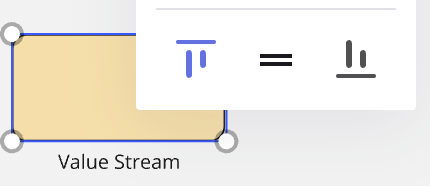
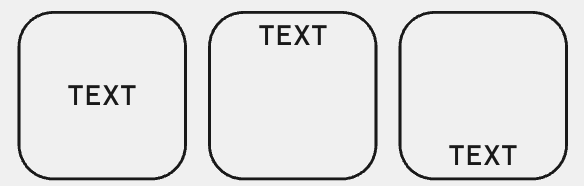
I want to be able to move the next to sit centered (horizontally and vertically) on the SVG. While I can justify the text left/right/middle, the toolbar you use for placing the text horizontally does not function.


This means MIRO must code the text area of the text to only sit underneath the SVG. Where as on a standard shape the text area is completely within the border 

 So basically the SVG text tag should operate as per the standard shape. 


Given that SVGs are code, some other ‘nice to have’ improvements would be:

  • changing the fill and border colors
  • having the backround transaprent (on the first screen shot you can see whit corners)

Hope this better explains the issue. thanks


  • New Here
  • June 27, 2025

I agree that Miro should support text within SVG, especially now with the latest Diagramming update with the option to upload your own SVG images, front and centre... Please keep us in the loop if this will be supported in the future 


  • Beginner
  • February 2, 2026

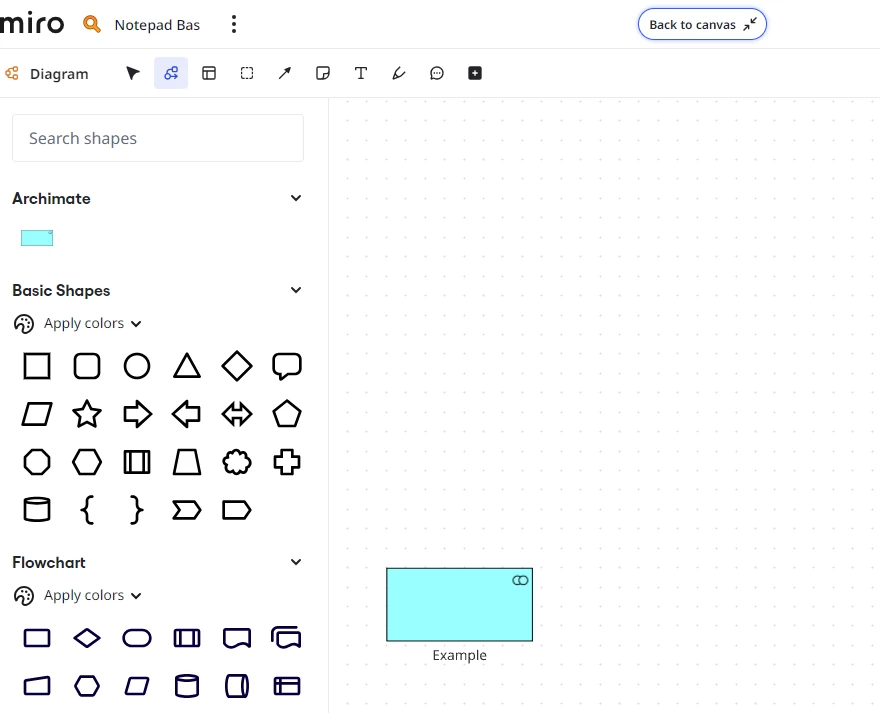
I hope this would indeed be added; or that Miro would add Archimate models as set of diagramming shapes.


  • Beginner
  • March 13, 2026

I would like to add to this; if we had access to good ArchiMate shapes, then Miro would probably become a must-have tool for the business architecture discipline. I, for one, would be more than happy to contribute to getting ArchiMate symbols added as a Miro shape pack.

In addition to what has already been suggested, it would be great if we could modify the ArchiMate symbols (the ones that appear in the top right) so they are treated as a separate child of the shape, so that they maintain the same aspect ratio regardless of how the outer shape is stretched.


  • Beginner
  • March 16, 2026

Thats the sad thing, you can add custom SVG's as shapes, the SVG's for the Archimate symbols are available online. It's just that text is not within the box, but outside of the box. This is problem because the text need to be within in order to describe things are part of things. Because it that was there, i would switch in a heartbeat.


It's always that the text is below like this and it should be in it.