[RESOLVED] Image Filename Missing from context bar

  • July 6, 2023
  • 49 replies
  • 679 views

Show first post

49 replies

Forum|alt.badge.img
  • Beginner
  • July 13, 2023

@Vallahalla we are all asking for same the functionality you wrote about to be put back. We all need the single click to see file name. Adding you to this chain! 

Thank you for adding me! I see the community is definitely reiterating what I’m experiencing too. 
 

To Miro designers, There certainly seems to be plenty of real estate on that floating bar that appears when an image is selected using the V selection tool. Can the filename preview be added to that pop up too? Added *back* I should say?


Keep innovating and thanks for listening. I’m enjoying Miro so far.


Forum|alt.badge.img
  • Contributor
  • July 13, 2023

hi @Robert Johnson this still requires several clicks when we used to click once. in order to move through a presentation we will need to click back and forth from the hand and arrow multiple times…. 


when i follow the steps you show above i still need to click on ALT first..and then i’ll need to switch back to the arrow. 


Can we please have the single click back?


Robert Johnson
Forum|alt.badge.img+13
  • Volunteer Community Moderator
  • July 13, 2023

hi @Robert Johnson this still requires several clicks when we used to click once. in order to move through a presentation we will need to click back and forth from the hand and arrow multiple times…. 


when i follow the steps you show above i still need to click on ALT first..and then i’ll need to switch back to the arrow. 


Can we please have the single click back?

@Steph B.

The steps are just a workaround. If you press V on your keyboard (toggles between select/pan), the you still only have to “click/tap” once. Assumptions: You are using a keyboard, have two hands, and one had is close to your keyboard with the other being on a mouse. With those conditions in place, as a workaround until Miro makes another change or reverts back, I find it to be pretty quick.

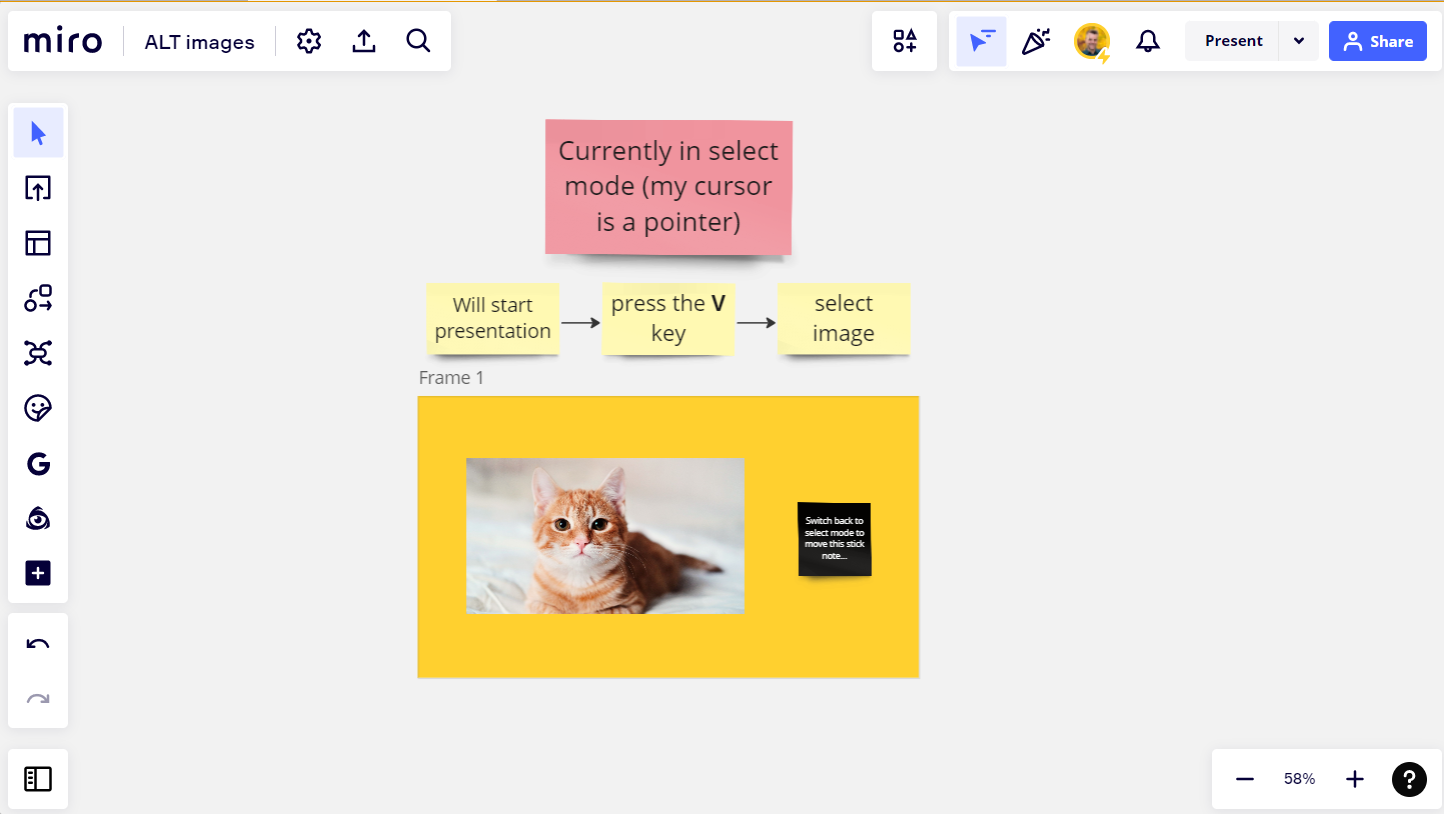
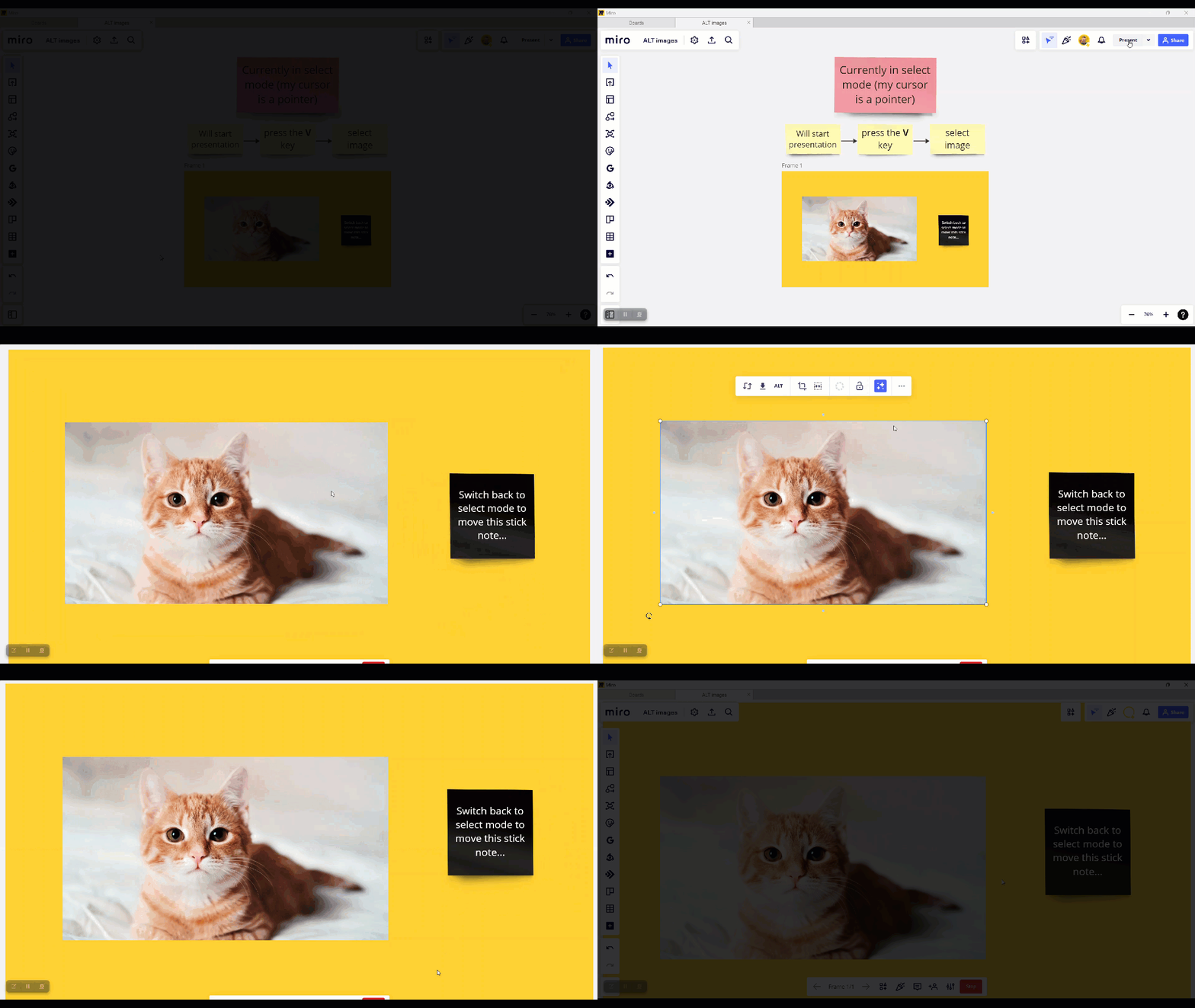
Here it is in action:

  1. I start in select mode
  2. While in a presentation, I press the V key to switch to pan mode
  3. I select the image to see the filename
  4. I press the V key to go back to select mode.

Screenshot of my board:


GIF of it in action:


AGREED - we need the filenames to do our work!!! 


Forum|alt.badge.img
  • Beginner
  • July 14, 2023

@Robert Johnson I appreciate the help and the thorough explanation of the workaround. 

Today I found that some of my images are grouped and when in a group, I cannot apply the workaround.

Using V to click into the group of images and then switching to the hand tool, pops me back out of the group and so cannot select the image in question and reveal it’s filename. 


Robert Johnson
Forum|alt.badge.img+13
  • Volunteer Community Moderator
  • July 14, 2023

@Robert Johnson I appreciate the help and the thorough explanation of the workaround. 

Today I found that some of my images are grouped and when in a group, I cannot apply the workaround.

Using V to click into the group of images and then switching to the hand tool, pops me back out of the group and so cannot select the image in question and reveal it’s filename. 

Ahhh, yes, that would trick up the workaround. I just tested, and even thought you can double-click a grouped object to individually select (and even move it while it’s still grouped), when you press the V key to go to pan mode and then click/select the group, you may only see the filename of the “highest” level image, e.g., I always only see dog.jpg as it is higher than/over cat.jpg:


Robert Johnson
Forum|alt.badge.img+13
  • Volunteer Community Moderator
  • July 17, 2023

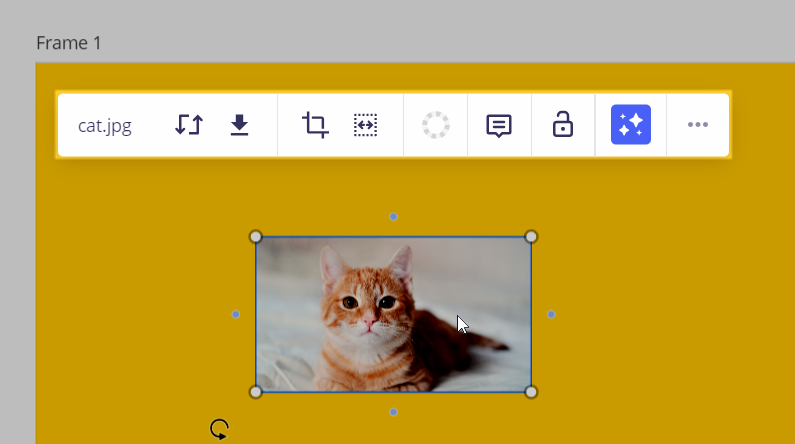
It looks like Miro made a change as I am seeing the filename again in the context bar and no ALT option:


Kristin
Mironeer
Forum|alt.badge.img+1
  • Mironeer
  • July 18, 2023

Hi all, thank you all again for the feedback on the importance of image filenames. 

As Robert mentioned, we’ve rolled back the alt-text update, so you should be seeing file names as part of the top menu again — this also means that Alt-text is no longer available for images. We’re working hard to bring Alt-text back again, so stay tuned.  

Hopefully, I haven’t missed too many people, cc: @Pato Man@Steph B.@Robert Johnson@Vinigor@Matthew Whiting@Tien@Elise O'Connell@Vallahalla@Chanel Rosales@Lejaun@Martine Sticha@JBCAD@Fanny Chow@Sara Morales@Megan Skibiel@Amber Jostmeyer@Goran Djokic@jenny carlin@Melinda Mann@Yvonne Kostiak, and @RL-Design.


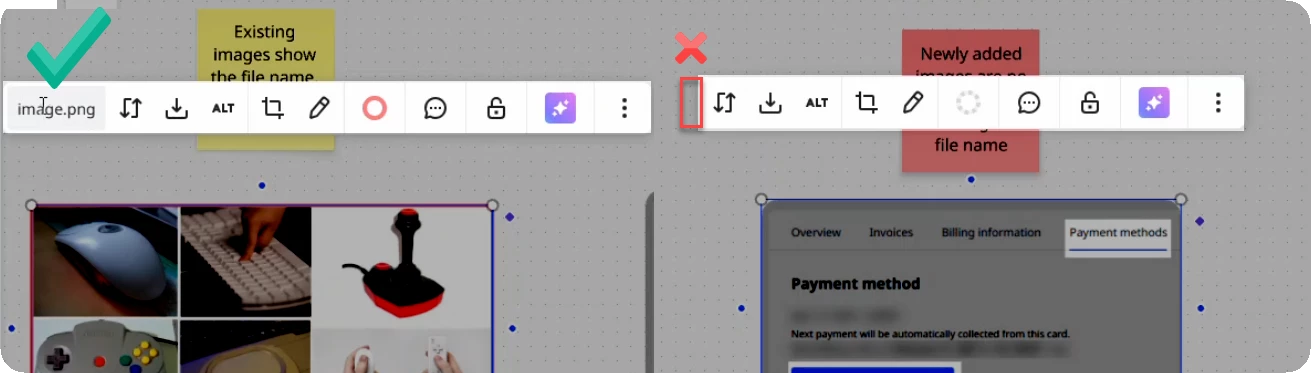
Looks like it happend again with todays update. 
Old images still show the name. New ones dont.

Please bring that back, its super important as we already discussed here. Otherwise there is no way to keep track of different versions if you dont know what you are looking at. 
Also seeing the actual name when pressing download isnt working any longer, please keep the original filename there as well. Everything else makes Miro unusable for design iterations. 

Thanks!


Yes, please bring it back! Its a critical feature to us to know where images came from for a reproducible workflow.


Robert Johnson
Forum|alt.badge.img+13
  • Volunteer Community Moderator
  • February 19, 2026

@Cedric Kiefer / ​@fuchsundvogel I am seeing new, unexpected behaviour too and have opened a support ticket. I’ll report back here as I learn more.

For reference, here is the filename box that users have been reporting as missing for newly uploaded images:


  • Active Contributor
  • February 20, 2026

Please fix this. This is causing problems and making work more difficult.


  • Beginner
  • February 20, 2026

Help!!!
Over the past two days I have been adding new images into a Miro report and the file names are now missing!
I have tired V and H - this does not work
Also when I download the images they now have a number filename and not the original name 


Forum|alt.badge.img

i upload an image, but the rename button is no longer there. 

How can I rename the image?


Yes! I have just encountered this problem too. Standing by for someone to answer  ...🤞


  • Beginner
  • February 20, 2026

Same here. And there’s already a INVESTIGATING comments 2 years ago which MIRO replied they’ll fix it.

So seems like it happens again?🤔

Also, I actually wish the images’ name show like its title or caption (like images in Notion) , then we can just read the name without clik it


  • New Here
  • February 20, 2026

We are experiencing the same issue and would like to see a fix for it


  • Beginner
  • February 20, 2026

Have also just encountered this problem - it’s a HUGE issue for myself and my company, as we relied on the image names for referencing purposes. If this isn’t fixed ASAP we will have to use another platform which we really don’t want to do!


  • Beginner
  • February 20, 2026

Commenting here to say we rely on this feature too, I hope it can be fixed ASAP.


Super important


  • New Here
  • February 20, 2026

Hi ​@Robert Johnson ,
We also experienced this problem, we would be grateful for a quick solution.
Thanks!


Robert Johnson
Forum|alt.badge.img+13
  • Volunteer Community Moderator
  • February 20, 2026

UPDATE — issue is RESOLVED:

Thank you for reaching out to Miro Support and for sharing the details about the missing image filename in the context menu.
 
We understand how important it is to have consistent access to image details, especially when working with newly uploaded files. I’m happy to let you know that our Engineering team identified the issue and has already implemented a fix.
 
Please go ahead and refresh your board, then try uploading a new image again to confirm that the filename now appears as expected.


  • Beginner
  • February 20, 2026

yes its back for me too!!
YAY!!


  • Beginner
  • February 20, 2026

I reinstall MIRO and it works, maybe this way could help.