Answered

[RESOLVED] Change Tickets/Cards in a Canban Table view is not working any more.

  • February 16, 2026
  • 12 replies
  • 134 views

Forum|alt.badge.img

Hey 

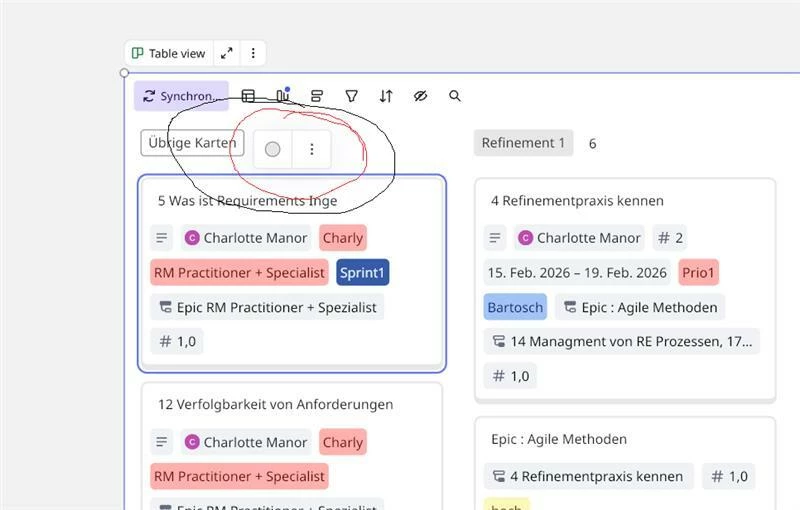
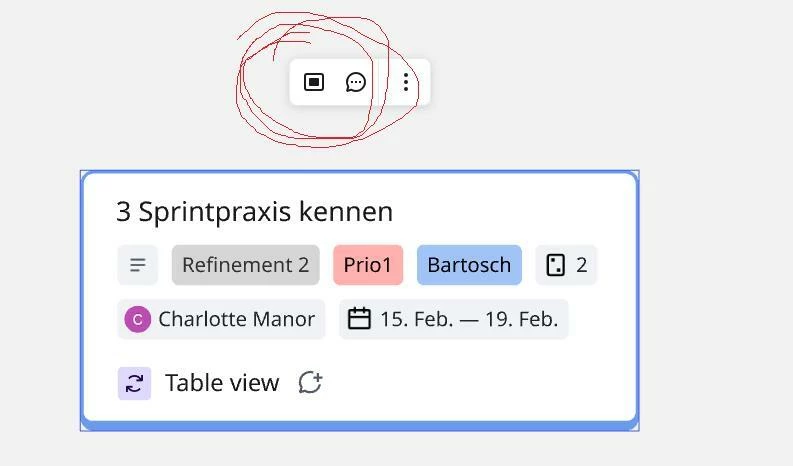
I created a Table View Canban Board and adet a lot of Tickets and could describe Tickets. But know I cant describe the Tickets in the Canban Board anymore and don´t know what I changed. Can someone please let me know how to work on Cards in the Board again? 

Now: = Wrong
Bevore I could Change in Board 
 

Best answer by Ray W

Miro dev team have fixed this issue, it now works for me 😅 🙌 Thx

12 replies

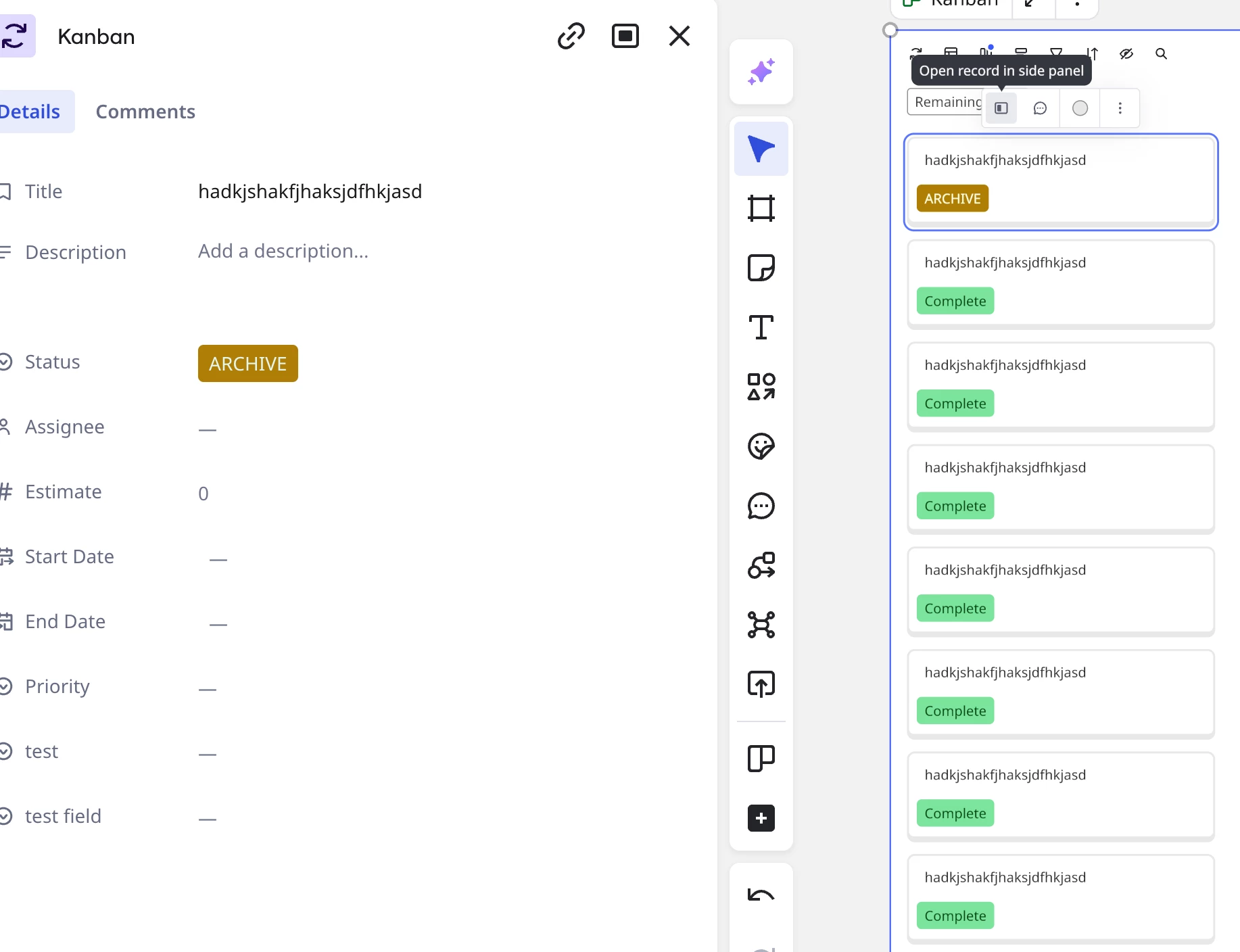
When working in Kanban, there was an option to open a swimlane card in the side panel in order to enter information onto the card rather than opening the Kanban in a Table format. That functionality has been removed. Has it been moved to another area? Is it no longer a feature?


I am having the same issue. My temp workaround is to convert the layout of the Kanban to “Table” and then I can make edits and add tags, and then convert it back to “Kanban”.


Same this is super frustrating. Love a solution!


Forum|alt.badge.img

Thank you Dear verseforgegames for this workaround. The workaround you mentiond ist not a solution for me because I have a lot of deskription in my tickets though a Template I use. The Table does not show all Tickets anymore… I agree with James boshier that we need a Solution. Is here in the Chatroom someone from Miro who has an Idea what the reason for this behave from Miro might be? Thant you for your help sofar! 


I am hanving the same issue. 

I have a lot of important notes in the description part and now cannot acces it anymore. This is super inconvenient.


Best,

Marieke


  • New Here
  • February 17, 2026

I’m having the same issue. It’s frustrating. Does anyone know if they deleted that option, or if it’s a bug that’s going to be solved? I had important information there, I can use the table view, but it’s not practical. Thanks!


Eca
Mironeer
Forum|alt.badge.img+2
  • Mironeer
  • February 17, 2026

Thank you all for reporting this! Based on my replication, I can still make edits to the cards within the Kanban board.

 However, since the issue seems to be affecting many users, I have the cases shared here converted to a support ticket for further investigation. You should receive a response shortly. For those who experience the same issue, I will monitor the tickets and share here what the support team’s invetigation result will be.


  • Beginner
  • February 17, 2026

Hi, please can you add me to the same support ticket as this has stopped working today for me on one of my boards also. Strangely it still works on other boards for me. On the board where it’s stopped working I have tried adding a new Kanban component but the problem persists even within the new component. If I try converting the Layout to Table format and then opening the side-panel, I see the message “This action isn’t available on your current license”, but clearly it is (as it works on other boards and used to work on this board) and I have a paid-for license.


Thanks Ray


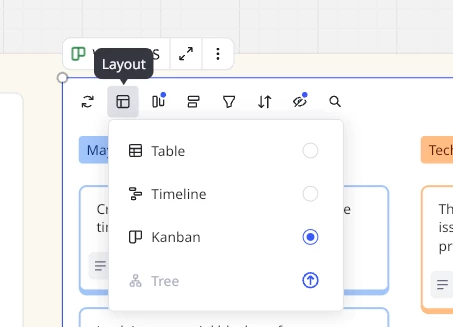
I'm having the same problem. Since the automatic update to the Miro version that enables the “tree” option in the layout, it is no longer possible to edit cards in the Kanban view in any of our boards. Please fix this as soon as possible, as we work intensively with the Kanban view and editing in this view is absolutely essential! Side-Panel and Comment Button is missing! Thx for your help Eca!


Forum|alt.badge.img

Dear Eca, thank you so much for opening the support Ticket! and Ray W - it is exactly how you describe the problem with me to. So I´m happy if this problem can be solved soon and we will be informed when it works again! Thank you ! 


  • Beginner
  • Answer
  • February 18, 2026

Miro dev team have fixed this issue, it now works for me 😅 🙌 Thx


Forum|alt.badge.img

Thanks to the people here and the Miro team for Help! The Issue is solved and it works for me to!