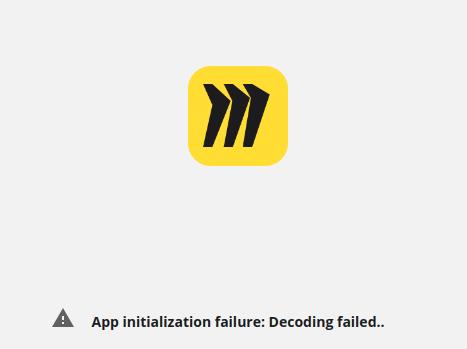
I’ve been using miro from Safari on mi MacBook Pro, and that bug appeared this Friday, had to ask a coworker to send me a pdf of the board but now I need to work on it and the but still remains the same. Any way I can access it?
So you guys have known about this bug and passed it onto the product team for quite some time. What’s the update? And please actually answer the question! Myself and most others here will not be happy with platitudes and non answers. Just tell us what’s happening and when it will be fixed.
I am having the same issue for the past 2 days on my iPad. Do we know when this will be fixed? I use Miro heavily for sketching on the iPad and the app has been rendered useless for me.
I am the same user troubled by the bug. After multiple attempts to contact support, I received the following response from the official team. So I try to Execute the following steps. However, since Safari couldn't perform the following steps, I switched to Chrome. Once I did, I found that Miro started working properly. So, everyone can try switching to Chrome and see if it works. If it still doesn't, you can follow the steps below to report the issue to Miro's engineers.
Hi Lee,
Thanks for contacting Miro Support about the error you're receiving when attempting to log in. I'll be happy to investigate!
After testing, I could not reproduce the behavior you are experiencing. However, I understand the frustration of being unable to access your boards, so, to troubleshoot your issue further, we will need HAR logs from the page where you encounter it.
HAR (HTTP Archive format) logs a web browser's interaction with a site. This information is required to troubleshoot web console issues in web applications. HAR log should be collected from the device you are trying to use Miro. These records should provide us with the details of what happens when encountering difficulties.
To download the HAR logs, please follow these steps:
While on the Miro board, click the address bar of your browser:
Press the F12 or fn + F12 shortcut to open the browser developer tools
Choose the Network tab: Check to Preserve logs
Reload the page
Try to reproduce the issue
Click the Download Arrow sign to Export the Network HAR logs:
Then switch to the Console tab and right-click the records, and choose to Save as...
Send us the two resulting .log and .har files
If the files are too big to be uploaded to the ticket thread, feel free to upload them to any cloud storage and send us the link to it (please allow anyone with the link to download the files).
https://miro.com/api/v1/boards/uXjVN5rglVk%3D?fields=currentUserContext%7Brole%2Cpermissions%2Cuser%7Bid%2Cname%2Cemail%2CemailConfirmed%2Cpicture%2ClastLoginDate%2Cstate%2CstoredName%7D%2CdirectlyShared%2CuserConnectionId%7D Request Method GET Status Code 403 Forbidden Remote Address
https://miro.com/api/v1/boards/uXjVN5rglVk%3D?fields=currentUserContext%7Brole%2Cpermissions%2Cuser%7Bid%2Cname%2Cemail%2CemailConfirmed%2Cpicture%2ClastLoginDate%2Cstate%2CstoredName%7D%2CdirectlyShared%2CuserConnectionId%7D Request Method GET Status Code 403 Forbidden Remote Address